Free FiveM Voice Changer
A FiveM voice changer for GTA roleplay: a voice for every character, from a gravelly mob boss to an old shopkeeper, switched with one key.
Updated · Tested by the Facecam team

Your browser will ask for microphone access when you click.

How do I change my voice on GTA RP?
A FiveM voice changer changes your voice on GTA roleplay servers. FiveM's voice chat, like pma-voice or mumble-voip, takes your computer's default microphone, so with Facecam Virtual Microphone as the default, the whole city hears your character.
Get the Facecam desktop app
Download Facecam for Windows or Mac and add Facecam Virtual Microphone when it asks. It's a microphone your whole computer can use, FiveM included.
Pick a voice
Choose a voice in the app (the voice changer on this page starts on one that fits) and give it a shortcut, so you can switch mid-match.
Make it the default microphone
Set Facecam Virtual Microphone as the default input in Windows Settings, System, Sound, Input before you launch FiveM. FiveM's voice uses the default device; in GTA's Settings, Voice Chat, make sure voice chat is on.
One voice per character
Give each character's voice a shortcut in the app. Switch when you switch characters, and use the server's own key (often N) to talk.
A voice for every character
Set Facecam Virtual Microphone as your default mic before FiveM starts, then switch voices with a shortcut each time you switch characters.
Get the voice changer for PC and Mac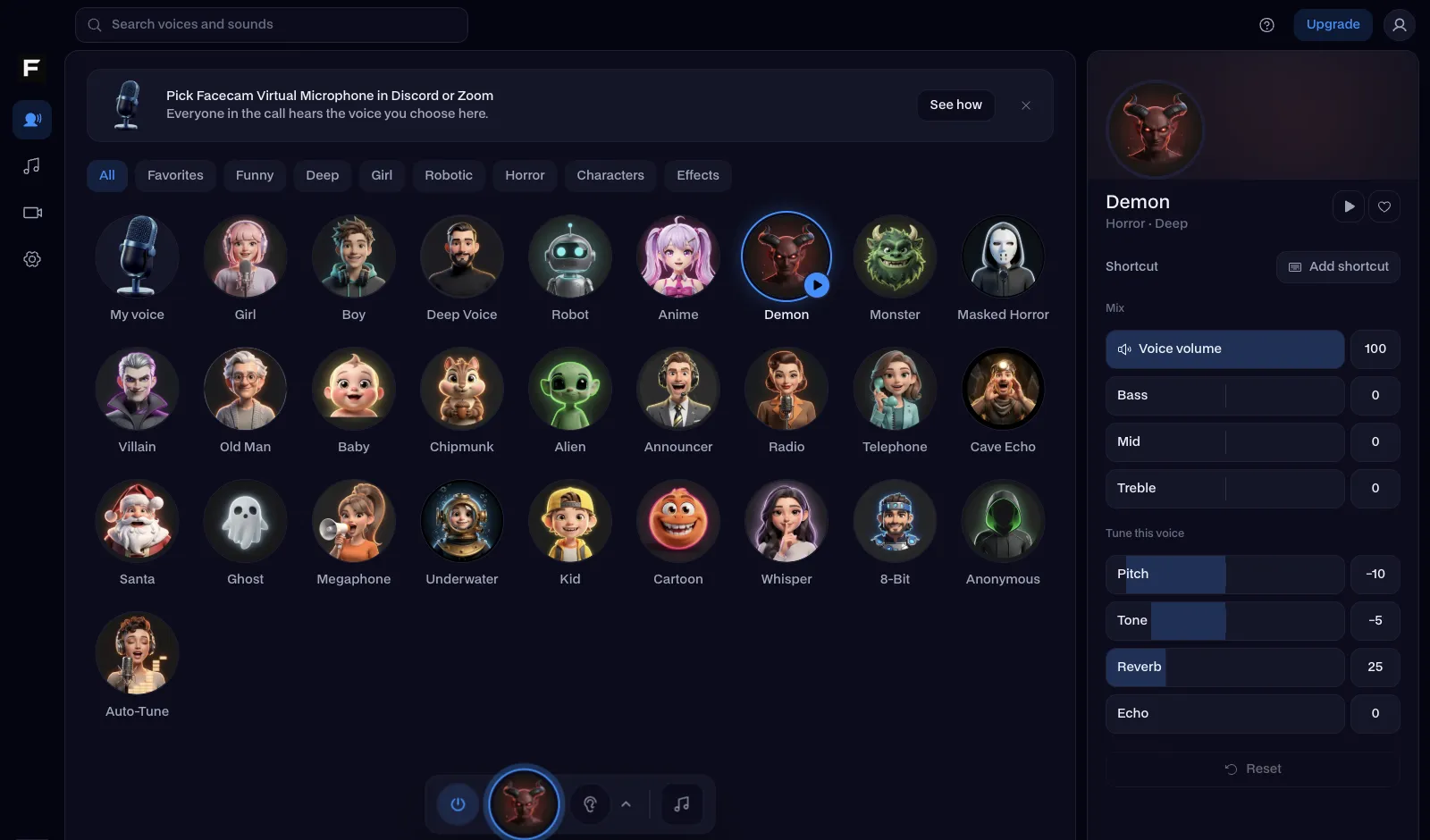
The villain voice, before and after
Before: the test line with no effect.
After: the villain voice the page starts on, low and menacing.

Why isn't my voice changing on GTA RP?
| Problem | Fix |
|---|---|
| The server still hears my normal voice | FiveM started before you changed the default mic. Close FiveM completely, set Facecam as the default input, and connect again. |
| My voice sounds doubled on the radio | Some servers add their own radio effect. Use a clean voice like old man or deep instead of the radio voices when you're on the in-game radio. |
| The server uses TeamSpeak for voice | Servers on SaltyChat or TokoVoip talk through TeamSpeak: pick Facecam Virtual Microphone as TeamSpeak's capture device too. |

Voices for GTA roleplay
| Character | Voice |
|---|---|
| Crime boss | Villain voice |
| Old shop owner or taxi driver | Old man voice |
| Bouncer, enforcer, heavy | Deep voice |
| Cop with a loudspeaker | Megaphone voice |
| Dispatch | Police radio voice |
| Masked robber | Anonymous voice |

More about GTA RP
GTA Online and consoles
GTA Online on PC uses the same default microphone, so the voice works in lobbies too. On PS5 and Xbox the console uses the controller's mic: talk to your crew in a party joined from a computer instead.

Questions
Can you use a voice changer on FiveM?
Yes. FiveM's voice chat takes your computer's default microphone, so set Facecam Virtual Microphone as the default and every server hears your new voice.
Is a voice changer allowed on GTA RP servers?
Many roleplay servers welcome character voices; some ask that you keep one voice per character. Check your server's rules page.
Can I switch voices between characters?
Yes. Give each voice a shortcut in the Facecam desktop app and switch the moment you change characters.
Does it work in GTA Online?
Yes, on PC. GTA Online uses the default microphone too.
Other platforms
- Minecraft voice changer
- D&D voice changer
- Among Us voice changer
- Voice changer for Roblox
- Voice changer for PS5
- Xbox voice changer
- Voice changer for VR
- Voice changer for Fortnite
- Warzone voice changer
- TeamSpeak voice changer
- Rust voice changer
- Apex Legends voice changer
- Phasmophobia voice changer
- Gorilla Tag voice changer
- Overwatch voice changer
- Marvel Rivals voice changer
- Lethal Company voice changer
Related
- Villain
- TeamSpeak voice changer
- Police radio
- Live Face Swap for Video Calls
- Mic Test
- How to Do a Movie Trailer Voice: Pace, Pauses and Pitch
- How to Do NPC Voices as a DM (Without Wrecking Your Throat)
- The Voices People Want: What 2,461 Voice Changer Users Picked


Further reading: Grand Theft Auto modding on Wikipedia