Voice changer for Mac
A free voice changer for Mac in Chrome: pick a voice in the Facecam extension and choose Facecam Virtual Mic in Meet, discord.com or Zoom on the web.
Your browser will ask for microphone access when you click.
Set it up in Mac
01
Let Chrome use the mic
Choose Apple menu → System Settings → Privacy & Security → Microphone and turn on Google Chrome. If Chrome still can't hear you after switching it on, restart Chrome.
02
Add Facecam to Chrome
Install the extension from the Chrome Web Store, then pin it so the voice and soundboard controls are one click away.
03
Allow the site
When Meet or Discord asks for the microphone, choose Allow while visiting the site.
04
Select the Facecam mic
In the site's audio settings choose “Facecam Virtual Mic”. Voice effects and soundboard clips both go through it.
Tested by Facecam team. Facecam extension 2.1.0 in Chromium 153 (the open-source version of Chrome) on a MacBook with an Apple M4 chip, macOS 26.5, run by a test script with a recorded synthetic voice clip as the microphone, in a plain test call page we built. We didn't test Google Chrome itself, a real microphone, Intel Macs, or Meet, Discord and Zoom; the System Settings steps come from Apple's help pages (see Sources).
Our test recording
What the test call received through Facecam Virtual Mic on the Mac: 6 seconds each of voice off, Deep and Girl
Our recording, 2026-10-02, on macOS. The voice was switched from Off to Deep to Girl during the call. The speaker is a synthetic speech clip, not a person.
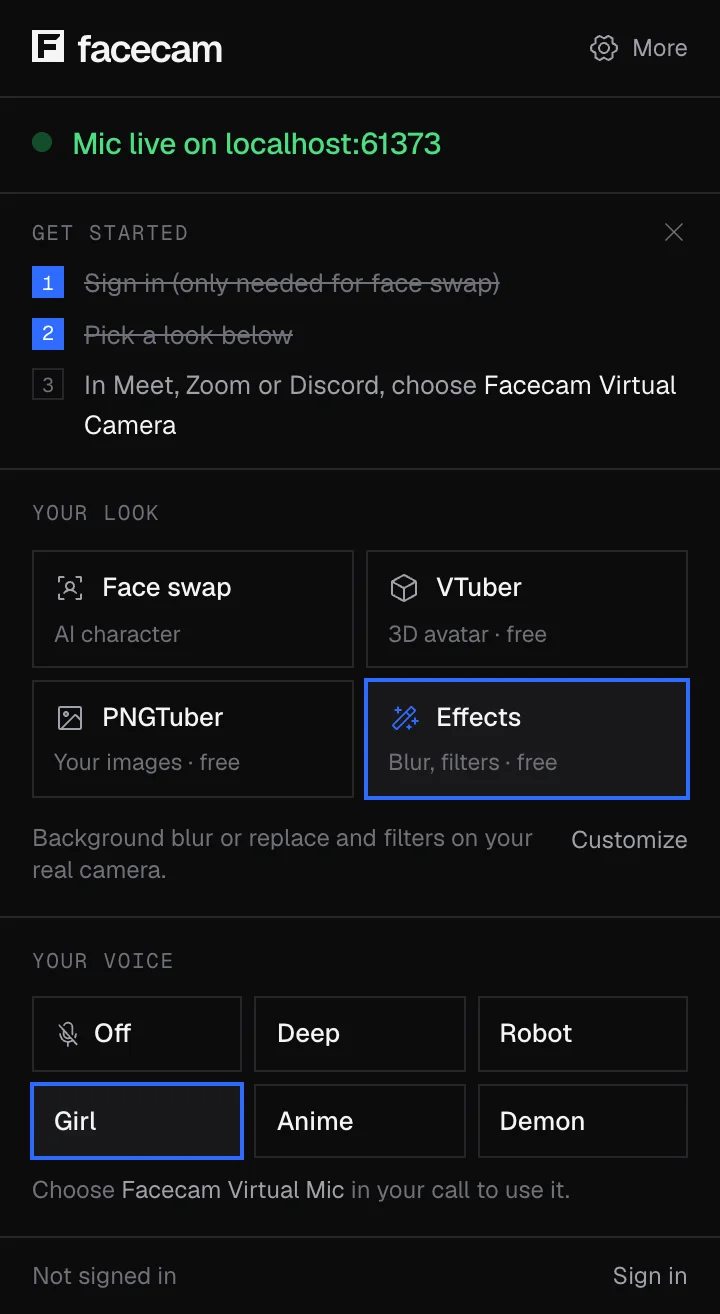
The real extension popup in the same run. The test page ran on the Mac itself, hence the localhost address.
If it doesn't work
| Problem | Fix |
|---|---|
| Chrome never asks for the mic | Google Chrome is off in Privacy & Security → Microphone. Turn it on, then restart Chrome if needed. |
| The voice crackles on an older Intel Mac | Close other tabs or lower the call's video quality to take some load off your Mac. |
| Safari doesn't show the Facecam mic | The Facecam mic comes from a Chrome extension. Use Chrome. |
| Bluetooth headphones sound worse once a call starts | Many Bluetooth headsets switch to a lower-quality mode while their own mic is in use. Try the Mac's mic or a wired mic as the real input. |
How much delay it adds on a Mac
| Voice | Delay |
|---|---|
| Off (your normal voice) | about 37 ms |
| Deep | about 49 ms |
| Girl | about 51 ms |
More about Mac
Nothing installed on your Mac
Mac voice changers that work in every app install extra audio software that you approve in System Settings. Facecam doesn't. The trade-off is that it only reaches websites in Chrome, but it also can't break your Mac's sound settings, and you remove it like any extension.
Soundboard on Mac
The soundboard sends clips into the same Facecam mic, mixed with your voice. That means it plays in the same sites the voice changer does, and nowhere else.
Sources
- Apple: control access to the microphone on Mac — support.apple.com/guide/mac-help/mchla1b1e1fe (checked 2026-10-01)
- Google Chrome: use your camera and microphone — support.google.com/chrome/answer/2693767 (checked 2026-10-01)
Questions
Does it work on Apple silicon Macs?
Yes. We tested it on an M4 MacBook. It should also run on Intel Macs, since it runs wherever Chrome runs, but we haven't tested one.
Is this voice changer for Mac free?
Yes. The voice effects and the soundboard run on your Mac and don't need an account.
Can I use it in FaceTime?
No. FaceTime is a Mac app and only sees microphones installed on the Mac.
Other platforms
Related
Updated