Deepfake Maker
Make a deepfake of a photo, a GIF or a video, or wear a new face live in your calls.
Tools


From our test
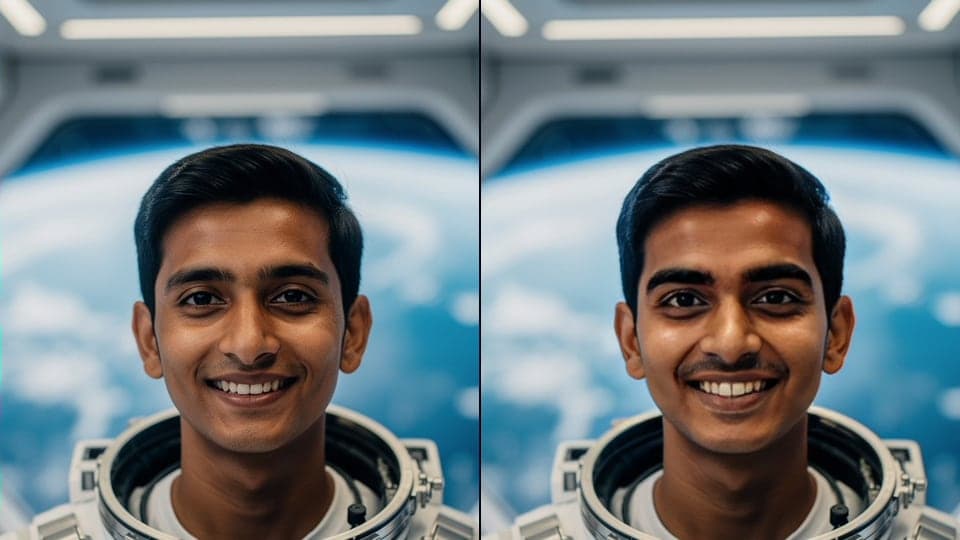
A photo deepfake made with Photo Face Swap: only the face changes. Hair, beard, hands, clothes and the room are the original's. Both people are fictional. 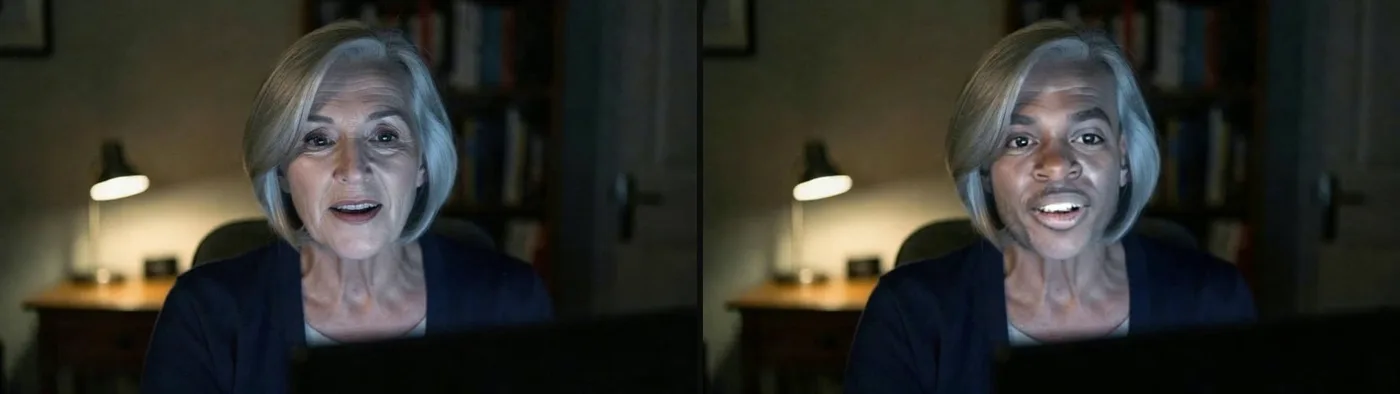
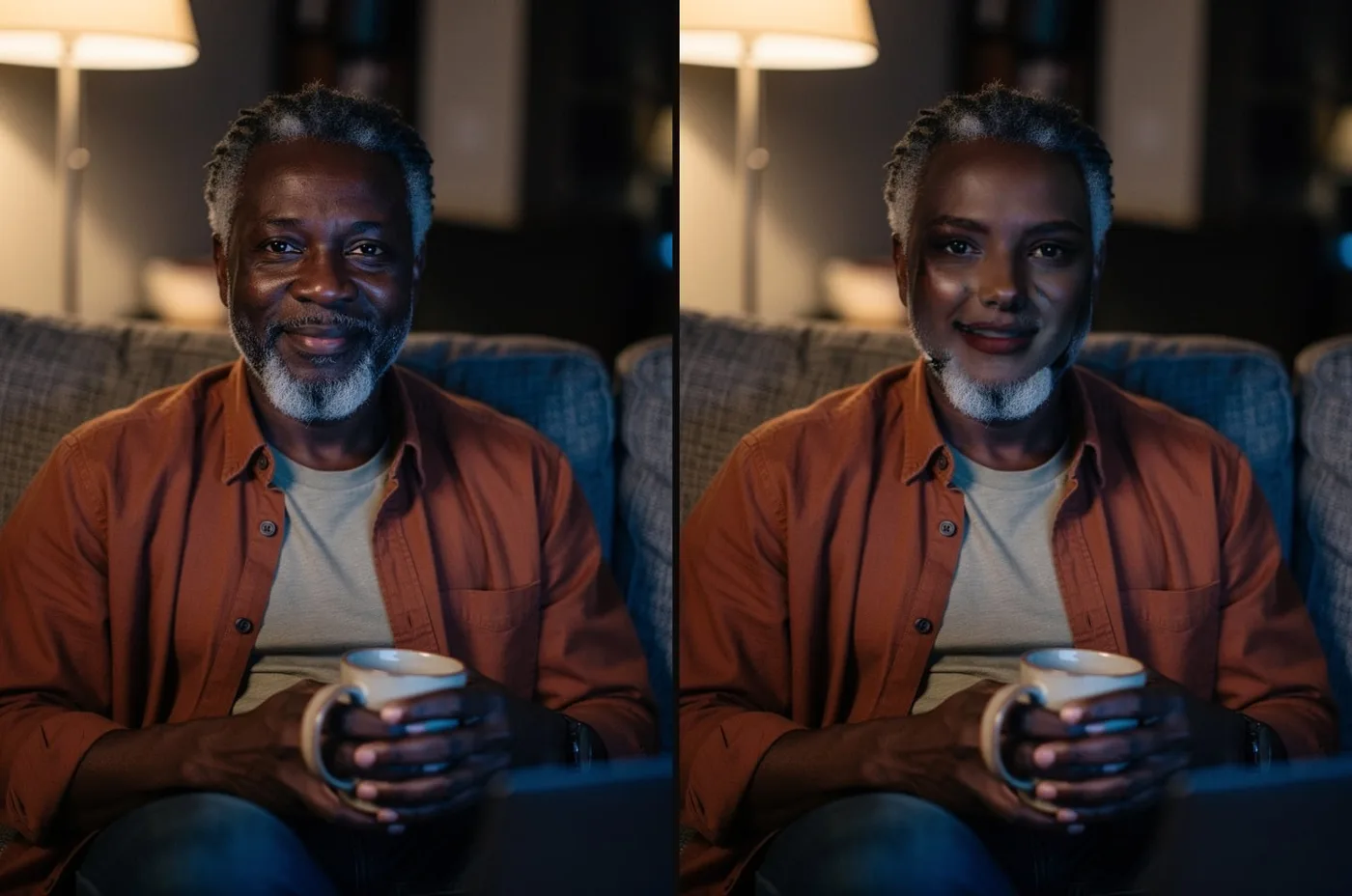
A frame from a video deepfake made with Video Face Swap (clips up to 60 seconds, sound kept). Both people are fictional.
What you can do with Deepfake Maker
Video deepfake
Put any face into a clip of up to 60 seconds, every frame, with the original sound.
Photo deepfake
Swap the face in a picture and keep the pose, clothes and background.
Live deepfake on a video call
Wear a new face in Google Meet, Zoom or Discord in Chrome, moving with yours in real time.
Deepfake GIF
Swap a face into a reaction GIF and keep its timing and loop.
A face that doesn't exist
Describe a person, get a new face, then use it in any of the tools above.





Deepfake Maker features
Online, nothing to install
You make photos, GIFs and videos in your browser; the swap runs on our servers. No graphics card or download.
Any face from one photo
Upload one clear, front-facing photo of the face you want. No training on hundreds of pictures.
Live, not just files
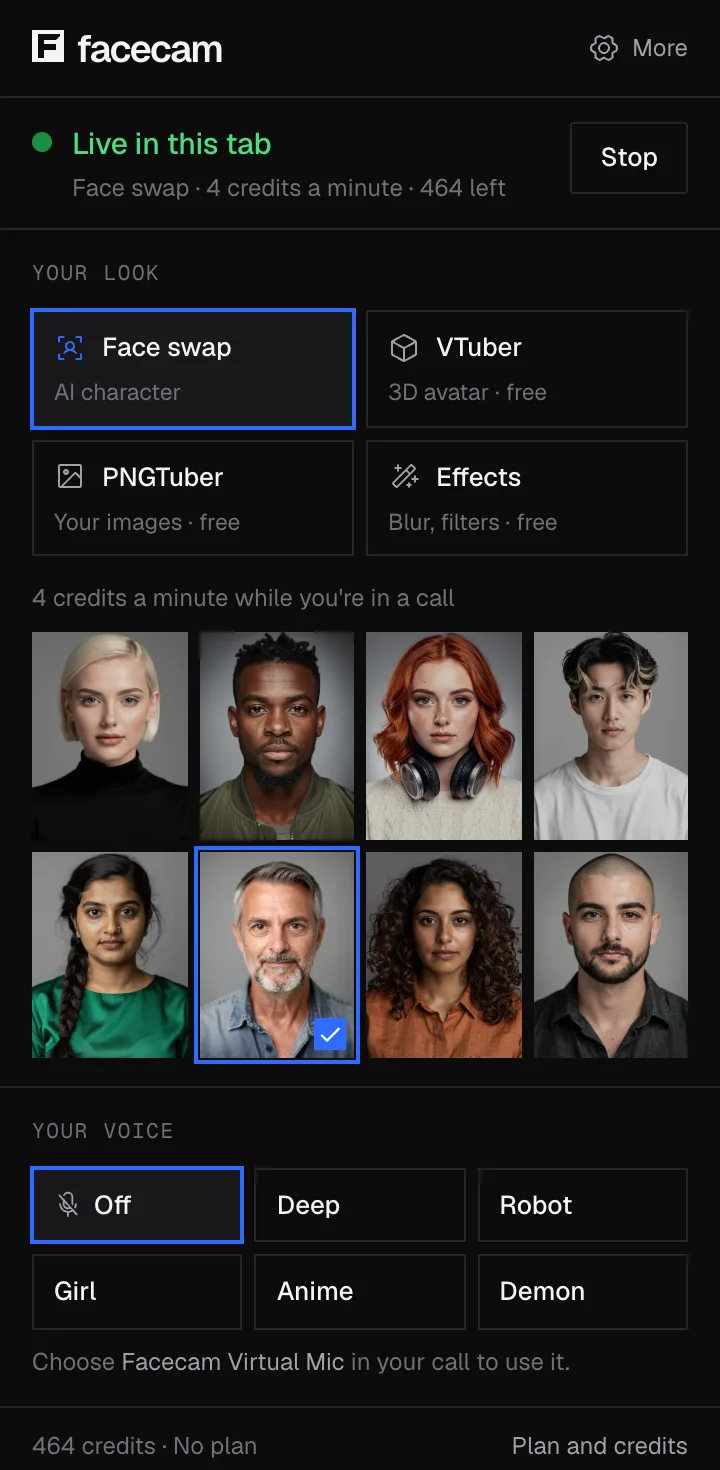
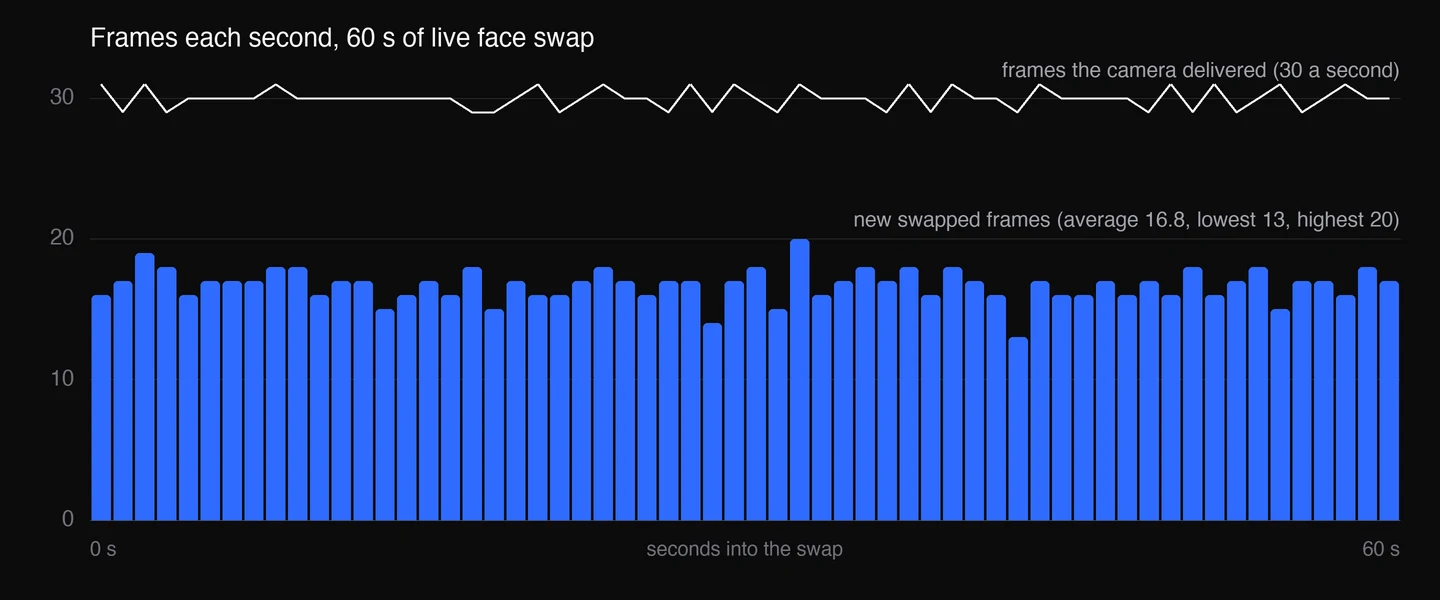
The live face swap works as a camera in your calls, at 720p and 30 frames a second.



How to make a deepfake
Pick what to change
A photo, a GIF, a short video, or your own camera in a call. Each has its own tool above.
Add the face
Upload a clear photo of the face you want, front-facing and well lit, or pick a built-in face. One photo is enough.
Add the photo or video to change
Upload the picture, GIF or clip (up to 60 seconds and 1080p). The face in it should be visible and not turned too far away.
Swap and download
Press Swap. A photo is usually ready in under a minute; a video takes longer, with progress shown. Download the result when it's done.

For a live deepfake, add Facecam to Chrome, pick a face in its popup and choose “Facecam Virtual Camera” as the camera in your call. The guide to face swapping on a video call has every step.

Deepfake app, website or software?
| Kind | What you need | Live in calls? |
|---|---|---|
| Facecam (website and Chrome extension) | A browser; nothing to install for photos and videos | Yes, in Chrome |
| DeepFaceLab, FaceFusion (desktop software) | A Windows or Linux PC, usually with an NVIDIA graphics card, and setup time | FaceFusion has a webcam mode; DeepFaceLab doesn't |
| Deep-Live-Cam, DeepFaceLive (desktop, live) | A strong graphics card and Python setup | Yes, through OBS |
| Phone apps (Reface and similar) | A phone; usually templates rather than your own clips | No |


More about Deepfake Maker
Deepfake or face swap: what's the difference?
Most of what people call a deepfake today is a face swap made with AI: a model reads the face you upload, then draws it onto the person in the picture or video, frame by frame, matching their expression, head angle and light. Older deepfakes needed a model trained for hours on hundreds of photos of one person. Tools like ours use a model that already knows faces in general, so one photo of the face is enough.
Only the face is replaced. Hair, ears, neck, beard, hands and the body stay the original's, which is why the best results come from pairing faces with a similar hairstyle and skin tone.

Deepfake Maker FAQ
What is the best deepfake maker?
It depends on what you're making. For a quick photo or a short video without installing anything, an online deepfake maker like ours is the fastest. For a live deepfake in a call, you need a tool that works as a camera: ours does it in Chrome, desktop tools like Deep-Live-Cam need a strong graphics card.
Can I make a deepfake online?
Yes. Upload a face photo and the photo, GIF or video to change, and download the result. Nothing is installed and it works on a phone too.
Is there a deepfake app for live video calls?
Facecam's Chrome extension adds a “Facecam Virtual Camera” that swaps your face live in Google Meet, Zoom's web app, Teams on the web and Discord in Chrome.
How many photos do I need to make a deepfake?
One clear, front-facing photo of the face. Older deepfake software trained a model on hundreds of images; ours doesn't need that.
How long does it take?
A photo is usually ready in under a minute. A video takes longer the longer it is (clips can be up to 60 seconds), and the page shows its progress. The live swap's first start takes 20 to 30 seconds, sometimes up to a minute, while a graphics card starts up for you; after that it runs in real time.
Is making a deepfake legal?
Making a face swap for fun, parody or your own creative work is legal in most places.
Can people tell it's a deepfake?
Sometimes. The edges of the face, skin tone against the neck, teeth and fast head turns give swaps away. Our guide to spotting a deepfake shows these tells on our own outputs.
Related
- How to Face Swap on a Video CallFace swap on a video call from Chrome: what to click, how long the swap takes to start, and what the other person sees.
- Live Face SwapLive face swap for Meet, Zoom and Discord: become anyone you want, in real time, while you talk. Upload any photo or pick a built-in face.


Video Face Swap
Swap faces in a video
Start