Virtual camera
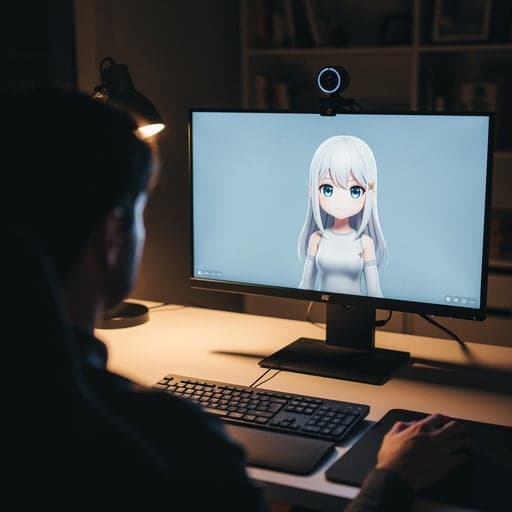
A virtual camera is an extra camera you can pick in a call like a webcam, but it shows a face swap, avatar or effect instead of your normal video.

From our test

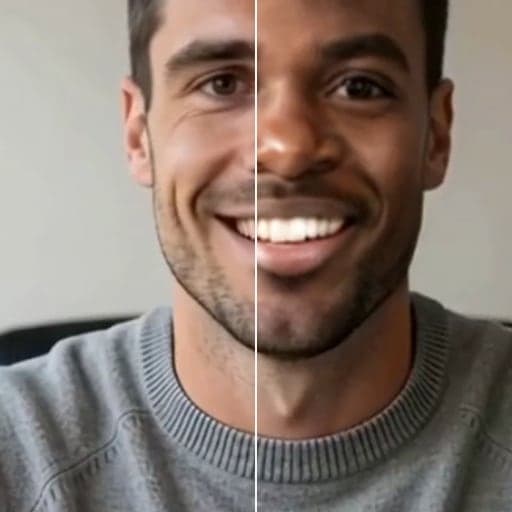
Before: the plain webcam, picked as the camera in our test call page.

After: the same call with Facecam Virtual Camera picked, on the background blur look the extension starts with. Recorded 2026-10-02 in Chromium on a Mac. The person is a fictional, computer-made character, not a real person.
Tools


More about Virtual camera
How Facecam's virtual camera works
The Facecam Chrome extension adds “Facecam Virtual Camera” to the camera list in Chrome. Pick it in your call and people see your face swap or avatar instead of your webcam. There's nothing else to install.
Live Face Swap costs credits for each minute you use it. VTuber and PNGTuber avatars are free for as long as you like.
Where it works
| App | Works? | Note |
|---|---|---|
| Google Meet | Yes | In Chrome. |
| Zoom | Web only | app.zoom.us in Chrome, not the desktop app. |
| Microsoft Teams | Web only | Teams in Chrome, not the desktop app. |
| Discord | Web only | discord.com in Chrome, not the desktop or mobile app. |
| StreamYard, Riverside, Restream Studio | Yes | Any studio that uses your camera in Chrome. |
| OBS, desktop apps, consoles | No | They can't see it. In OBS, add the Chrome window instead. |
| Phones and tablets | No | Mobile browsers don't run extensions. |
Facecam or OBS Virtual Camera?
OBS Virtual Camera adds a camera that every app on your computer can see, including desktop Zoom and Discord. It needs OBS running and set up. Facecam's camera needs no install beyond the extension but only exists inside Chrome. If you need a desktop app, send Facecam through OBS: add the avatar's Chrome window, then start OBS Virtual Camera.
Virtual camera FAQ
Why don't I see the virtual camera in the Zoom app?
Facecam's camera lives inside Chrome. Use Zoom on the web, or send the avatar through OBS Virtual Camera.
Does it work on Mac, Windows, Linux and Chromebook?
It's a Chrome extension, so it works wherever desktop Chrome runs extensions. We've tested it in Chromium on a Mac; it isn't tied to one operating system.
Do I need to install a driver?
No. The extension adds the camera inside Chrome. There's nothing else to install.
Is the virtual camera free?
Yes, with the background effects and the VTuber and PNGTuber avatars. Live Face Swap uses credits.
Updated