Voice changer for PC and Mac
Change your voice in Discord, games, Zoom and any app on Windows or macOS. Facecam adds a virtual microphone and a virtual camera every app can pick, with a soundboard on hotkeys built in.
Windows 10 or 11, 64-bit · macOS 13 or later, Apple silicon or Intel
Works in
- Discord
- Zoom
- Teams
- Google Meet
- Twitch
- OBS and your games
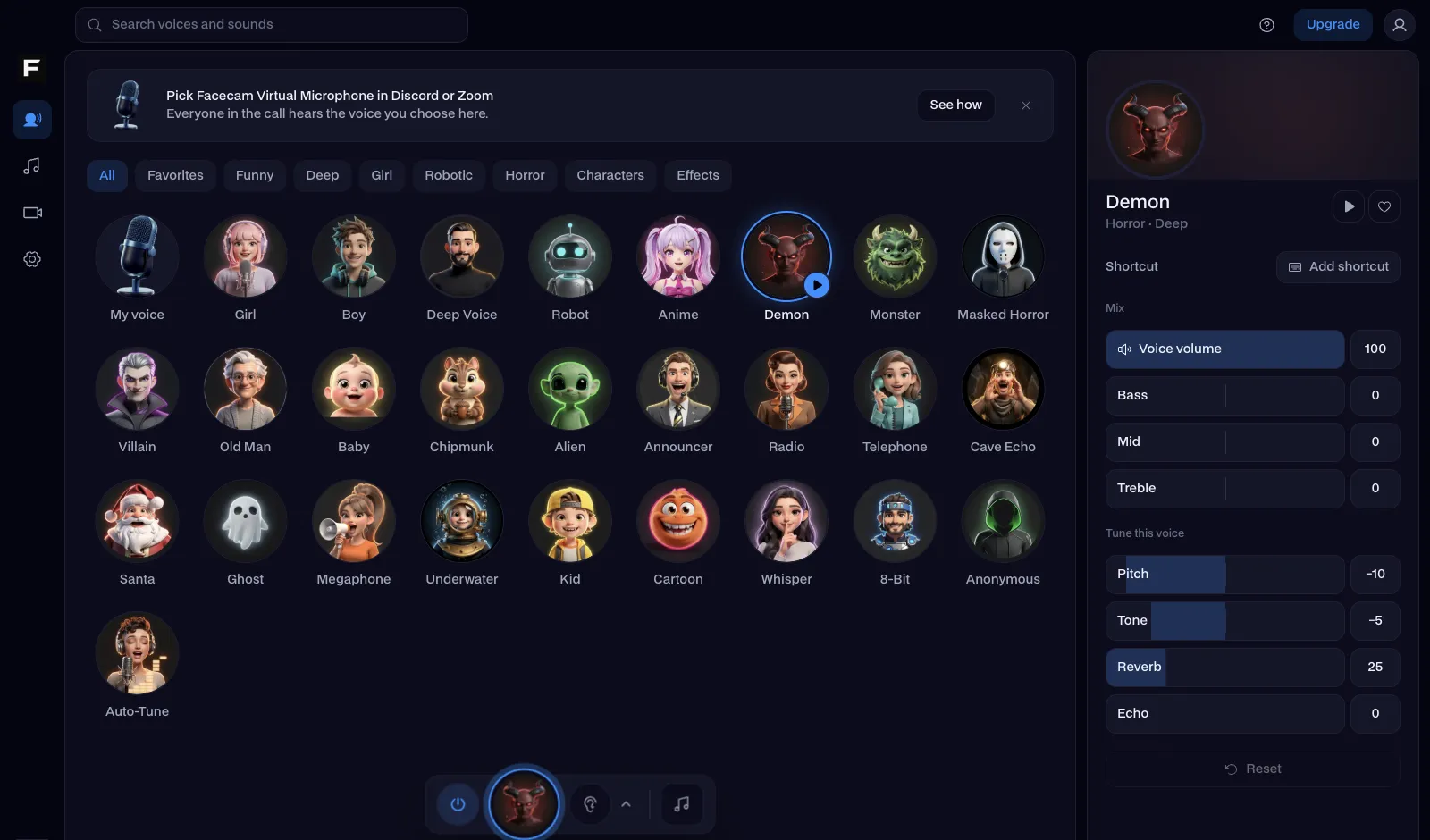
27 voices, each tuned your way
Girl, Deep Voice, Robot, Demon, Anime, Chipmunk, Masked Horror, Auto-Tune and more. Pick one and everyone in the call hears it through Facecam Virtual Microphone, in real time.
- Its own volume, bass, mid and treble for every voice
- Pitch, tone, reverb and echo to make it yours
- A shortcut per voice, to switch mid-match
- Hear myself, to check how you sound
- Noise suppression for a clean mic
Want to hear them first? The real-time voice changer runs the same voices in your browser.
A soundboard on global hotkeys
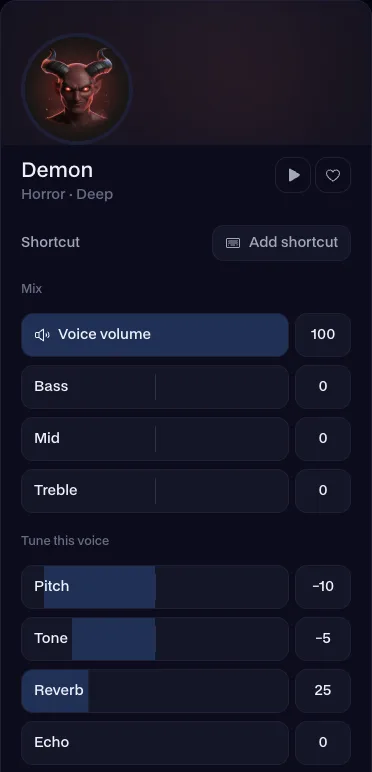
Start with the built-in sounds or drop in your own. Every pad gets a picture, its own volume and a key that works while your game has focus.
Sounds play into the call through the same virtual microphone as your voice, so Discord and your game hear both. Stop all cuts everything at once.
Looking for sounds? The free online soundboard has meme sounds you can play and download.
A virtual camera for Zoom, Discord and OBS
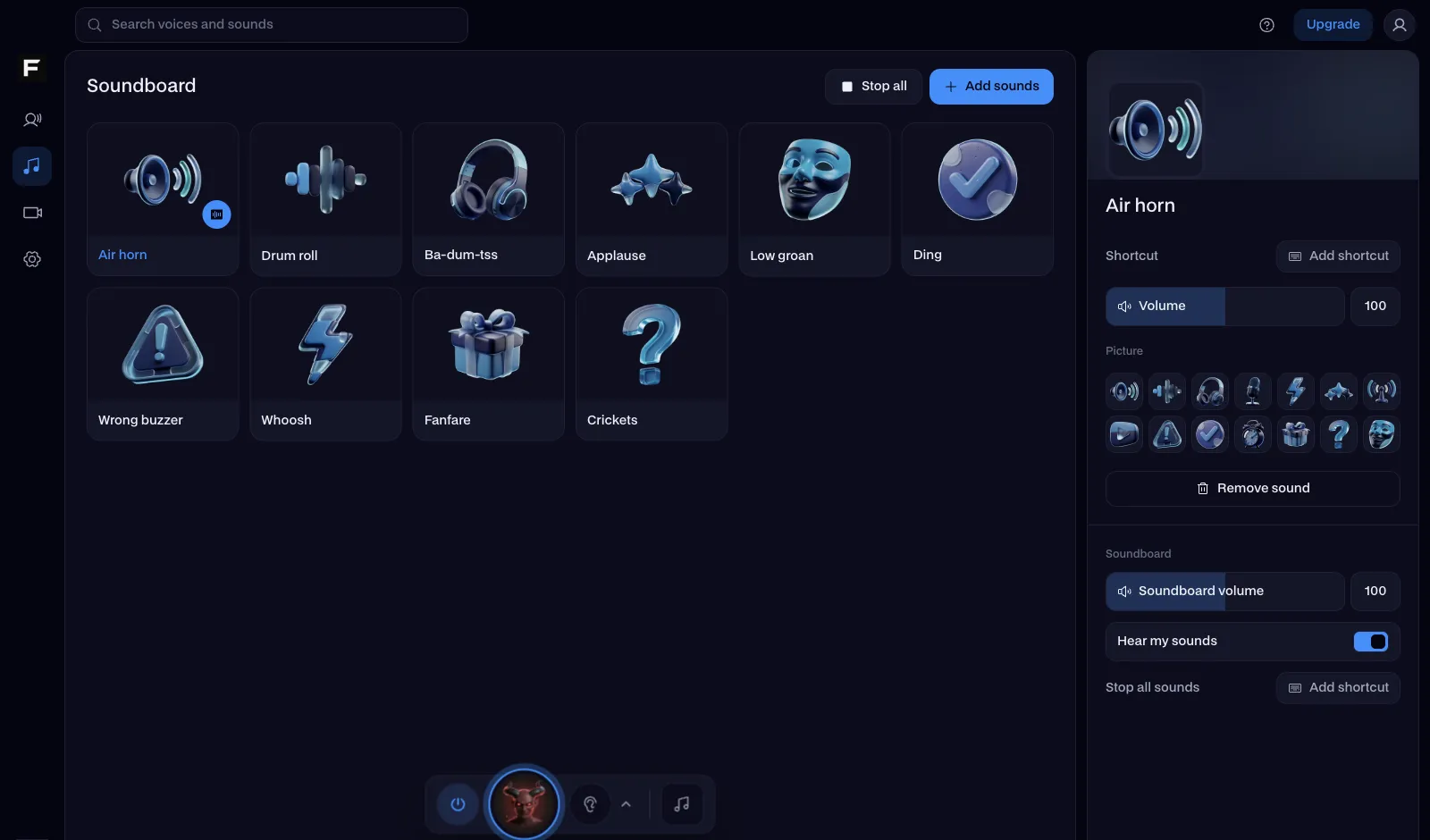
Facecam Virtual Camera sends your camera to any app with a new look, and the app sees a normal webcam.
- Background blur
- A PNGTuber that talks when you do
- A 3D VTuber from any .vrm model
- Live face swap with any face
- Live AI Filter: anime, cyberpunk, claymation and more
See how live face swap looks in a call, or make your own character in the PNGTuber maker.
Pick it once in each app
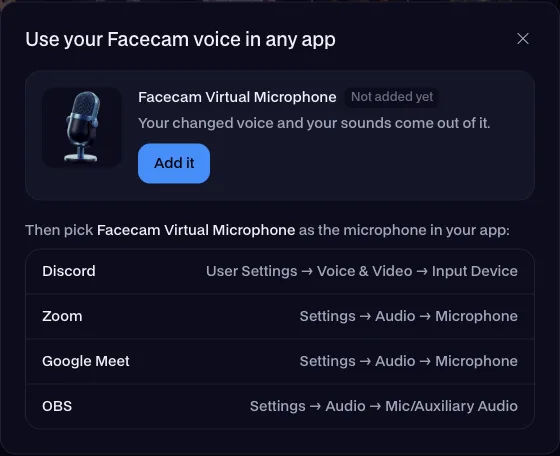
Add Facecam Virtual Microphone and Facecam Virtual Camera from the app, then choose them as your microphone and camera:
- Discord
- User Settings → Voice & Video → Input Device, and Camera for video calls and streams.
- Zoom
- Settings → Audio → Microphone, and Settings → Video → Camera.
- Microsoft Teams
- Settings → Devices → Microphone and Camera, or the device menu before you join.
- Google Meet
- Settings → Audio → Microphone, and Settings → Video → Camera.
- OBS and Twitch
- Add an Audio Input Capture and a Video Capture Device source, each set to its Facecam device.
- Games
- In the game's voice chat settings, choose Facecam Virtual Microphone as the input device. If a game has no choice, make it your system's default microphone.
Use it now in your browser
The voices, the soundboard and the live camera looks already work on facecam.ai, with nothing to install. Add Facecam for Chrome and they show up in Google Meet, Zoom on the web and discord.com too.


Facecam for PC and Mac: questions
Is the Facecam desktop app free?
Yes. All 27 voices, the soundboard, background blur, PNGTuber and VTuber are free and run on your own computer. Live face swap and Live AI Filter run on our GPUs and come with a Facecam plan.
Does it work on Windows and Mac?
Both. Windows: Windows 10 or 11, 64-bit. Mac: macOS 13 or later, Apple silicon or Intel.
Which apps can hear my new voice?
Any app that lets you pick a microphone: Discord, Zoom, Teams, Google Meet, Skype, Slack, OBS, Streamlabs, Steam and in-game voice chat. Choose Facecam Virtual Microphone once and the voice you pick in Facecam is what everyone hears.
How is it different from the Chrome extension?
The extension changes your voice and camera on websites in Chrome, like Google Meet, Zoom on the web and discord.com. The desktop app adds a microphone and a camera to your whole system, so desktop apps and games get them too, and soundboard hotkeys work while another app is in front.
Do I need a gaming PC?
No. The voices and the soundboard use very little power and work on any recent laptop. Live face swap and Live AI Filter run on our servers, so they don't need a graphics card either.
What does the installer add?
The Facecam app, plus Facecam Virtual Microphone and Facecam Virtual Camera. Your computer asks you to allow them once, the first time you add them.
When can I download it?
Early access is next. Click the button for your system at the top of this page, leave your email, and we'll send you the download link as soon as it's ready.
By Facecam team · Updated
Get Facecam for PC and Mac
Your voice, your sounds and your camera, in every app.
Windows 10 or 11, 64-bit · macOS 13 or later, Apple silicon or Intel