AI Voice Changer
AI voice changer for recordings: keep your words and timing, and get a natural new voice from 10 original characters.
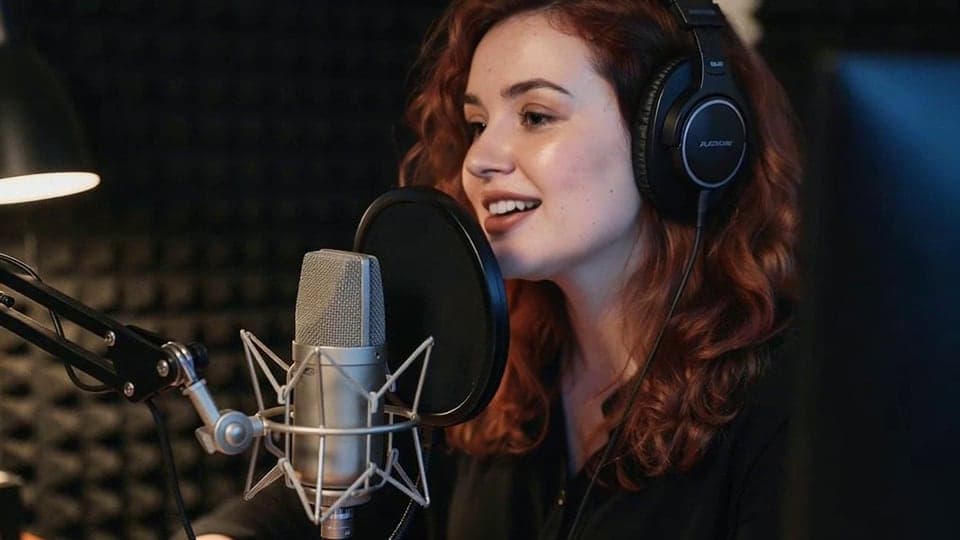
Where it works
How to use AI Voice Changer
01
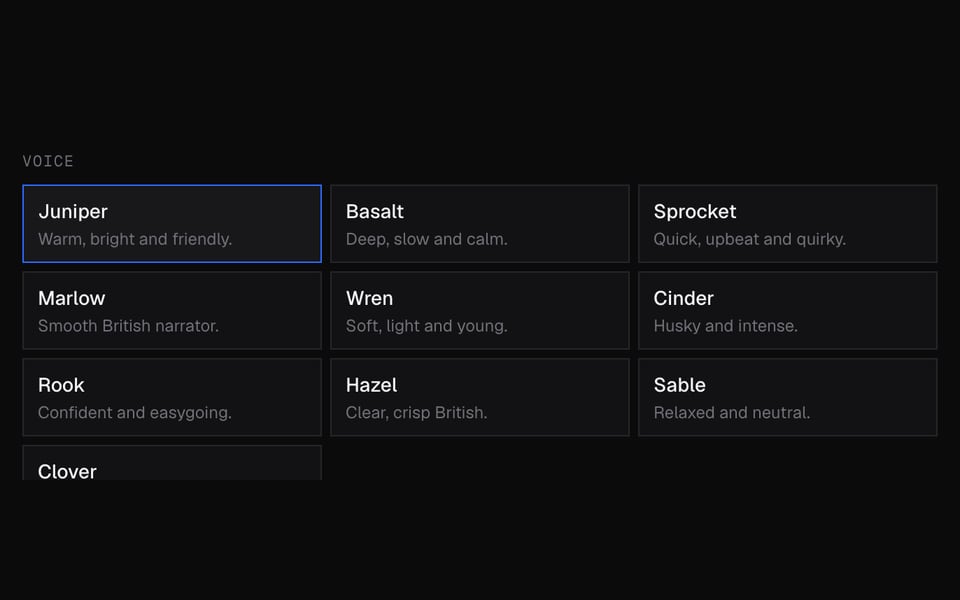
Pick a voice
Sign in and choose one of 10 character voices.
02
Upload a recording
Add a WAV, MP3, OGG, WebM or M4A file of up to 5 minutes.
03
Change and download
Click Change voice. In about a minute the result plays; Download MP3 saves it.

What you can do with AI Voice Changer
Voiceovers that don't sound like you
Narrate a video in your own voice, then give it a different, natural-sounding voice.
Characters for games and animation
Act out each line yourself and give every character its own voice, with your timing kept.
Keep your voice private
Share a recording without your real voice in it. The words and emphasis stay yours.
Hear the voices live first
Try six of the voices as you talk before you change a whole file.
A free effect instead
For a robot, a monster or a chipmunk, the free Online Voice Changer is the better fit.
AI Voice Changer features
10 natural voices
Original AI character voices that sound like different people, not like an effect.
Your words, your timing
Pacing, pauses and emphasis come from your recording.
Noise removal
Optional clean-up of hum and room noise before the voice changes.
Common files
WAV, MP3, OGG, WebM or M4A, up to 5 minutes. You get an MP3.
Refund if it fails
If the change fails, you get the credits back.
More about AI Voice Changer
Facecam's AI Voice Changer is an online tool that turns the voice in a recording of up to 5 minutes into one of 10 original AI character voices. It keeps your words and timing and gives you an MP3.
AI Voice Changer: what you need and limits
| How it works | Online. Works on any laptop. |
|---|---|
| You get | Audio download |
| You need | Any up-to-date browser |
| Phones and tablets | Supported |
| Files | WAV, MP3, OGG, WebM or M4A |
| Length | Up to 5 minutes and 24 MB |
| Voices | 10 original character voices |
| Result | MP3 with a hidden AI tag, kept for 7 days |
| Price | 13 credits per 10 seconds of audio. You get the credits back if it fails. |
AI voice or voice effect
Facecam has two kinds of voice changing. The voice presets (girl, deep, robot and the rest) are effects. They change the pitch and tone of your own voice, for free, live or on a file. This tool is different. AI listens to your recording and says the same words, with your timing and emphasis, in a different voice. It sounds like a different person, which an effect can't do.
The catch is that it isn't instant and it isn't free. Use the free Online Voice Changer for a robot or a monster, and this tool when the result has to sound like a different, natural person.
Live in calls
This tool works on recordings only. To hear six of the voices (Juniper, Basalt, Sprocket, Marlow, Wren, Cinder) live as you talk, try the Real-Time AI Voice Changer. Using AI voices in your calls isn't available yet. To change your voice in calls today, use the free Real-Time Voice Changer, which uses effects instead of AI.
What it won't do
- Real people: every voice is original, and none imitates an actor, a singer or a streamer.
- Your own voice: cloning is a separate tool, Voice Clone, and clones are text-to-speech only.
- Video: upload the audio track, then put the MP3 back under your video in an editor.
Privacy
Your recording is sent to our voice partner (fal.ai) to make the new voice. The result is stored for 7 days so you can download it, then deleted. Only upload recordings of your own voice, or ones you have permission to use.
AI Voice Changer FAQ
Is the AI voice changer free?
No. It costs 13 credits per 10 seconds of audio, with an account. If it fails, you get the credits back.
Can it make me sound like a celebrity?
No. It has original character voices only and never imitates real people.
Does it keep what I said?
Yes. It changes the voice, not the words, the pacing or the language.
Can I use it live on Discord?
Not with AI voices yet. For a live voice on discord.com in Chrome (not the desktop app), use the free Real-Time Voice Changer.
What does Remove background noise do?
It cleans up hum and room noise before changing the voice. Leave it off for clean studio recordings.
How long does it take?
About a minute for a short clip. Longer recordings take a little longer.
Can I change the voice in a video?
Upload the video's audio track, then put the MP3 back under the video in your editor.
What's the difference from the free voice changer?
The free voice changers shift the pitch and tone of your own voice with effects. This one has AI say your words in a different voice, so it sounds like another person.
More tools

Updated