AI Voice Clone
AI voice clone: type text and hear it in your voice.
Your browser will ask for microphone access when you click.
Where it works
How to use Voice Clone
01
Say the consent line
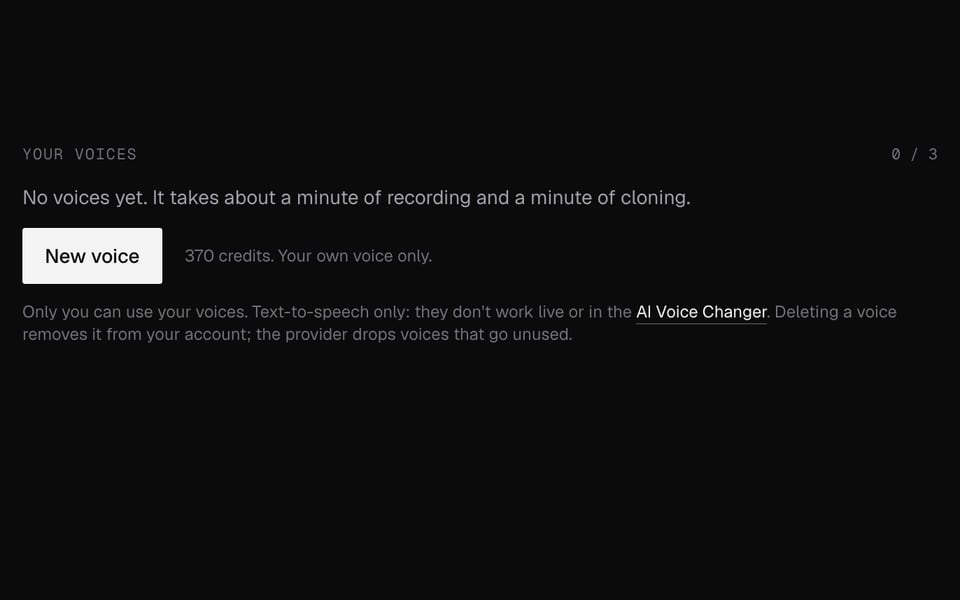
Click New voice, then Record consent and read the sentence on screen, with its three code words, in your own voice.
02
Record your voice
Record or upload 30 to 60 seconds of clear speech in a quiet room.
03
Type and listen
Click Clone my voice. After about a minute, type any text, click Say it and download the MP3.

More about Voice Clone
Facecam's Voice Clone makes an AI copy of your own voice. Type any text and hear it read out loud in your voice.
Voice Clone: what you need and limits
| How it works | Online. Works on any laptop. |
|---|---|
| You get | Audio download |
| You need | Any up-to-date browser, a microphone |
| Phones and tablets | Supported |
| Whose voice | Your own only, after a spoken consent check |
| Voice recording | 10 seconds to 5 minutes, up to 20 MB |
| Consent recording | Up to 30 seconds, up to 4 MB |
| Formats | WAV, MP3, OGG, WebM or M4A |
| Text per clip | Up to 1,000 characters, saved as MP3 |
| Clones per account | Up to 3 |
| If something fails | You get the credits back |
Why there's a consent check
A voice clone is only safe if it belongs to the person who made it. The code words change every time, so an old recording or a clip of someone else can't pass. We don't check that your voice recording matches the consent recording, so the rule is simple: clone your own voice only.
What happens to your recordings
- Both recordings are sent to our voice partner (fal.ai) to make the clone. We delete them as soon as the clone is made, or if it fails.
- We keep the words you said in the consent line, how well they matched and a unique ID for each recording, so we can prove a clone was made with consent.
- Your cloned voice is stored by our voice partners and only used when you type text for it. Deleting it removes it from your account right away. Voices that go unused are deleted over time.
What it won't do
It won't clone a celebrity, a character or a friend, and you can't talk live in your cloned voice. To change the voice in a recording, use the AI Voice Changer. To change your voice live, use the Real-Time Voice Changer.
Voice Clone FAQ
Can I clone someone else's voice?
No. The consent recording must include this clone's one-time code words, and our rules only allow your own voice.
How much audio do I need?
At least 10 seconds and at most 5 minutes. 30 to 60 seconds of clear, varied speech is plenty.
How much does it cost?
370 credits to make a clone, then 25 credits per 1,000 characters of text it reads. If anything fails, you get the credits back.
Can I use my clone live, on a call?
No. You type text and get an audio file. For a different voice live in a call, use the Real-Time Voice Changer.
Do you keep my recordings?
No. They're deleted as soon as the clone is made. We only keep the words of your consent line and a unique ID for each recording, as proof of consent.
How many clones can I have?
Up to three per account.
More tools
Updated