Discord soundboard
Discord's soundboard plays short clips in voice channels. Facecam's free soundboard plays any clip you add into discord.com, through your mic.
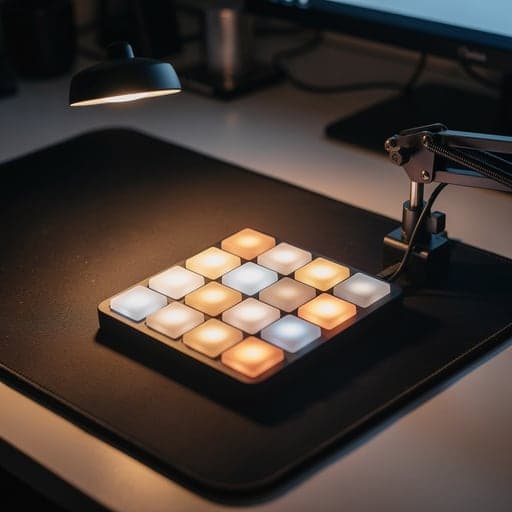
Your browser will ask for microphone access when you click.
Set it up in Discord
01
Add your sounds
Open Facecam's soundboard, load the starter sounds or your own clips, and press Use these sounds in calls. Set each sound's volume so it isn't louder than your voice.
02
Choose the mic in Discord
On discord.com in Chrome, open User Settings → Voice & Video → Voice and set Input Device to “Facecam Virtual Mic”. Your voice and the sounds now go out together.
03
Turn off noise suppression
Turn Noise Suppression off on the same page. Otherwise Discord treats music and sound effects as noise and cuts them.
04
Join and play
Join a voice channel, then play a sound from the soundboard page or from the Facecam popup (More → Soundboard). Keep the Discord tab open.
Tested by Facecam team. Facecam extension 2.1.0 in Chromium 153 (the open-source version of Chrome) on macOS 26.5, with a recorded voice clip as the microphone, in a plain test call page we built. We didn't record inside discord.com; Discord's menu names come from Discord's help pages (see Sources).
Our test recording
Our recording, 2026-10-02, in a plain test call page (not Discord). Unmute to hear what the call received: a voice clip, then Ba-dum-tss, Air horn and Applause played from the Facecam popup on top of it. The starter sounds are made by Facecam, so they're free to use.
If it doesn't work
| Problem | Fix |
|---|---|
| Sounds play for me but nobody hears them | Discord's input isn't Facecam Virtual Mic. Set it again in Voice & Video. |
| Sounds are choppy or cut off | Turn Noise Suppression off. |
| Long sounds stop after a second | Voice Activity is cutting them off. Lower the input sensitivity or use the automatic setting. |
| I can't see Discord's soundboard button | The server has the soundboard turned off, or you don't have the Use Soundboard permission. Facecam's soundboard doesn't need it. |
Discord's built-in soundboard, briefly
| Discord's soundboard | Facecam's soundboard | |
|---|---|---|
| Works in | Discord apps and discord.com | discord.com in Chrome only |
| Sounds | The server's sounds; other servers' sounds need Nitro | Any clip you add, plus 10 free starter sounds |
| Length | Up to 5.2 seconds per sound | Longer clips, up to 20 MB of sounds in total |
| Needs a server permission | Yes, Use Soundboard | No, it plays through your mic |
| Also works in | Discord only | Google Meet, Zoom on the web, other sites in Chrome |
If your server has the sounds you want and you use the Discord app, Discord's own soundboard is the simpler choice.
More about Discord
How Discord's soundboard works
- In a voice channel, open the soundboard and pick a sound. Everyone in the channel hears it.
- Playing needs the server's Use Soundboard permission. Adding sounds needs Create Expressions; editing or removing them needs Manage Expressions.
- Every server has 8 sound slots. Server Boost levels raise that to 24, 36 and 48.
- Sounds can be up to 5.2 seconds and 512 KB, as MP3 or Ogg. You can add them only from the desktop app or the browser.
- Your own soundboard volume is under User Settings → Voice & Video → Soundboard.
Sources
- Discord: Soundboard FAQ — support.discord.com/hc/en-us/articles/12612888127767 (checked 2026-10-02)
- Discord developer docs: soundboard sound limits — discord.com/developers/docs/resources/soundboard (checked 2026-10-02)
- Discord: Voice & Video settings — support.discord.com/hc/en-us/articles/360045138471 (checked 2026-10-02)
Questions
How do I add a sound to Discord's soundboard?
In the desktop app or the browser, use Add Sound in the soundboard panel, or Server Settings → Soundboard. You need the Create Expressions permission.
Do I need Nitro for the Discord soundboard?
Not for your server's own sounds. Nitro is only needed to play sounds from other servers.
Does Facecam's soundboard work on Discord mobile?
No. Phones can't run the extension.
Can I play music through it?
You can, but playing music you don't own can break server rules and copyright.
Related
Updated