Free Stream Deck Soundboard
Alerts, a drum roll, applause, an intro jingle and the classic meme hits: twelve stream sounds ready to put on your Stream Deck keys.
Updated · Tested by the Facecam team
Your browser will ask for microphone access when you click.
What's on the board
Notification0.8 s
A soft notification chime for alerts.
Ta-da1.8 s
Ta-da!
Victory fanfare2.5 s
A victory fanfare.
Applause4.0 s
Applause.
Air horn2.6 s
A stadium air horn.
Drum roll4.0 s
A drum roll for a reveal.
Crowd cheer2.9 s
A crowd cheering.
Intro jingle4.0 s
A short intro jingle.
Riser4.0 s
A riser building into the next segment.
Record scratch1.2 s
The music stops.
Vine boom1.6 s
The deep reveal boom.
Sad trombone2.6 s
Wah wah wah waaah.
Every sound here is our own, made for Facecam with AI from a written description. Free to play on stream and to download.
Play it in Discord, OBS or Zoom
Press Use these sounds in calls, then pick Facecam Virtual Mic as your mic. Step by step: Discord, OBS and Zoom. For games, the Facecam desktop app.
- Put Drum roll and Ta-da on neighbouring keys: hold the drum roll, then hit the payoff.
- Use a folder on the Stream Deck for sounds, so a stray press doesn't fire an air horn mid-sentence.
Two ways to put these on a Stream Deck
| Stream Deck's Soundboard plugin | Facecam desktop app hotkeys | |
|---|---|---|
| How | Download the MP3s, add a Play Audio action per key | Set each pad's shortcut, add a Hotkey action per key |
| Who hears it | Your stream, via your audio mix | Your stream and your calls, via Facecam Virtual Microphone |
| In Discord and games | Needs Elgato Wave Link or another audio router | Yes, pick Facecam Virtual Microphone as the input |
| Voice changer too | No | Yes, on the same microphone |

More about this board
Set up the hotkey way
Load the board in the Facecam desktop app
Open the soundboard, load these sounds and give each pad a shortcut, like Ctrl+Alt+1.
Add Hotkey actions in Stream Deck
In the Stream Deck app, drag System, Hotkey onto a key and press the pad's shortcut. Repeat for each sound.
Pick the mic in your apps
Set Facecam Virtual Microphone as the input in Discord, OBS or your game. Every key press now reaches them.


Stream deck soundboard FAQ
How do I play Stream Deck sounds through my mic?
Stream Deck's own Play Audio plays to your speakers, so Discord doesn't hear it without an audio router like Wave Link. With Facecam, a key presses a desktop app hotkey and the sound goes straight into Facecam Virtual Microphone.
What file types work on a Stream Deck?
Elgato's Soundboard plugin plays MP3, WAV, FLAC and M4A files. Every sound here downloads as an MP3.
Do I need a Stream Deck to use this?
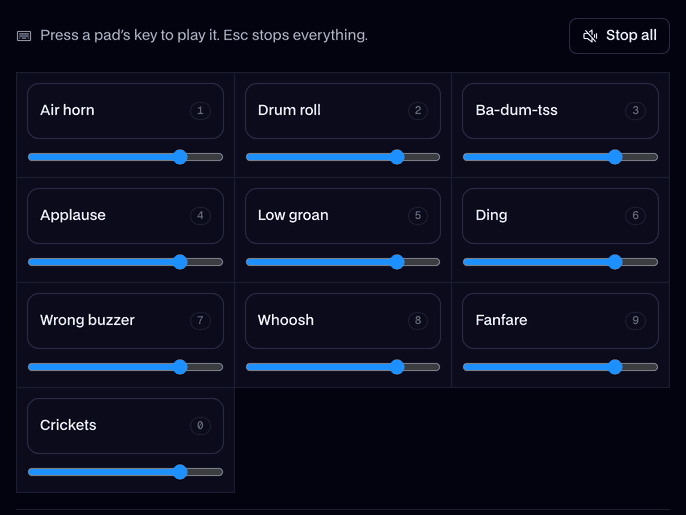
No. The board works with your keyboard, or by clicking the pads on this page.
Does it work with the Stream Deck mobile app?
Yes. Stream Deck Mobile sends the same Hotkey actions to your computer, so the pads play the same way.

