Free Podcast Soundboard
A podcast soundboard with intro and outro jingles, transitions, applause and a rimshot. Run your show's sounds live instead of in the edit.
Updated · Tested by the Facecam team
Your browser will ask for microphone access when you click.
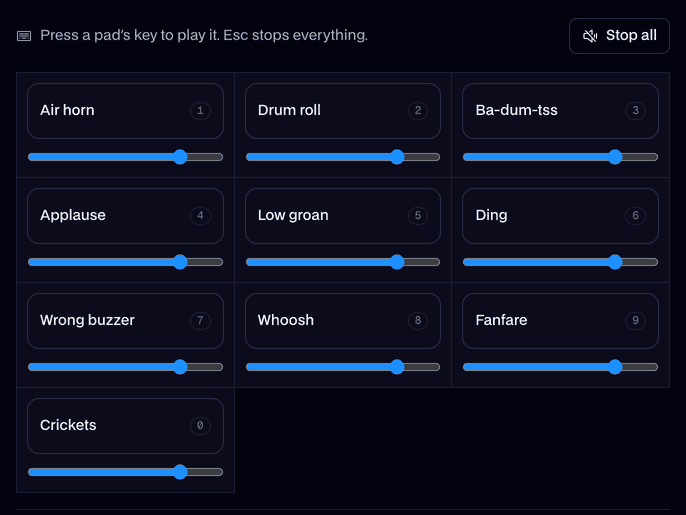
What's on the board
Intro jingle4.0 s
A short, upbeat intro jingle.
Outro jingle3.5 s
A warm outro that resolves.
Whoosh1.0 s
A clean transition swoosh.
Ding1.6 s
A bell for a good point.
Notification0.8 s
A soft two-tone ping.
Applause4.0 s
An audience clapping.
Laugh track3.3 s
A sitcom audience laughing.
Ba-dum-tss1.5 s
Ba-dum-tss for the bad jokes.
Drum roll4.0 s
A snare roll and a crash.
Record scratch1.2 s
A scratch to cut a tangent.
Page turn0.8 s
One page turning.
Typing2.2 s
Fast typing on a keyboard.
Every sound here is our own, made for Facecam with AI from a written description. Free to play on stream and to download.
Play it in Discord, OBS or Zoom
Press Use these sounds in calls, then pick Facecam Virtual Mic as your mic. Step by step: Discord, OBS and Zoom. For games, the Facecam desktop app.
- Recording in a browser studio like Riverside or StreamYard? Pick Facecam Virtual Mic there and your guests hear the jingles live.
- Keep the intro and outro on keys 1 and 2 so the show always opens and closes the same way.
More about this board
Live sounds, less editing
Played live, the jingles and stings land in the recording at the right moment, and your co-hosts react to them. That's one less pass in the edit, and the show sounds the same every week.
What podcasters keep on the board
- An intro and an outro: the same two every week, so the show sounds like itself. Ours run 4 and 3.5 seconds.
- A transition: the whoosh between segments, ad reads and listener questions.
- Reactions: applause for a guest, a laugh track, a rimshot for the bad jokes.
- A cut: the record scratch that stops a tangent before it eats ten minutes.
- Small cues: a bell for a good point, a ping for a listener message, a page turn when you read one out.
Soundboard or mixer?
A soundboard holds the clips; a mixer blends audio sources into one track. In a browser studio you don't need a mixer: Facecam plays the board through a virtual microphone, so the studio records your voice and the sounds together and your guests hear them live. Recording locally in an editor instead? Download the MP3s and drop them in after.

Podcast soundboard FAQ
Can I use the intro jingle for my podcast?
Yes. It's our own AI-made jingle and free to use; download the MP3 if you'd rather add it in the edit.
Does it work with Riverside or StreamYard?
Yes, in Chrome: choose Facecam Virtual Mic as your microphone in the studio.
Can my co-host hear the sounds?
Yes, when you play them live through Facecam Virtual Mic: they go out with your voice, so co-hosts and guests hear them and can react.
Do the sounds end up in a Zoom recording?
Yes, in Zoom on the web in Chrome: pick Facecam Virtual Mic as the microphone and the sounds are part of the recording.
Can I swap in my own intro music?
Yes. Add your own clip with Add sounds (up to 30 seconds) and it sits on the board next to ours.