Free Spongebob Soundboard
Bubble transitions, ukulele stings, a foghorn and squeaky tiptoes: the cartoon-under-the-sea sounds, twelve keys, ready for any call.
Updated · Tested by the Facecam team
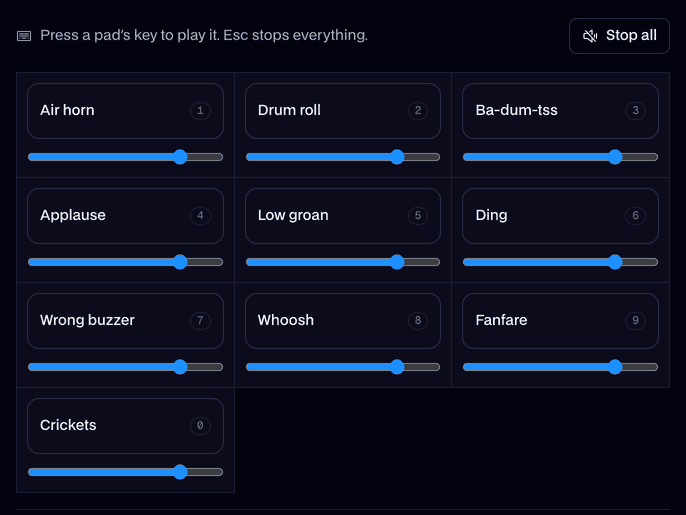
Your browser will ask for microphone access when you click.
What's on the board
Bubbles1.2 s
A rush of bubbles: scene change.
Ukulele2.0 s
Three ukulele strums and a chord.
Steel guitar2.8 s
One lazy steel guitar slide.
Foghorn3.0 s
A deep foghorn across the sea.
Dolphin1.5 s
Excited dolphin squeaks.
Tiptoe1.9 s
Squeaky tiptoeing feet.
Seagulls3.0 s
Seagulls over the waves.
Boing1.0 s
One bouncy cartoon spring.
Slide whistle1.6 s
Up, then down, like a cartoon fall.
Cartoon run2.0 s
Feet scrambling in place, then zip.
Ba-dum-tss1.5 s
The drummer's verdict on your joke.
Sad trombone2.6 s
Wah, wah, wah, waaah.
Every sound here is our own, made for Facecam with AI from a written description. Free to play on stream and to download.
Play it in Discord, OBS or Zoom
Press Use these sounds in calls, then pick Facecam Virtual Mic as your mic. Step by step: Discord, OBS and Zoom. For games, the Facecam desktop app.
- Press Bubbles, wait a beat, then say "a few hours later" yourself. It works every time.
- The foghorn is loud: lower its slider before your first call.
Cartoon cues for calls and edits
| Cue | Pad | Use it for |
|---|---|---|
| Scene change | Bubbles | Skipping ahead in a story or a clip |
| Happy ending | Ukulele | A plan that actually worked |
| Daydream | Steel guitar | Zoning out mid-meeting |
| Something huge arrives | Foghorn | The boss, the teacher, the pizza |
| Sneaking | Tiptoe | Joining the call late |
More about this board
Why our own versions
The show's sound effects and music belong to its studio. Every pad here was made new with AI from a description, like rising bubbles or a hawaiian steel guitar, so you can use them in videos and streams with nothing to clear.



Spongebob soundboard FAQ
Are these the real SpongeBob sound effects?
No. They're our own takes on the same kinds of cartoon cues, made with AI, so nobody else's audio is on the board.
Can I sound like SpongeBob too?
Yes: turn on the SpongeBob voice in the voice changer and keep this board in the same call. Both play through Facecam Virtual Mic.
Can I use these sounds in a TikTok or YouTube video?
Yes. Download any pad's MP3; they're free to use in your videos, monetized ones included.
Does it work in Discord?
Yes. On discord.com in Chrome, send the board to Facecam and pick Facecam Virtual Mic. In Discord's app, use the Facecam desktop app for PC and Mac.