How to Spot a Deepfake
We make deepfakes, so here is where ours give themselves away, with close-ups.
By Facecam team · Updated
Short answer
Look where the new face meets the original person: the jawline, beard and hairline, and the skin tone of the face against the neck and hands. Then watch the teeth, the eyes and fast head turns, which swaps handle worst. Finally, check the file's metadata for an AI label and where the clip came from. No single sign proves it, but two or three together usually do.
Step by step
Look at the edge of the face
A face swap replaces the inner face only. Follow the jawline, chin and hairline: a beard, stubble or hairline that doesn't belong to the face above it is the clearest tell. In our photo swap, the original man's white beard sits right under a smooth new face.
Compare the face with the neck and hands
The face is new; the neck, ears and hands aren't. Different skin tone, age or texture between them gives the swap away. In our video swap, the face is clearly darker than the neck right below it.
Watch the teeth and the inside of the mouth
Teeth come out blurred, merged into one strip, or change shape between frames. Our video swap shows softer, smeared teeth than the original.
Ask for a head turn or a hand in front of the face
Swaps are trained mostly on faces seen from the front. A full side profile, a fast turn or a hand passing over the face makes the swap slip, flicker or drop for a moment, especially live in a call.
Look for skin that's too smooth
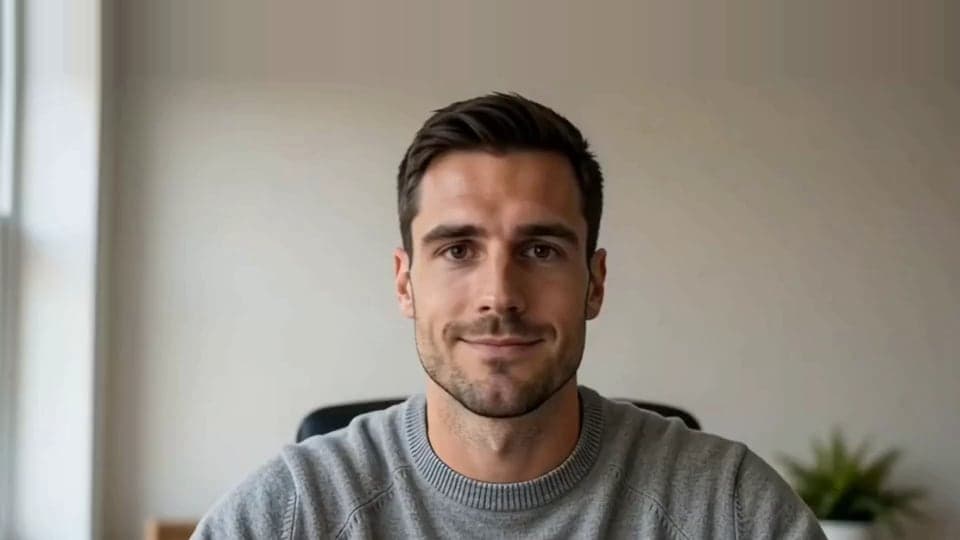
Good swaps, like our live one, can be hard to catch at a glance. Up close the skin is a little waxy and evenly lit, with less pore detail than the hair and clothes around it.
Check the file's metadata
Many AI tools label their output. Look for Content Credentials (C2PA) or an IPTC “Digital Source Type” of trained algorithmic media in the file's details.
Check where it came from
Find the earliest copy and who posted it. A clip that only exists as a re-upload, with no original source, deserves doubt whatever it looks like.
From our test
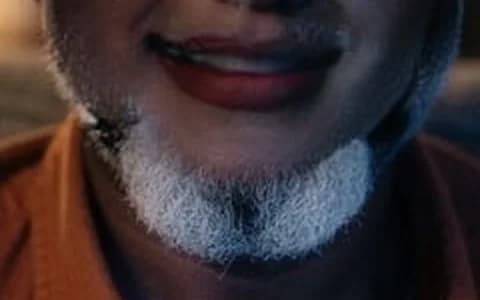
Photo swap, 200% zoom: the new face ends at the jaw, the original's beard carries on below it. 
Video swap, 200% zoom: a step in skin tone at the jaw, and softer teeth. 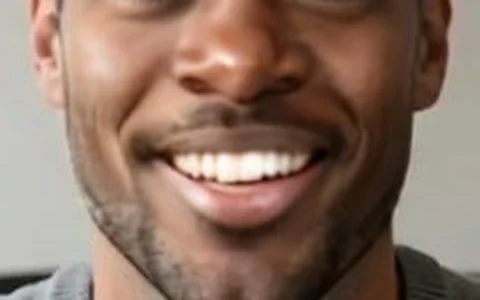
Live swap, 200% zoom: hard to catch, but the skin is smoother than the hair and stubble around it.

If it doesn't work
| Problem | Fix |
|---|---|
| It looks real and none of the tells show | Some swaps are very good on a still frame. Watch the clip at full size and slowed down, and check the source and metadata instead. |
| A detection website says it's real | Automated detectors miss new methods and get fooled by compression. Treat their answer as one hint, not proof. |
| It's a live video call | Ask the person to turn their head fully to the side and pass a hand in front of their face. Live swaps struggle with both. |

Questions
What is the easiest way to spot a deepfake?
Look where the face meets the rest of the person: the jaw, beard, hairline and neck. A face swap changes only the inner face, so mismatches show up there first.
Can you spot a deepfake on a video call?
Often, yes. Ask the person to turn fully sideways or wave a hand in front of their face: live swaps flicker or slip on side profiles and when the face is covered.
Do deepfake detectors work?
Partly. They catch many older or low-quality fakes, but miss new methods and heavily compressed clips. Use them alongside your own checks and the source.
How do deepfake detectors work?
Most are AI models trained on large sets of real and fake videos to find the traces generators leave, such as blending edges, odd frequencies in the image and mismatched lighting. Others check for provenance labels like C2PA.


Related
 What Is a Deepfake?What the word means, how a deepfake is made, and what one looks like up close.
 Live Face SwapLive face swap for Meet, Zoom and Discord: become anyone you want, in real time, while you talk. Upload any photo or pick a built-in face.
 Video Face SwapFace swap video online, free to try: put any face into a short clip with AI, keep the original sound and download an MP4.
Live Face Swap
Be anyone on your calls
Start