AI Face Filters
Change how your face looks in any photo: older, bald, bearded, another gender or a new hair color.
Where it works
Made with Facecam
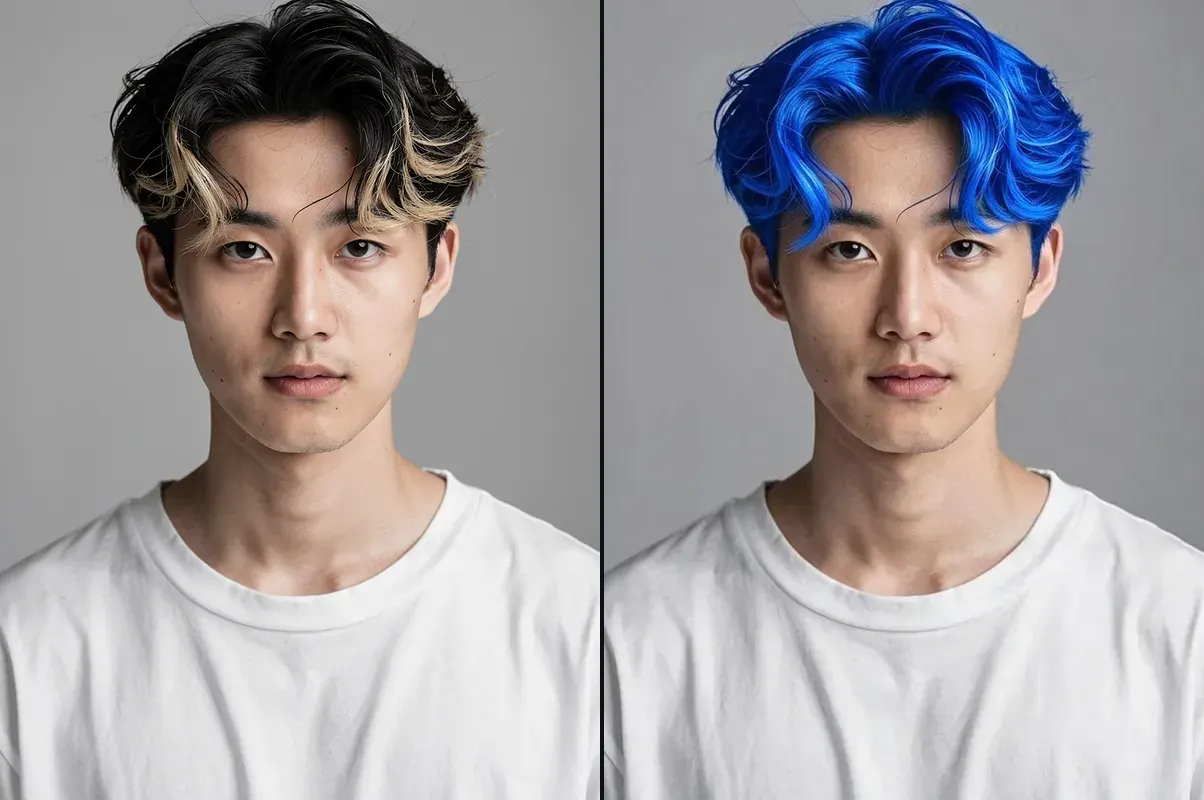
Hair color
Any color, same haircut.
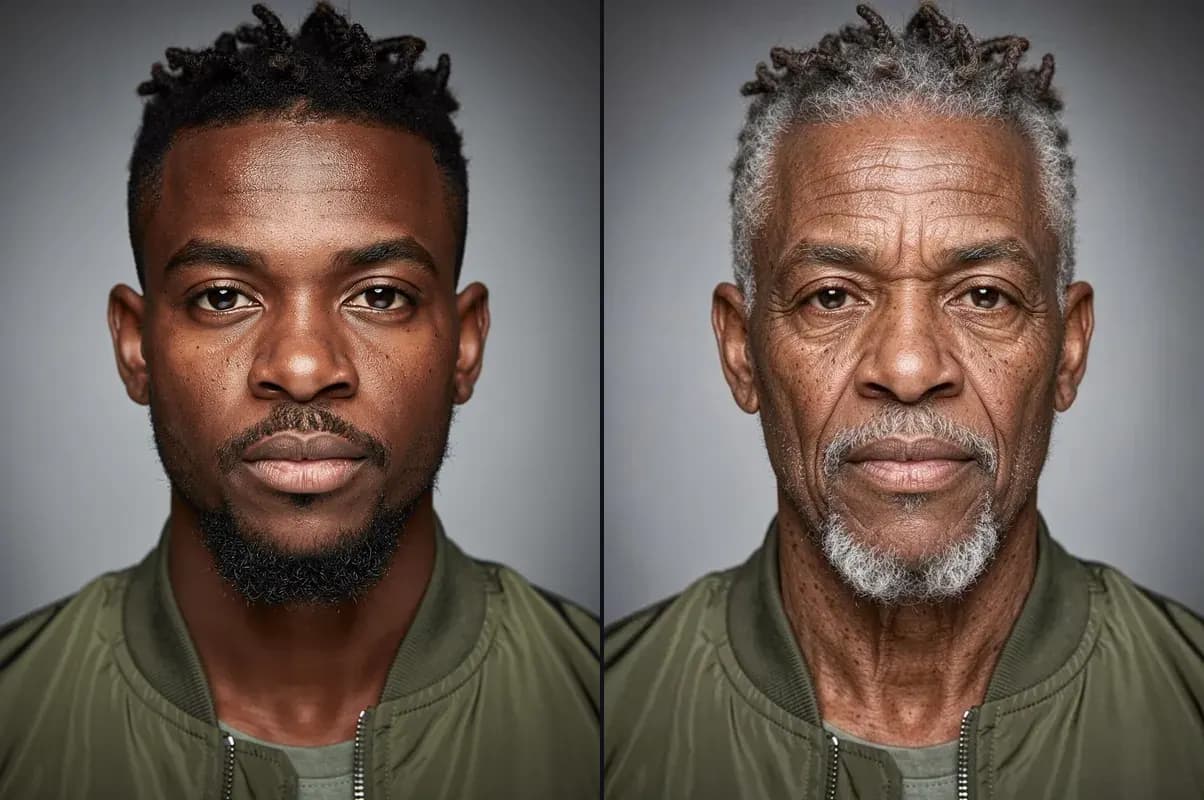
Old
About 35 years older, still him.
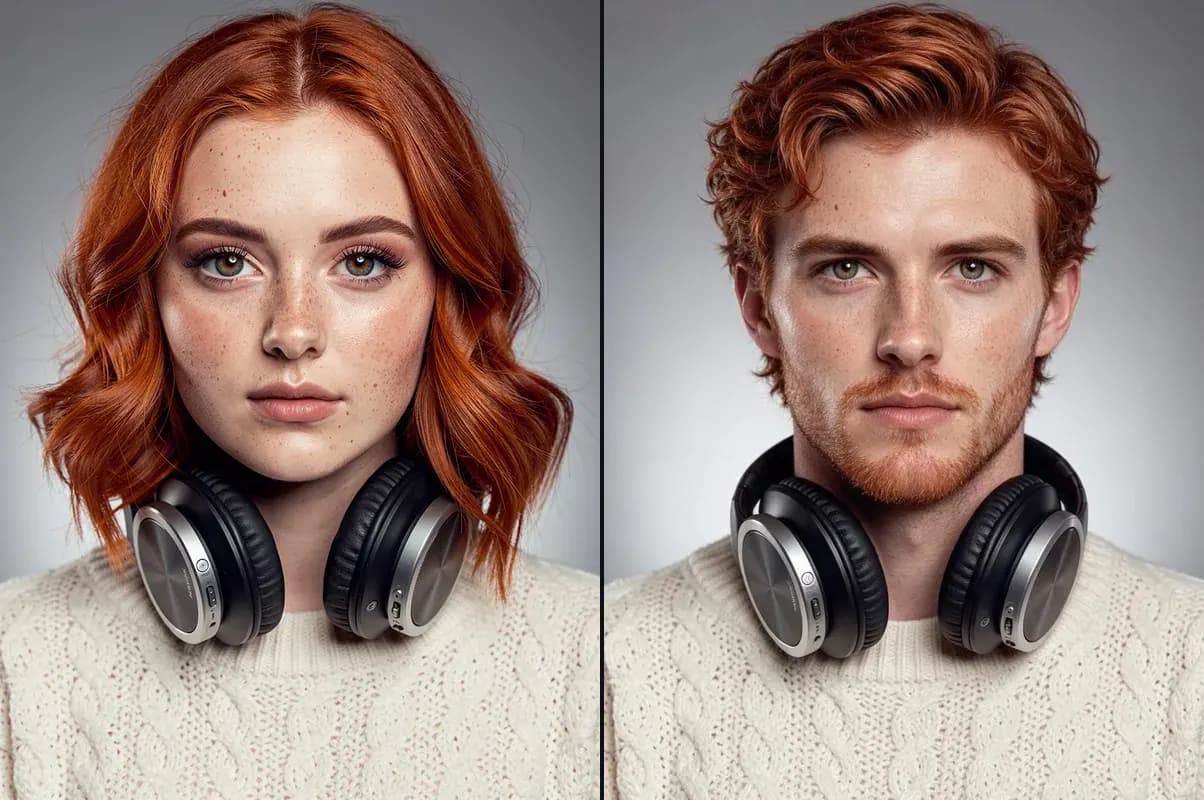
Gender swap
The same person, as the opposite sex.
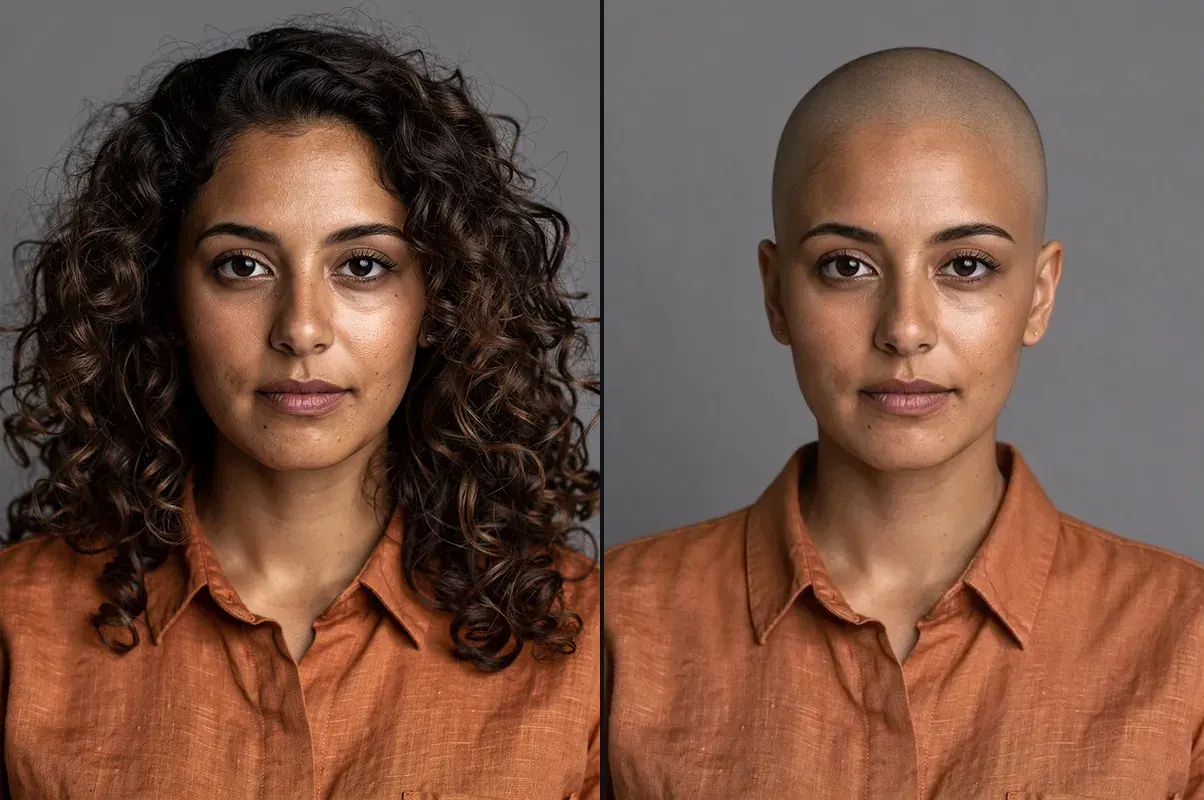
Bald
A clean shaved head, nothing else changed.
How to use AI Face Filters
Add a photo
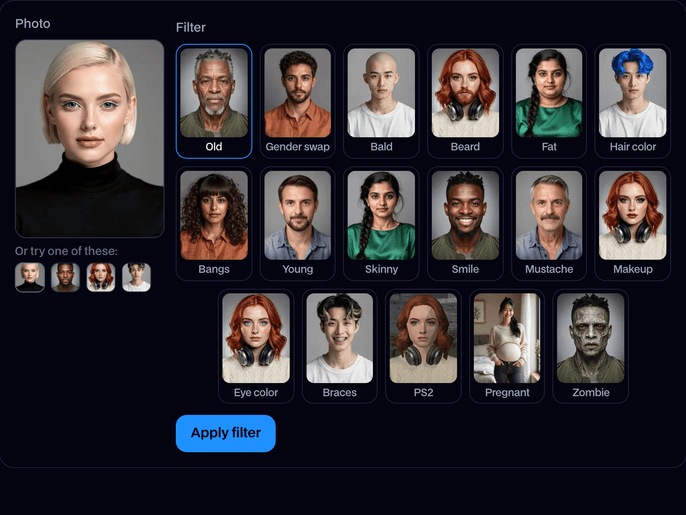
Upload a photo with one clear face, or try one of the built-in faces.
Pick a filter
Choose one of the 17 filters, from Old and Gender swap to Braces, PS2 and Pregnant. For hair color pick one of 10 colors, for eye color one of 6.
Apply and download
Click Apply filter. In about 15 seconds you see before and after side by side; click Download to keep it.
What is an AI face filter?
An AI face filter is an edit that redraws part of your face or hair in a photo, such as making you older or bald, while the rest of you stays the same. Facecam's work on any photo and keep you clearly recognisable.
Before and after


More examples
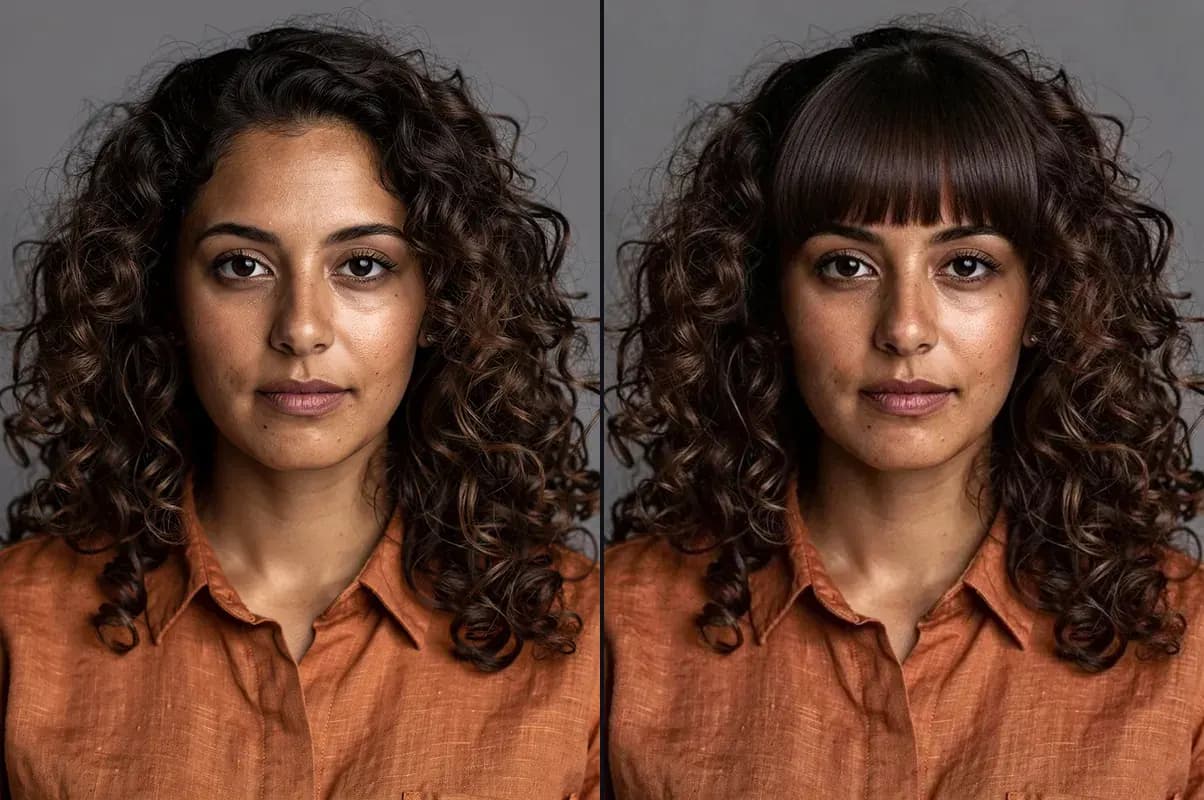
Bangs: a straight fringe in her own curls. 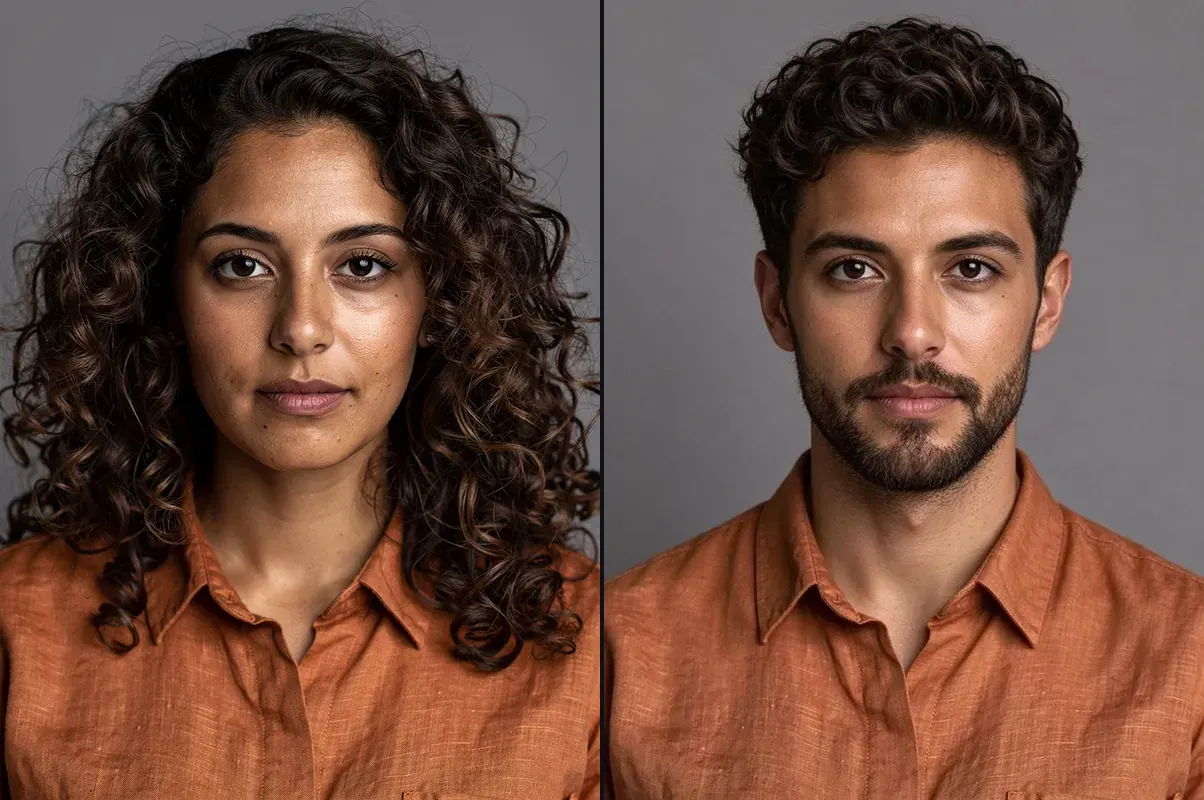
Gender swap: the same face, as a man. 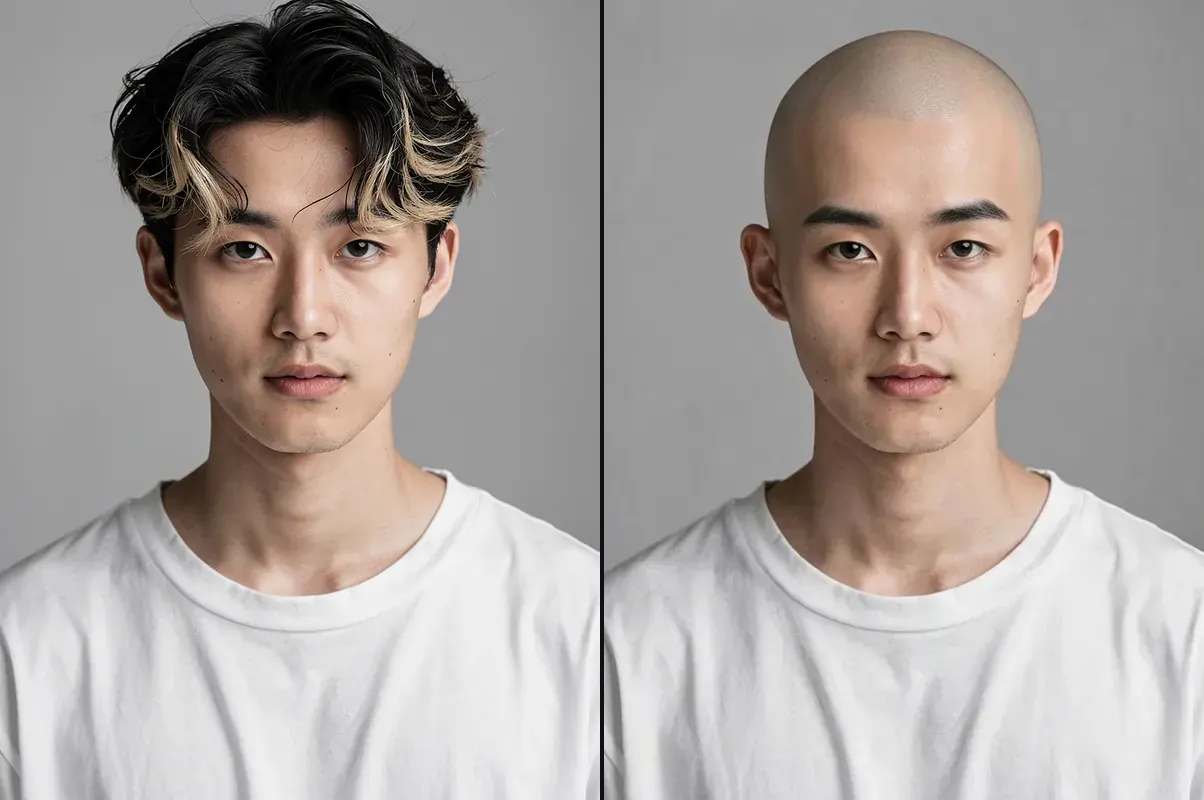
Bald: no hair, same head. 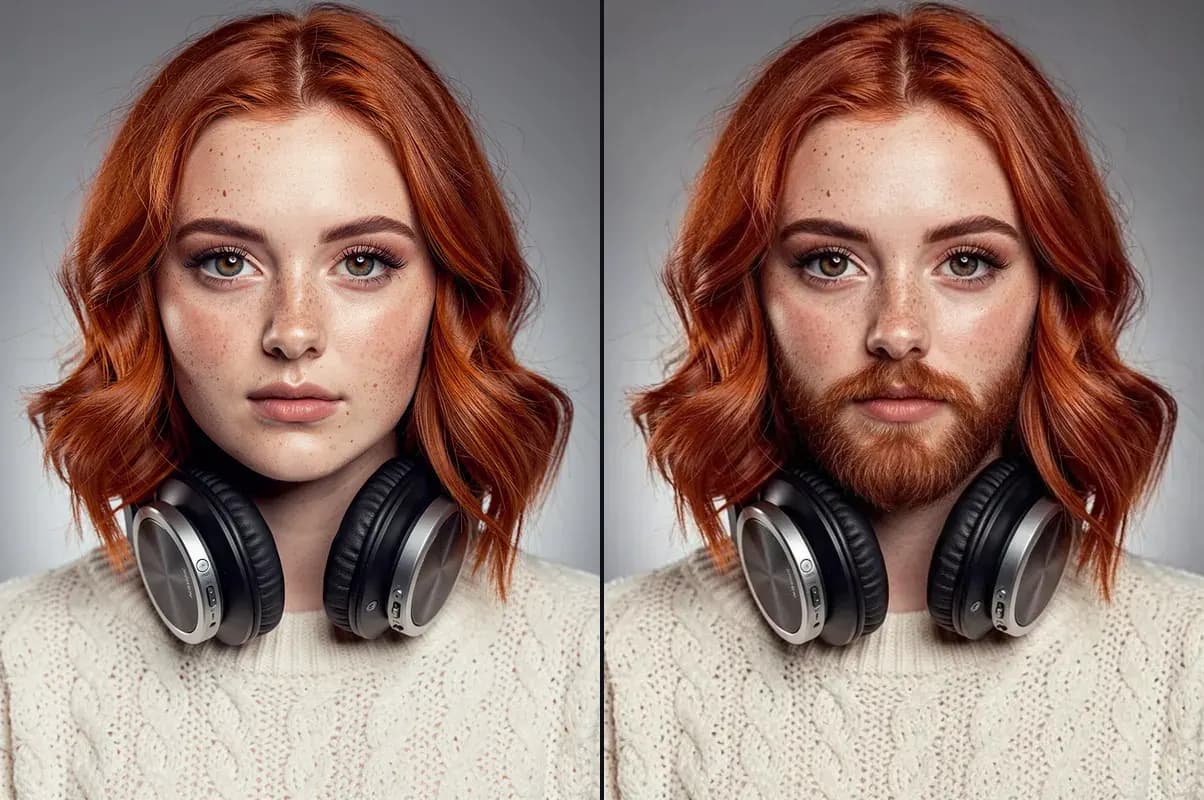
Beard: matched to the hair color. 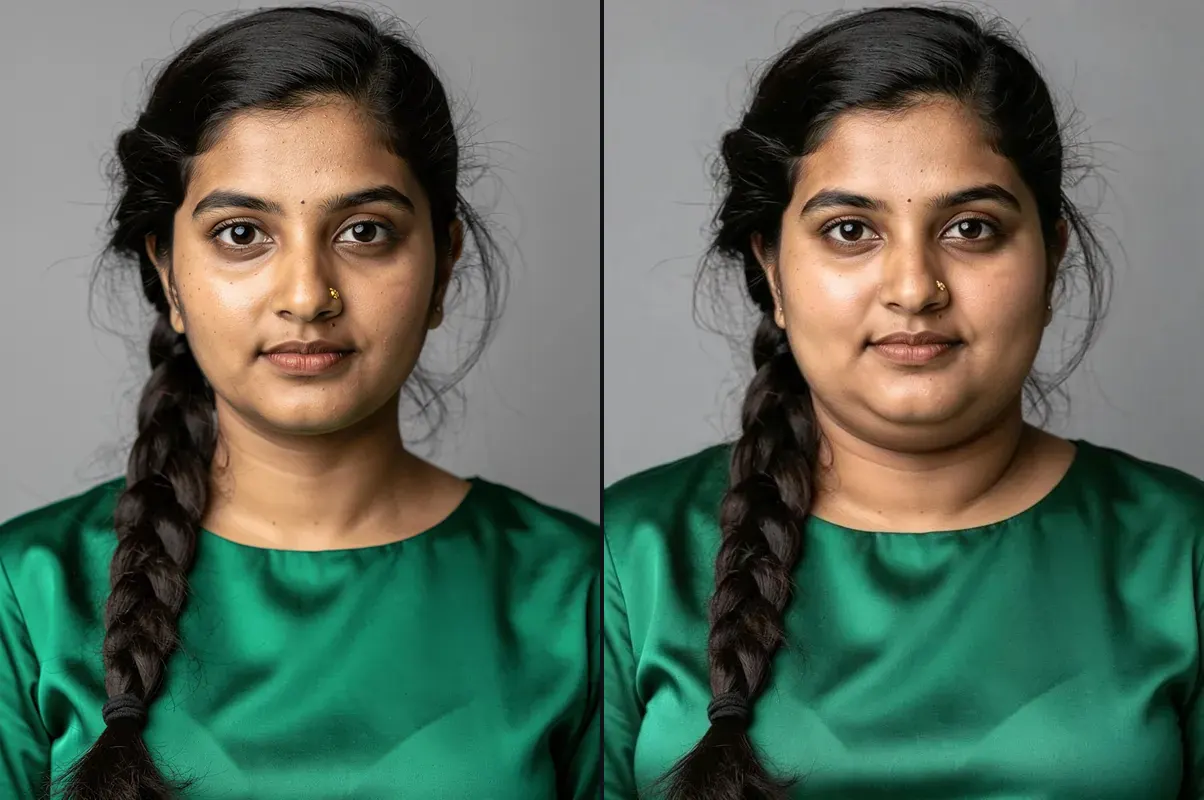
Fat: a rounder face and wider shoulders.
What you can do with AI Face Filters
See your future self
Age your photo by decades and see roughly how you might look at 70.
Try a look before you commit
Funny pictures for the group chat
Bald, fat or gender-swapped versions of yourself are made for reactions and memes.
AI Face Filters features
Still you
Your face shape, eyes, skin tone, pose, clothes and background stay the same.
17 filters
Old, Young, Gender swap, Bald, Beard, Mustache, Fat, Skinny, Smile, Makeup, Hair color, Eye color, Bangs, Braces, PS2, Pregnant and Zombie, one click each.
10 hair colors
Blonde, platinum, brown, black, red, pink, blue, purple, silver and green.
Drawn faces too
Anime and 3D characters keep their art style; photos stay realistic.
Before and after
See both side by side, then try another filter on the same photo.
No face, no charge
We check for a face first; if there isn't one, or a filter fails, it doesn't count.




Which filter to use
| Filter | What changes | What stays |
|---|---|---|
| Old | Wrinkles, skin, grey or white hair, about 35 years added | Face shape, eyes, expression |
| Gender swap | Jaw, brows, facial hair and hairstyle | Eyes, skin tone, features |
| Bald | All the hair on your head | Eyebrows and any beard |
| Beard | A full beard and moustache in your hair color | Everything else |
| Fat | Fuller cheeks, double chin, thicker neck and wider body | Face, hair and clothes |
| Hair color | The color of your hair, roots included | Haircut, length and style |
| Bangs | A straight fringe just above the eyebrows | The rest of your hair |
| Young | Smoother skin, fuller cheeks, no grey, about 20 years off | Face shape, eyes |
| Skinny | A slimmer face, sharper jaw, thinner neck and body | Face, hair and clothes |
| Smile | A natural smile with teeth, smiling eyes | Everything but the expression |
| Mustache | A thick mustache in your hair color, no beard | Everything else |
| Makeup | Full-glam makeup: contour, smoky eyes, lipstick | Face shape, hair, clothes |
| Eye color | The color of your irises (6 colors) | Everything else |
| Braces | Metal braces with colored bands, in a smile | Face, hair and clothes |
| PS2 | You as a low-poly early-2000s video game character | Hairstyle, colors, outfit and pose |
| Pregnant | A round baby bump under your own top | Face, hair and clothes |
| Zombie | Movie-style zombie skin, eyes and makeup | Face shape, hair, clothes |

More about AI Face Filters
AI Face Filters is an online tool that edits the face in your photo with one click: it ages you or makes you younger, swaps your gender, makes you bald, adds a beard or mustache, adds or takes off weight, adds a smile or makeup, changes your hair or eye color, and keeps you recognisable.
AI Face Filters: what you need and limits
| How it works | Online. Works on any laptop. |
|---|---|
| You get | Image download |
| You need | Any up-to-date browser |
| Phones and tablets | Supported |
| Photo | JPEG, PNG or WebP with one clear face. Real photos, anime, cartoons and 3D characters all work. |
| Filters | Old, Gender swap, Bald, Beard, Fat, Hair color (10 colors), Bangs, Young, Skinny, Smile, Mustache, Makeup, Eye color (6 colors), Braces, PS2, Pregnant and Zombie. |
| Time | About 15 seconds. |
| Price | Comes with every paid plan, by the photo: 300 face filters a month on Premium, if you use nothing else. A photo with no face, or a filter that fails, doesn't count. |
| Output | A JPEG the shape of your photo. Free results have a small Facecam mark in the corner; plans remove it. |
| Kept for | 7 days in your Library, then deleted. Your uploaded photo is deleted within an hour. |
Getting a good result
Use a photo where one face is clear and looks roughly at the camera, with even light. Head-and-shoulders photos work best; the filter changes the whole picture slightly, so a busy group photo can shift other people too. If a result isn't quite right, run the filter again: each run is a little different.
Your photos
Your photo is stored privately while the filter runs and deleted when it's done, always within an hour. The result stays in your Library for 7 days, then it's deleted.

AI Face Filters FAQ
How do I use AI face filters?
Add a photo with a clear face, pick a filter (and a color for hair) and click Apply filter. You get the before and after in about 15 seconds.
How much do face filters cost?
They come with every paid plan, by the photo: 300 face filters a month on Premium, if you use nothing else. A photo with no face, or a filter that fails, doesn't count.
Will it still look like me?
Yes. Each filter changes only its part (hair, age, weight, beard) and keeps your face shape, eyes, skin tone, expression, clothes and background.
Can I use it on someone else's photo?
Yes, any photo with a face works, including friends, old family photos and characters you made.
Does it work on anime or cartoon characters?
Yes. A drawn or 3D character keeps its art style, so an anime character ages as an anime character.
Can I put several filters on one photo?
One filter per run. Download the result and upload it again to add another, for example bald and then old.
Is there a face filter for live video?
These filters are for photos. To change your face live in calls and streams, use Live Face Swap.



Try AI Face Filters now
- Cancel any time
- Runs in your browser
- No gaming PC needed