AI Video Generator
Type a scene or add a picture, pick a model, and get a video in a minute or two.

Where it works
Made with Facecam
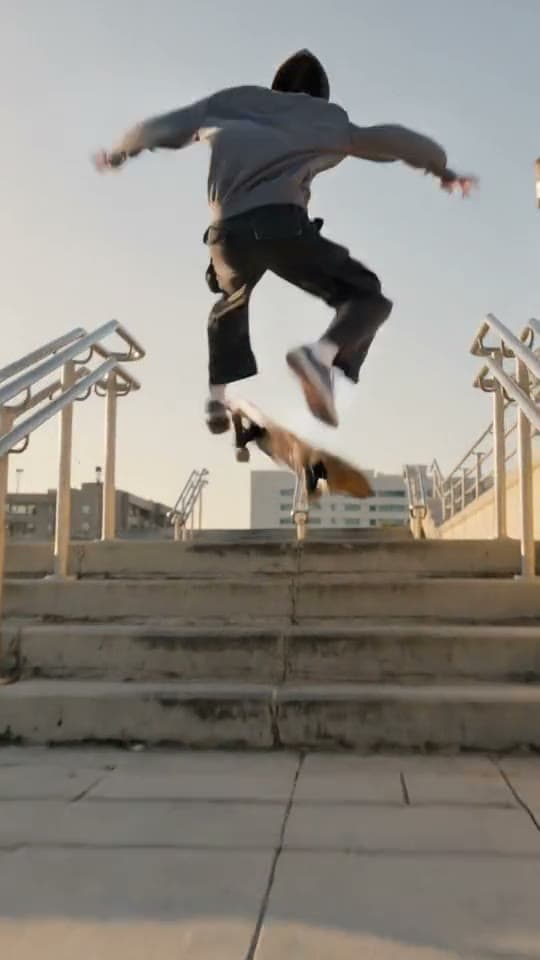
Kling 3.0, from text
“A skateboarder kickflips down a set of city stairs at golden hour, slow motion, the camera follows low behind him.”
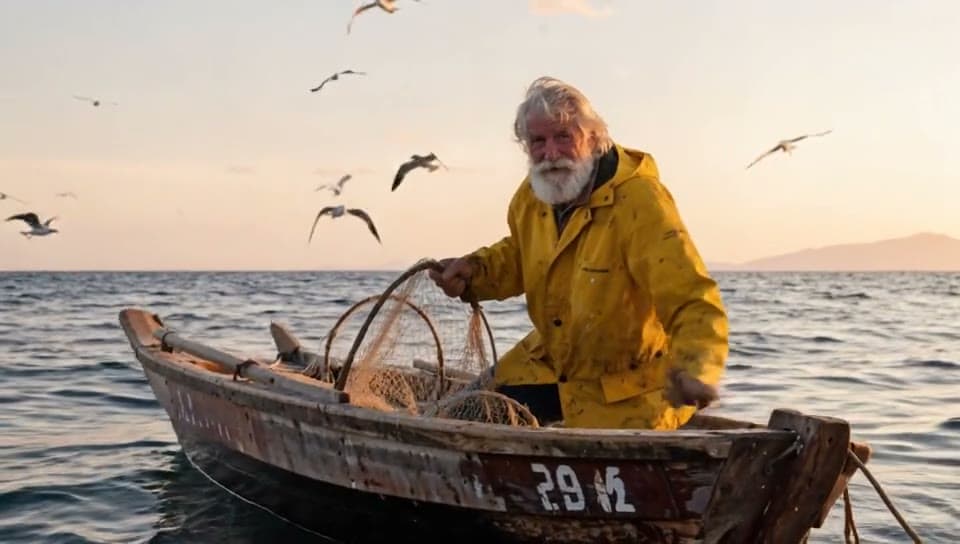
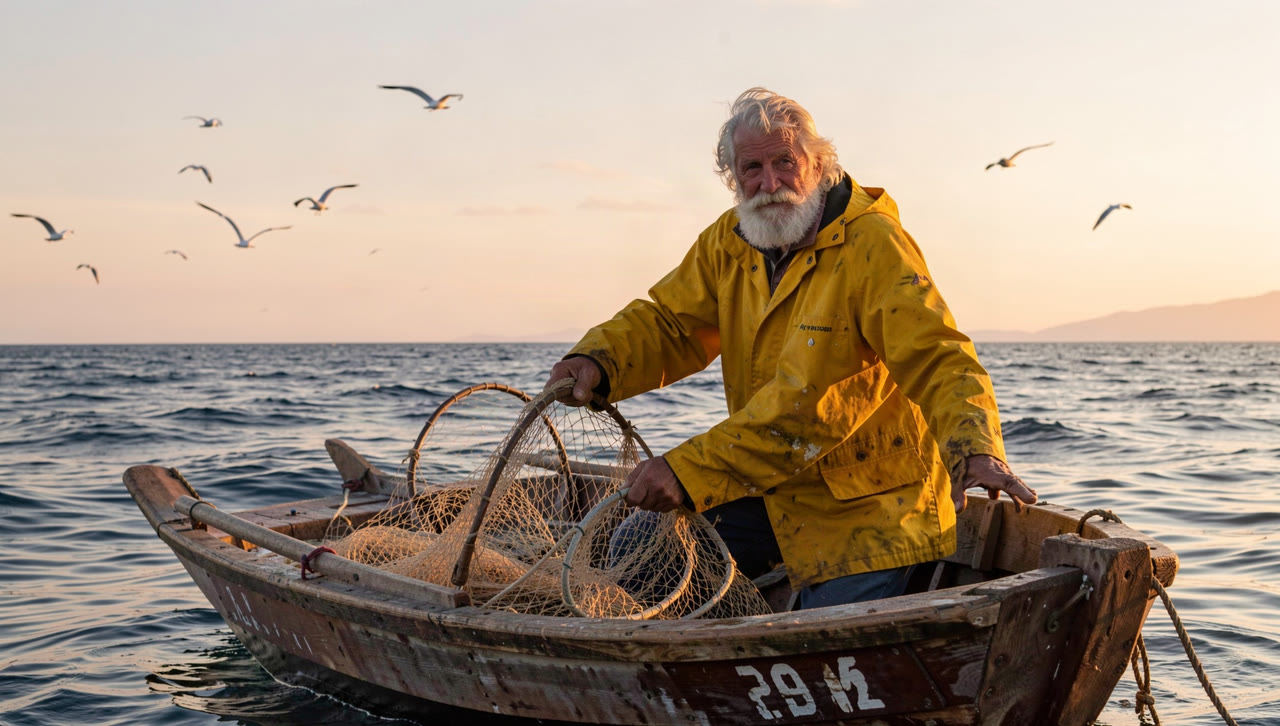
Before Kling 3.0, from a picture
“He hauls the net aboard as waves rock the boat and gulls circle overhead.”

Veo 3.1, with her voice
“A grandmother in a cozy kitchen pulls a tray of cookies from the oven, turns to the camera with a big smile and says: Who wants cookies?”

Wan 3.0, anime style
“Anime style: a girl with a red scarf stands on a rooftop at sunset as cherry blossom petals swirl around her, the city skyline behind her, wind and soft piano music.”

Hailuo 2.3, from text
“A white paper origami crane on a wooden desk unfolds its wings and flies off toward a sunny window, macro shot, shallow depth of field.”
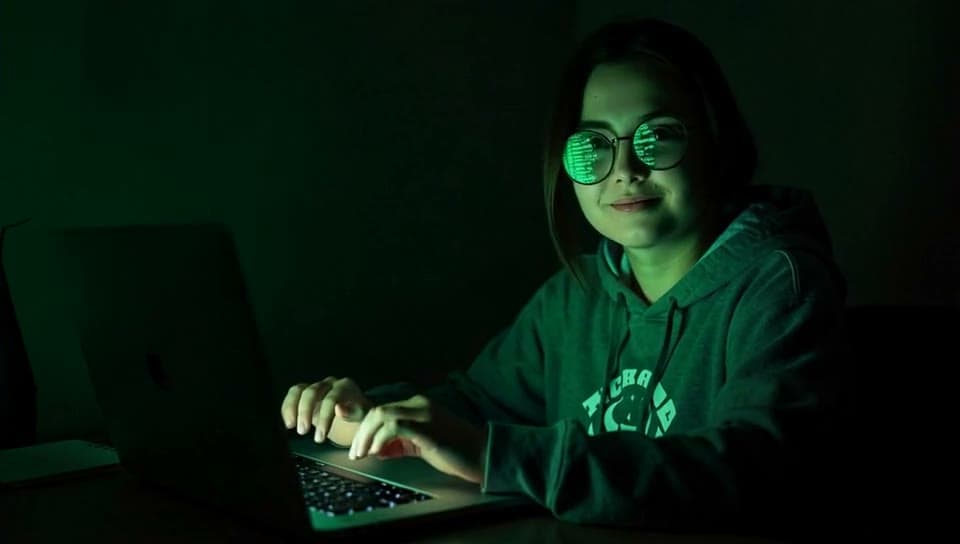
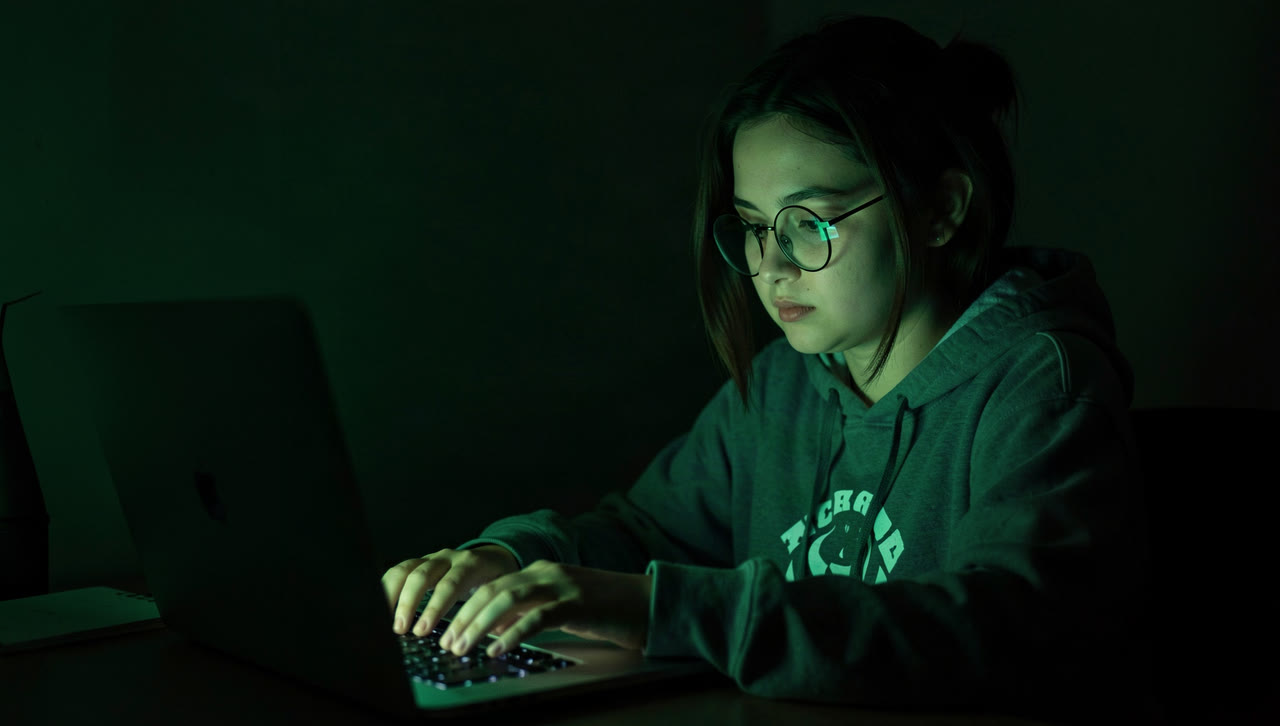
Before Hailuo 2.3, from a picture
“She types fast, green code reflecting in her glasses, then she stops, looks up at the camera and smirks.”

How to use AI Video Generator
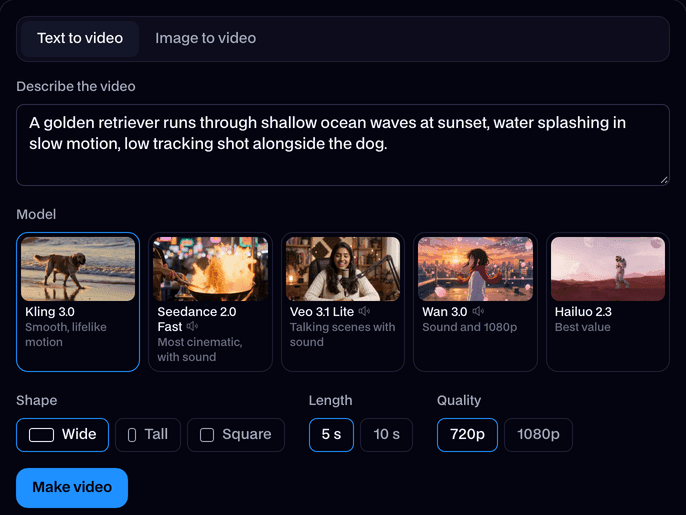
Describe the video
Write what happens: who or what is in it, what they do, where, and how the camera moves.
Pick a model, length and shape
Kling for people, Seedance for cinematic shots with sound, Veo for people talking, Wan for 1080p with sound, Hailuo for the most clips.
Make it and download
Click Make video. In a minute or two the clip plays on the page; click Download to keep the MP4. It's in your Library too.
What is an AI video generator?
An AI video generator is a tool that makes a video clip from a text prompt or a still picture. Facecam's runs five video models, Kling, Seedance, Veo, Wan and Hailuo, and makes a 4 to 10 second clip in a minute or two.
What you can do with AI Video Generator
Shorts, Reels and TikToks
Bring a picture to life
Ads and product shots
Spin a product on a podium, pour a drink, open a box, without a studio.
Characters for your channel
Talking scenes
Veo 3.1 makes people say the line you write, in their own voice.
AI Video Generator features
Five video models
Kling 3.0, Seedance 2.0, Veo 3.1, Wan 3.0 and Hailuo 2.3, in one place.
Text or a picture
Describe the scene, or start from any image.
With sound
Seedance, Veo and Wan add sound effects, music and voices.
Up to 1080p
Kling, Veo and Wan go to 1080p; every model does 720p.
Wide, tall or square
16:9 for YouTube, 9:16 for Shorts and TikTok, 1:1 for feeds.
Pay per clip
Each clip shows its price before you make it; a clip that fails doesn't count.







Which model to use
| Model | Best for | Sound | Lengths | Quality |
|---|---|---|---|---|
| Kling 3.0 | People and natural motion | No | 5 s, 10 s | 720p, 1080p |
| Seedance 2.0 Fast | Cinematic shots with sound | Yes | 5 s, 10 s | 720p |
| Veo 3.1 Lite | People talking, with their voices | Yes | 4 s, 6 s, 8 s | 720p, 1080p |
| Wan 3.0 | Sound and sharp 1080p | Yes | 5 s, 10 s | 720p, 1080p |
| Hailuo 2.3 | The most clips for your plan | No | 6 s, 10 s | 768p |

More about AI Video Generator
AI Video Generator is an online tool that makes a short video from a text prompt or from a start image, on the video model you pick: Kling 3.0, Seedance 2.0, Veo 3.1, Wan 3.0 or Hailuo 2.3.
AI Video Generator: what you need and limits
| How it works | Online. Works on any laptop. |
|---|---|
| You get | Video download |
| You need | Any up-to-date browser |
| Phones and tablets | Supported |
| Make it from | A text prompt (text to video), or a start image plus an optional prompt (image to video). |
| Models | Kling 3.0, Seedance 2.0 Fast, Veo 3.1 Lite, Wan 3.0 and Hailuo 2.3. Seedance, Veo and Wan make sound too. |
| Length | 4 to 10 seconds, depending on the model. |
| Quality | 720p (Hailuo 768p); 1080p on Kling, Veo and Wan. |
| Shape | Wide 16:9, tall 9:16 or square 1:1 from text; a start image keeps its own shape. |
| Time | About 1 to 3 minutes, depending on the model and length. |
| Price | Comes with every paid plan, by the clip; each model, length and quality has its own price, shown before you make it (e.g. 31 Kling 3.0 clips of 5 seconds a month on Premium). A clip that fails doesn't count. |
| Output | An MP4. Free results have a small Facecam mark in the corner; plans remove it. |
| Kept for | 7 days in your Library, then deleted. Start images are deleted within an hour. |
Text to video or image to video
Text to video makes everything from your prompt: the people, the place, the light and the camera. Image to video starts on a picture you add and keeps it as the first frame, so faces, products and art stay as they are while the scene moves. Use text when you're inventing a shot, and an image when you need it to look like something that already exists.
Prompts that work
- Say who or what is in the shot, then what they do: “a golden retriever runs through shallow waves”.
- Add the place and the light: “on a beach at sunset”.
- Name the camera move: “low tracking shot”, “slow push in”, “the camera circles her”.
- For sound, describe it: “sizzling oil and chatter”, “soft piano”.
- For a line of dialogue on Veo, put it in quotes after “says:”.
Every run is a little different. If a clip is almost right, make it again or change one thing in the prompt.
Your images and videos
A start image is stored privately while the video is made and deleted when it's done, always within an hour. The video stays in your Library for 7 days, then it's deleted.

AI Video Generator FAQ
How do I make a video with AI?
Type what should happen, or add a start image, pick a model and click Make video. The clip plays on the page in a minute or two and you can download the MP4.
How much does it cost?
It comes with every paid plan, by the clip, and each model, length and quality has its own price, shown before you make it: 31 Kling 3.0 clips of 5 seconds a month on Premium, or 47 Hailuo 2.3 clips of 6 seconds a month on Premium. A clip that fails doesn't count.
Which model is best?
Kling 3.0 for people and natural motion, Seedance 2.0 for cinematic shots with sound, Veo 3.1 for people talking, Wan 3.0 for 1080p with sound, and Hailuo 2.3 for the most clips from your plan.
Do the videos have sound?
Seedance, Veo and Wan make sound with the picture: effects, music and, on Veo, the lines you write. Kling and Hailuo clips are silent.
How long can a video be?
4 to 10 seconds per clip, depending on the model. Make several and join them in any editor for a longer video.
Can I use my own photo?
Yes. Image to video starts on any picture you upload: a photo of you, a drawing, a character or a product.
Is there a live version?
This makes clips. To change how you look live on camera, use Live AI Filter or Live Face Swap.
How long does it take to make a video?
About one to three minutes. Kling is the quickest here, often under a minute for 5 seconds at 720p; Seedance and Hailuo can take a few minutes. You can close the tab while it works: the clip waits in your Library.
Can I make vertical videos for TikTok and Reels?
Yes. Pick Tall (9:16) before you make it on Kling, Seedance, Veo or Wan. Hailuo makes wide clips from text. From a picture, a tall photo gives a tall clip on every model.
Can it make anime, cartoon or 3D videos?
Yes. Name the style at the start of the prompt, like “Anime style:” or “3D animation of”. The anime rooftop clip above came from Wan 3.0 that way. To animate a drawing you already have, use it as the start image.
How long can my prompt be?
Up to 1000 characters. Most good prompts are far shorter: one to three sentences on what happens, where, and how the camera moves.



Try AI Video Generator now
- Cancel any time
- Runs in your browser
- No gaming PC needed