AI Video Effects
Turn one selfie into a 5 second clip: hug, kiss, earth zoom out, melt, explode and more.
Where it works
Made with Facecam
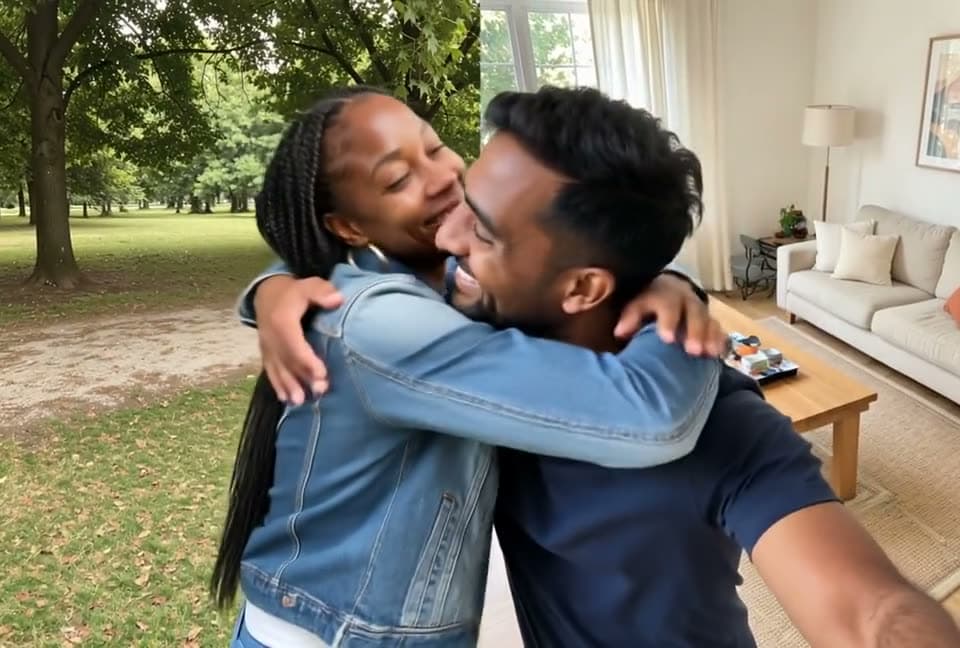
AI Hug
Two selfies, one hug.
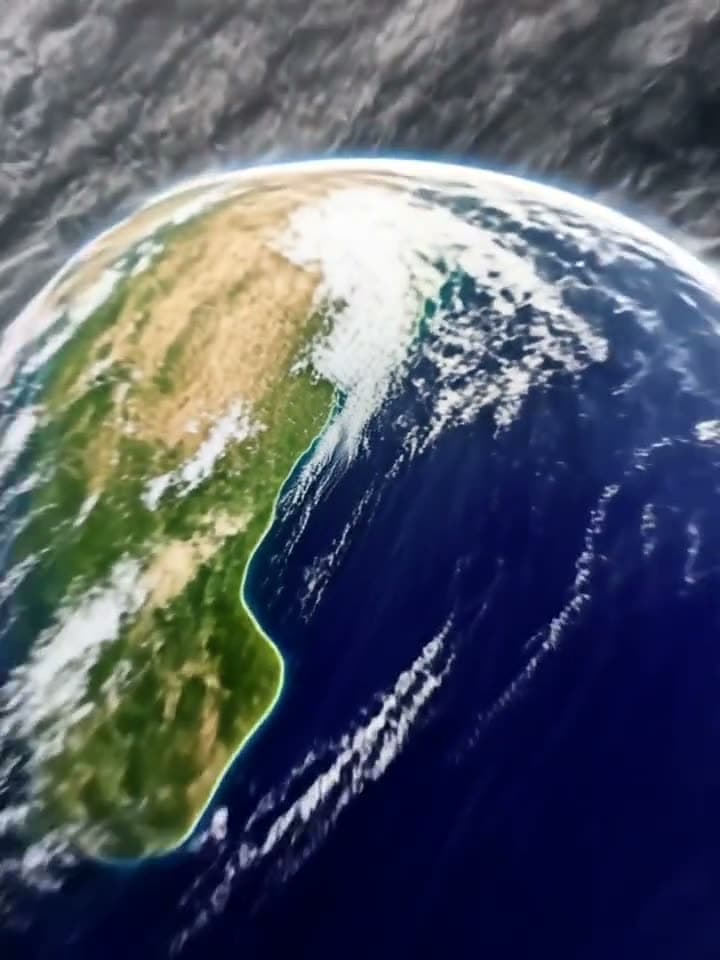
Earth Zoom Out
From your selfie to space.
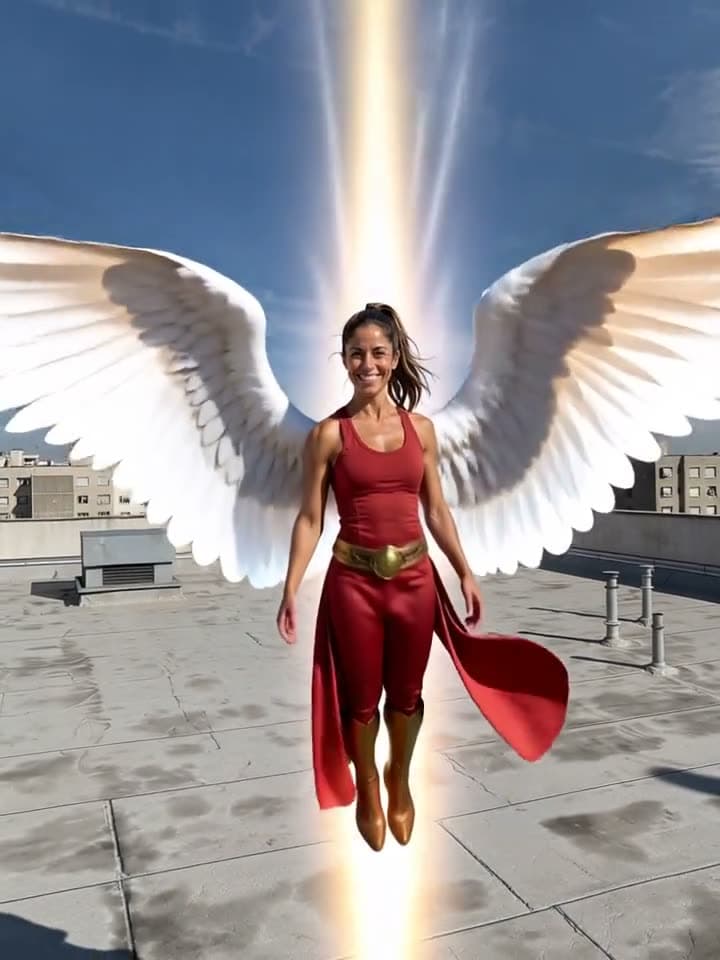
Angel Wings
Wings, light and lift-off.
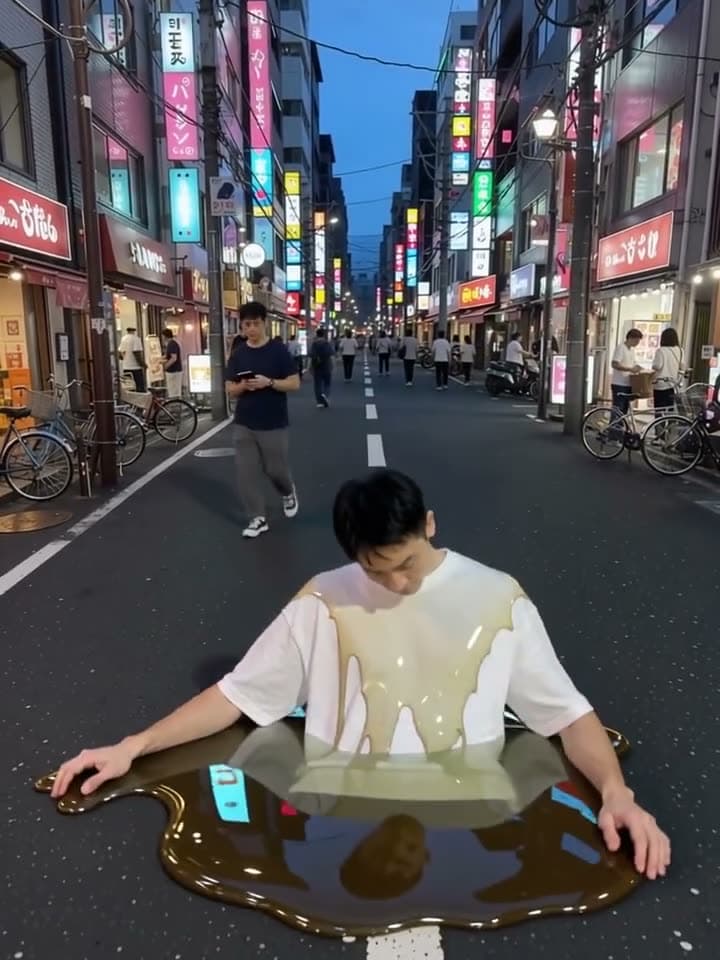
Melt
Down into a puddle.
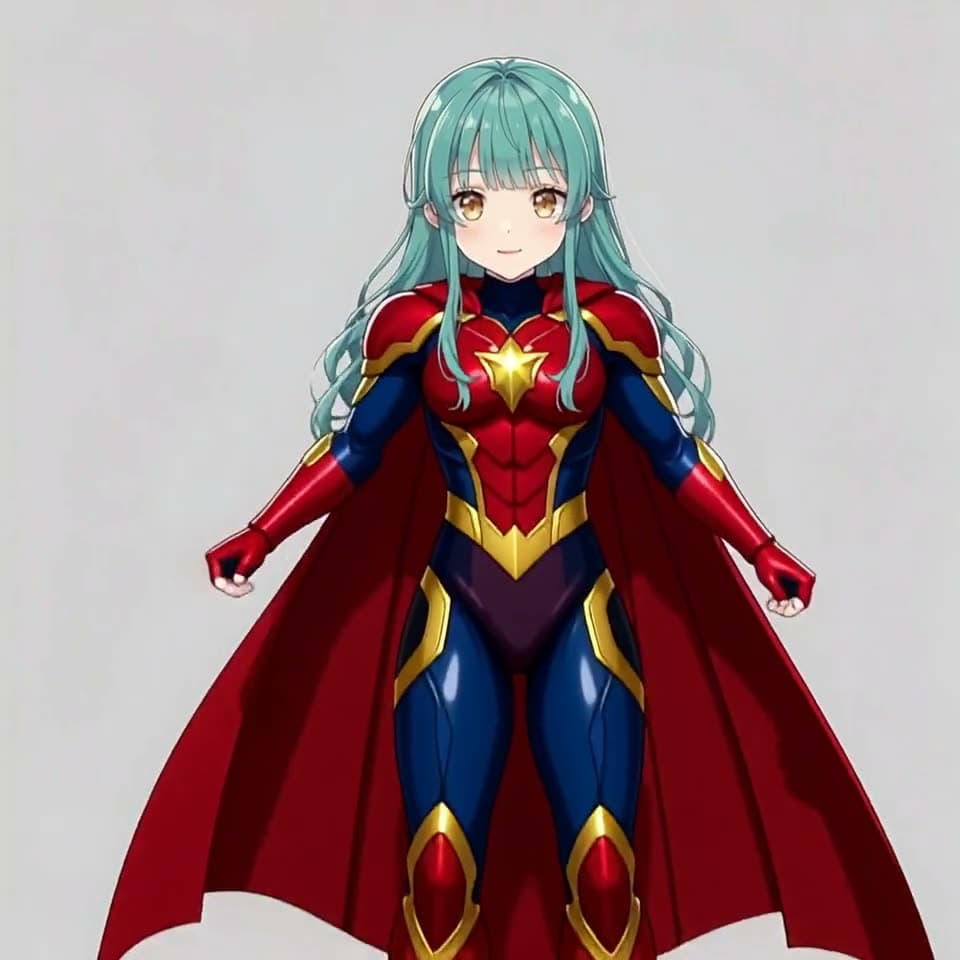
Superhero
Works on anime characters too.
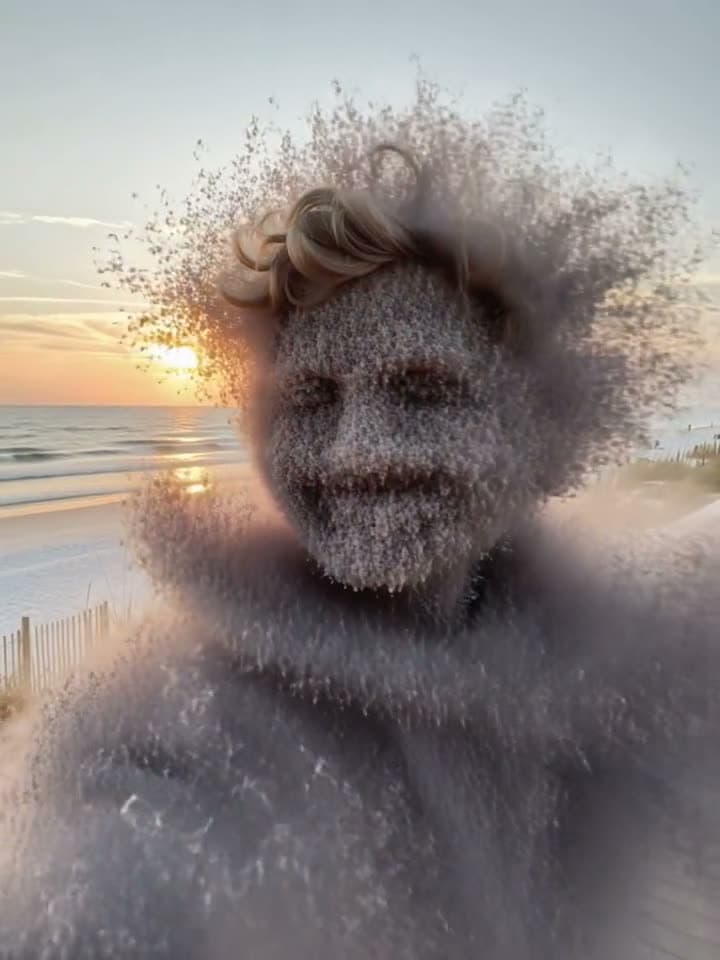
Turn to Dust
Gone with the wind.
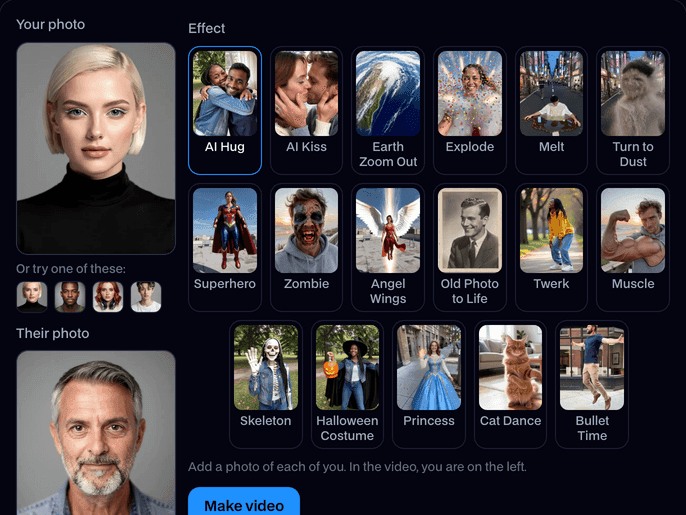
How to use AI Video Effects
Add a photo
Upload a selfie or any photo with one clear face, or try one of the built-in faces.
Pick an effect
Choose one of the seventeen effects. For AI Hug and AI Kiss, add the other person's photo too; for Cat Dance, a photo of your cat.
Make it and share
Click Make video. In about a minute the clip plays on the page; click Download to keep the MP4 and post it anywhere.
What is an AI video effect?
An AI video effect is a short clip made from one still photo, where the person in it does something impossible: melts, explodes, grows wings or zooms out to space. Facecam makes one from any selfie in about a minute.
What you can do with AI Video Effects
A clip for TikTok and Reels
Effects like the earth zoom out and the AI hug are made to be posted: one tap and it's a short.
Send a hug or a kiss
Bring your character to life
Old family photos
Let a black and white portrait blink and smile again.
AI Video Effects features
One photo is enough
A selfie does it. No video, no green screen, no editing.
Seventeen effects
Hug, kiss, earth zoom out, explode, melt, dust, superhero, zombie, angel wings, old photo, twerk, muscle, skeleton, Halloween costume, princess, cat dance and bullet time.
Still you
Your face, hair and clothes carry through the whole clip.
Ready to post
A 5 second MP4 in your photo's shape: vertical selfies make vertical clips.
Anime and 3D too
Drawn and 3D characters keep their art style through the effect.
No face, no charge
We check every photo for a face first; if there isn't one, or a clip fails, it doesn't count.





Which effect to use
| Effect | What happens | Photos |
|---|---|---|
| AI Hug | The two of you turn to each other and hug | Two |
| AI Kiss | The two of you lean in and kiss | Two |
| Earth Zoom Out | The camera flies up from you to space | One |
| Explode | You burst into confetti, sparks and smoke | One |
| Melt | You melt like wax into a puddle | One |
| Turn to Dust | You crumble into dust that blows away | One |
| Superhero | A flash of light, a suit and cape, and you fly | One |
| Zombie | Your face rots and snarls into a zombie | One |
| Angel Wings | Huge white wings unfold and lift you up | One |
| Old Photo to Life | An old portrait blinks, smiles and moves | One |
| Twerk | You break into a goofy twerk dance | One |
| Muscle | You flex as your arm swells into a giant bicep | One |
| Skeleton | You fade into a grinning skeleton that waves | One |
| Halloween Costume | Sparks and bats, then a witch robe, hat and pumpkin | One |
| Princess | Sparkles, a ball gown and a jeweled crown | One |
| Cat Dance | Your cat stands up and dances | One, of your cat |
| Bullet Time | You jump and freeze in mid-air as the camera circles | One |

More about AI Video Effects
AI Video Effects is an online tool that turns one photo of you into a short video effect: a hug or a kiss with someone from a second photo, an earth zoom out, melting, exploding, turning to dust, becoming a superhero, a zombie or an angel, or an old photo coming to life.
AI Video Effects: what you need and limits
| How it works | Online. Works on any laptop. |
|---|---|
| You get | Video download |
| You need | Any up-to-date browser |
| Phones and tablets | Supported |
| Photo | JPEG, PNG or WebP with one clear face. Selfies and portraits work best; anime and 3D characters work too. |
| Effects | AI Hug, AI Kiss, Earth Zoom Out, Explode, Melt, Turn to Dust, Superhero, Zombie, Angel Wings, Old Photo to Life and Twerk. Hug and Kiss take a second photo. |
| Time | About a minute. |
| Price | Comes with every paid plan, by the clip: 48 effect clips a month on Premium, if you use nothing else. A photo with no face, or a clip that fails, doesn't count. |
| Output | An MP4 of about 5 seconds, 720p, the shape of your photo. Free results have a small Facecam mark in the corner; plans remove it. |
| Kept for | 7 days in your Library, then deleted. Your uploaded photos are deleted within an hour. |
Getting a good clip
Use a photo where your face is clear and the light is even. Waist-up selfies give the effects room to move: wings need space around you, melt and dust need your body in the frame. For a hug or a kiss, two photos taken at a similar distance look most natural. Each run is a little different, so if a clip isn't quite right, make it again.
Your photos
Your photos are stored privately while the video is made and deleted when it's done, always within an hour. The clip stays in your Library for 7 days, then it's deleted.

AI Video Effects FAQ
How do I make an AI video effect?
Add a selfie, pick an effect (and a second photo for hug or kiss) and click Make video. The clip is ready in about a minute.
How much do AI video effects cost?
They come with every paid plan, by the clip: 48 effect clips a month on Premium, if you use nothing else. A photo with no face, or a clip that fails, doesn't count.
How long is each video?
About 5 seconds, which is the length these effects are made for on TikTok, Reels and Shorts.
Will it still look like me?
Yes. The clip starts from your photo, and your face, hair and clothes stay yours until the effect takes over.
Can I use someone else's photo?
Yes, any photo with a face works, including friends, family photos and characters you made.
Does it work on anime or cartoon characters?
Yes. A drawn or 3D character keeps its style, so an anime girl grows anime wings.
How long does it take to make an effect?
About a minute. You can leave the page while it's made; the clip waits for you in your Library.
What kind of photo works best?
One person, face clear and evenly lit, shown from the waist up with some space around them. JPEG, PNG and WebP all work. Full-body photos suit the moving effects like Twerk and Bullet Time best.
Can I use a photo of my pet?
Yes, with Cat Dance: add a photo of your cat and it stands up and dances. The other effects are made for people's faces.
Is there a live version?
These effects make a clip from a photo. To change how you look live on camera, use Live AI Filter or Live Face Swap.


Related
- AI Video GeneratorType a scene or add a picture, pick a model, and get a video in a minute or two.
- AI KissMake a video of two people kissing from just two photos.
- Earth Zoom OutStart on your selfie and fly all the way out to space in 5 seconds.
- AI Explosion EffectBlow yourself up, harmlessly: one selfie bursts into confetti, sparks and smoke.
- AI Melt EffectMelt like wax: one selfie drips, slides and collapses into a puddle.

Try AI Video Effects now
- Cancel any time
- Runs in your browser
- No gaming PC needed