OBS Virtual Camera
OBS Virtual Camera not showing up? Check what Chrome sees and get the fix.
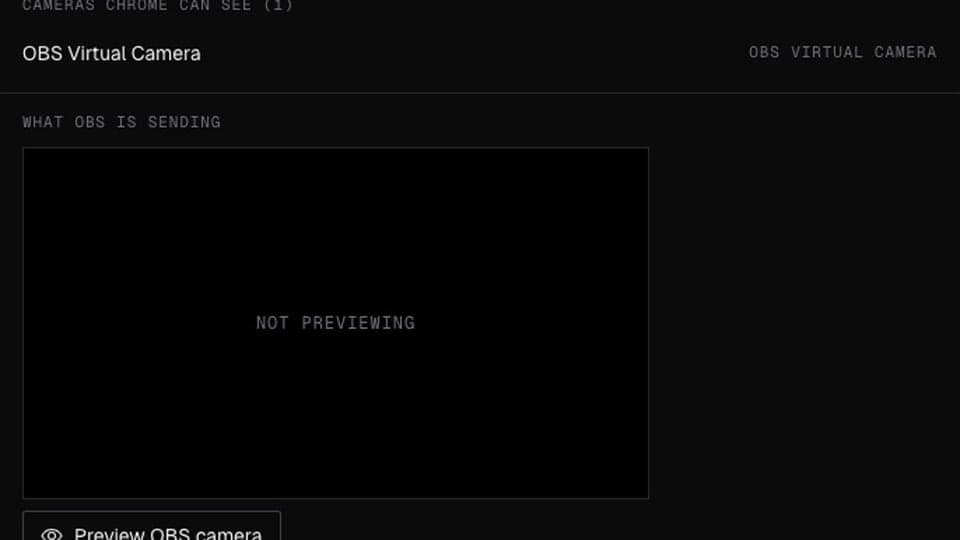
OBS Virtual Camera Checker needs Chrome on a computer. Send yourself the link, or see the examples below.
Your browser will ask for camera access when you click.
Where it works
How to use OBS Virtual Camera Checker
01
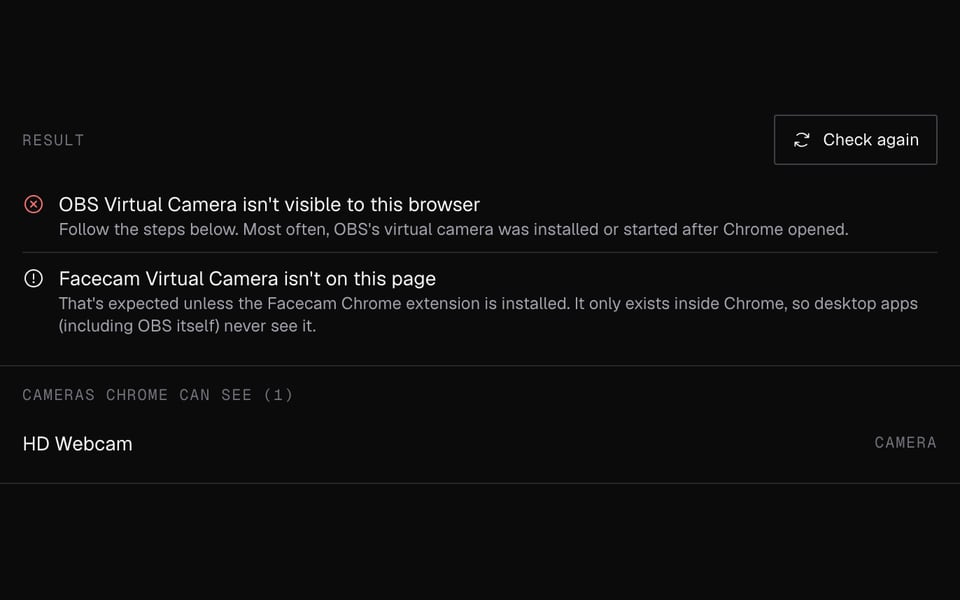
Start it in OBS
Open OBS Studio and click Start Virtual Camera.
02
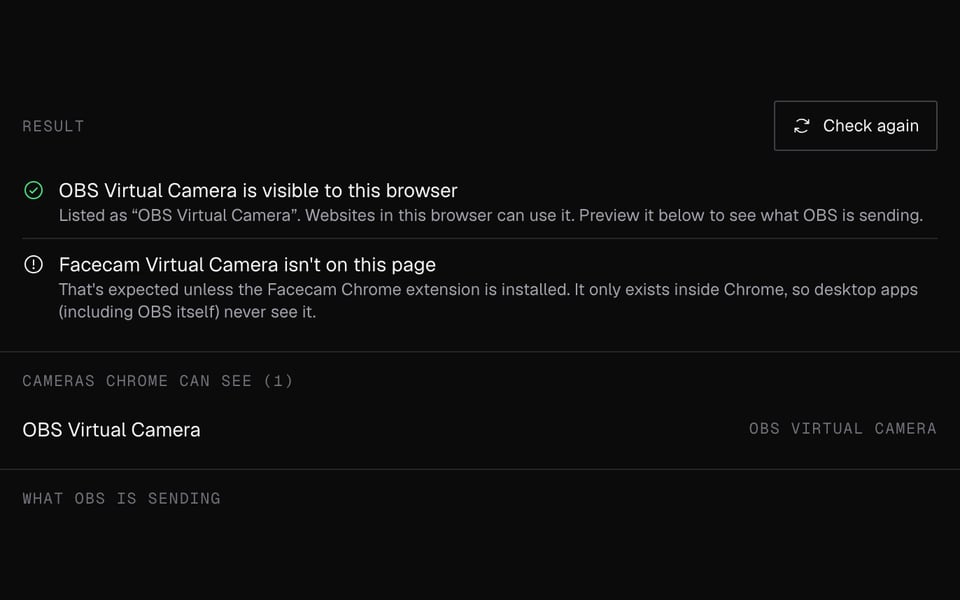
Start the checker
Click Start camera here and allow access.
03
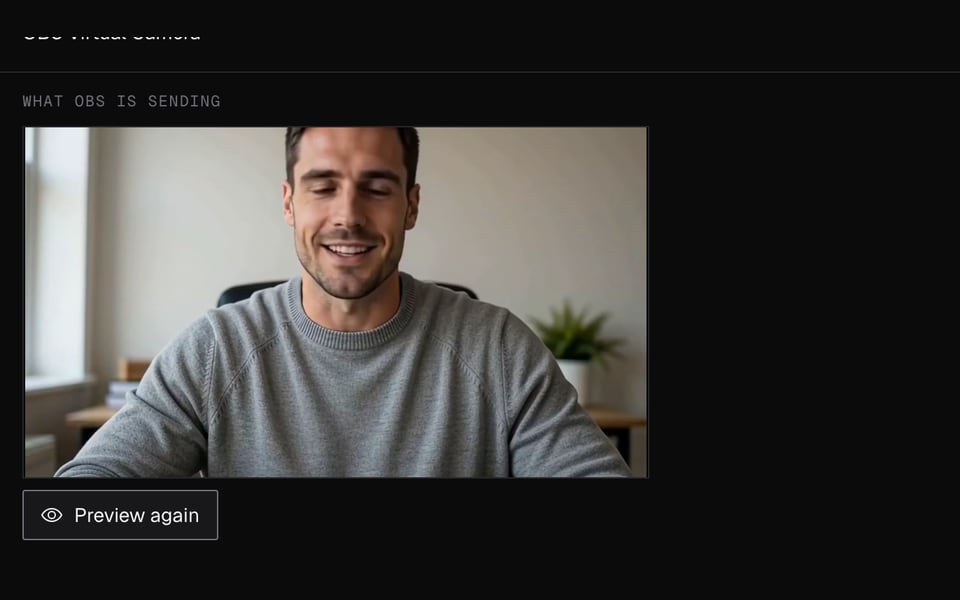
Read the result
It says whether your browser sees OBS, with fix steps if it doesn't. Click Preview OBS camera to see what OBS is sending.


If it doesn't work
| Problem | Fix |
|---|---|
| “OBS Virtual Camera isn't visible to this browser” (Windows) | Install OBS Studio 26 or newer and click Start Virtual Camera. Then fully quit Chrome, including the icon by the clock, and reopen it. If it's still missing, run the OBS installer again as administrator. |
| Not visible (macOS) | Use OBS Studio 28 or newer. The first time, allow the camera extension in System Settings → General → Login Items & Extensions → Camera Extensions. Quit Chrome with ⌘Q and reopen it; restart the Mac once if needed. |
| Not visible (Linux) | Install the v4l2loopback add-on (for example, sudo apt install v4l2loopback-dkms), start the virtual camera in OBS, then restart Chrome. |
| “OBS is sending a still image” | That's usually the OBS logo, shown when the virtual camera isn't started, or a frozen scene. Click Start Virtual Camera, then Preview again. |
| “OBS is sending a black picture” | OBS is running but the scene is empty or the camera source is off. Add or enable a source in the current scene. |
| “Camera names are hidden” | Allow camera access for this page, then click Check again. |
More about OBS Virtual Camera Checker
OBS Virtual Camera is a camera OBS Studio adds to your computer, so other apps can use your OBS scene as a webcam. Facecam's free checker shows whether your browser can see it and what it's showing.
OBS Virtual Camera Checker: what you need and limits
| How it works | Right on this page. Nothing is uploaded. |
|---|---|
| You get | Result on the page |
| You need | Any up-to-date browser, a webcam |
| Phones and tablets | Not supported |
| Detects | OBS Virtual Camera, Facecam Virtual Camera and other common camera apps, by name |
| Picture check | Whether it's showing live video, a still image or a black picture |
| OBS versions in the fix steps | OBS Studio 26+ on Windows, 28+ on macOS, v4l2loopback on Linux |
Not showing up in Discord, Zoom or Meet
Apps check which cameras you have when they open. If OBS Virtual Camera was installed or started after the app opened, the app won't list it. That goes for Chrome as well as the Discord or Zoom apps.
01
Start the virtual camera first
Click Start Virtual Camera in OBS before you open the call.
02
Fully restart the app
Quit it completely, including any icon by the clock or in the menu bar, then reopen it.
03
Select it by name
In the app's video settings, choose “OBS Virtual Camera”, not your webcam.
This checker tests your browser. If OBS works here but not in a desktop app, the problem is in that app's settings, not in OBS.
OBS Virtual Camera and the Facecam camera
Every app on your computer can see OBS Virtual Camera. Facecam Virtual Camera is different. It only shows up inside Chrome, so websites like Meet, Zoom on the web and discord.com can use it, but desktop apps, including OBS itself, can't.
To use a Facecam effect in a desktop app, add the Chrome window to OBS with Window Capture, then pick OBS Virtual Camera in that app. Tools with an OBS link, like the AI VTuber, can be added as a Browser source instead.
Privacy
The checker only looks at your camera names and two quick snapshots. Nothing leaves your computer, and there's no sign-up.
OBS Virtual Camera Checker FAQ
How do I use OBS Virtual Camera on Discord?
Start the virtual camera in OBS, then in Discord open User Settings → Voice & Video and choose “OBS Virtual Camera”. If it's missing, quit Discord fully and reopen it.
Do I need to download OBS Virtual Camera separately?
No. It's built into OBS Studio since version 26 on Windows. On a Mac, use version 28 or newer. On Linux you also need the v4l2loopback add-on.
Why does OBS Virtual Camera show the OBS logo?
OBS shows its logo when the virtual camera is installed but not started. Click Start Virtual Camera. The checker shows this as a still image.
Does OBS Virtual Camera work on a Chromebook?
No. OBS Studio doesn't run on Chromebooks. In Chrome, the Facecam Virtual Camera works on the Meet, Zoom and Discord websites instead.
Why is the OBS virtual camera flipped?
Many apps flip your own preview, but others see you the right way round. Check how it looks to someone else before flipping it in OBS.
More tools

Related

Updated