Voice changer for gaming
Change your voice for the squad while you play: in game voice chat, Discord, Steam and party chat with the Facecam desktop app, or in Chrome with nothing to install.
Tools

More pages

How it works while you play
Get the desktop app
Install Facecam on your PC or Mac and add Facecam Virtual Microphone when it asks. In a browser, the Chrome extension does the same for discord.com.
Pick Facecam's microphone
Choose Facecam Virtual Microphone in the game's voice chat settings, in Discord's Voice & Video, or as your computer's default input.
Choose a voice and play
Pick a voice, give it a shortcut to switch mid-match, and launch the game. Your squad hears the new voice on any device.

Games and apps, one by one
| Where you talk | How | Guide |
|---|---|---|
| Roblox voice chat | Facecam as your default microphone | Voice changer for Roblox |
| Fortnite party and squad chat | Voice Chat Input Device in Fortnite | Voice changer for Fortnite |
| Warzone and Call of Duty | The microphone device in Audio settings | Warzone voice changer |
| VRChat and PC VR | VRChat's microphone menu | Voice changer for VR |
| PS5 party chat | PS Remote Play on your computer | Voice changer for PS5 |
| Xbox party chat | The Xbox app on Windows | Xbox voice changer |
| Steam voice chat and games | Steam's Voice settings | Voice changer for Steam |
| TeamSpeak servers | The capture device | TeamSpeak voice changer |
| Minecraft on Discord | Discord's input device | Minecraft voice changer |
| D&D on Discord, Roll20, Foundry | The table's microphone setting | D&D voice changer |
| Among Us lobbies | Discord's input device | Among Us voice changer |
Consoles can't run a voice changer themselves, so PS5 and Xbox party chat go through a computer: PS Remote Play or the Xbox app joins the party, and your computer's microphone is Facecam's.

More about Voice changer for gaming
Voices squads actually use


Add a soundboard to the same mic: game boards for Fortnite, Roblox, Minecraft and Clash Royale, air horns for the clutch, a sad trombone for the throw.

Voice changer for gaming FAQ
Can I use the voice changer in Fortnite or Valorant voice chat?
Yes, with the Facecam desktop app: pick Facecam Virtual Microphone as the game's voice chat input, or as your computer's default microphone for games without a menu.
Does it work on PS5 or Xbox?
Through a computer, yes. Join PlayStation party chat with PS Remote Play, or Xbox party chat from the Xbox app on Windows, and pick Facecam's microphone there. You can also talk on Discord from your computer while you play on the console.
Will it slow down my game?
The voices are light: they run on your computer's processor and use a small slice of it. On most gaming PCs you won't notice; on a weak laptop, pick a simpler voice.
Can I get banned for using a voice changer?
A voice changer only changes your microphone's sound; it doesn't touch the game, so anti-cheat doesn't care.
Is this voice changer for gaming free?
Yes. The voices and the soundboard run on your own computer with no account and no credits.
Related
 Voice changer for DiscordA free voice changer for Discord voice chat: open discord.com in Chrome, pick Facecam Virtual Mic, and talk in a new voice.
 Discord SoundboardA free Discord soundboard, no sign-up: play any clip you add into discord.com voice chat through your mic, in Chrome.
 Voice changer for streamingFacecam's voice changer reaches a live stream through streaming studios that run in Chrome, such as StreamYard or Restream Studio, which list the Facecam Virtual Mic as a microphone and send the stream to Twitch, YouTube or Kick.
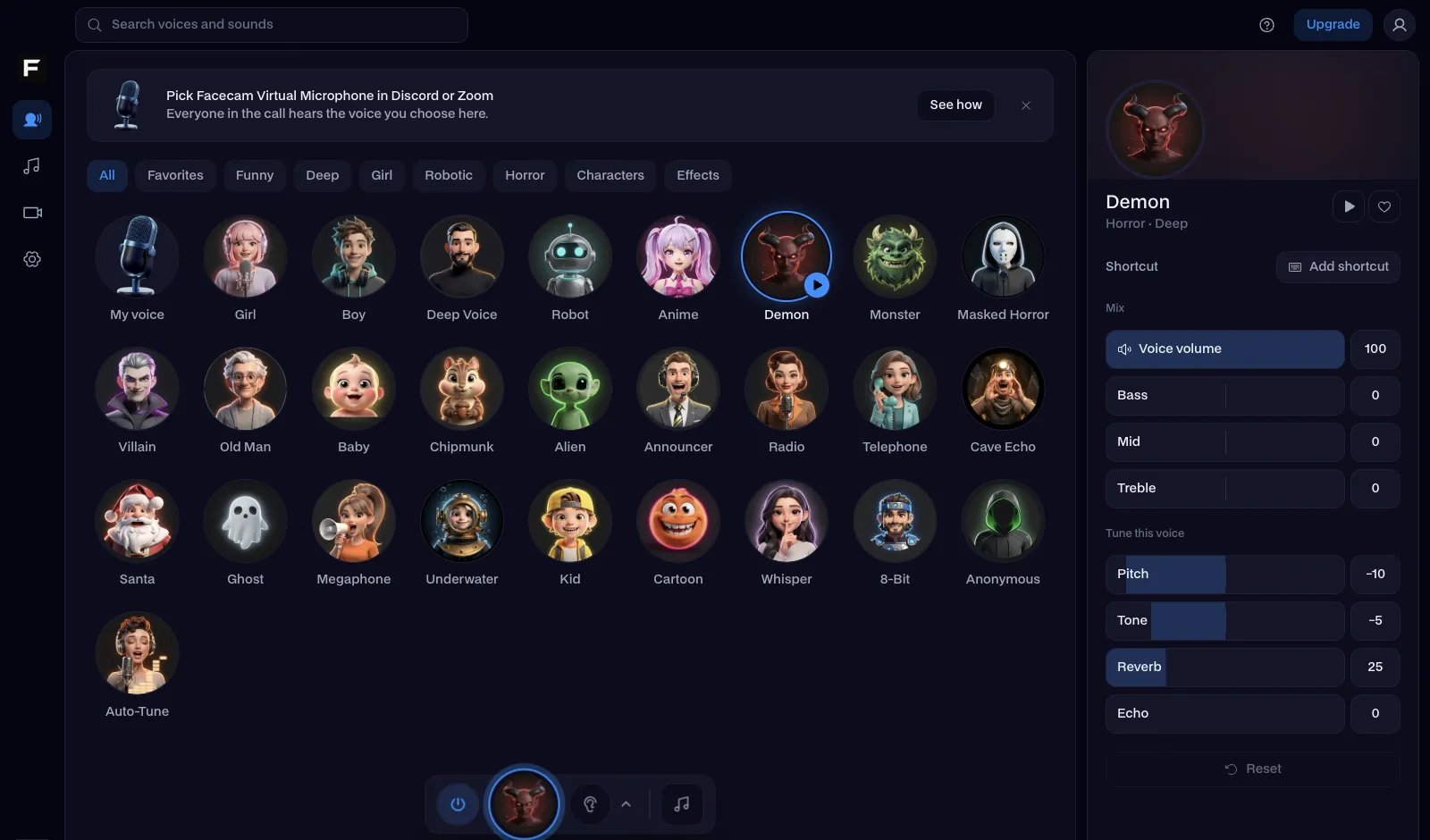 Clownfish voice changer alternativeClownfish voice changer is free, light and Windows-only. Facecam is the alternative with far more voices, a real soundboard, a Mac app and a version that runs in your browser.

Real-Time Voice Changer
Change your voice live
Start