Robot voice changer
The robot preset is a setting of Facecam's voice changer that makes your voice metallic, buzzy and machine-like without making it higher or lower.
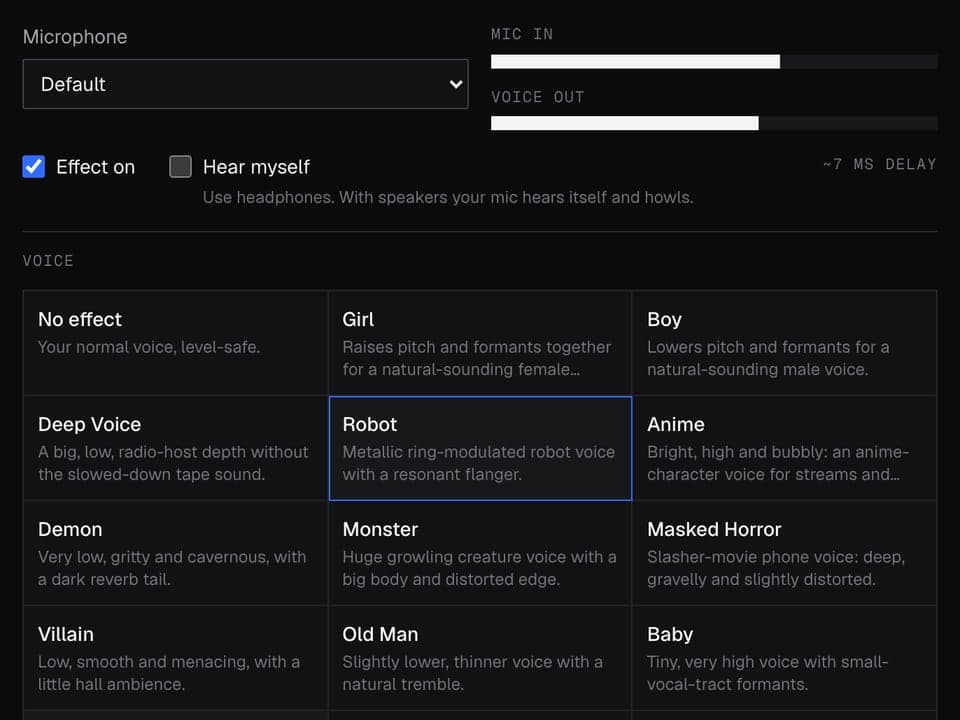
Your browser will ask for microphone access when you click.
Before and after

The exact settings
| Setting | Value |
|---|---|
| Noise gate | mutes the mic below -50 dB, between words |
| Robot | 55 Hz buzz, 75% mix |
| Bit crusher | 10-bit, 50% mix |
| Flanger | wobbles 0.15 times a second, 45% mix |
| Bass cut | below 150 Hz |
| Treble cut | above 7 kHz |
| Midrange | +3 dB around 1.2 kHz |
Robot voice from text
This preset changes your live voice. To have typed text read out in a robot voice, use Facecam's Character Voice Generator instead. It reads your text in a character voice and can add this same robot effect on top, for credits.
More about this voice
What makes it sound like a robot
- A low buzz mixed into your voice (the Robot slider): this is the metallic sound.
- A fast, ringing whoosh, like talking down a metal tube.
- A little digital crunch on top, like an old computer speaker.
- Less bass and treble, with the middle pushed up: easy to understand and a bit tinny.
Your pitch doesn't change, so you still sound like you. That's what makes it easy to understand on a call.
Talk like a machine
The effect does half the work. Talk in a flat tone, keep an even pace and cut your word endings short. Short sentences help, because the buzz smears long vowels.
Robot voice changer FAQ
Does the robot preset change my pitch?
No. The robot sound comes from the buzz and the metallic ring, not from going higher or lower.
Does it cover the famous sci-fi robot and assistant voices?
It covers the general metallic, synthetic sound people look for. It isn't modelled on any specific character.
Can I talk as a robot in a call?
Yes, in calls that run in Chrome. Pick Robot under Your voice in the Facecam popup and choose Facecam Virtual Mic in Meet, Zoom on the web or discord.com.
Other voices
- Girl voice changer
- Masked horror voice changer
- Scary voice changer
- Anime voice changer
- Male voice changer
- Announcer voice changer
- Santa voice changer
- Deep voice changer
- Villain voice changer
- Radio voice changer
- Chipmunk voice changer
- Baby voice changer
- Alien voice changer
- Old man voice changer
- Kid voice changer
- Cartoon voice generator
- Whisper voice generator
- 8-bit voice changer
- Anonymous voice changer
Related
Updated