Head Swap
Put a whole head, hair and all, onto anyone in a photo.
Where it works
Made with Facecam
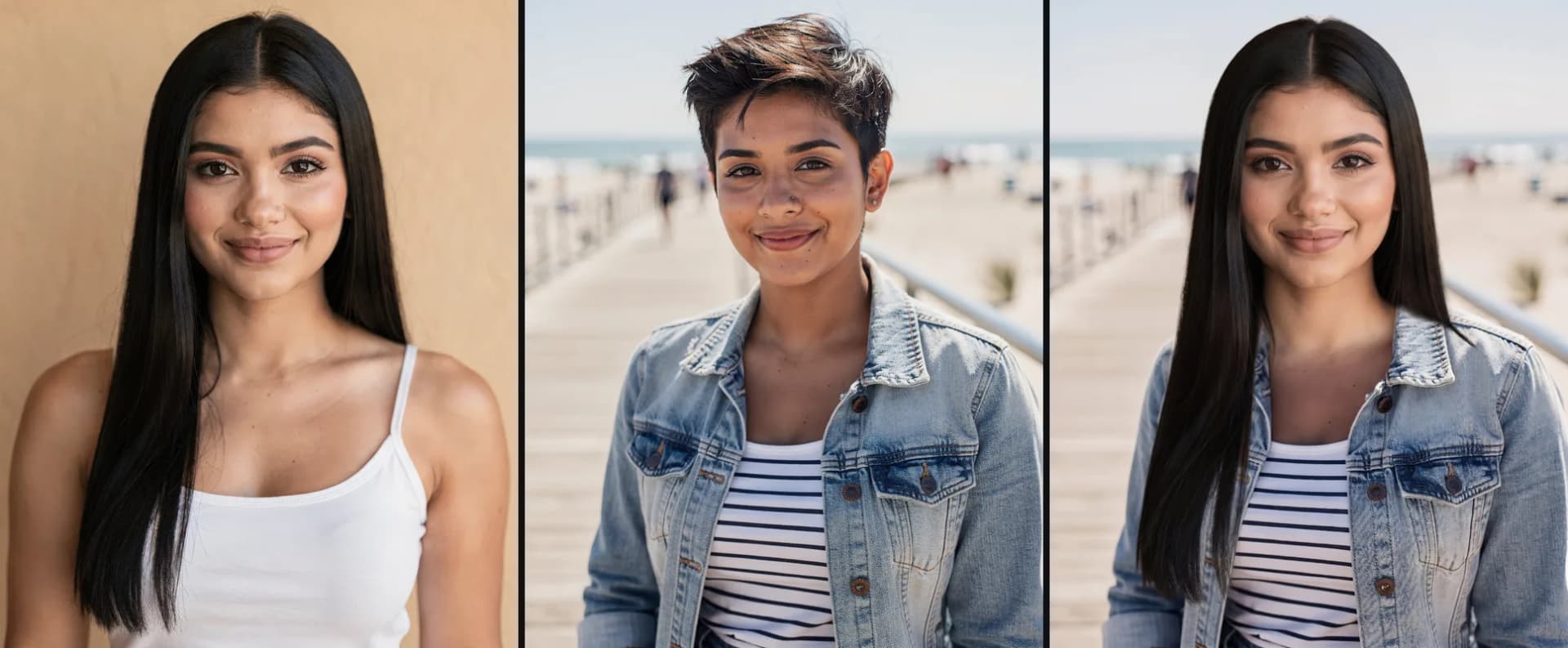
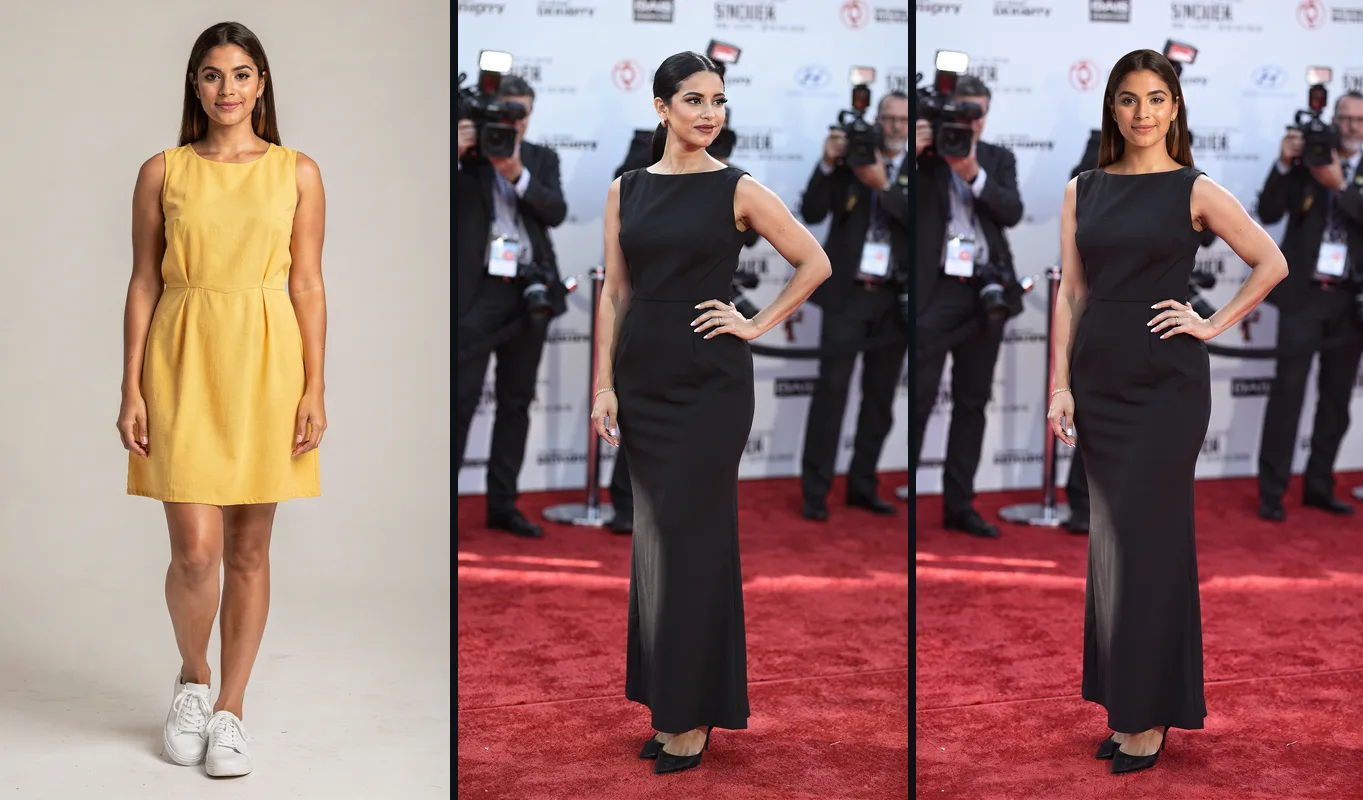
The whole head, hair and all
Long hair lands over the jacket; the scene stays.
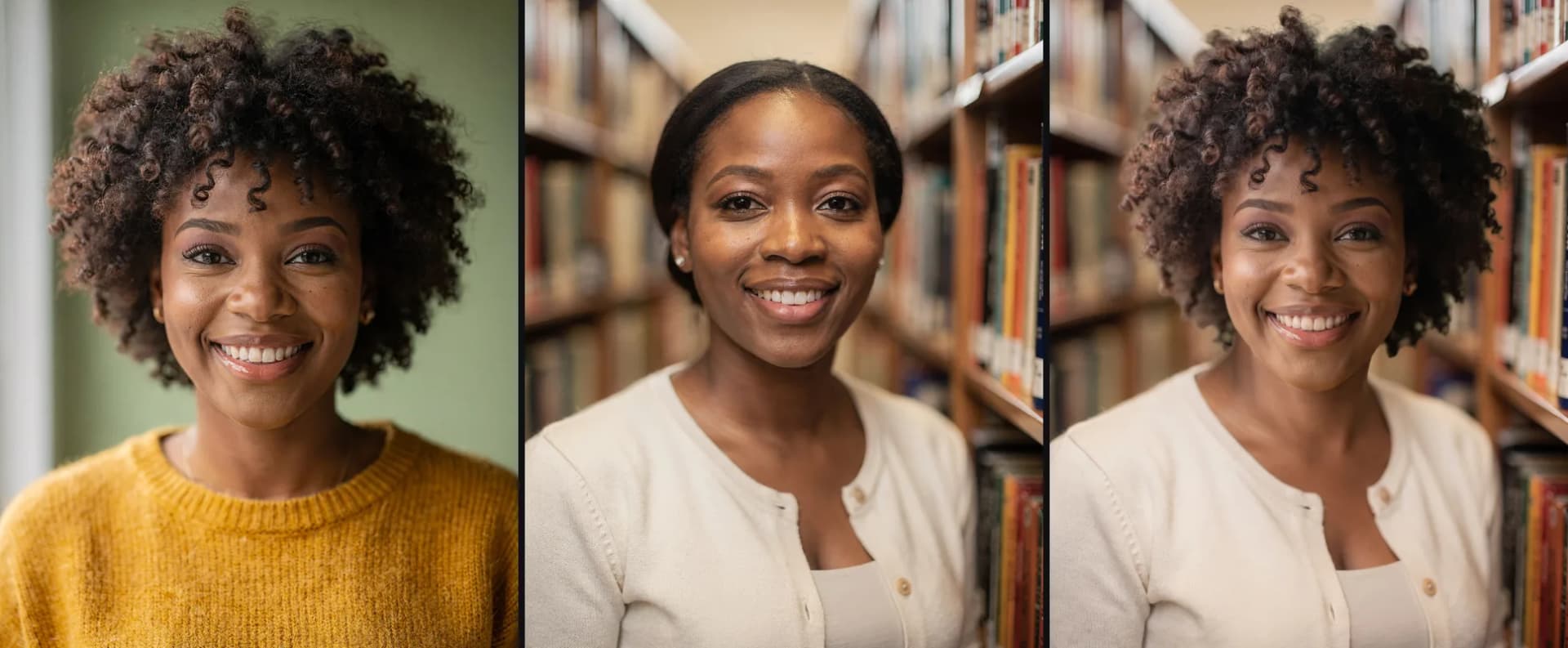
Curls and all
A full head of curls, in the library light.
How to use Head Swap
Add the head
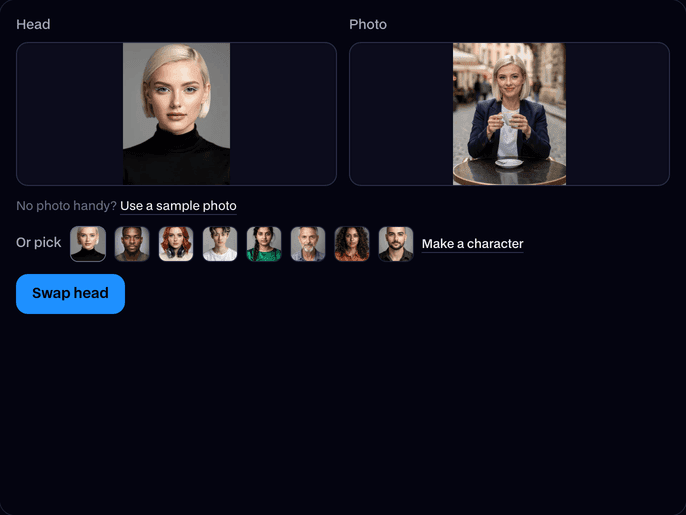
Upload a clear photo of the person whose head you want, or pick one of the built-in faces.
Add the photo to put it on
Upload a photo of one person: a selfie, a portrait or a full-length shot. Or use our sample photo.
Swap and download
Click Swap head. In about 20 seconds you get the new photo; click Download to keep it.
What is a head swap?
A head swap is an edit that replaces a person's entire head in a photo with someone else's: the face, the hairstyle, the hair color and any beard all come along. A face swap changes only the face and keeps the original hair.
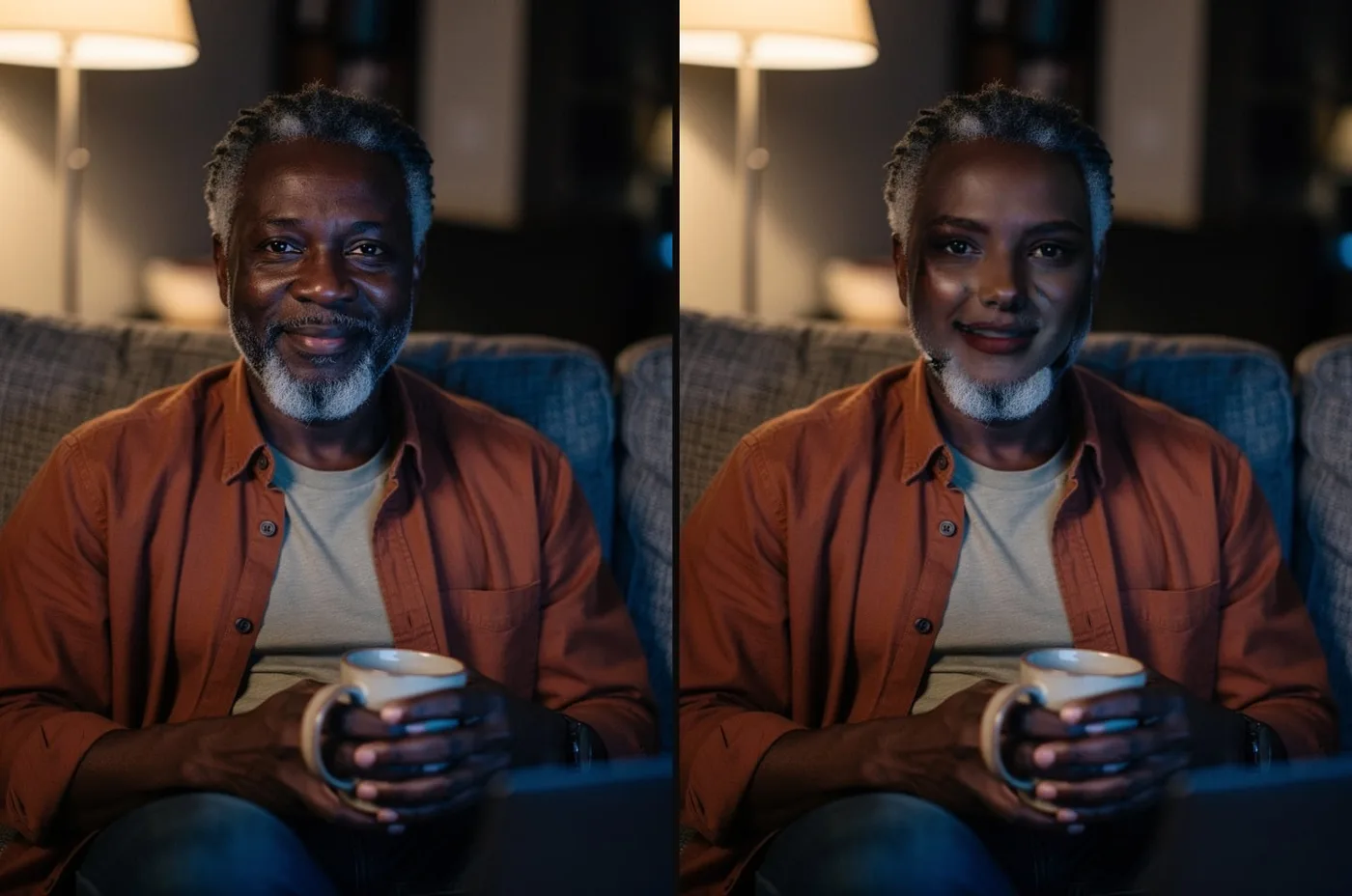
Before and after


More examples
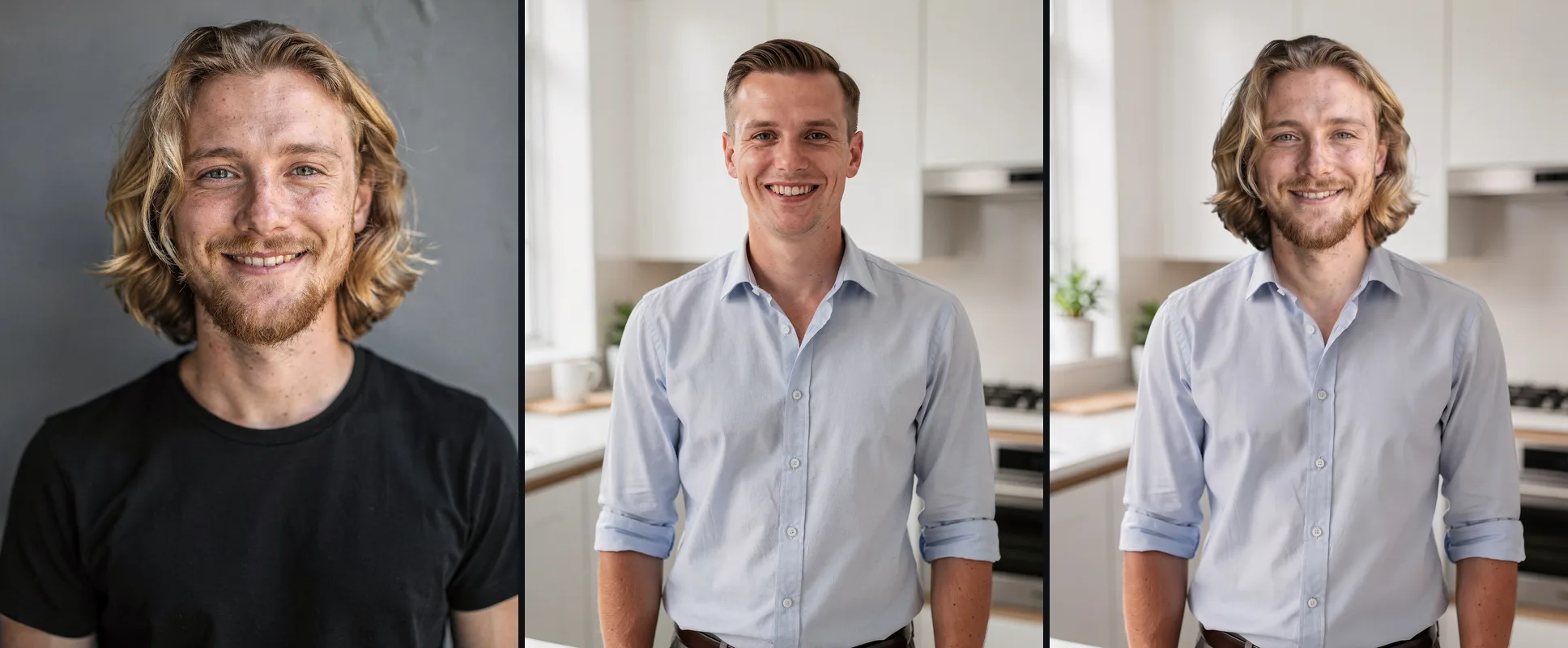
Hair and beard come along; the kitchen and the shirt stay.


What you can do with Head Swap
Try a hairstyle that isn't yours
Put a head with the haircut or color you're thinking about onto a photo of your outfit and see the whole look.
Funny head swaps for the group chat
Swap heads between friends, pets' owners or teammates and send the result.
Put your head on any body
A superhero suit, a wedding photo, a stadium shot: keep the body and the scene and make the person you.
Head Swap features
Hair included
Hairstyle, color and length move with the face, so the person looks like themselves.
Beards and moustaches
Facial hair comes along too, or goes away when the new head has none.
The scene stays
Body, pose, clothes, hands and background stay as they were in the photo.
Matched light
The new head is relit to the photo's light and blended at the neck.
Built-in faces
No photo of the head you want? Pick one of the built-in faces or a character you made.
No person, no charge
We check both photos first; if there's no one in one, or the swap fails, it doesn't count.






Head swap, face swap or body swap?
| Tool | What changes | What stays |
|---|---|---|
| Head Swap | The whole head: face, hair and beard | Body, pose, clothes, background |
| Photo Face Swap | Only the face | Hair, body, clothes, background |
| Body Swap | The whole person: head, body and (if you like) the outfit | Background, pose and framing |

More about Head Swap
Their body, pose and background stay exactly as they were.
Head Swap is an online tool that takes the whole head from one photo, face, hairstyle and facial hair, and puts it on the person in another photo, keeping their body, pose, clothes and background.
Head Swap: what you need and limits
| How it works | Online. Works on any laptop. |
|---|---|
| You get | Image download |
| You need | Any up-to-date browser |
| Phones and tablets | Supported |
| Photos | JPEG, PNG or WebP, one person in each, head clearly visible. |
| What moves | The whole head: face, hairstyle, hair color and length, beard or moustache. |
| What stays | The body, pose, clothes, hands, background, framing and lighting. |
| Time | About 20 seconds. |
| Price | Comes with every paid plan, by the photo: 80 head swaps a month on Premium, if you use nothing else. A photo with no one in it, or a swap that fails, doesn't count. |
| Output | A sharp, high-resolution JPEG. Free results have a small Facecam mark in the corner; plans remove it. |
| Kept for | 7 days in your Library, then deleted. |
Getting a good result
- Use a head photo where the hair is fully in frame, not cropped at the top or sides.
- Pick a photo to change where the person faces roughly the same way as the head photo.
- One person in each photo. For a group shot, crop it to the person first.
- Long hair works best on a photo where the shoulders are in frame, so it has somewhere to fall.
- Not quite right? Run it again: each run is a little different.
What happens to your photos
Both photos are stored privately while the swap runs and deleted when it's done, always within an hour. The result stays in your Library for 7 days, then it's deleted.

Head Swap FAQ
How do I swap heads in a photo?
Add a photo of the head you want, add the photo to put it on and click Swap head. You get the new photo in about 20 seconds.
What's the difference between a head swap and a face swap?
A face swap changes only the face and keeps the original hair. A head swap takes the whole head, so the hairstyle, hair color and beard change too.
How much does a head swap cost?
Head swaps come with every paid plan, by the photo: 80 head swaps a month on Premium, if you use nothing else. A photo with no one in it, or a swap that fails, doesn't count.
Can I swap heads with a friend or a celebrity?
Yes, any clear photo of a head works, and so does any photo to put it on.
Why does it say my photo has more than one person?
Head Swap changes one person, so each photo needs one main person. Crop a group photo to the person you want and try again; nothing is charged until it starts.
Can I swap heads in a video?
Head Swap is for photos. For a video, Video Face Swap changes the face in every frame and keeps the sound.


Try Head Swap now
- Cancel any time
- Runs in your browser
- No gaming PC needed