Swapface alternative with no download
A Swapface alternative that runs in your browser: try the live swap on a web page, then use it in Chrome calls, with no RTX card.
By Facecam team · Updated
Verdict
Swapface makes sense if you have a recent NVIDIA card (its minimum is an RTX 2060 or 3060 with 6 GB of video memory) or an Apple Silicon Mac, and want everything to stay on your machine. If your laptop doesn't meet that, Facecam is the lighter option: the live swap works on a web page in any desktop browser, and in calls through the Chrome extension. You pay per minute and your video goes through our servers, though it isn't saved.
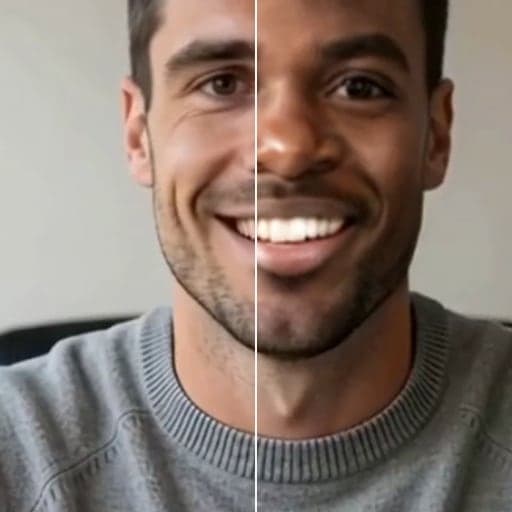
Tested by Facecam team. Facecam's side only: facecam.ai/live-face-swap in Chromium on a Mac (macOS 26.5), signed in, with no extension. The webcam played a clip of a fictional, computer-made man. We didn't download or run Swapface; its column comes from swapface.org, checked 2026-10-03.
How they compare
| Swapface | Facecam | |
|---|---|---|
| How you get it | Download the app for Windows or Mac | A web page, plus a Chrome extension for calls |
| Minimum hardware (Windows) | Windows 10 22H2, Core i5 10th gen or Ryzen 5 3600, 16 GB RAM, RTX 2060/3060 with 6 GB, 10 GB of SSD space | Any computer with a modern browser and a webcam |
| Mac | Apple Silicon | Any Mac with Chrome (the web page also works in other browsers) |
| Where processing happens | “100% on your own device” | Our servers; nothing is saved |
| Try before paying | Free credits to start | None: live face swap is on Premium and Pro |
| Paid plans | Pay as you go or subscription; prices load in the browser on its price page | $0.033 a minute: Premium: $20 a month for 600 minutes (10 h); Pro: $50 a month for 1,500 minutes (25 h) |
| Live swap in calls and streams | “Stream Faceswap” in the app, for live streams and video calls | Websites in Chrome, through “Facecam Virtual Camera” |
Facecam's side

Where each one wins
Swapface
Pros
- Everything stays on your computer
- No per-minute cost once you're running it on your own card
- A desktop app, so it isn't tied to one browser
Cons
- Needs an RTX 2060 or better on Windows, or an Apple Silicon Mac
- A large download and 16 GB of RAM at minimum
- Plan prices aren't readable without loading its site in a browser
Facecam
Pros
- No download to try it: the web page runs the live swap
- Works on laptops far below Swapface's minimum
- Clear price: $0.033 a minute on either plan
Cons
- Your video goes to our servers (not saved), so it needs a steady connection
- In calls, only websites in Chrome, not desktop apps
- No offline mode
Try the swap on a web page first
01
Open Live Face Swap
Go to the Live Face Swap page and click Start camera. The preview stays on your computer.
02
Pick a face
Choose one of the eight built-in faces, or make one.
03
Start the swap
Click Start swap. Live face swap is on Premium and Pro, so sign in to an account with a plan.
The web page pauses when you switch tabs. To use the swap in a call, add the Chrome extension and pick its camera in the call.
How Swapface and Facecam differ on privacy
Swapface keeps everything on your machine, which is the main reason to accept its hardware list. Facecam sends your camera video to our servers to be swapped and sends it straight back; it isn't recorded. We keep a short log of each session, such as when it ran and which face was used, to enforce our rules.
Try it
Sources
- Swapface home page (platforms, system requirements, Stream Faceswap) (checked 2026-10-03)
- Swapface pricing page (FAQ: pay as you go or subscription) (checked 2026-10-03)
Questions
What graphics card does Swapface need?
On Windows, at least an NVIDIA RTX 2060 or 3060 with 6 GB of video memory; it recommends an RTX 4060 Ti 16 GB or RTX 5070. On Mac it needs Apple Silicon.
Is there a face swap I can try without downloading anything?
Yes. Facecam's Live Face Swap runs in the browser, with nothing to download. It is on Premium and Pro, and the camera preview works before you sign in.
How much does Swapface cost?
It offers pay as you go and subscriptions. The prices load in the browser on its price page, so check there; we couldn't read them from the page itself.
Can I use Facecam in OBS like a Swapface stream?
OBS can't pick the Facecam camera directly. Capture the Chrome window that shows the swap with OBS Window Capture instead.
Other comparisons
Related
Updated