Voicemod alternative
Voicemod is the best-known desktop voice changer. Facecam is the alternative that also runs in your browser, adds live face swap and AI looks for your camera, and keeps every voice free.
Updated · Tested by the Facecam team
Verdict
Stay with Voicemod if you want the biggest voice library on Windows or Mac today: it lists 200+ voices, including AI voices trained with voice actors, a VoiceLab to build your own, a phone app that fires your soundboard remotely, and a hardware key for PlayStation, Xbox and Switch. Facecam has no live AI voices yet. Pick Facecam if you want to change your voice with nothing installed (on a Chromebook, a school or work computer, or Linux, where Voicemod doesn't run), if you want all 26 voices free instead of a daily rotation, or if you want your camera changed too: live face swap, Live AI Filter and avatars, which Voicemod doesn't do.
How they compare
| Voicemod | Facecam | Edge | |
|---|---|---|---|
| Runs on | Windows 10/11 (64-bit) and macOS 12 or later; a mobile app | Any computer with Chrome, Chromebooks included, and Facecam for PC and Mac on Windows and macOS | — |
| ChromeOS and Linux | No, on its roadmap only | Yes, in the browser | Facecam |
| Works without installing | No: the app and its virtual mic driver | Yes, in the browser | Facecam |
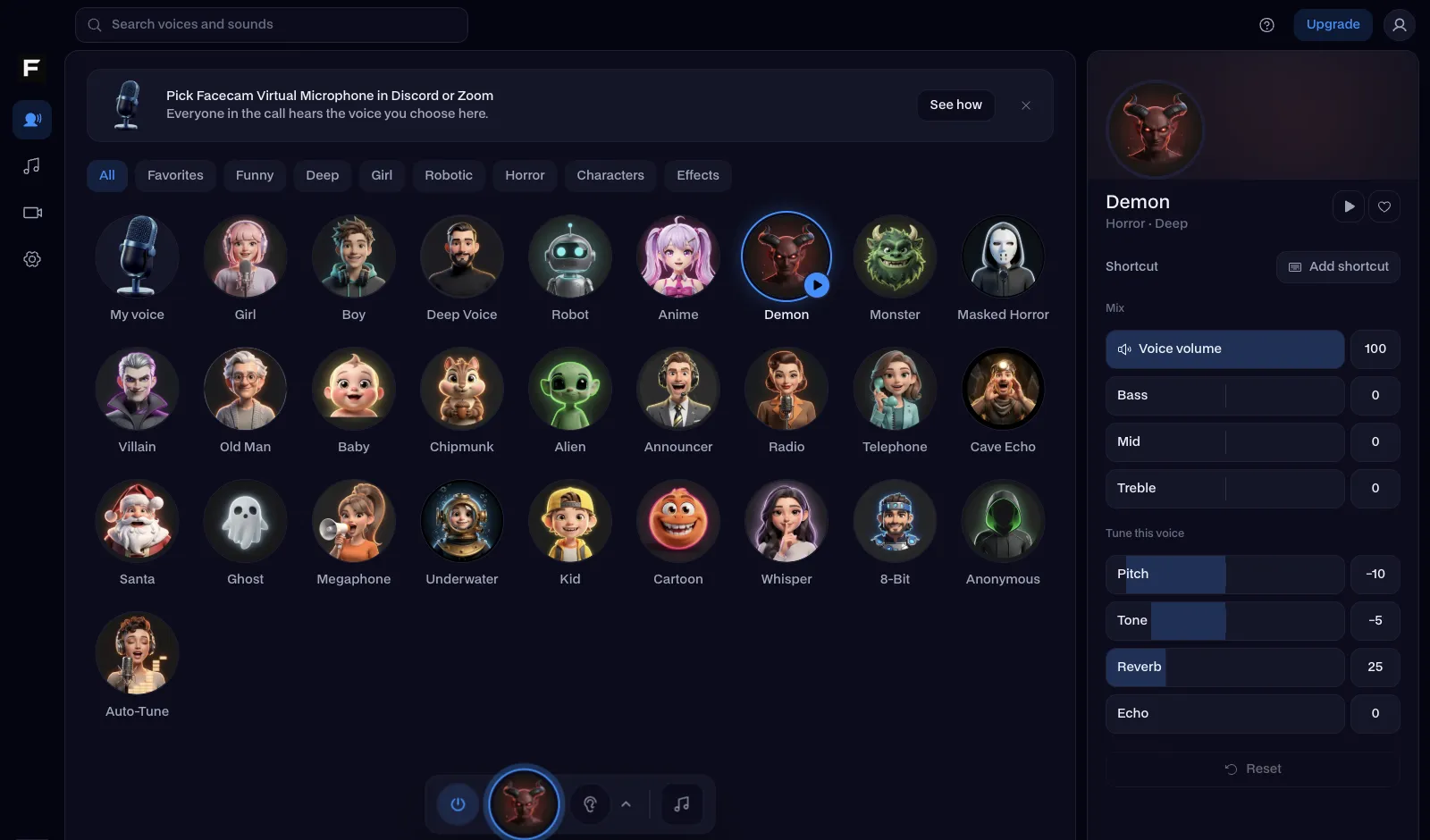
| Voices | 200+, from effects to AI voices | 26 on-device voices, each with pitch, tone and effect sliders | — |
| AI voices live in calls | Yes | No, not yet: AI voices for recordings and typed text | Voicemod |
| Free version | A limited daily rotation of voices, one soundboard | Every voice and the soundboard, no time limit | — |
| Paid version | PRO: full library, unlimited soundboards, VoiceLab; price shown in the app | Voices and soundboard stay free; face and AI tools on paid plans | — |
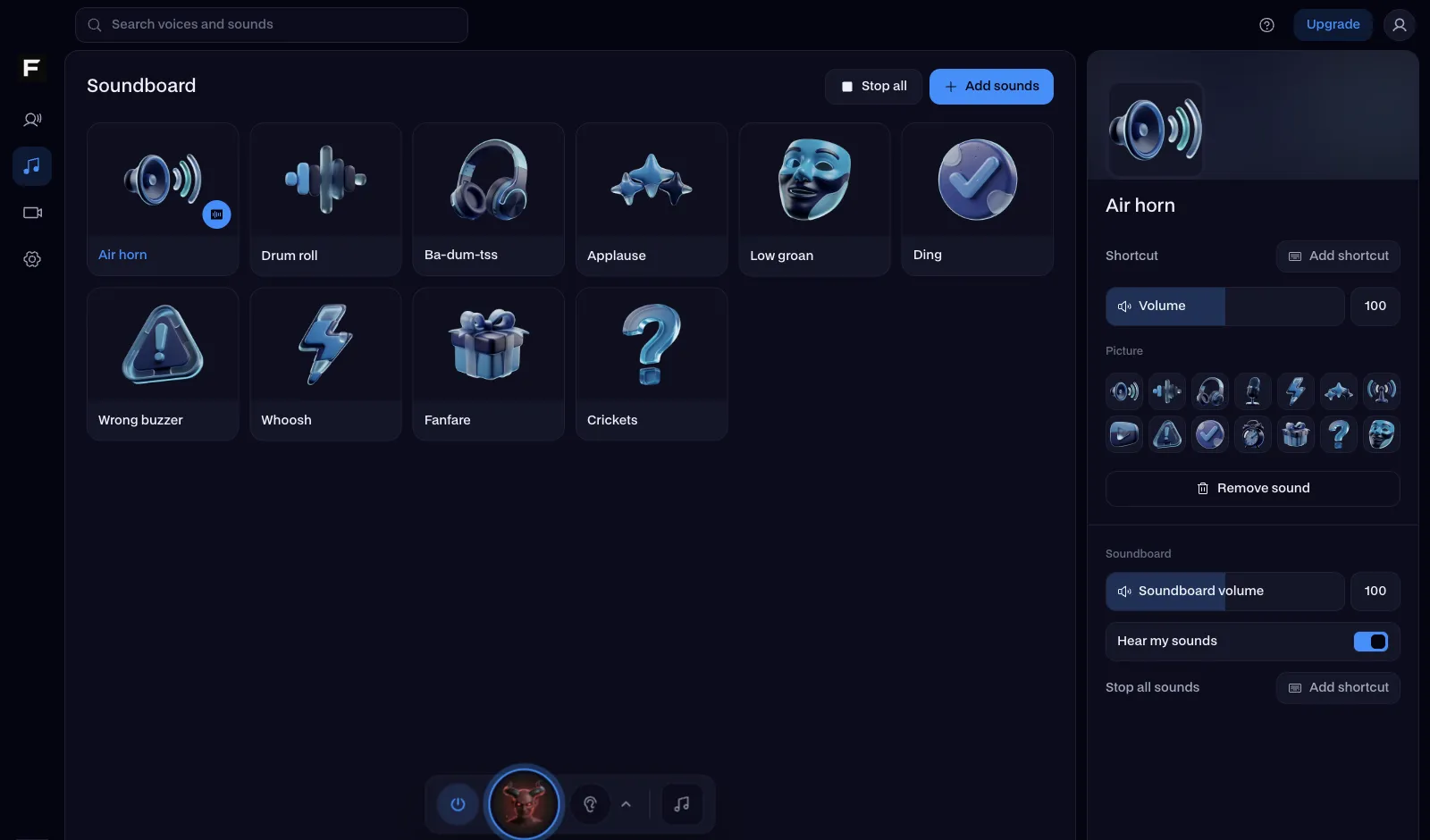
| Soundboard | A hotkey per sound; fire it from your phone | Pads with keys 1 to 9 in the browser; a hotkey per pad in the desktop app | — |
| Discord | The Discord app and in-game voice chat | discord.com in Chrome; the Discord app with the desktop app | — |
| Consoles | Yes, with the Voicemod Key hardware | No | Voicemod |
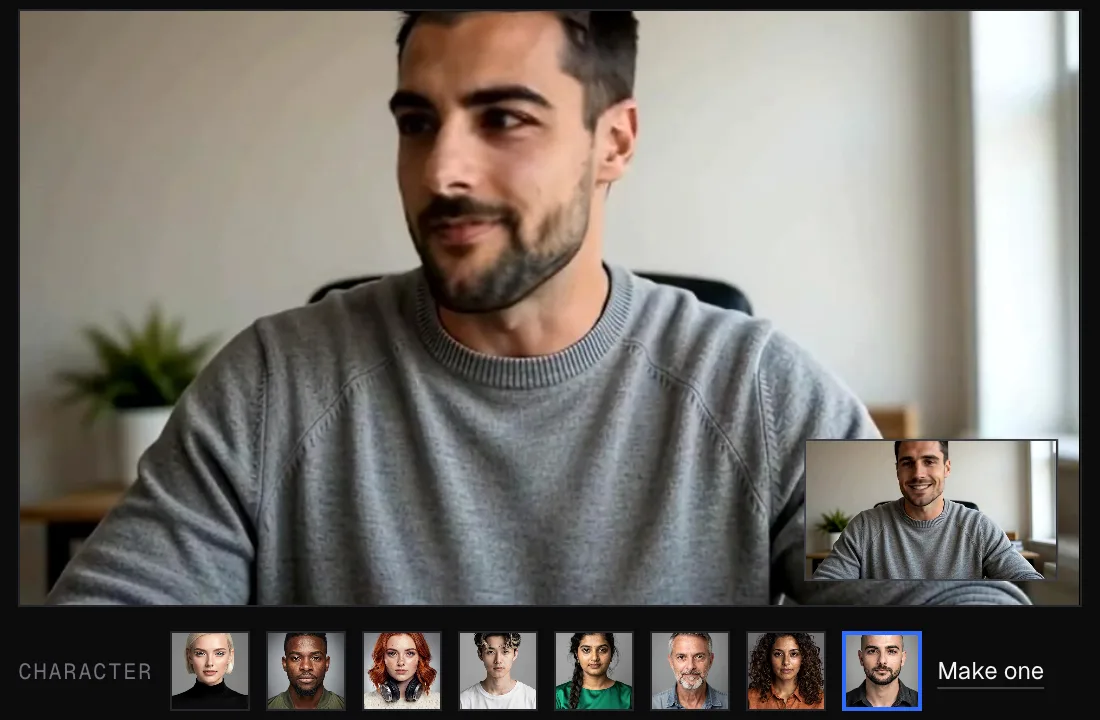
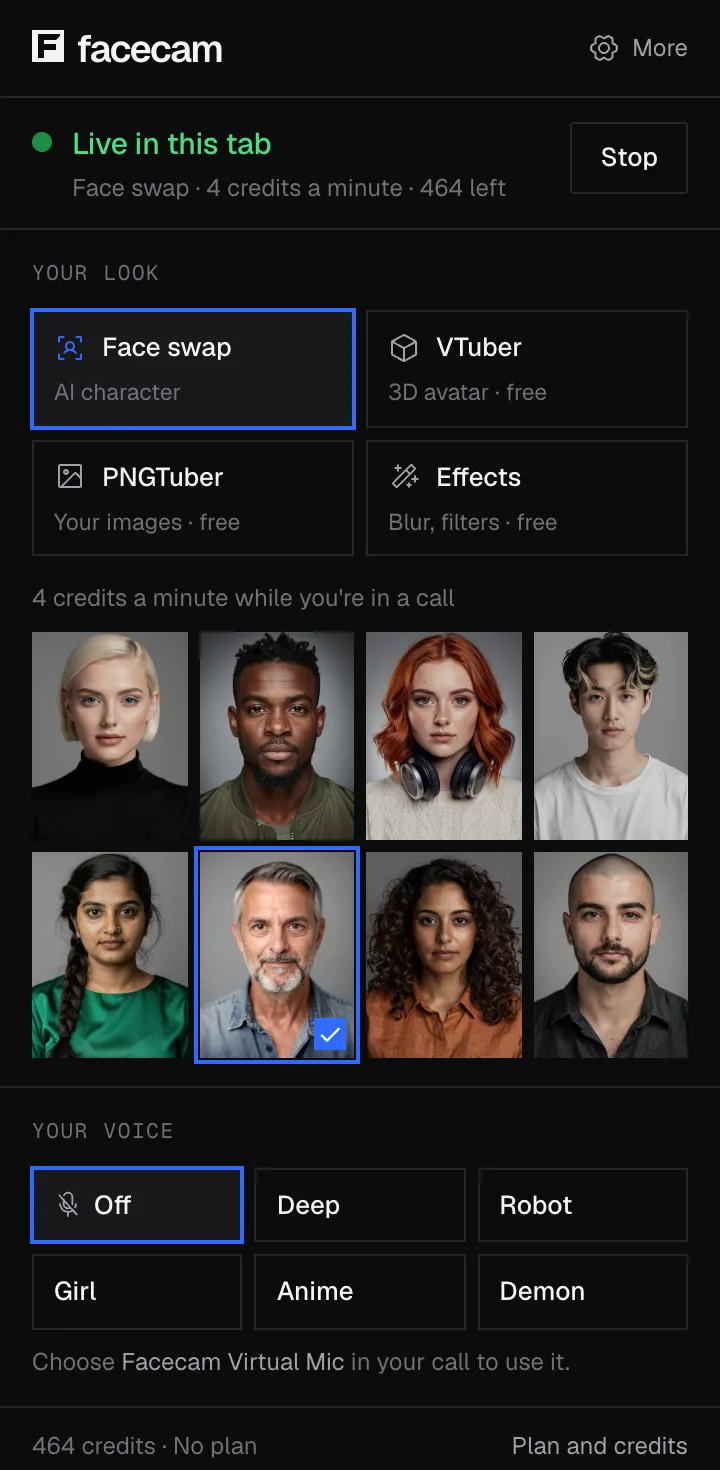
| Face and camera | No | Yes: live face swap, Live AI Filter, VTuber and PNGTuber avatars, webcam effects | Facecam |
Facecam's side
Where each one wins
Voicemod
Pros
- 200+ voices, including AI voices made with voice actors
- Works in desktop apps and games on Windows and Mac today
- VoiceLab, a phone soundboard remote and console support with its hardware key
Cons
- The free version rotates a few voices a day and allows one soundboard
- Needs an install and a driver; no ChromeOS or Linux
- Voice only: nothing for your camera
Facecam
Pros
- All 26 voices and the soundboard free, with no rotation
- Runs in a browser tab, Chromebooks included, nothing to install
- Live face swap and Live AI Filter for your camera, in the same calls
Cons
- Fewer voices, and no live AI voices yet
- Games and the Discord app need Facecam for PC and Mac installed
- No console support
Who should pick which
| If you… | Pick |
|---|---|
| Play on PC or Mac and want the most voices, AI voices included | Voicemod |
| Want your voice changed on PlayStation, Xbox or Switch | Voicemod |
| Use a Chromebook, Linux, or a computer you can't install on | Facecam |
| Want every voice free, every day | Facecam |
| Want your face or whole picture changed in the same call | Facecam |
Facecam's voices run on your own device: your voice isn't uploaded, and the browser version only asks for your microphone. Voicemod installs Voicemod Virtual Microphone, a driver your computer asks you to approve. For what that driver does and how to tell a real download from a fake one, see our guide on whether Voicemod is safe.
Switch from Voicemod in three steps
Try the voices in your browser
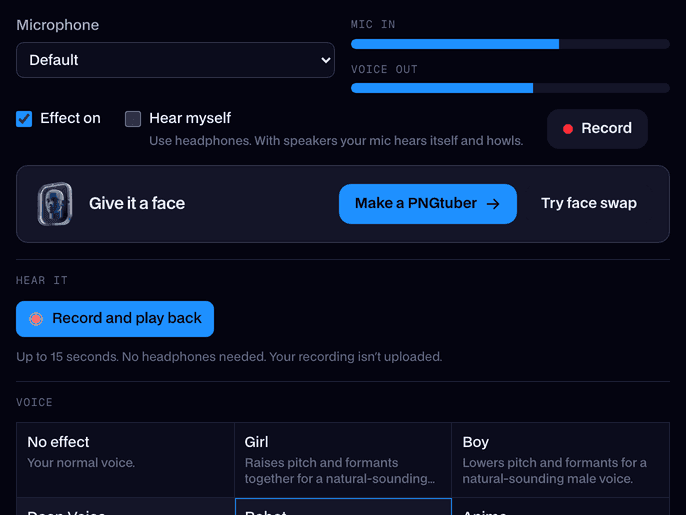
Open the real-time voice changer on facecam.ai, press Start and go through the voices with headphones on. Nothing to install.
Get the desktop app
Download Facecam for Windows or Mac and add Facecam Virtual Microphone when it asks.
Pick it in your apps
Choose Facecam Virtual Microphone as the input in Discord, Steam, OBS or your game. If Voicemod is still running, quit it or set its effects off, so the two don't stack.
Voicemod's favourites, and the Facecam voice to try
| On Voicemod you'd use | Facecam voice |
|---|---|
| A girl or female voice | Girl voice |
| A deep or male voice | Deep voice |
| Robot or AI effect | Robot voice |
| Demon or monster | Demon voice |
| Chipmunk or helium | Chipmunk voice |
| Radio or telephone | Radio voice |

Sources
- Voicemod home page: 200+ voices, AI voices, VoiceLab, soundboard, recorder (checked 2026-10-16)
- Voicemod Help: Free vs PRO (checked 2026-10-16)
- Voicemod Help: where can I use Voicemod? (systems, consoles, roadmap) (checked 2026-10-16)
- Voicemod Help: how to purchase a license (prices shown in the app) (checked 2026-10-16)

Questions
What is the best free alternative to Voicemod?
It depends where you talk. In a browser, on a Chromebook or on a computer you can't install on, Facecam: all 26 browser voices and the soundboard are free with no time limit. For a free Windows-only app that hooks into your mic, Clownfish. For the most voices and live AI voices, Voicemod's own free version, which rotates its voices daily.
Is Voicemod free?
There's a free version with a limited daily rotation of voices and one soundboard. PRO unlocks the full library, unlimited soundboards and VoiceLab; Voicemod shows its price in the app.
Does Voicemod work on Chromebook or Linux?
No. Voicemod's help center lists Windows, macOS, phones and consoles (with its hardware key); ChromeOS and Linux are on its roadmap only. Facecam's voice changer runs in Chrome on both.
Can Facecam change my voice in the Discord app and games?
In Chrome it works on discord.com and other call sites. For the Discord app and games, Facecam for PC and Mac adds Facecam Virtual Microphone to your whole computer.
Does Voicemod change your face?
No, Voicemod is voice only. Facecam does both: live face swap and Live AI Filter change your camera while the voice changer changes how you sound.
Is Voicemod safe?
Yes, from voicemod.net or the Microsoft Store; fake download sites and cracked PRO copies are the risk. Our guide on whether Voicemod is safe covers the driver, the data it collects and how to spot a fake.
Other comparisons
- Deep-Live-Cam alternative without a gaming PC
- FaceFusion alternative for live video calls
- DeepFaceLive alternative for Mac, Windows and any laptop
- Swapface alternative with no download
- Remaker alternative with card plans and live face swap
- Uberduck AI alternative
- 15.ai alternative
- TopMediai alternative
- Clownfish voice changer alternative
- Live3D AI face swap alternative
- Snap Camera alternative
- Dubbing AI voice changer alternative
- Okada voice changer alternative
- Voxal voice changer alternative
- EaseUS voice changer alternative
- HitPaw voice changer alternative
- Tuna soundboard alternative
- Soundboard Max alternative
- Blerp alternative
- ManyCam alternative
- YouCam alternative
- XSplit VCam alternative
- NVIDIA Broadcast alternative
- Streamfog alternative
- FilterOnMe alternative
- SplitCam alternative
- CiCi Cam alternative
- Facecam vs LiveSwap
- Facecam vs Livesync












Related
 Real-Time Voice ChangerA free real-time voice changer, no sign-up needed: talk, hear your new voice right away and use it in Discord, Meet and Zoom.
 SoundboardA free online soundboard with no account needed: it plays sounds into your mic in Google Meet, Discord and Zoom, so everyone in the call hears them.
 Live Face Swap for Video CallsFacecam is a live face swap app: become anyone on camera, in real time, in Google Meet, Zoom, Discord and OBS. Upload any photo or pick a built-in face, and wear it in your calls and streams.
- Tuna soundboard alternativeTuna is where Voicemod users find sounds for the Voicemod soundboard. Facecam is the alternative when you want a soundboard that works in your browser first, with sounds that are ours to give you.
- Clownfish voice changer alternativeClownfish voice changer is free, light and Windows-only. Facecam is the alternative with far more voices, a real soundboard, a Mac app and a version that runs in your browser.

Real-Time Voice Changer
Change your voice live
Start