AI Lip Sync
AI lip sync, free to try: make anyone in a video say new words, in your audio or one of our voices.

Where it works
Made with Facecam


Before A new line, same clip
His mouth follows words he never said.

An anime avatar
Lip-synced to a new line.
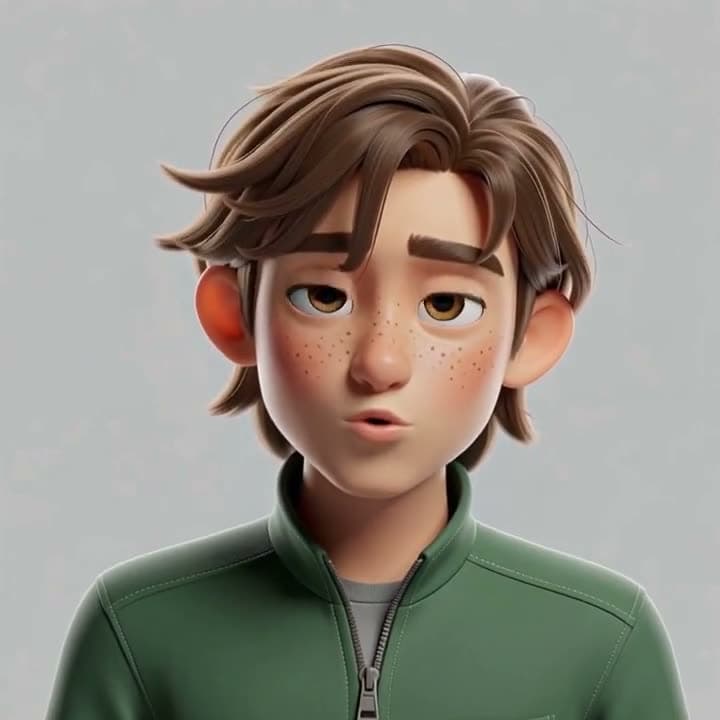
A 3D cartoon
Re-synced to a different line.
How to use Lip Sync
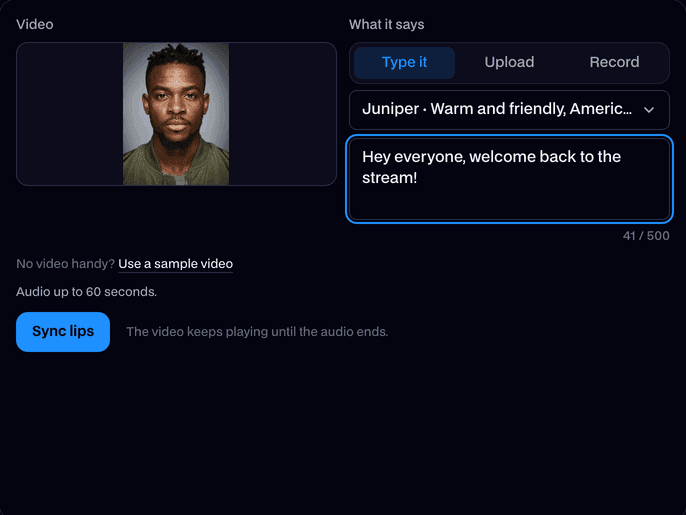
Add a video
Upload an MP4, MOV or WebM of up to 60 seconds with one clear face.
Add what it should say
Type a line and pick a voice, or upload audio or record yourself.
Sync and download
Click Sync lips. The new clip plays on the page; click Download MP4 to keep it.
What is an AI lip sync tool?
An AI lip sync tool is an editor that redraws the mouth in a video so it matches new audio, while the rest of the picture stays the same. Facecam's works online from any clip and a typed line or your own audio.
Made with Facecam
Before: the original clip.
What you can do with Lip Sync
Dub a clip into another language
Translate what someone says, record or type it, and the mouth follows the new words.
Fix a line after filming
Re-record a fluffed sentence and sync it, without shooting the scene again.
Make your avatar talk
Have a VTuber or character clip say a new intro, shout-out or punchline.
Lip Sync features
Any video with a face
People, characters and avatars, wide or tall, up to 1080p.
Type it or say it
Type a line in one of our voices, or use your own audio or a recording.
Your cloned voice too
Made a copy of your voice with Voice Clone? It's in the voice list.
Only the mouth changes
The face, background and movement stay as they were in your clip.
Short video, long audio
A clip shorter than the audio keeps going until the audio ends.
Refund if it fails
If no face is found or the sync fails, it doesn't count.







More about Lip Sync
Lip Sync is an online tool that changes the mouth movement in a video to match new audio, so the person or character in it says what you want. You get the clip back as an MP4.
Lip Sync: what you need and limits
| How it works | Online. Works on any laptop. |
|---|---|
| You get | Video download |
| You need | Any up-to-date browser |
| Phones and tablets | Supported |
| Video | MP4, MOV or WebM, up to 60 seconds, 1080p (wide or tall) and 100 MB. |
| Audio | A typed line in one of our voices (character, AI and your own cloned voices), an audio file, or a recording, up to 60 seconds. A video shorter than the audio keeps going until the audio ends. |
| Price | Comes with every paid plan, by the second of audio: ≈ 4 min of lip sync a month on Premium, if you use nothing else. Refunded if it fails. |
| Output | An MP4 with the new audio. Free results have a small Facecam mark in the corner; plans remove it. |
| Kept for | 7 days, then deleted. |
What makes a good lip sync
One face, facing the camera most of the time, with the mouth visible. Clips without fast cuts work best, and clear speech without music gives the most accurate mouth shapes.
Your files
Your clip and audio are stored privately while we make the new video and deleted when it's done, always within an hour. The finished MP4 stays in your Library for 7 days.

Lip Sync FAQ
How do I lip sync a video?
Add a video with a clear face, then type what it should say and pick a voice, or add your audio. Click Sync lips and download the MP4.
How much does AI lip sync cost?
It comes with every paid plan and is charged by the second of audio: ≈ 4 min of lip sync a month on Premium, if you use nothing else. Before you start, the tool shows how much of your time it uses.
How long can the video and audio be?
Videos up to 60 seconds and audio up to 60 seconds. The result is as long as the audio.
What if my audio is longer than the video?
The video keeps going until the audio ends, so the face keeps talking.
Can I use my own voice?
Yes. Record yourself on the page or upload audio. You can also use a cloned copy of your voice from Voice Clone.
Does it work on anime and cartoon characters?
Yes. Anime, cartoon and 3D characters lip sync as well as real faces, as long as the mouth is visible. If no face is found, it doesn't count.
Can it lip sync another language?
Yes. The mouth follows whatever language the audio is in.
Do you keep my video?
Your clip and audio are deleted when the new video is done, always within an hour. The result stays 7 days, then it's deleted.



Try Lip Sync now
- Cancel any time
- Runs in your browser
- No gaming PC needed