AI Body Swap
Step into any photo, head to toe: the red carpet, a stadium, a beach wedding.
Where it works
Made with Facecam
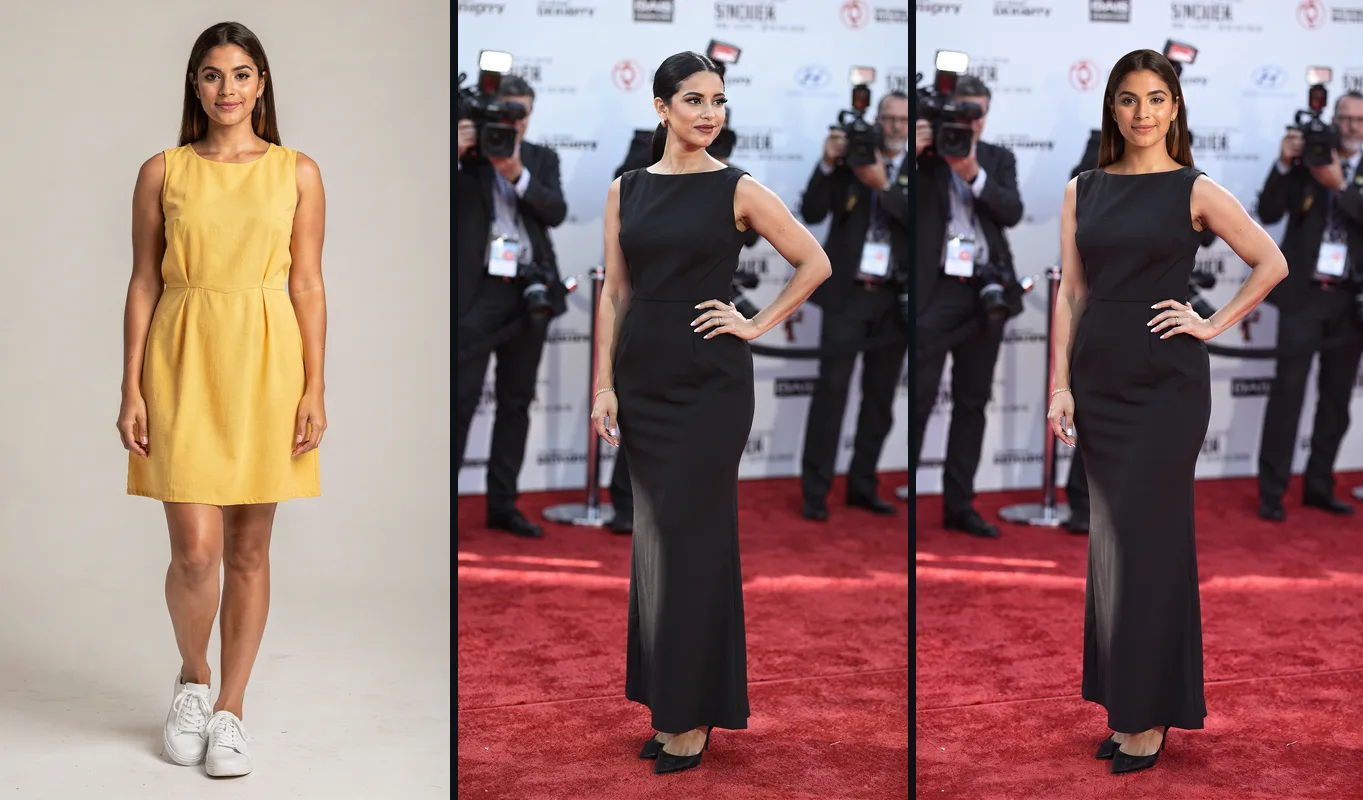
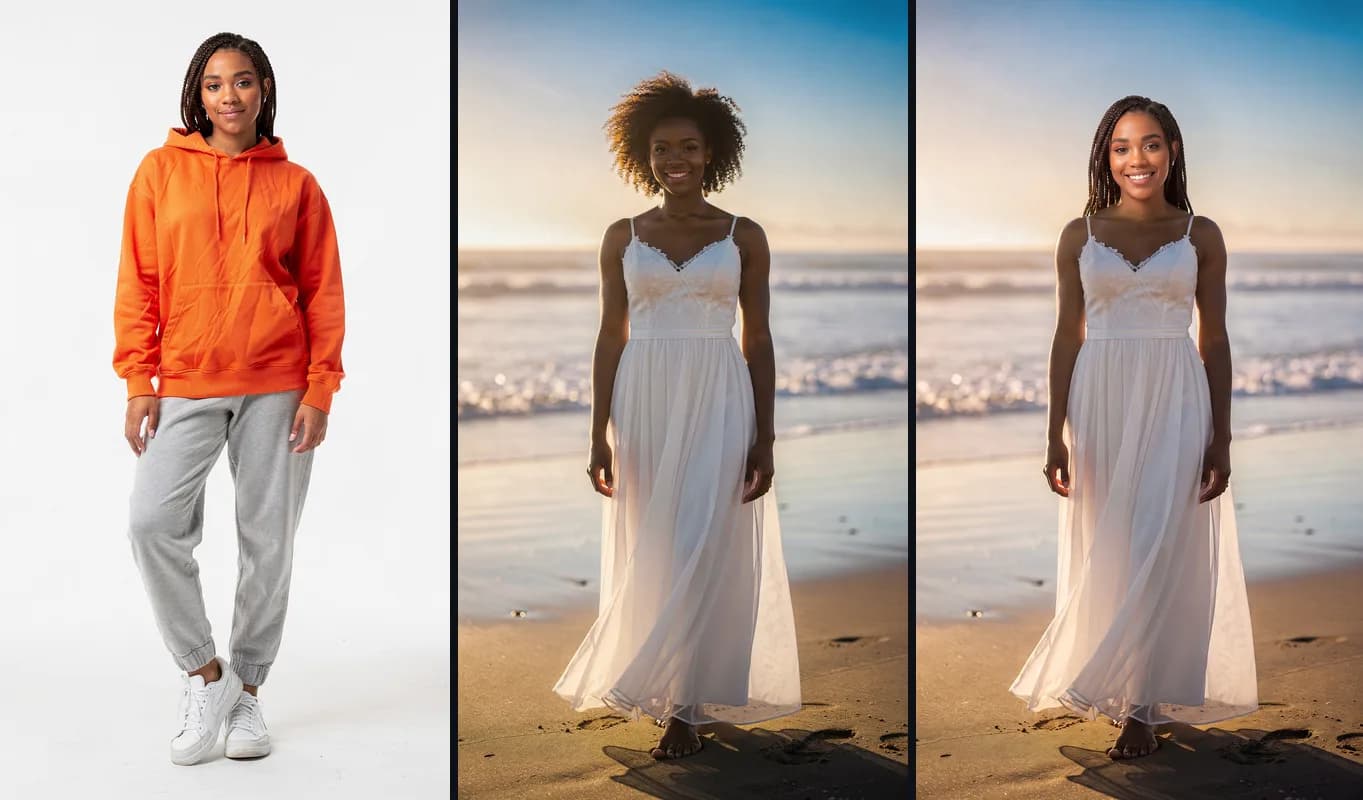
Into the scene, in their outfit
She takes the pose and wears the black gown.
Sunset beach
The white dress and the light, with her braids.
How to use Body Swap
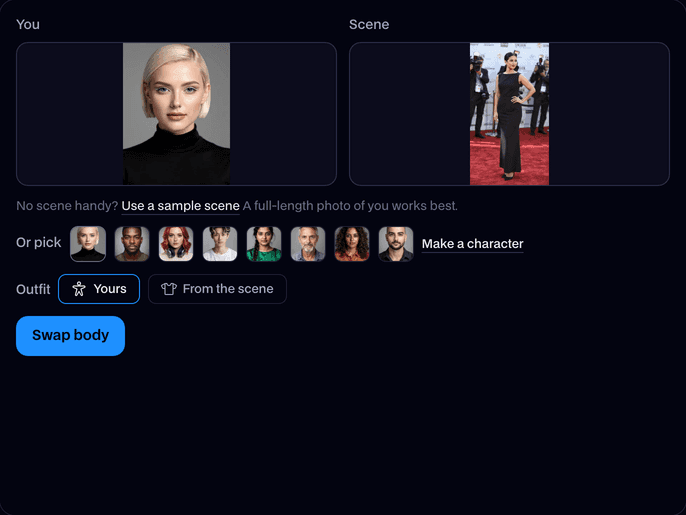
Add a photo of you
A full-length photo works best, so your outfit and shoes come along. A portrait works too.
Add the scene
Upload the photo you want to be in, with one person in it, or use our sample red carpet.
Pick the outfit and swap
Choose Yours or From the scene, click Swap body, and download the result in about 30 seconds.
What is an AI body swap?
An AI body swap is an edit that replaces the whole person in a photo with someone else: their face, hair, body and, if you like, their clothes. The scene, pose and framing of the photo stay the same.
Before and after


What you can do with Body Swap
Put yourself on the red carpet
Drop yourself into a premiere, a magazine cover shoot or a stage, in the star's pose.
Try on a whole look
Pick From the scene to see yourself in a suit, a gown or a team kit from any photo.
Join a photo you missed
Swap yourself in for someone in a trip or event photo, in your own clothes.
Body Swap features
Head to toe
Face, hair, body shape and skin tone all come from your photo.
Your outfit or theirs
Keep your own clothes and shoes, or wear what the person in the scene has on.
Their pose and place
You take the pose, position and framing of the person in the scene.
The scene stays
Background, light and camera angle stay as they were in the photo.
Any scene
Red carpets, stadiums, beaches, offices: any photo with one person in it.
No person, no charge
We check both photos first; if there's no one in one, or the swap fails, it doesn't count.






Yours or From the scene
| Outfit | You get | Best for |
|---|---|---|
| Yours | You, in your own clothes and shoes, in the scene's pose and place | Putting yourself somewhere you weren't |
| From the scene | You, wearing what the person in the scene wears | Trying on a suit, a gown or a team kit |

More about Body Swap
Keep your outfit or wear theirs.
Body Swap is an online tool that puts the whole person from your photo into another photo, in the pose and place of the person already there, wearing your outfit or theirs.
Body Swap: what you need and limits
| How it works | Online. Works on any laptop. |
|---|---|
| You get | Image download |
| You need | Any up-to-date browser |
| Phones and tablets | Supported |
| Photos | JPEG, PNG or WebP, one person in each. A full-length photo of you works best. |
| Outfit | Yours (your clothes and shoes come with you) or From the scene (you wear what the person in the scene wears). |
| What stays | The scene, the pose, the framing and the light. |
| Time | About 30 seconds. |
| Price | Comes with every paid plan, by the photo: 64 body swaps a month on Premium, if you use nothing else. A photo with no one in it, or a swap that fails, doesn't count. |
| Output | A sharp, high-resolution JPEG. Free results have a small Facecam mark in the corner; plans remove it. |
| Kept for | 7 days in your Library, then deleted. |
Getting a good result
- For Yours, use a full-length photo of you, so the model sees your shoes and the bottom of your outfit.
- Pick a scene where the person is easy to see, not hidden behind other people or objects.
- One person in each photo. Photographers or a crowd in the background are fine.
- Scenes where the person stands roughly the way you do give the most natural pose.
What happens to your photos
Both photos are stored privately while the swap runs and deleted when it's done, always within an hour. The result stays in your Library for 7 days, then it's deleted.

Body Swap FAQ
How do I body swap a photo?
Add a photo of yourself, add the photo you want to be in, pick your outfit or theirs and click Swap body. You get the new photo in about 30 seconds.
Can I keep my own clothes?
Yes. Pick Yours and your outfit and shoes come with you. Pick From the scene to wear what the person in the scene has on.
How much does a body swap cost?
Body swaps come with every paid plan, by the photo: 64 body swaps a month on Premium, if you use nothing else. A photo with no one in it, or a swap that fails, doesn't count.
Do I need a full-body photo?
It works best, because the model sees your whole outfit. With a head-and-shoulders photo the rest of your look is filled in.
What's the difference between a body swap and a head swap?
A body swap replaces the whole person in the scene. A head swap keeps the photo's body and clothes and changes only the head and hair.
Can I body swap in a video?
Body Swap is for photos. For a video, Video Face Swap changes the face in every frame and keeps the sound.


Try Body Swap now
- Cancel any time
- Runs in your browser
- No gaming PC needed