Girl voice changer
The girl preset is a setting in Facecam's voice changer that makes a lower voice higher and lighter, so it sounds like a woman speaking, not a sped-up recording.
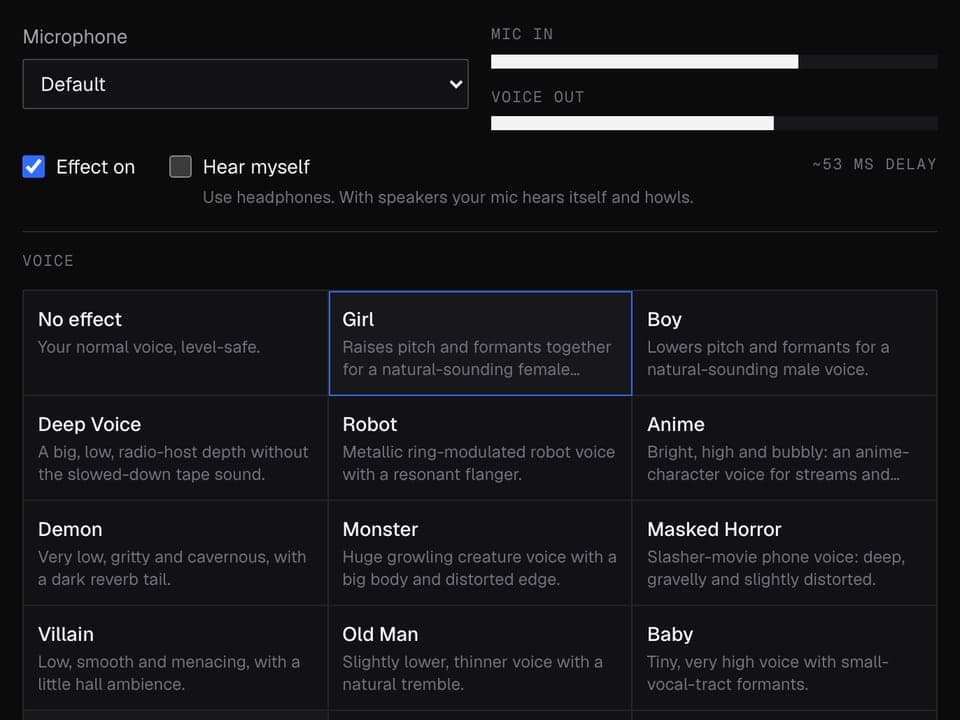
Your browser will ask for microphone access when you click.
Before and after

The exact settings
| Setting | Value |
|---|---|
| Noise gate | mutes the mic below -55 dB, between words |
| Pitch | +5 (higher) |
| Tone | +2.5 (sounds smaller) |
| Bass cut | below 120 Hz |
| Treble | +2 dB above 5 kHz |
More about this voice
Why it doesn't sound like helium
Raising the pitch alone keeps the sound of a bigger body, which is why simple pitch changers make a man sound like he's on helium. This preset also moves the Tone setting, by about half as much as the pitch. That keeps the voice full instead of thin.
It also trims deep chest rumble, which would otherwise get dragged up with the pitch, and adds a little brightness on top.
Make it believable
- Speak in your normal voice. Pushing your own voice higher as well stacks with the preset and sounds strained.
- Let your sentences rise and fall more than usual. A flat delivery gives it away faster than the sound does.
- Keep a steady distance from the mic. Getting very close adds bass the preset doesn't remove.
- If your voice is already fairly high, set Pitch to about +3 instead of the default +5. It usually sounds more natural.
Girl voice changer FAQ
Will people be able to tell?
Sometimes. The preset changes how your voice sounds, not your accent, pace or word choice. People who know you well will often still recognise you.
Is this an AI voice?
No. It reshapes your own voice right on your computer, and your voice isn't sent to Facecam.
Can I go the other way?
Yes. The male preset does the reverse: it makes a higher voice lower and fuller.
Does it work as a male to female voice changer?
That's what it's tuned for. It lifts a typical male speaking voice into a female range; if your voice is already higher, lower the Pitch slider to about +3 so it doesn't sound like a cartoon.
Can I use the girl voice in Discord?
Yes, on discord.com in Chrome. Girl is one of the quick picks under Your voice in the Facecam popup; then choose Facecam Virtual Mic in Discord's Voice & Video settings.
Can I change a recording to a female voice?
Yes. Open the Online Voice Changer, add the file or record one, pick Girl and download the WAV. Nothing is uploaded.
Other voices
- Robot voice changer
- Masked horror voice changer
- Scary voice changer
- Anime voice changer
- Male voice changer
- Announcer voice changer
- Santa voice changer
- Deep voice changer
- Villain voice changer
- Radio voice changer
- Chipmunk voice changer
- Baby voice changer
- Alien voice changer
- Old man voice changer
- Kid voice changer
- Cartoon voice generator
- Whisper voice generator
- 8-bit voice changer
- Anonymous voice changer
Related
Updated