Press
Facecam press kit
About Facecam
Facecam makes browser tools that change your face, voice or avatar, live in calls and streams or in a file.
Facecam is a set of browser tools for live face, voice and avatar effects. Its Chrome extension adds a virtual camera and a virtual mic that work in Google Meet, Zoom, Discord and other sites in Chrome, so people can join calls and streams looking like anyone they want (a built-in face or any face they upload), as a VTuber or PNGtuber, or with a changed voice, without installing a desktop app. The website also has free browser tools, such as a mic test, a webcam test and a PNGtuber maker, and AI tools that make photo, GIF and video face swaps, avatars and character voices. Files it makes carry a hidden AI label.
Key facts
- What it is
- Browser tools for live face, voice and avatar effects, plus AI tools for files
- Works in
- Google Meet, Zoom, Discord and Teams on the web, through the Chrome extension
- Runs on
- Chrome on Windows, macOS, Linux and ChromeOS. No desktop app
- Tools
- 24 live tools, 13 of them free with no account
- Price
- Free tools, and plans from $20 a month for the AI tools
- Faces
- Any face you upload, or a built-in or generated one
- Website
- facecam.ai
Logos



Please don't recolor, stretch or add effects to the logo.
Screenshots
Real screens and results. Every person shown is AI-generated.

Webcam frame of a man at his desk, the right side swapped to a fictional character by FacecamJPG 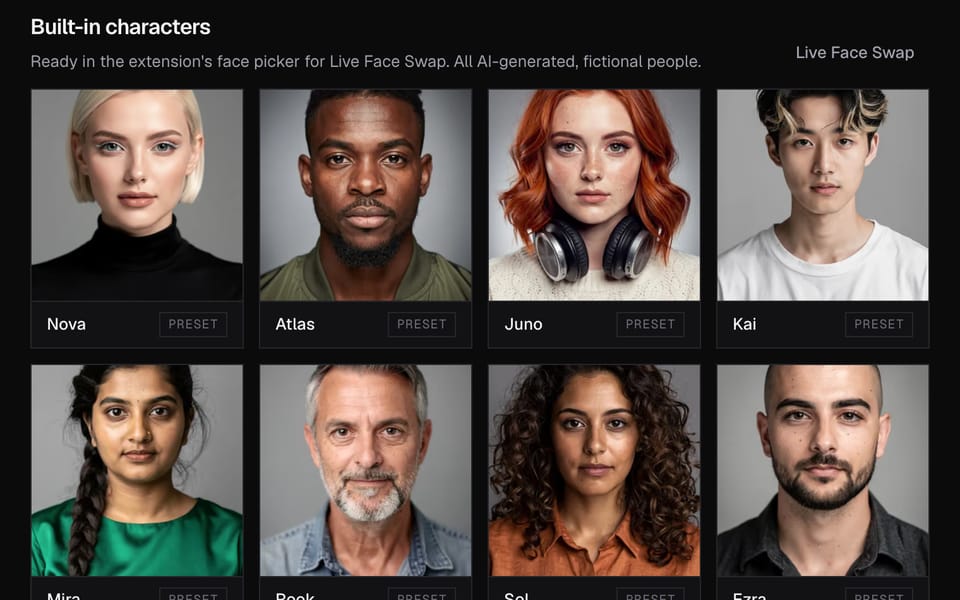
The Characters page in the Facecam app with the eight built-in fictional charactersJPG 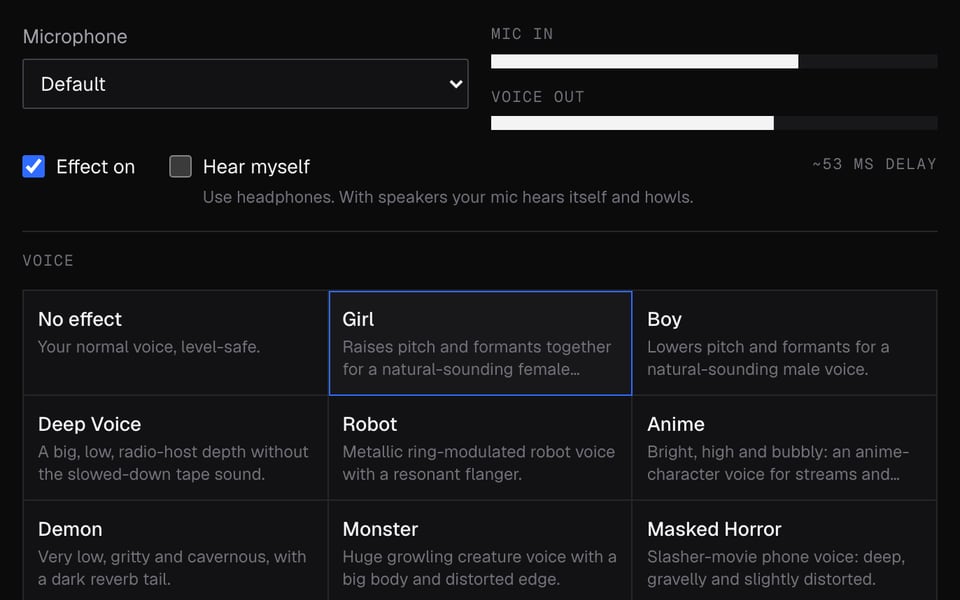
Facecam's Real-Time Voice Changer running in Chrome with the Girl voiceJPG 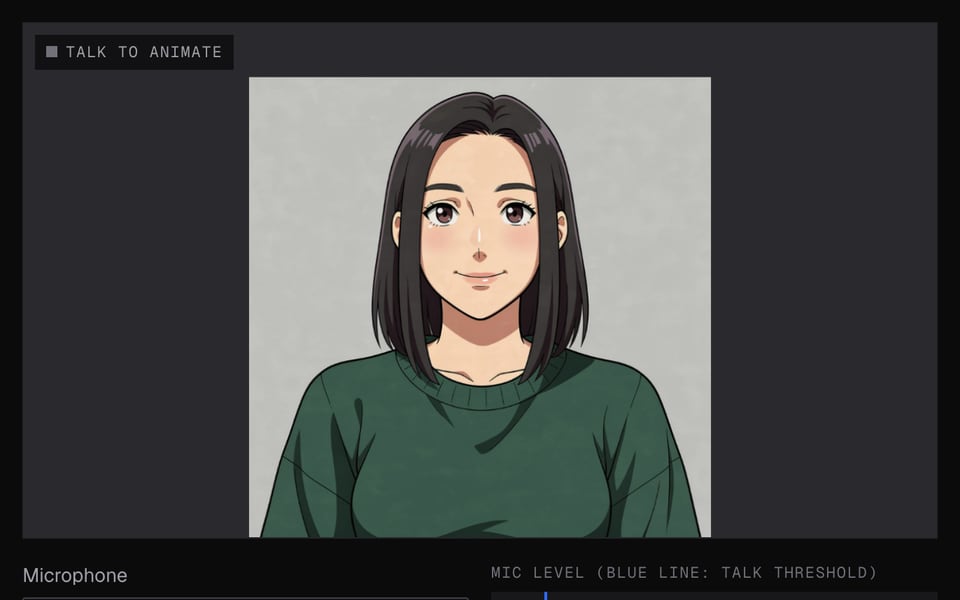
The anime avatar loaded into PNGTuber Maker as a talking avatarJPG 
The PNGTuber Maker's four starter avatars: Pip, Mochi, Bolt and FernJPG 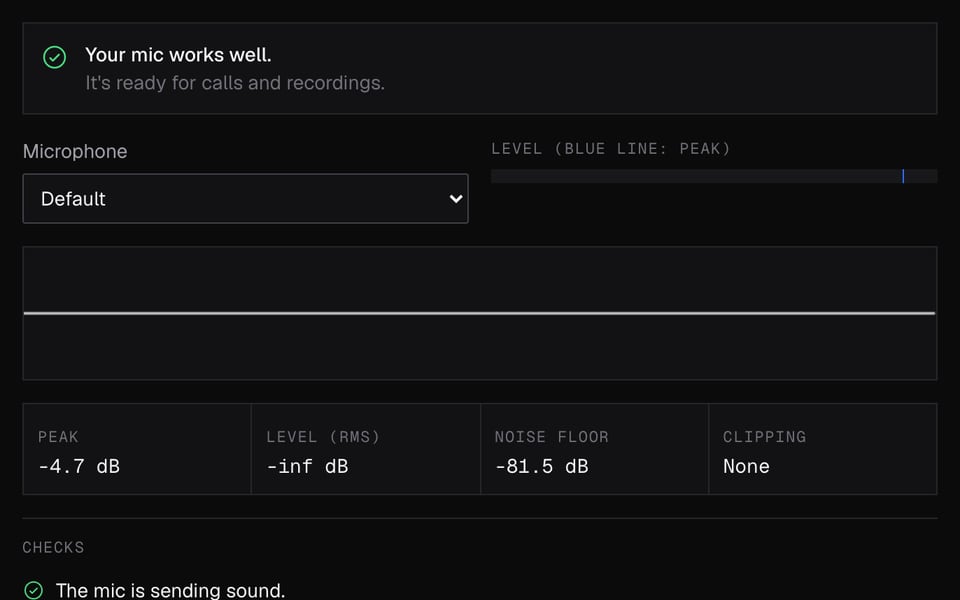
Mic Test: the mic works wellJPG 
Webcam Test: the camera works wellJPG 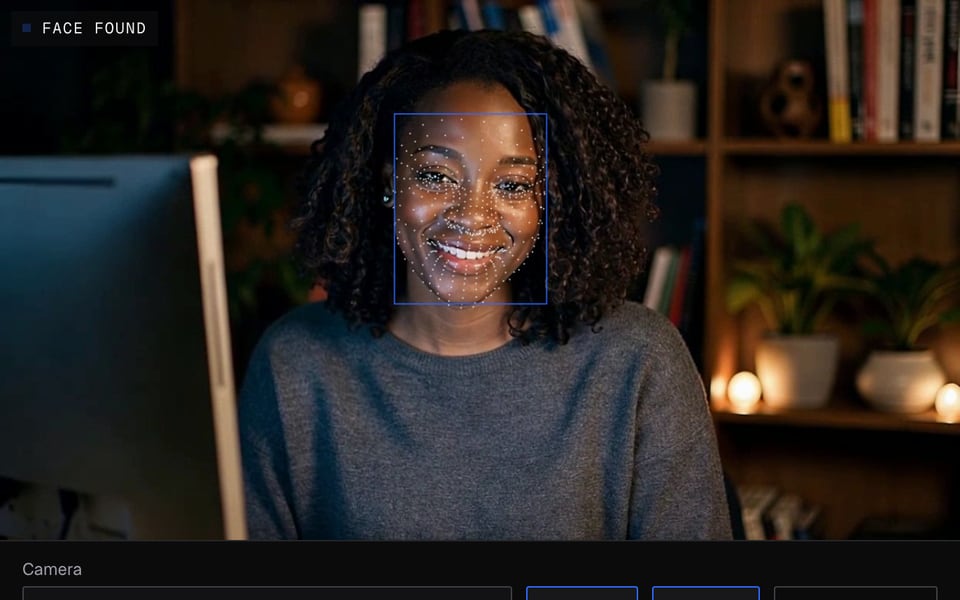
Face Tracking Test: face found and trackedJPG





Short clips
Contact
For interviews, review access or anything else, email support@facecam.ai. More about the team and how we test is on the about page.
Find us on Chrome Web Store.