Free Voice Changer for Phone Calls
A voice changer for phone calls: call real numbers from your computer, through Google Voice or your iPhone, and the other side hears your new voice.
Updated · Tested by the Facecam team

Your browser will ask for microphone access when you click.

How do I change my voice on a phone call?
A voice changer for phone calls changes your voice on a call to a real phone number. Phones don't let apps touch a normal call, so Facecam does it on a computer: you call from Google Voice in Chrome or from your Mac, and the computer's microphone is Facecam's.
Pick a voice here first
Press Start and try the voices with headphones on. The page starts on the anonymous voice; deep, old man and robot are good for prank calls.
Google Voice in Chrome
Add the Facecam Chrome extension, open voice.google.com, click the headset icon at the top and choose Facecam Virtual Mic as Microphone. Dial the number as usual.
Or your iPhone, from your Mac
On the iPhone, Settings, Phone (Apps, Phone on iOS 18 and later), Calls on Other Devices: turn on your Mac. In the Facecam desktop app, turn on Facecam Virtual Microphone, then on the Mac choose it in System Settings, Sound, Input. Call from the Phone or FaceTime app on the Mac.
Or a calling app on your computer
WhatsApp, Discord, Teams and Zoom on your PC or Mac list Facecam Virtual Microphone as a microphone. Pick it in the app's audio settings before you call.
Call real numbers in a new voice
On a Mac with your iPhone, or in WhatsApp and Discord on any PC, the Facecam desktop app's microphone is the one your call hears, with a shortcut for each voice.
Get the voice changer for PC and Mac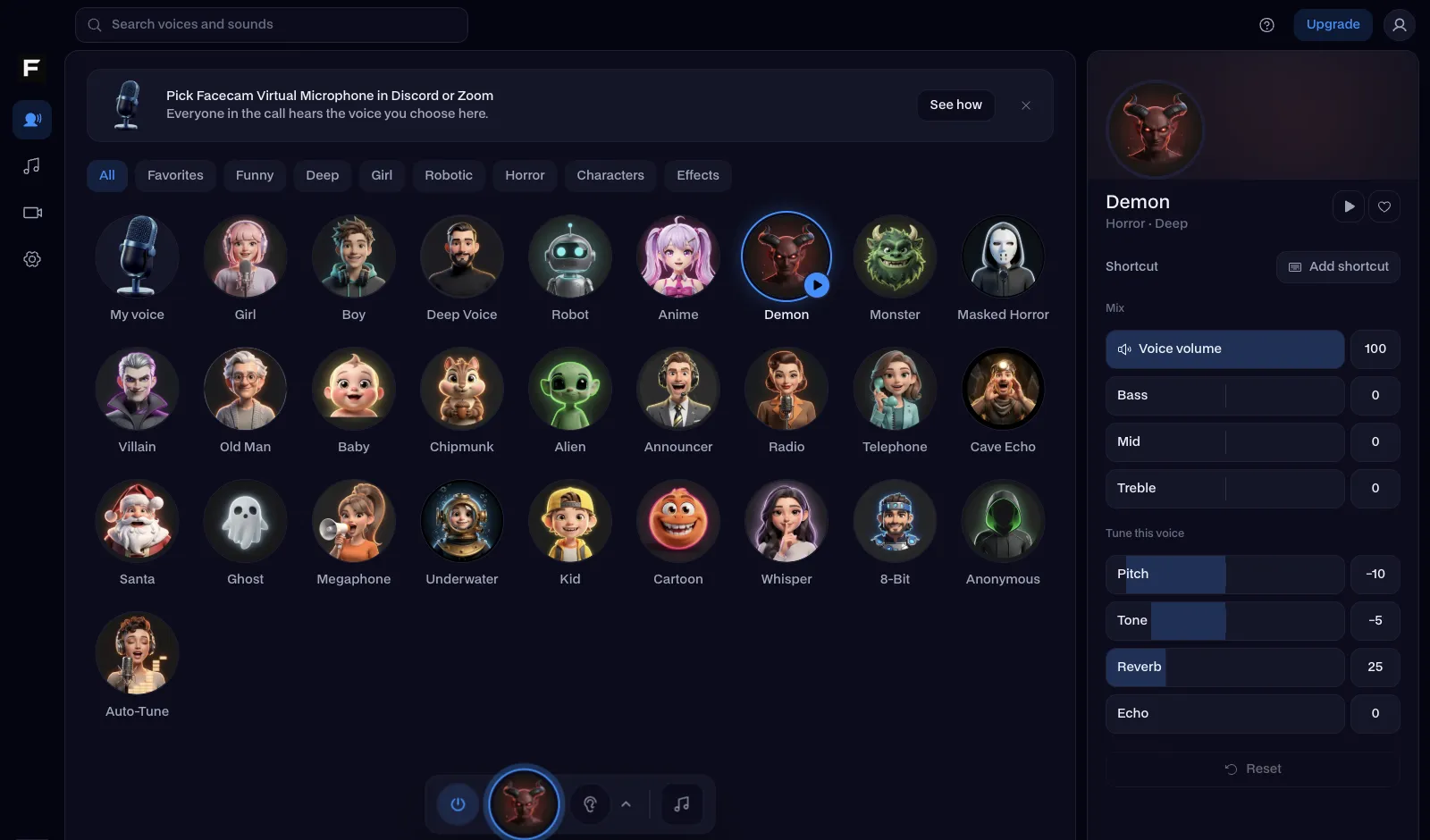
The anonymous voice, before and after
Before: the test line with no effect.
After: the anonymous voice the page starts on, disguised so nobody can tell it's you.

Why isn't my voice changing on a phone call?
| Problem | Fix |
|---|---|
| The other side hears my normal voice | The call is on the phone, not the computer. Answer and place the call on the Mac or in Google Voice, and keep the iPhone's microphone out of it. |
| Google Voice doesn't list the Facecam mic | Reload voice.google.com after the extension is on, and check that Google Voice is open in Chrome, not its phone app. |
| There's an echo on the call | Your speakers are feeding back into the microphone. Wear headphones; the voice changer hears only you. |

What works, and what doesn't
| How you call | Voice changed? | What you need |
|---|---|---|
| Google Voice at voice.google.com | Yes | Chrome and the Facecam extension |
| Your iPhone number, called from a Mac | Yes | The Facecam desktop app on the Mac |
| WhatsApp, Discord or Teams on a computer | Yes | The Facecam desktop app |
| The Phone app on an iPhone or Android | No | Phones don't let apps change a call's mic |

More about phone calls
Voices for a call
| Voice | Good for |
|---|---|
| Anonymous voice | Calling without being recognised |
| Deep voice | Sounding older and serious |
| Old man voice | Pranking your friends as their grandpa |
| Telephone voice | Sounding like a bad line on purpose |



Questions
Can you change your voice on a phone call?
Yes, from a computer. Call from Google Voice in Chrome, or from your Mac through your iPhone, with Facecam as the microphone. The Phone app on the phone itself can't be changed.
Is there a voice changer app that works during calls?
Not on iPhone or Android: neither lets an app change the microphone of a normal call. That's why Facecam does it on the computer you call from.
Can the person I call tell it's a voice changer?
They hear a phone call in a different voice. Phone lines squash audio, so subtle voices like anonymous and deep sound the most natural.
Is Google Voice free?
Google Voice is free for personal accounts in the US, with free calls to the US and Canada. Facecam's voice changer is free too.
Other platforms
- Voice changer for StreamYard
- Riverside voice changer
- YouTube voice changer
- Voice changer for Kick
- Voice changer for Twitch
- OBS voice changer
- Streamlabs voice changer
- How to change your voice
- AI Voice Generator
- Voice changer for gaming
- Voice changer for iPhone
- Voice changer for Android
- Video voice changer
- TikTok voice changer
- Voice changer for WhatsApp
- Voice changer presets
- Real-Time Voice Changer
- Online Voice Changer
- Character Voice Generator
- Voice Isolator
- AI Cover Generator
- Vocal Remover
- Auto-Tune
- AI Voice Clone





Related
- Voice changer for WhatsApp
- Anonymous
- Voice changer for iPhone
- Real-Time Voice Changer
- Live Face Swap for Video Calls
- Mic Test
- How to Do a Movie Trailer Voice: Pace, Pauses and Pitch
- How to Do NPC Voices as a DM (Without Wrecking Your Throat)
- The Voices People Want: What 2,461 Voice Changer Users Picked



Further reading: Telephone call on Wikipedia