Free Voice Changer for IPhone
A voice changer for iPhone that runs in Safari: record a line or open a video, pick a voice, save it to Files and share it.
Updated · Tested by the Facecam team

How do I change my voice on an iPhone?
A voice changer for iPhone changes how your voice sounds in a recording on your phone. Facecam's runs in Safari, so there's no App Store download: record or open a clip, pick a voice, and save the new audio.
Open this page in Safari
Safari or Chrome on iOS both work. Tap Record and choose Allow when Safari asks for the microphone. If you tapped Don't Allow, open the aA menu in the address bar, Website Settings, Microphone, Allow.
Record, or open a clip
Hold the phone about a hand's width away and say your line. To change a video you already shot, tap Upload and pick it from Photos or Files: MP4 and MOV both open, up to 10 minutes.
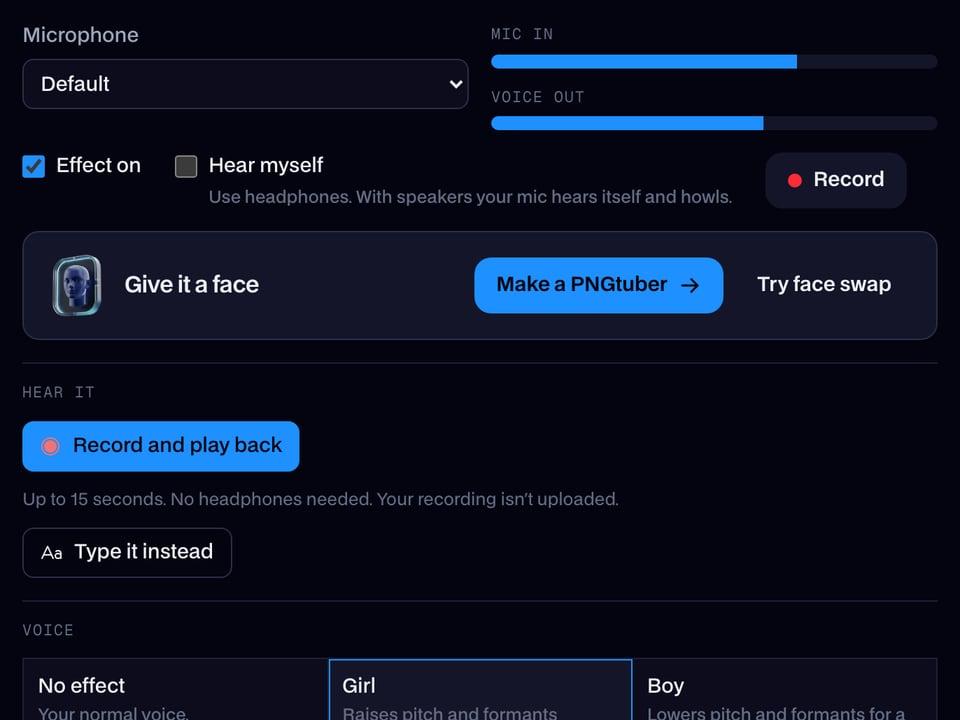
Pick a voice
Tap through the voices; your recording plays back in each one straight away. The page starts on the girl voice.
Save it to Files
Tap Download WAV. Safari saves it to Files, in On My iPhone, Downloads (or iCloud Drive, Downloads).
Send it
In Files, hold the WAV and tap Share: iMessage, WhatsApp, Instagram DMs and Snapchat all take it from the share sheet.
The girl voice, before and after
Before: the test line with no effect.
After: the girl voice the page starts on, higher and lighter.
The starting voice is a lower computer voice, so you hear the preset on the kind of voice it's made for.

Why isn't my voice changing on an iPhone?
| Problem | Fix |
|---|---|
| Record does nothing | Safari blocked the microphone for this site. aA menu, Website Settings, Microphone, Allow, then reload the page. |
| I can't find the download | Open the Files app, Browse, Downloads. Safari also shows recent downloads under the arrow icon in the address bar. |
| The voice sounds thin through AirPods | AirPods switch to a lower-quality mic while recording. Record with the iPhone's own microphone and listen back on AirPods. |

Voices people use on iPhone
| Voice | What it sounds like | Send it as |
|---|---|---|
| Girl voice | Higher pitch, lighter tone | A prank voice note to a friend |
| Deep voice | Low and heavy | A movie-trailer intro for a story |
| Chipmunk voice | High and fast | A birthday message |
| Robot voice | Metallic and flat | An 'automated' reminder in the group chat |
| Old man voice | Slow and creaky | Grandpa reading a bedtime story |



More about iPhone
On an iPhone, and on a computer
| What you want | Where | How |
|---|---|---|
| A changed voice note or clip | iPhone, in Safari | This page: record, pick a voice, share the WAV |
| A new voice on a TikTok or Reel | iPhone, in Safari | Open the video here, then put the WAV back in your editor |
| A new voice live in Discord or a game | PC or Mac | The Facecam desktop app and its Facecam Virtual Microphone |
| A new voice live in Google Meet or discord.com | Chrome on a computer | The Chrome extension's Facecam Virtual Mic |
iOS doesn't let any app change your voice inside a FaceTime or phone call. For calls, use a computer: the phone calls page shows the ways that work.

Questions
Is there a free voice changer for iPhone?
Yes. This one runs in Safari with no app and no account, and the WAV you save has no watermark.
Can I change my voice on a FaceTime call?
Not on the iPhone itself: iOS gives calls the raw microphone. On a Mac, FaceTime uses the microphone you choose in System Settings, Sound, Input, which can be Facecam's desktop app.
Does Siri or the iPhone have a built-in voice changer?
No. iOS has Live Speech and Personal Voice for accessibility, which read typed text, but nothing that changes your own voice in a recording.
Can I change the voice in a video I filmed on my iPhone?
Yes. Tap Upload and pick the video from Photos: the page reads the sound from MOV files and gives you a WAV in the new voice to put back under the video.
Does it work on iPad?
Yes, the same way in Safari on iPadOS.
Other platforms
- Voice changer for Teams
- Webex voice changer
- Voice changer for StreamYard
- Riverside voice changer
- YouTube voice changer
- Voice changer for Kick
- Voice changer for Twitch
- OBS voice changer
- Streamlabs voice changer
- How to change your voice
- AI Voice Generator
- Voice changer for gaming
- Voice changer for Android
- Voice changer for phone calls
- Video voice changer
- TikTok voice changer
- Voice changer for WhatsApp
- Voice changer presets
- Real-Time Voice Changer
- Online Voice Changer
- Character Voice Generator
- Voice Isolator
- AI Cover Generator
- Vocal Remover