Free Voice Changer for Android
A voice changer for Android phones that works in Chrome: no app, no ads, no account. Record, pick a voice, save and share.
Updated · Tested by the Facecam team

How do I change my voice on Android?
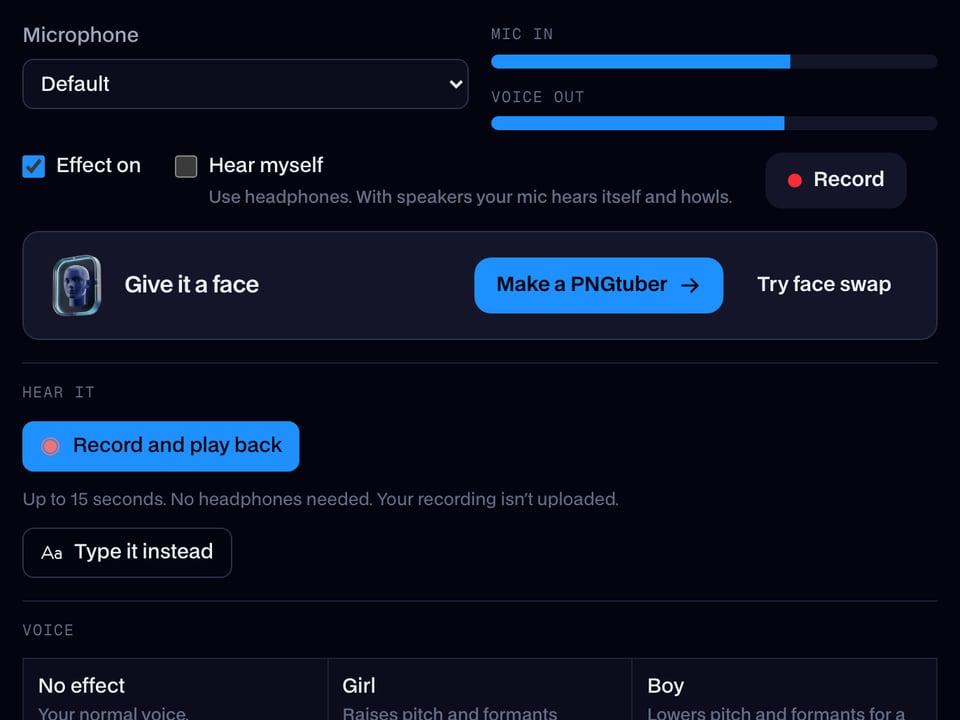
A voice changer for Android changes how your voice sounds in a recording on your phone. Facecam's runs in Chrome on Android, so you don't install anything from the Play Store: record, pick a voice, and download the new audio.
Open this page in Chrome
Tap Record and choose Allow while using the site when Chrome asks for the microphone. Samsung Internet and Firefox work too.
Record or upload
Say your line, or tap Upload to pick an audio file or a video from your gallery: MP4, M4A, MP3 and the voice recorder's files all open, up to 10 minutes.
Try the voices
The page starts on the robot voice. Tap any other and the same recording plays back in it.
Download the WAV
Tap Download WAV. It lands in Downloads: open Files by Google (or My Files on Samsung), Downloads.
Share it
Tap the file, then Share, and send it to WhatsApp, Telegram, Messages or Discord, or add it to a video in CapCut.
The robot voice, before and after
Before: the test line with no effect.
After: the robot voice the page starts on, metallic and flat.

Why isn't my voice changing on Android?
| Problem | Fix |
|---|---|
| Chrome says the microphone is blocked | Tap the icon left of the address, Permissions, Microphone, Allow. If Android itself blocks Chrome: Settings, Apps, Chrome, Permissions, Microphone. |
| The recording is quiet | Some phones record from the bottom mic only. Hold the phone upright and speak towards the bottom edge. |
| WhatsApp won't attach the WAV as audio | Use the paperclip, Audio (or Document), then Downloads. It sends as an audio file your friend taps to play. |

Voices that work well on a phone recording
| Voice | What it sounds like | Try it on |
|---|---|---|
| Robot voice | Metallic and flat | An 'error message' in the family group |
| Chipmunk voice | High and fast | Singing happy birthday |
| Deep voice | Low and heavy | A dramatic voiceover for a Short |
| Helium voice | Squeaky, like a balloon | Reaction clips |
| Telephone voice | Tinny, like an old line | A fake 'call recording' |



More about Android
Why a web page instead of an app
The voice is changed inside Chrome on your phone, so the recording is never uploaded, there's nothing to keep updated and no permissions beyond the microphone while the page is open.
Want the voice live in Discord, a game or a call? That needs a computer: the Facecam desktop app adds Facecam Virtual Microphone on Windows and Mac, and the Chrome extension adds Facecam Virtual Mic to calls in Chrome.

Questions
What is the best free voice changer for Android?
One that doesn't fill your phone with ads: this page runs in Chrome with no account and no watermark, and the voices are the same ones the desktop app uses.
Can I change my voice during a call on Android?
Not inside the phone app: Android doesn't let apps change the microphone during a normal call. Calls from a computer can, through Facecam's virtual microphone.
Does it work on Samsung phones?
Yes, in Chrome or Samsung Internet. Downloads go to My Files, Downloads.
Can I change the voice on a video from my gallery?
Yes. Upload the MP4 and you get the soundtrack back as a WAV in the new voice; add it to the video in CapCut or any editor.
Other platforms
- Webex voice changer
- Voice changer for StreamYard
- Riverside voice changer
- YouTube voice changer
- Voice changer for Kick
- Voice changer for Twitch
- OBS voice changer
- Streamlabs voice changer
- How to change your voice
- AI Voice Generator
- Voice changer for gaming
- Voice changer for iPhone
- Voice changer for phone calls
- Video voice changer
- TikTok voice changer
- Voice changer for WhatsApp
- Voice changer presets
- Real-Time Voice Changer
- Online Voice Changer
- Character Voice Generator
- Voice Isolator
- AI Cover Generator
- Vocal Remover
- Auto-Tune