Free Phasmophobia Voice Changer
A Phasmophobia voice changer for ghost hunts: whisper as the ghost over the walkie, or sound like a demon in the dark van.
Updated · Tested by the Facecam team

Your browser will ask for microphone access when you click.

How do I change my voice on Phasmophobia?
A Phasmophobia voice changer changes how you sound to your team in Phasmophobia's local and walkie-talkie voice chat. With Facecam Virtual Microphone as your input, the crew hears your new voice, including over the radio.
Get the Facecam desktop app
Download Facecam for Windows or Mac and add Facecam Virtual Microphone when it asks. It's a microphone your whole computer can use, Phasmophobia included.
Pick a voice
Choose a voice in the app (the voice changer on this page starts on one that fits) and give it a shortcut, so you can switch mid-match.
Make it your microphone
Set Facecam Virtual Microphone as Windows' default input (Settings, System, Sound, Input), then in Phasmophobia open the journal, Options, Audio and pick it as the input device.
Talk locally or over the walkie
Hold V for local voice (players near you) and B for the walkie-talkie, if you carry one. Both carry your changed voice.
Haunt your own team
The Facecam desktop app's microphone carries a ghost or whisper voice to local chat and the walkie, with a shortcut to drop the effect for the Spirit Box.
Get the voice changer for PC and Mac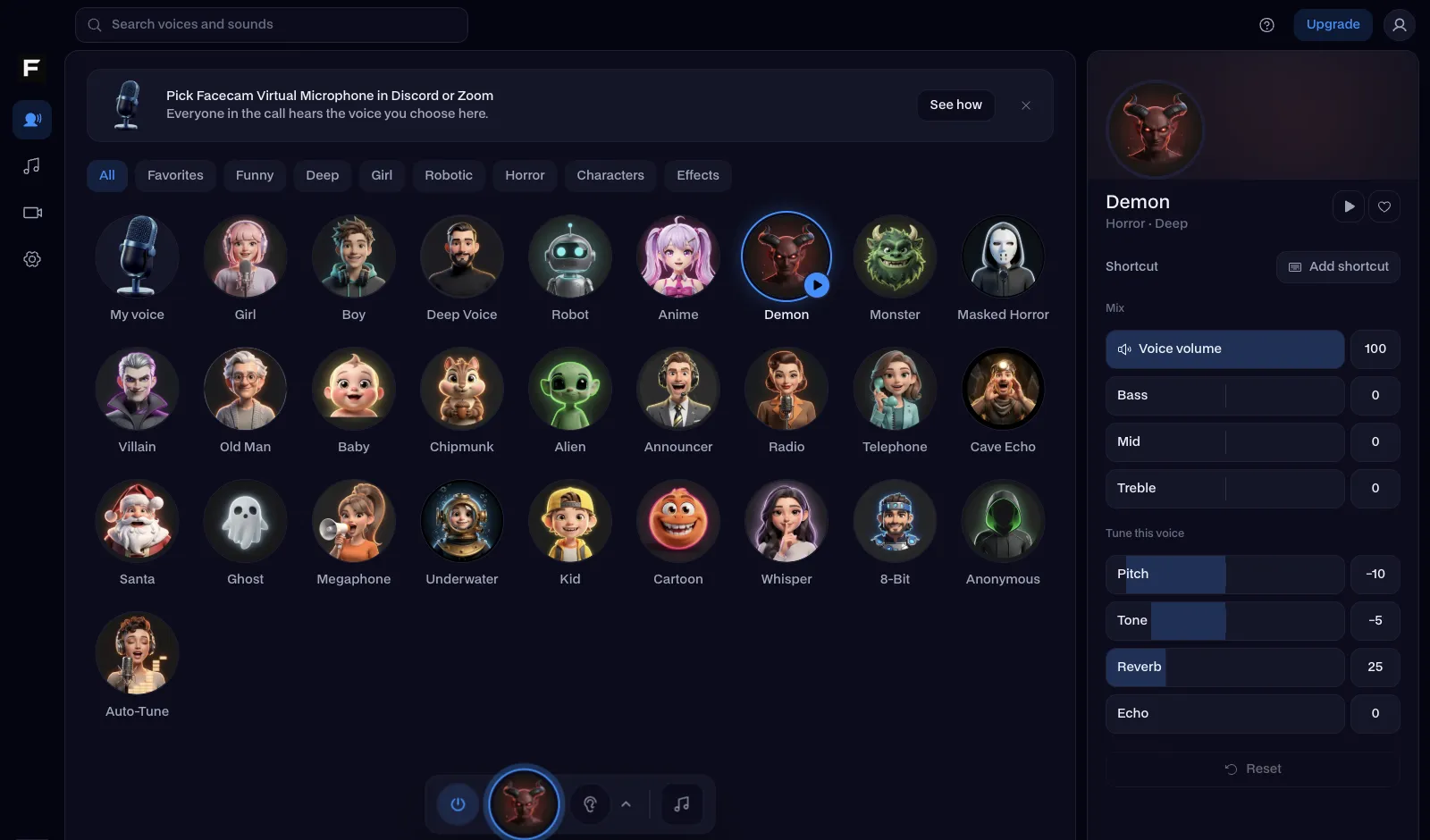
The ghost voice, before and after
Before: our test line with no effect.
After: the ghost voice the page starts on, airy and echoing.

Why isn't my voice changing on Phasmophobia?
| Problem | Fix |
|---|---|
| The ghost doesn't react to my questions | The game's speech recognition is listening to your new voice. Strong effects like demon or ghost can make words harder for it to catch: switch to a lighter voice (or none) for the Spirit Box, then back. |
| Voice recognition broke after I alt-tabbed | Windows speech recognition in Phasmophobia can stop after alt-tab. Click back into the game from the taskbar, or restart it. |
| I play in VR | In PC VR, SteamVR can swap your microphone to the headset when it starts. In SteamVR, Settings, Audio, set the microphone to Facecam Virtual Microphone, and pick your headset mic as the input in the Facecam app. |

Voices for a ghost hunt
| Voice | Use it to |
|---|---|
| Ghost voice | Answer your own question before the Spirit Box does |
| Whisper voice | Breathe a name over the walkie from another room |
| Demon voice | Announce the hunt |
| Creepy voice | Narrate the investigation |
| Walkie talkie voice | Make local chat sound like it came over the radio |



More about Phasmophobia
Scare sounds on the same mic
The scary soundboard plays through the same microphone: a door creak, a heartbeat, whispers or a scream on a hotkey, while you stand perfectly still in the hallway.

Questions
Can the ghost hear a voice changer in Phasmophobia?
Yes. The ghost listens to your microphone, and with Facecam it hears your changed voice. Very heavy effects can make your words harder for the game to recognise.
Does a voice changer work with the Spirit Box?
Mostly, with lighter voices. If questions stop working, switch to a lighter voice for the Spirit Box and back after.
Can you use a voice changer in Phasmophobia VR?
Yes, in PC VR. Set Facecam Virtual Microphone as SteamVR's microphone so SteamVR doesn't swap it back to your headset.
Is it free?
Yes. The voices run on your own computer, with no account and no credits.
Other platforms
- Minecraft voice changer
- D&D voice changer
- Among Us voice changer
- Voice changer for Roblox
- Voice changer for PS5
- Xbox voice changer
- Voice changer for VR
- Voice changer for Fortnite
- Warzone voice changer
- TeamSpeak voice changer
- Rust voice changer
- Apex Legends voice changer
- FiveM voice changer
- Gorilla Tag voice changer
- Overwatch voice changer
- Marvel Rivals voice changer
- Lethal Company voice changer

