Free Gorilla Tag Voice Changer
A Gorilla Tag voice changer for PC VR: be a giant, a tiny kid or a monster in every lobby, with the voice set once in SteamVR.
Updated · Tested by the Facecam team

Your browser will ask for microphone access when you click.

How do I change my voice on Gorilla Tag?
A Gorilla Tag voice changer changes how you sound to other monkes in Gorilla Tag. On PC VR the game uses your computer's microphone, so with Facecam Virtual Microphone as the mic SteamVR uses, the lobby hears your new voice.
Get the Facecam desktop app
Download Facecam for Windows or Mac and add Facecam Virtual Microphone when it asks. It's a microphone your whole computer can use, Gorilla Tag included.
Pick a voice
Choose a voice in the app (the voice changer on this page starts on one that fits) and give it a shortcut, so you can switch mid-match.
Set it as SteamVR's microphone
SteamVR switches your microphone to the headset when it starts. In SteamVR, open Settings, Audio, and set the microphone to Facecam Virtual Microphone; in the Facecam app, pick your headset's mic as the input.
Join a lobby
Start Gorilla Tag from Steam or the Meta app on your PC (Link or Air Link), join a room and talk. Everyone near your monke hears the new voice.
Your lobby hears the new voice
Set Facecam Virtual Microphone as SteamVR's microphone once, and every Gorilla Tag room you join on PC VR hears the voice you picked.
Get the voice changer for PC and Mac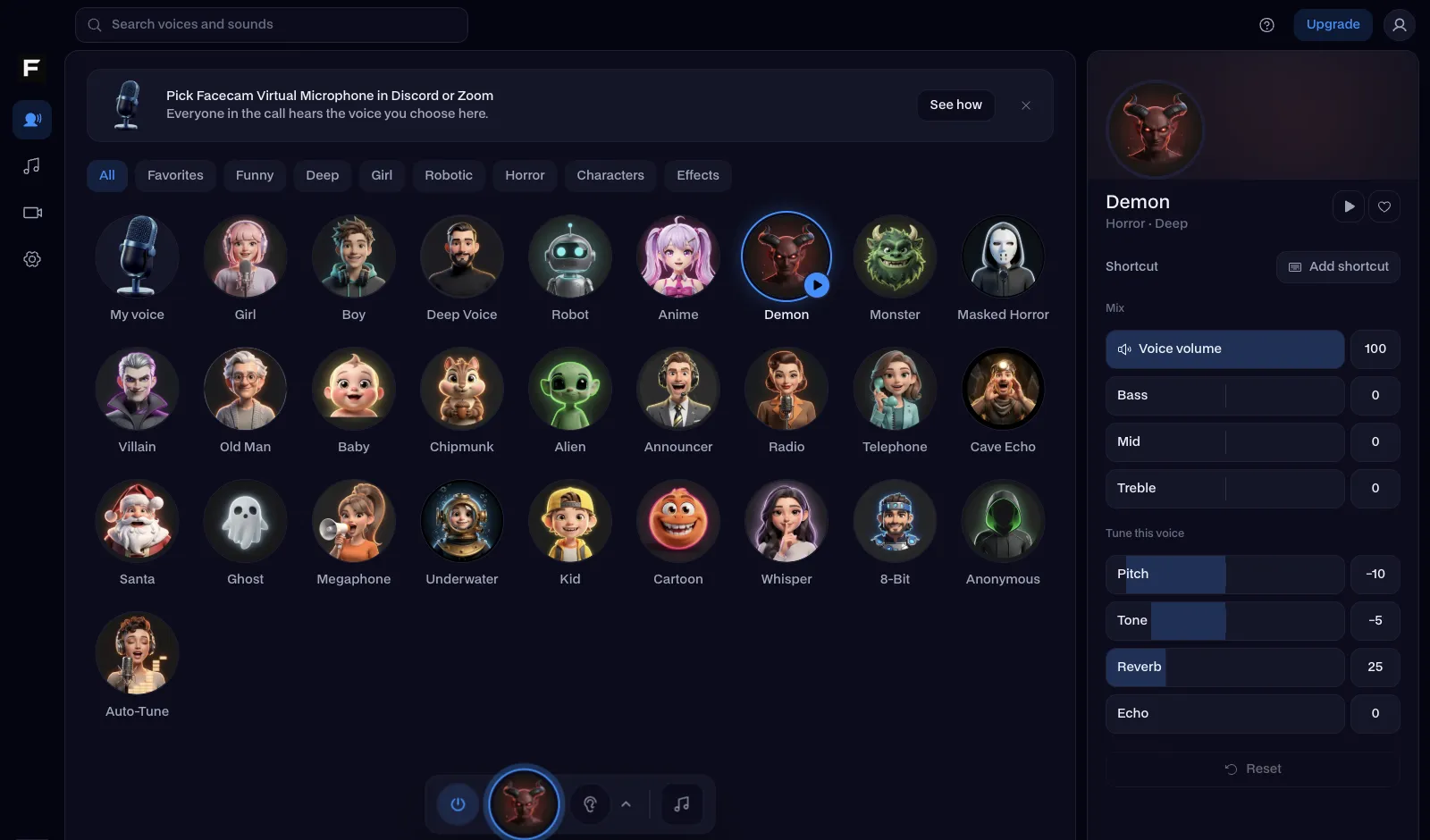
The giant voice, before and after
Before: our test line with no effect.
After: the giant voice the page starts on, huge and slow.
Why isn't my voice changing on Gorilla Tag?
| Problem | Fix |
|---|---|
| I play on a standalone Quest | The Quest version runs on the headset, which can't load a virtual microphone. Play the PC version through Link, Air Link or Steam Link to use voices. |
| The lobby hears my real voice | SteamVR reset the microphone. Check Settings, Audio in SteamVR, and turn off the option that switches audio to the headset when SteamVR starts, or set the mic to Facecam there. |
| My voice is really quiet | Raise the headset mic's level in the Facecam app, and the microphone level on the SteamVR dashboard's audio button. |

Voices for Gorilla Tag
| Voice | Try it for |
|---|---|
| Giant voice | The biggest monke in the lobby |
| Kid voice | Blending in with everyone else |
| Chipmunk voice | Chaos while you run |
| Monster voice | Infection mode, when you're it |
| Ghost voice | Haunting lobbies on a spooky map |


The Gorilla Tag soundboard plays hoots, chest beats and tag hits through the same microphone, each on a hotkey.

Questions
Can you use a voice changer in Gorilla Tag?
Yes, in the PC VR version. Set Facecam Virtual Microphone as SteamVR's microphone and the lobby hears your new voice.
Does a voice changer work on Gorilla Tag Quest?
Not in the standalone Quest version. Play through Link or Air Link on a PC and it works.
Can you get banned for a voice changer in Gorilla Tag?
The game hears a microphone like any other. Lobbies can still report anyone being loud or rude, voice changer or not.
Is the Gorilla Tag voice changer free?
Yes. The voices run on your own PC, with no account and no credits.
Other platforms
- Minecraft voice changer
- D&D voice changer
- Among Us voice changer
- Voice changer for Roblox
- Voice changer for PS5
- Xbox voice changer
- Voice changer for VR
- Voice changer for Fortnite
- Warzone voice changer
- TeamSpeak voice changer
- Rust voice changer
- Apex Legends voice changer
- Phasmophobia voice changer
- FiveM voice changer
- Overwatch voice changer
- Marvel Rivals voice changer
- Lethal Company voice changer
Related
- Gorilla tag soundboard
- Voice changer for VR
- Giant
- Live Face Swap for Video Calls
- Mic Test
- How to Do a Movie Trailer Voice: Pace, Pauses and Pitch
- How to Do NPC Voices as a DM (Without Wrecking Your Throat)
- The Voices People Want: What 2,461 Voice Changer Users Picked


Further reading: Gorilla Tag on Wikipedia