Free Voice Changer for Roblox
A voice changer for Roblox voice chat: sound like a chipmunk, a robot, a girl or a giant in any experience with voice. Try the voices right here first.
Updated · Tested by the Facecam team

Your browser will ask for microphone access when you click.

How do I change my voice on Roblox?
A voice changer for Roblox changes how you sound in Roblox voice chat. Facecam's desktop app adds Facecam Virtual Microphone to your PC or Mac, Roblox picks it like any mic, and everyone nearby hears your new voice.
Get the Facecam desktop app
Download Facecam for Windows or Mac and add Facecam Virtual Microphone when it asks. It's a microphone your whole computer can use, Roblox included.
Pick a voice
Choose a voice in the app (the voice changer on this page starts on one that fits) and give it a shortcut, so you can switch mid-match.
Make it your Roblox microphone
Set Facecam Virtual Microphone as your default input: Windows Settings, System, Sound, Input; or System Settings, Sound, Input on a Mac. Roblox voice chat uses the default mic, so restart Roblox after you switch.
Join an experience with voice
Open an experience with voice chat, click the mic icon to unmute and talk. Anyone close to your avatar hears the new voice.
Your new voice in Roblox voice chat
The Facecam desktop app makes Facecam Virtual Microphone your PC's or Mac's microphone, so every Roblox experience with voice chat hears the voice you pick, with a shortcut to switch.
Get the voice changer for PC and Mac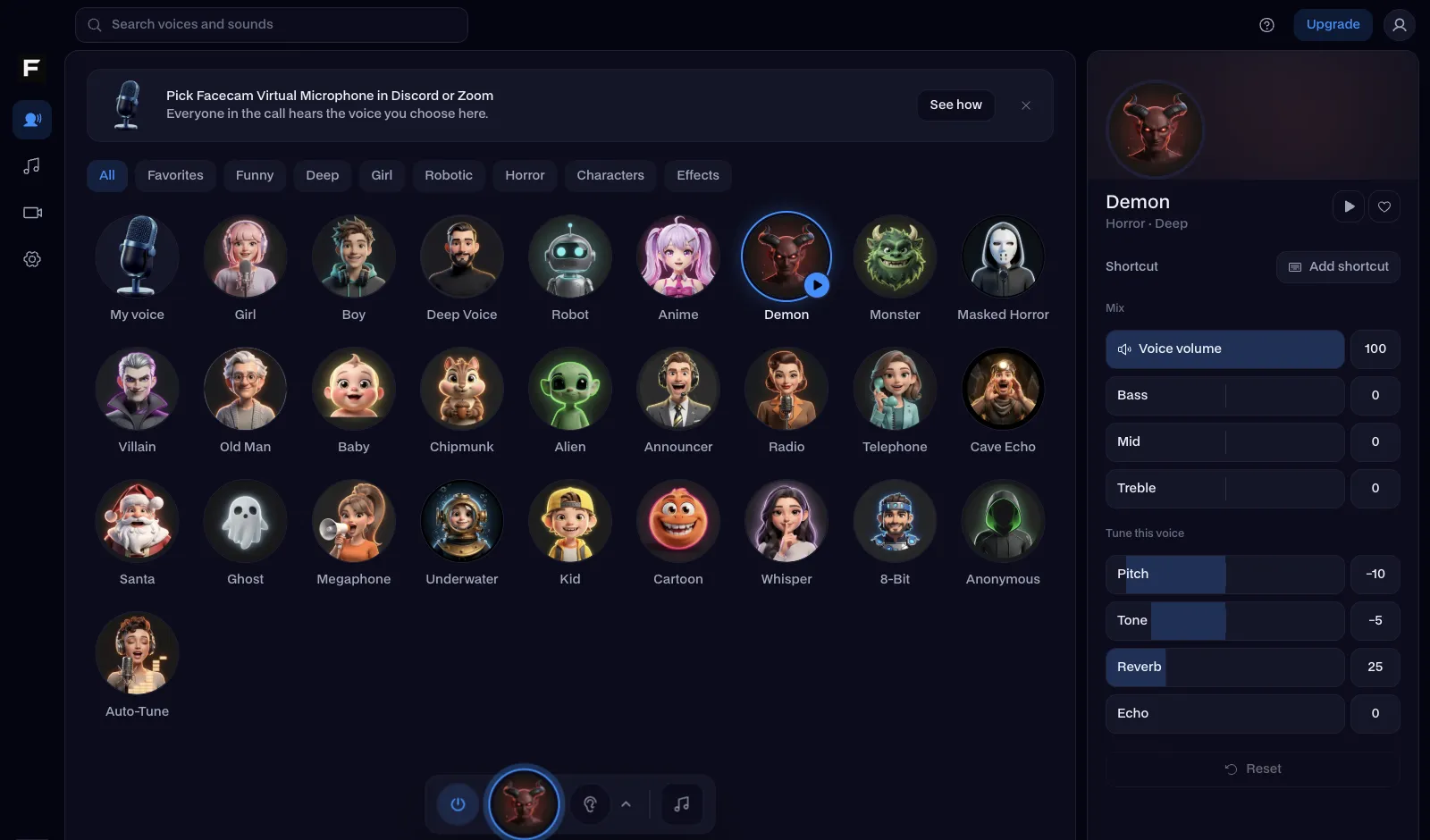
The chipmunk voice, before and after
Before: the test line with no effect.
After: the chipmunk voice the page starts on, high and fast.
Why isn't my voice changing on Roblox?
| Problem | Fix |
|---|---|
| I don't have voice chat in Roblox | Voice chat needs an account that's 13 or older and has passed Roblox's age check, with voice turned on in Settings, Privacy. No voice chat? Use the voice in your Discord call instead. |
| Roblox still uses my real mic | Roblox reads the default microphone when it starts. Make Facecam Virtual Microphone the default, then fully quit and reopen Roblox. |
| People say I sound robotic when I didn't pick robot | Two noise filters are fighting the voice. Turn off extra noise cancellation in your headset software, and speak at a normal distance from the mic. |

Voices for Roblox
| Voice | What it sounds like | Great in |
|---|---|---|
| Chipmunk voice | High and fast | Obbies, tycoons, anything chaotic |
| Girl voice | Higher pitch, lighter tone | Roleplay games like Brookhaven |
| Deep voice | Low and heavy | Horror experiences and trolling |
| Robot voice | Metallic and flat | Sci-fi and tower defense |
| Kid voice | Younger and brighter | Blending in at the playground |
| Anonymous voice | Disguised, can't be recognised | Public servers with strangers |


More about Roblox
Where you can use it
| Where you talk | How |
|---|---|
| Roblox voice chat on PC or Mac | The desktop app's Facecam Virtual Microphone |
| Discord's app while you play | Pick Facecam Virtual Microphone in Voice & Video |
| Discord on discord.com in Chrome | The Chrome extension, nothing to install |
| This page | Right now, to try every voice |
Add sounds to the same mic: the Roblox soundboard has an oof, a long obby fall, coins and a victory fanfare, each on a hotkey.

Questions
Can you use a voice changer on Roblox?
Yes. Roblox voice chat takes whatever your microphone sends. With Facecam Virtual Microphone as your mic, it sends your changed voice.
Can you get banned for using a voice changer on Roblox?
No. Roblox voice chat hears a microphone like any other, and changing how it sounds doesn't touch the game.
Does the Roblox voice changer work on mobile or Xbox?
No: phones and consoles can't load a virtual microphone into Roblox. Play on PC or Mac, or keep your voice in a Discord call on your computer.
How do I get voice chat on Roblox?
You need to be 13 or older, pass Roblox's age check (a face scan or an ID), and turn voice chat on under Settings, Privacy. Then unmute with the mic icon in an experience that supports voice.
Is the Roblox voice changer free?
Yes. The voices run on your own computer with no account and no credits.