Free Voice Changer for PS5
A voice changer for PS5 party chat: join the party from your computer with PS Remote Play, pick Facecam's microphone, and your squad hears the new voice.
Updated · Tested by the Facecam team

Your browser will ask for microphone access when you click.

How do I change my voice on PlayStation?
A voice changer for PS5 changes your voice in PlayStation party chat. The console can't run one, so the voice goes through a computer: PS Remote Play on PC or Mac sends your computer's microphone to the party, and Facecam makes that microphone a new voice.
Get the Facecam desktop app
Download Facecam for Windows or Mac and add Facecam Virtual Microphone when it asks. It's a microphone your whole computer can use, PS Remote Play included.
Pick a voice
Choose a voice in the app (the voice changer on this page starts on one that fits) and give it a shortcut, so you can switch mid-match.
Join the party with PS Remote Play
Install PS Remote Play on the same computer and connect to your PS5. On the PS5, open the Quick Menu, select Mic and set it to Remote Play Device. Then make Facecam Virtual Microphone your computer's default input.
Start or join a party
On the PS5, go to Game Base, Parties. Unmute the mic in the Remote Play window. Your party now hears your Facecam voice; keep playing on the TV as usual.
PS5 party chat, through your computer
With PS Remote Play on the same computer, the Facecam desktop app's microphone is the one your PlayStation party hears. Play on the TV, talk in a new voice.
Get the voice changer for PC and Mac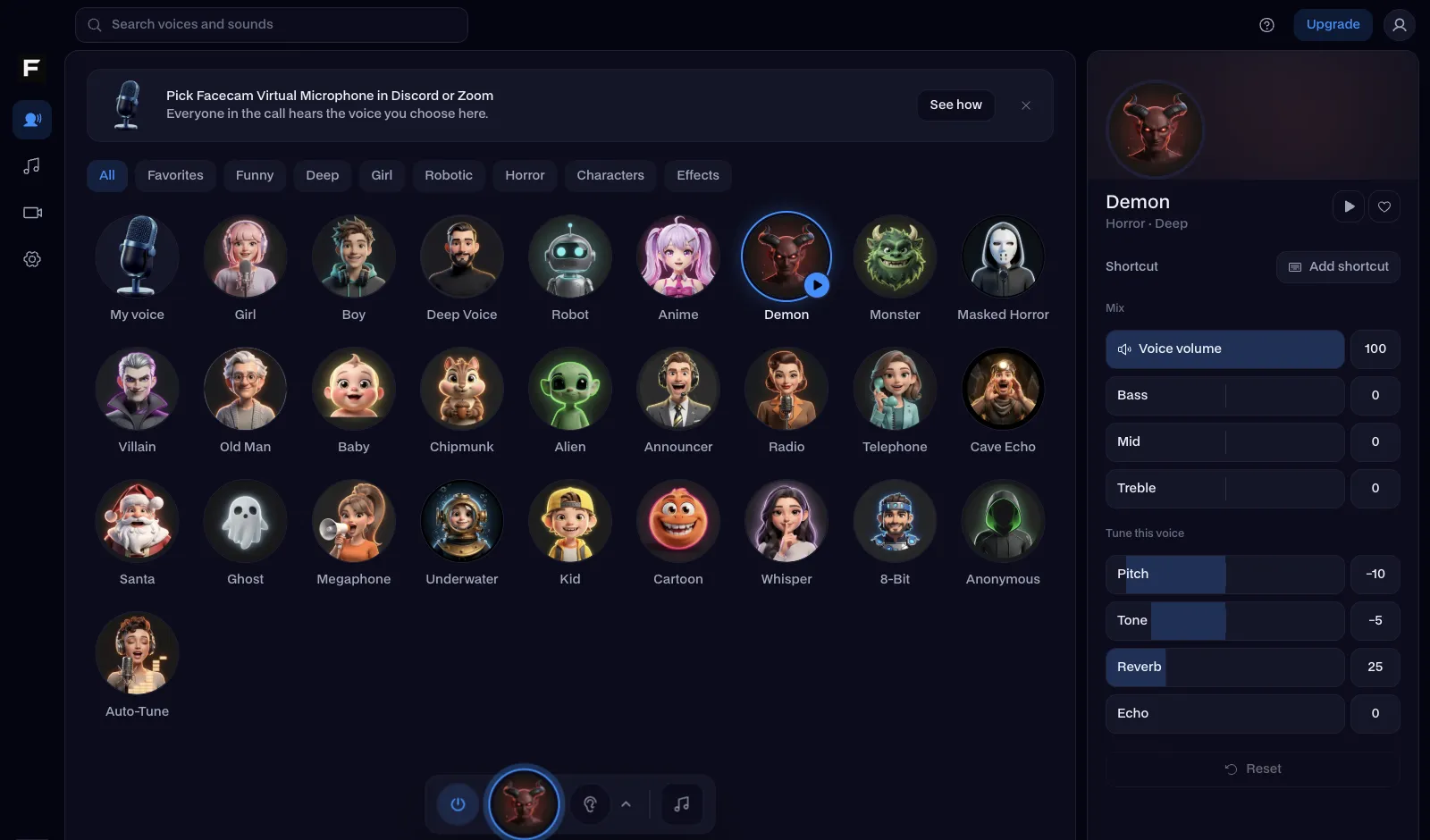
The deep voice, before and after
Before: the test line with no effect.
After: the deep voice the page starts on, lower and heavier.
Why isn't my voice changing on PlayStation?
| Problem | Fix |
|---|---|
| The party hears my controller mic, not my voice changer | The PS5 is still using the controller. Quick Menu, Mic: choose Remote Play Device, and mute the controller's mic. |
| There's an echo in party chat | The Remote Play window is playing the game sound out of your speakers into the mic. Mute the Remote Play window's volume, or wear headphones. |
| My party is on Discord, not PlayStation | Easier: talk on Discord on your computer with Facecam Virtual Microphone as the input, and play on the PS5. Don't transfer the call to the console, or it switches to the controller mic. |

Three ways to use a voice changer with a PS5
| Your party talks in | Set up | Your voice is changed? |
|---|---|---|
| PlayStation party chat | PS Remote Play on PC or Mac, mic set to Remote Play Device | Yes |
| Discord on your computer | Facecam Virtual Microphone as Discord's input, game on the PS5 | Yes |
| Discord in Chrome | The Facecam Chrome extension, nothing to install | Yes |
| Headset plugged into the controller | No computer in the loop | No |

More about PlayStation
Voices for PS5 squads
| Voice | Try it for |
|---|---|
| Deep voice | Callouts that sound like a movie trailer |
| Anonymous voice | Lobbies with strangers |
| Military radio voice | Shooters: every callout over comms |
| Demon voice | Horror games and scaring your duo |



Questions
Can you use a voice changer on PS5?
Not on the console itself: it can't run voice changer apps. Through PS Remote Play on a computer, yes: the party hears the computer's microphone, which can be Facecam.
Does a voice changer work with a PS5 headset?
A headset plugged into the controller goes straight to the console, so no. Use a headset on your computer, where Facecam changes the voice before it reaches the party.
Is there a voice changer for PS4?
The same way works on PS4: PS Remote Play, then Settings, Devices, Audio Devices on the console to send party audio through Remote Play.
Does it add delay to party chat?
The voice itself adds very little. Remote Play adds a little more, like any streaming, so keep the computer on a wired connection if you can.