Free Marvel Rivals Voice Changer
A Marvel Rivals voice changer for team chat: sound like a symbiote, a villain or a robot while you play your main, picked in the game's audio menu.
Updated · Tested by the Facecam team

Your browser will ask for microphone access when you click.

How do I change my voice on Marvel Rivals?
A Marvel Rivals voice changer changes your voice in Marvel Rivals team voice chat. On PC the game has its own Input Device setting: choose Facecam Virtual Microphone there and your team hears the voice you picked.
Get the Facecam desktop app
Download Facecam for Windows or Mac and add Facecam Virtual Microphone when it asks. It's a microphone your whole computer can use, Marvel Rivals included.
Pick a voice
Choose a voice in the app (the voice changer on this page starts on one that fits) and give it a shortcut, so you can switch mid-match.
Pick it as the input device
In Marvel Rivals, open Settings, Audio, turn Voice Chat on and set Input Device to Facecam Virtual Microphone. Set Mic Volume to about 80.
Push to talk or open mic
Choose Voice Chat Mode: Push to Talk (bind the key in the Keyboard settings for all heroes) or Open Mic.
Sound like your main
Pick Facecam Virtual Microphone as Marvel Rivals' Input Device, and give each voice a shortcut so the voice changes when the hero does.
Get the voice changer for PC and Mac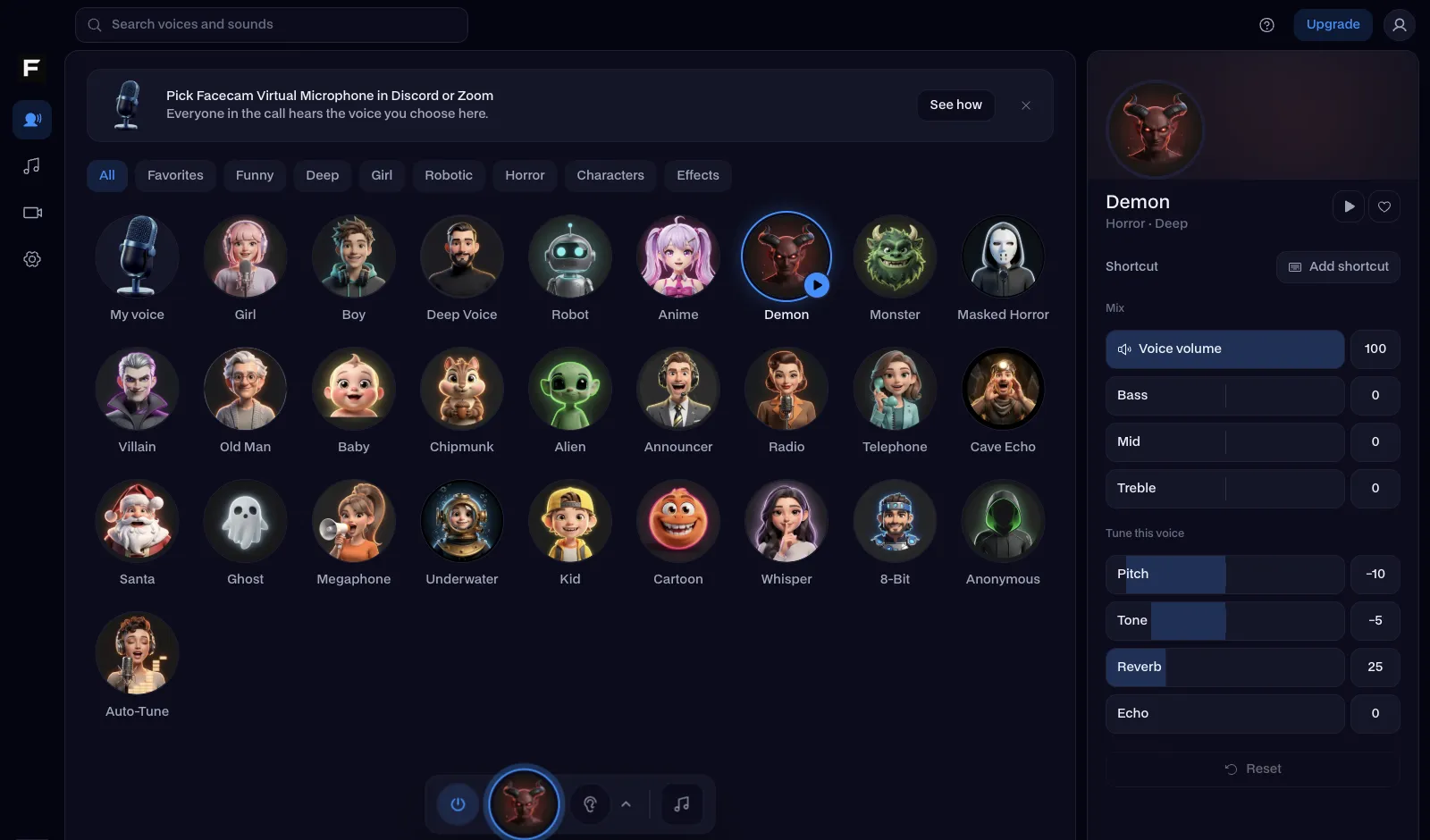
The venom voice, before and after
Before: our test line with no effect.
After: the venom voice the page starts on, deep and doubled.

Why isn't my voice changing on Marvel Rivals?
| Problem | Fix |
|---|---|
| Push to talk stopped working mid-match | Players report the push to talk key sometimes stops responding. Switch Voice Chat Mode to Open Mic and back, or bind push to talk to a mouse button for all heroes. |
| Facecam isn't in the Input Device list | Start the Facecam app before the game, then restart Marvel Rivals so it reads the device list again. |
| I'm on PS5 or Xbox | Consoles use the controller mic. Talk in a party joined from a computer instead. |

Voices for your main
| Voice | Try it with |
|---|---|
| Venom voice | Symbiote heroes, or any tank |
| Villain voice | Villains, obviously |
| Robot voice | Armoured and robotic heroes |
| Deep voice | Calling the ult combo |
| Giant voice | The biggest hero on the map |



Questions
Can you use a voice changer in Marvel Rivals?
Yes, on PC: pick Facecam Virtual Microphone as the Input Device in Marvel Rivals' Audio settings.
Can you get banned for using a voice changer in Marvel Rivals?
A virtual microphone is an audio device, not a change to the game, so there's nothing for the anti-cheat to see.
Which voice fits my role?
Match it to the hero. Vanguards sound right with venom or giant, deep and steady when you call the team to group up. Duelists and Strategists who make lots of quick calls do better with deep or robot, which keep every word easy to catch in a team fight.
Does the voice changer work on Steam and the Epic version?
Yes. Both read the same audio settings, so pick Facecam as the Input Device in either.
Is it free?
Yes. The voices run on your own computer, with no account and no credits.
Other platforms
- Minecraft voice changer
- D&D voice changer
- Among Us voice changer
- Voice changer for Roblox
- Voice changer for PS5
- Xbox voice changer
- Voice changer for VR
- Voice changer for Fortnite
- Warzone voice changer
- TeamSpeak voice changer
- Rust voice changer
- Apex Legends voice changer
- Phasmophobia voice changer
- FiveM voice changer
- Gorilla Tag voice changer
- Overwatch voice changer
- Lethal Company voice changer

