Free Lethal Company Voice Changer
A Lethal Company voice changer for proximity chat: sound like the walkie-talkie, the ship's robot or something in the vents, and terrify your crew.
Updated · Tested by the Facecam team

Your browser will ask for microphone access when you click.

How do I change my voice on Lethal Company?
A Lethal Company voice changer changes how you sound to your crew in Lethal Company's proximity voice chat and over walkie-talkies. With Facecam Virtual Microphone as your input, everyone near you hears your new voice.
Get the Facecam desktop app
Download Facecam for Windows or Mac and add Facecam Virtual Microphone when it asks. It's a microphone your whole computer can use, Lethal Company included.
Pick a voice
Choose a voice in the app (the voice changer on this page starts on one that fits) and give it a shortcut, so you can switch mid-match.
Pick it in the game's settings
Make Facecam Virtual Microphone the Windows default input (Settings, System, Sound, Input), then in Lethal Company open Settings from the main menu and choose it as the microphone.
Choose push to talk or voice activation
In the same settings, pick Push to Talk (set the key in Controls) or Voice Activation. Proximity chat carries the voice to anyone close; a walkie-talkie carries it across the facility.
Something on the comms
The Facecam desktop app's microphone carries a walkie, robot or monster voice to your crew, with scary sounds on hotkeys for the facility.
Get the voice changer for PC and Mac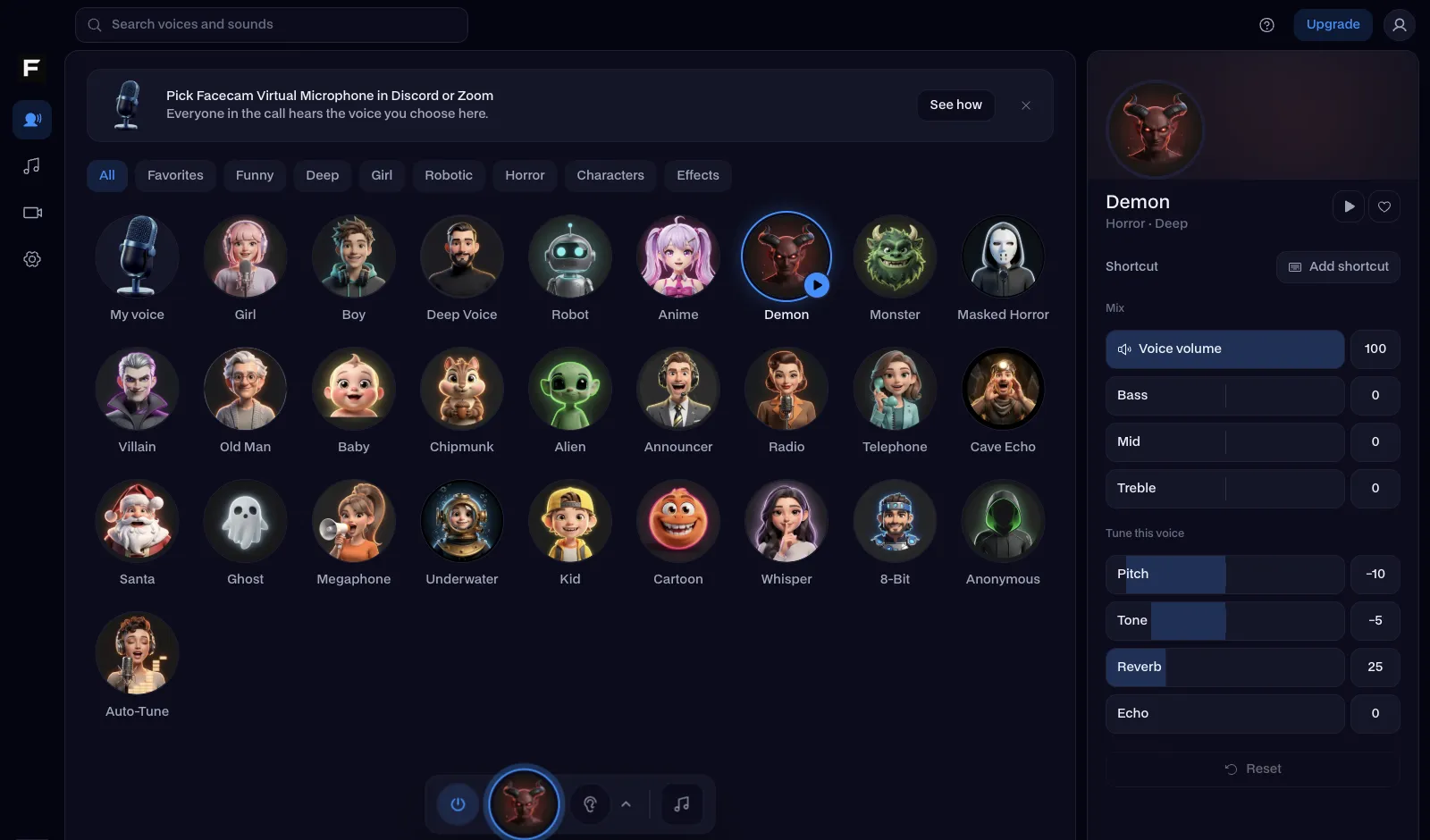
The walkie-talkie voice, before and after
Before: our test line with no effect.
After: the walkie-talkie voice the page starts on, narrow and crackly.

Why isn't my voice changing on Lethal Company?
| Problem | Fix |
|---|---|
| My crew hears my real voice | The game is on a different microphone. Check its microphone setting and Windows' default input, then restart the lobby. |
| My voice over the walkie sounds awful | That's on purpose: the game degrades walkie audio with distance and depth. Use a cleaner voice if you want words to survive. |
| I want sounds too | The scary soundboard plays through the same microphone: a door creak or footsteps behind your crew in the dark. |

Voices for a Lethal Company run
| Voice | Use it to |
|---|---|
| Walkie talkie voice | Sound like you're on the radio when you're right behind them |
| Robot voice | Be the ship's terminal |
| Monster voice | Pretend to be what's in the vents |
| Ghost voice | Haunt the crew after you die |
| Chipmunk voice | Make the quota meeting less tense |



Questions
Can you use a voice changer in Lethal Company?
Yes. Lethal Company takes your microphone like any PC game, so with Facecam Virtual Microphone picked, proximity chat and walkies carry your new voice.
Does the voice changer work with mods?
Yes. Mods change the game, not your microphone, so the voice comes through the same way with your mod pack.
How does proximity chat work in Lethal Company?
You only hear crewmates near you. Walkie-talkies bought from the ship's terminal reach further, with more interference the deeper and further apart you are.
Is it free?
Yes. The voices run on your own computer, with no account and no credits.
Other platforms
- Minecraft voice changer
- D&D voice changer
- Among Us voice changer
- Voice changer for Roblox
- Voice changer for PS5
- Xbox voice changer
- Voice changer for VR
- Voice changer for Fortnite
- Warzone voice changer
- TeamSpeak voice changer
- Rust voice changer
- Apex Legends voice changer
- Phasmophobia voice changer
- FiveM voice changer
- Gorilla Tag voice changer
- Overwatch voice changer
- Marvel Rivals voice changer

