Free Warzone Voice Changer
A Warzone voice changer for squad comms: every callout over a crackling military radio, or in a voice nobody in the lobby recognises.
Updated · Tested by the Facecam team

Your browser will ask for microphone access when you click.

How do I change my voice on Call of Duty?
A Warzone voice changer changes how you sound in Call of Duty's game and party chat. On PC, Call of Duty lets you pick its voice chat microphone, so Facecam Virtual Microphone carries the new voice to your squad and the lobby.
Get the Facecam desktop app
Download Facecam for Windows or Mac and add Facecam Virtual Microphone when it asks. It's a microphone your whole computer can use, Call of Duty included.
Pick a voice
Choose a voice in the app (the voice changer on this page starts on one that fits) and give it a shortcut, so you can switch mid-match.
Pick it in Call of Duty
In Warzone or Black Ops, open Settings, Audio, Voice Chat and set the microphone device to Facecam Virtual Microphone. Choose Open Mic or Push to Talk, and check the Microphone Test bar moves when you talk.
Comms in a new voice, mid-match
The Facecam desktop app gives each voice a shortcut, so you can switch from military radio to deep between rounds without leaving Warzone.
Get the voice changer for PC and Mac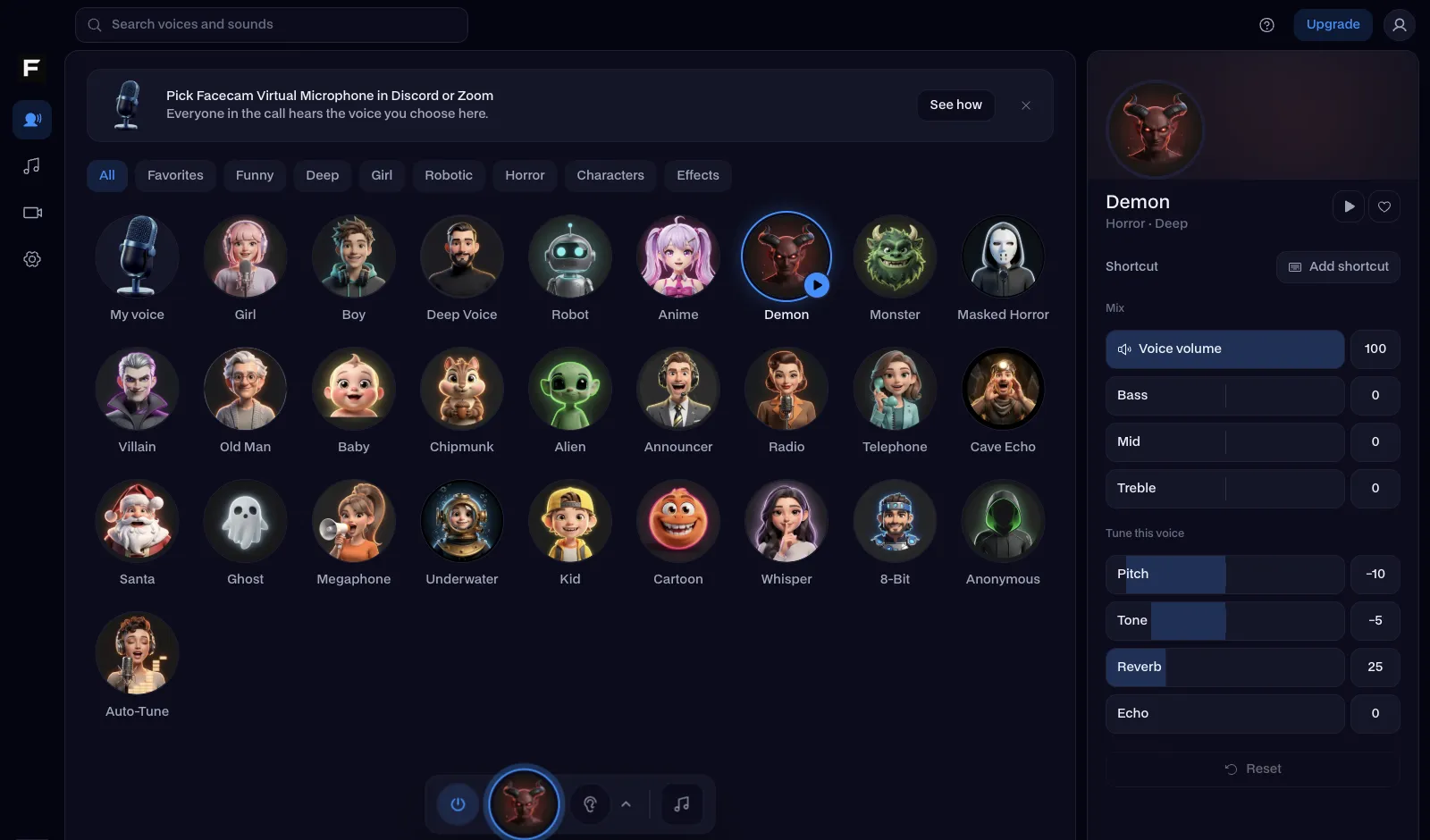
The military radio voice, before and after
Before: our test line with no effect.
After: the military radio voice the page starts on, narrow and crackly.

Why isn't my voice changing on Call of Duty?
| Problem | Fix |
|---|---|
| The microphone test bar doesn't move | Call of Duty sometimes keeps the last device. Pick another mic and then Facecam Virtual Microphone again, or set it as Windows' default and restart the game. |
| My squad on Battle.net or Steam party hears the old voice | Those launchers have their own voice settings: choose Facecam Virtual Microphone in them as well. |
| The radio voice is hard to understand in fights | Keep callouts short and a little slower. For long strats, switch to the deep voice with its shortcut. |

Voices for comms
| Voice | Try it for |
|---|---|
| Military radio voice | Callouts that sound like real comms |
| Anonymous voice | Public lobbies and proximity chat |
| Deep voice | The squad leader |
| Megaphone voice | Taunting over proximity chat in DMZ-style modes |


Playing on PS5 or Xbox? Your squad can still hear the voice through party chat on a computer: see the PS5 and Xbox voice changer pages.

Questions
Can you use a voice changer in Warzone?
Yes, on PC. Call of Duty lets you pick its voice chat microphone in the Audio settings; choose a voice changer's virtual microphone there.
Will a voice changer get me banned in Call of Duty?
No anti-cheat looks at your microphone's sound, and a voice changer doesn't touch the game.
Does it work in Black Ops and Modern Warfare too?
Yes. They share the same launcher and audio settings, so the same microphone choice works across Call of Duty games on PC.
Is the Warzone voice changer free?
Yes. The voices run on your own computer, with no account and no credits.
Other platforms
- Minecraft voice changer
- D&D voice changer
- Among Us voice changer
- Voice changer for Roblox
- Voice changer for PS5
- Xbox voice changer
- Voice changer for VR
- Voice changer for Fortnite
- TeamSpeak voice changer
- Rust voice changer
- Apex Legends voice changer
- Phasmophobia voice changer
- FiveM voice changer
- Gorilla Tag voice changer
- Overwatch voice changer
- Marvel Rivals voice changer
- Lethal Company voice changer
Related
- Military radio
- Voice changer for PS5
- Live Face Swap for Video Calls
- Mic Test
- How to Do a Movie Trailer Voice: Pace, Pauses and Pitch
- How to Do NPC Voices as a DM (Without Wrecking Your Throat)
- The Voices People Want: What 2,461 Voice Changer Users Picked


Further reading: Call of Duty: Warzone (2020 video game) on Wikipedia