Free TeamSpeak Voice Changer
A TeamSpeak voice changer for your clan server: set Facecam as the capture device and talk in a police radio, deep or robot voice on any channel.
Updated · Tested by the Facecam team

Your browser will ask for microphone access when you click.

How do I change my voice on TeamSpeak?
A TeamSpeak voice changer changes how you sound on a TeamSpeak server. TeamSpeak lets you pick its capture device; choose Facecam Virtual Microphone and everyone on the channel hears your new voice.
Get the Facecam desktop app
Download Facecam for Windows or Mac and add Facecam Virtual Microphone when it asks. It's a microphone your whole computer can use, TeamSpeak included.
Pick a voice
Choose a voice in the app (the voice changer on this page starts on one that fits) and give it a shortcut, so you can switch mid-match.
Pick it as the capture device
In TeamSpeak 3, open Tools, Options, Capture and set Capture Device to Facecam Virtual Microphone. In the newer TeamSpeak client, it's Settings, Capture, Input device. Press Begin Test to hear it.
Your server hears the new voice
The Facecam desktop app adds a capture device TeamSpeak lists like any microphone, with voices and soundboard pads on hotkeys.
Get the voice changer for PC and Mac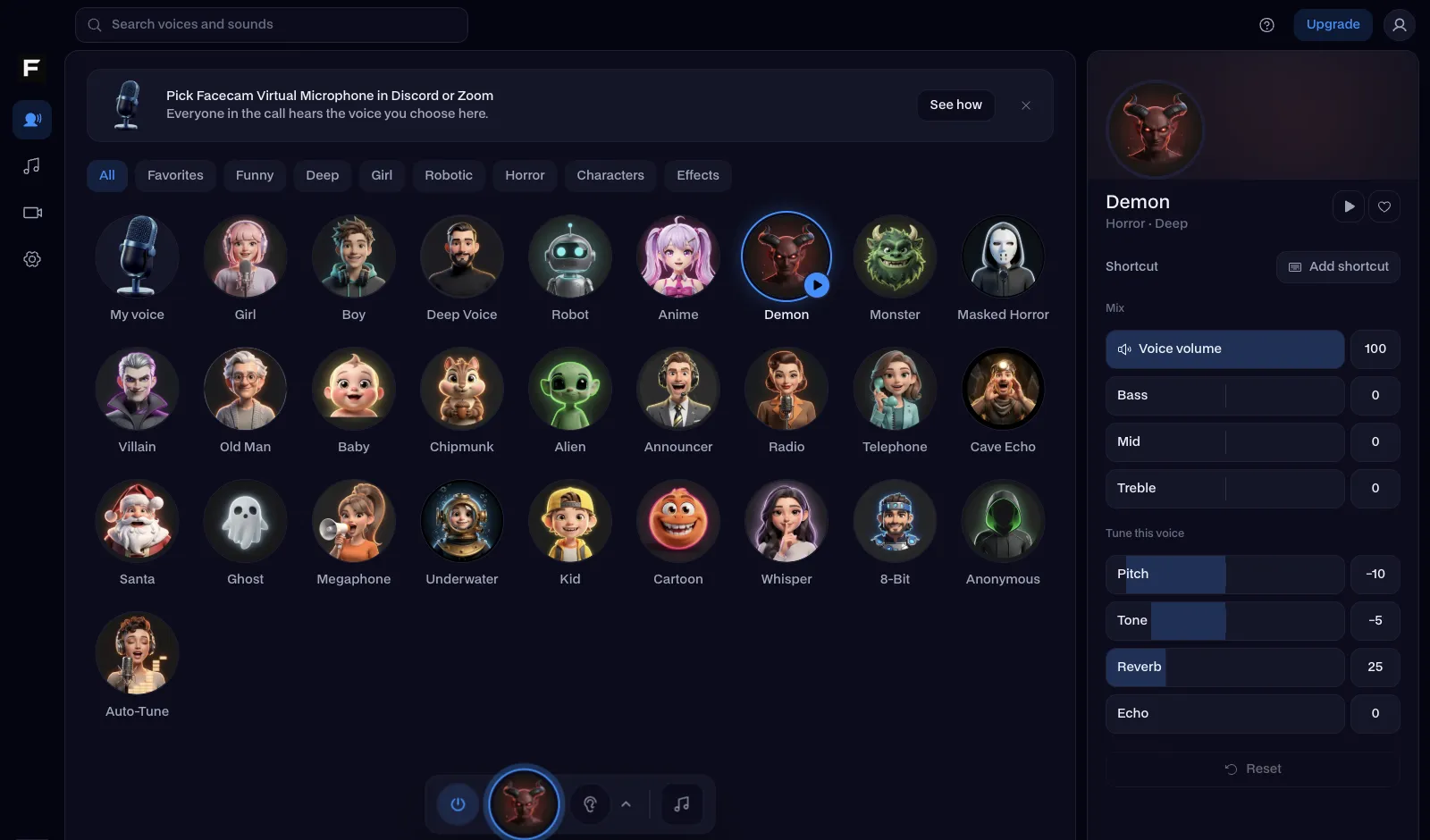
The police radio voice, before and after
Before: our test line with no effect.
After: the police radio voice the page starts on, squelchy and narrow.
Why isn't my voice changing on TeamSpeak?
| Problem | Fix |
|---|---|
| The voice cuts off at the start of words | Voice activation is set too high. Lower the threshold in Capture, or switch to Push to Talk. |
| The effect sounds muddy | TeamSpeak's own noise reduction and echo reduction are processing it again. Turn them off in Capture. |
| I want sounds on the channel too | The Facecam soundboard plays through the same microphone: give each pad a hotkey and it reaches the channel with your voice. |

Voices for a TeamSpeak server
| Voice | Try it for |
|---|---|
| Police radio voice | Roleplay servers and dispatch |
| Military radio voice | Milsim and tactical shooters |
| Deep voice | Running the raid |
| Robot voice | Server announcements |



Questions
Can you use a voice changer on TeamSpeak?
Yes. TeamSpeak takes its capture device from your computer's microphones, so a virtual microphone like Facecam's works on any server.
Does it work in TeamSpeak 3 and TeamSpeak 5 or 6?
Yes. The menus differ (Tools, Options, Capture in TeamSpeak 3; Settings, Capture in the newer client), but both list every microphone.
Can server admins tell I'm using a voice changer?
They see your nickname and the microphone you talk on, not the software behind it. What they hear is the new voice.
Should I use push to talk or voice activation?
Push to talk, if your server allows it. A voice effect can sit a little quieter than your raw mic, so voice activation may clip the start of words. If you stay on voice activation, lower its threshold in TeamSpeak's Capture settings until every word gets through.
Is the TeamSpeak voice changer free?
Yes. The voices run on your own computer, with no account and no credits.
Other platforms
- Minecraft voice changer
- D&D voice changer
- Among Us voice changer
- Voice changer for Roblox
- Voice changer for PS5
- Xbox voice changer
- Voice changer for VR
- Voice changer for Fortnite
- Warzone voice changer
- Rust voice changer
- Apex Legends voice changer
- Phasmophobia voice changer
- FiveM voice changer
- Gorilla Tag voice changer
- Overwatch voice changer
- Marvel Rivals voice changer
- Lethal Company voice changer

