Free Rust Voice Changer
A Rust voice changer for proximity chat: trade at Outpost, troll a naked on the beach or bluff a raid in a gas mask, deep or robot voice.
Updated · Tested by the Facecam team

Your browser will ask for microphone access when you click.

How do I change my voice on Rust?
A Rust voice changer changes how you sound in Rust's proximity voice chat. Rust uses your computer's default microphone, so with Facecam Virtual Microphone as the default, every player in earshot hears your new voice.
Get the Facecam desktop app
Download Facecam for Windows or Mac and add Facecam Virtual Microphone when it asks. It's a microphone your whole computer can use, Rust included.
Pick a voice
Choose a voice in the app (the voice changer on this page starts on one that fits) and give it a shortcut, so you can switch mid-match.
Make it Windows' default microphone
Rust has no microphone picker of its own: it takes the default input. Set Facecam Virtual Microphone as the default in Windows Settings, System, Sound, Input (or System Settings, Sound, Input on a Mac), then start Rust.
Talk with push to talk
Hold V (Rust's default voice key; change it in Options, Controls) and talk. Players close to you hear the new voice, louder the closer they are.
Proximity chat in a new voice
Rust takes your default microphone. Make it Facecam Virtual Microphone once and every trade, raid and beach encounter hears the voice you picked, with sounds on hotkeys too.
Get the voice changer for PC and Mac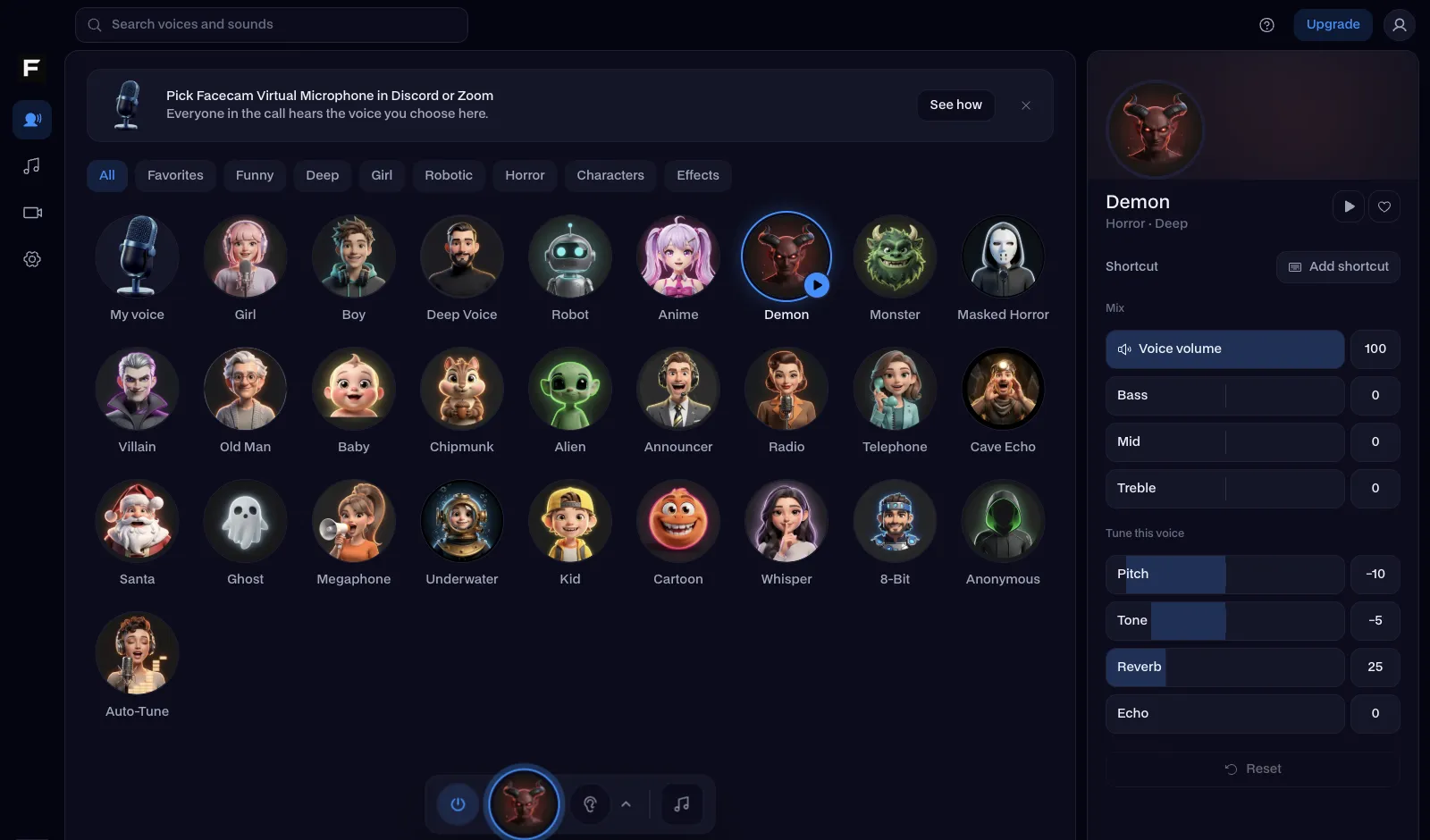
The gas mask voice, before and after
Before: our test line with no effect.
After: the gas mask voice the page starts on, muffled and breathy.
Why isn't my voice changing on Rust?
| Problem | Fix |
|---|---|
| Nobody hears me at all | Rust started before you switched microphones. Quit Rust fully, make Facecam the default input, and start it again. Check Windows' microphone privacy settings allow desktop apps too. |
| My voice cuts in and out | Voice activation in the Facecam app or your headset software is gating it. Use Rust's push to talk and leave the app's input open. |
| I want my clan on Discord to hear the same voice | Pick Facecam Virtual Microphone as Discord's input too: one voice for the game and the call. |

Voices for Rust
| Voice | Try it for |
|---|---|
| Gas mask voice | Raiding in a hazmat suit, roleplaying a scientist |
| Deep voice | Door camping and threatening negotiations |
| Robot voice | Pretending to be a turret or a vending machine |
| Kid voice | The oldest trolling trick on the beach |
| Megaphone voice | Shouting terms from outside someone's base |



More about Rust
Rust soundboard pads
The same microphone plays sounds: an explosion before a raid, a sniper shot, a door slam or an air horn, each on a hotkey in the desktop app. Players near you hear them like your voice, so a fake C4 beep at someone's door goes a long way.

Questions
Can you use a voice changer in Rust?
Yes. Rust's voice chat uses your computer's default microphone, so a virtual microphone like Facecam's works on every server.
Can you get banned for using a voice changer in Rust?
A voice changer only changes your microphone's sound and doesn't touch the game files, so the anti-cheat has nothing to flag. Individual servers can still have their own chat rules.
What is the push to talk key in Rust?
V by default. Change it in Options, Controls if you've moved it.
Does it work in Rust Console Edition?
No: consoles can't load a virtual microphone. Talk to your group in a Discord call on your computer instead.
Other platforms
- Minecraft voice changer
- D&D voice changer
- Among Us voice changer
- Voice changer for Roblox
- Voice changer for PS5
- Xbox voice changer
- Voice changer for VR
- Voice changer for Fortnite
- Warzone voice changer
- TeamSpeak voice changer
- Apex Legends voice changer
- Phasmophobia voice changer
- FiveM voice changer
- Gorilla Tag voice changer
- Overwatch voice changer
- Marvel Rivals voice changer
- Lethal Company voice changer