Free Apex Legends Voice Changer
An Apex Legends voice changer for squad chat: pick Facecam as the voice chat input device and make every ping a cyborg, deep or radio callout.
Updated · Tested by the Facecam team

Your browser will ask for microphone access when you click.

How do I change my voice on Apex Legends?
An Apex Legends voice changer changes your voice in Apex squad chat. On PC, Apex has its own Voice Chat Input Device setting: choose Facecam Virtual Microphone there and your squad hears your new voice.
Get the Facecam desktop app
Download Facecam for Windows or Mac and add Facecam Virtual Microphone when it asks. It's a microphone your whole computer can use, Apex Legends included.
Pick a voice
Choose a voice in the app (the voice changer on this page starts on one that fits) and give it a shortcut, so you can switch mid-match.
Pick it as the voice chat input
In Apex, open Settings (the cog, bottom right), Audio, and set Voice Chat Input Device to Facecam Virtual Microphone. Make sure Disable Voice Chat is off under Gameplay, Accessibility.
Choose open mic or push to talk
Voice Chat Record Mode: Open Mic sends your voice when it passes the threshold; Push to Talk sends it while you hold T. Push to Talk keeps the voice from firing on every keyboard click.
A new voice for every drop
Pick Facecam Virtual Microphone as Apex's Voice Chat Input Device, and give each voice a shortcut to switch between matches.
Get the voice changer for PC and Mac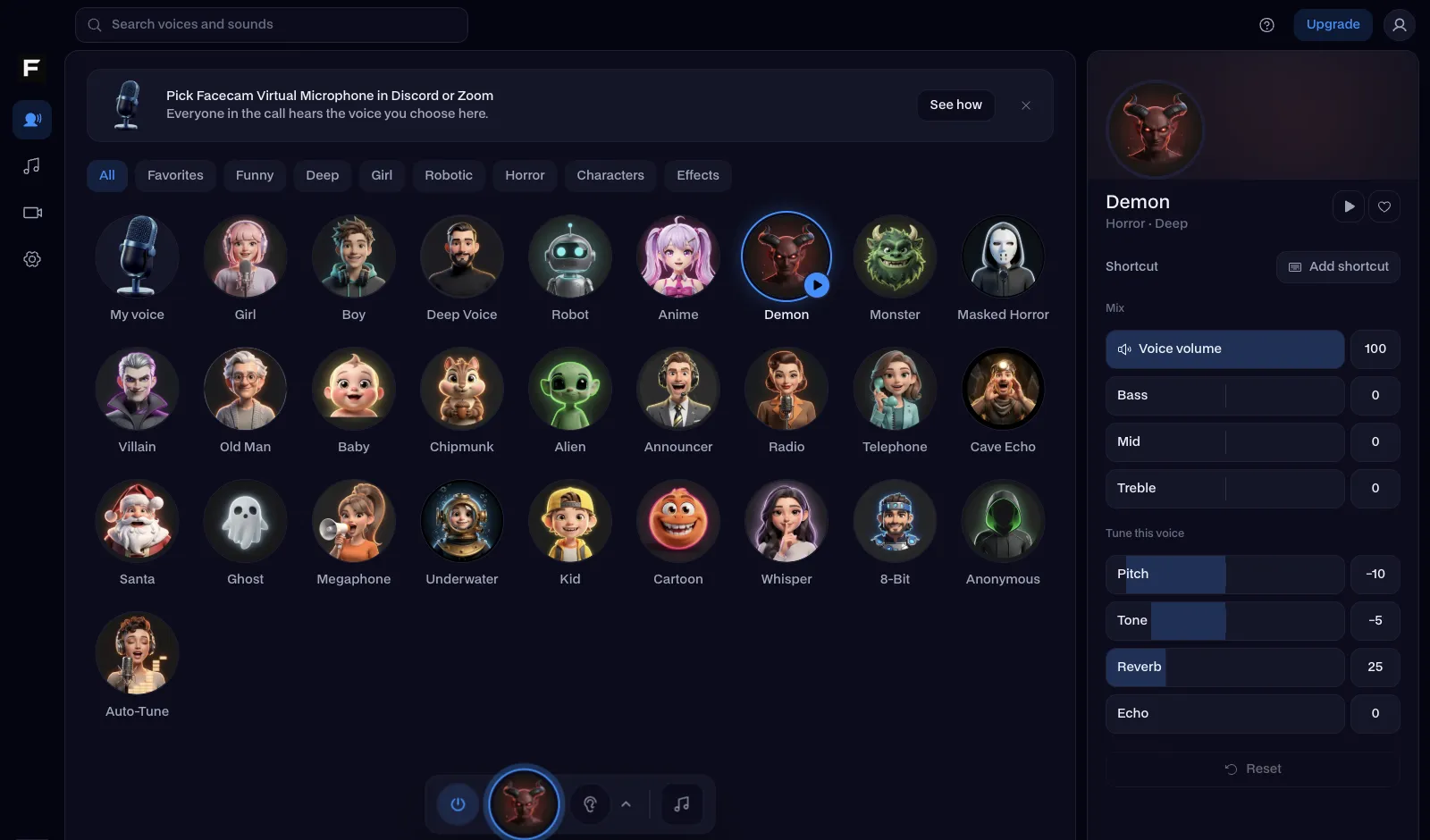
The cyborg voice, before and after
Before: our test line with no effect.
After: the cyborg voice the page starts on, metallic with a human edge.
Why isn't my voice changing on Apex Legends?
| Problem | Fix |
|---|---|
| Facecam isn't in Voice Chat Input Device | Apex reads the device list at launch. Open the Facecam app first, then restart Apex. |
| Open mic doesn't send my voice | Lower Open Mic Record Threshold in Audio. Voice effects can sit a little quieter than your raw mic. |
| I'm on PS5, Xbox or Switch | Consoles can't use a virtual microphone in Apex. On PS5 or Xbox, join your squad's party from a computer (PS Remote Play or the Xbox app) with Facecam as the mic. |

Voices for Apex Legends
| Voice | Try it for |
|---|---|
| Cyborg voice | Playing Pathfinder, Revenant or Ash as yourself |
| Military radio voice | Every callout over comms |
| Deep voice | The squad leader who calls the drop |
| Announcer voice | Narrating your own champion banner |
| Anonymous voice | Ranked with random teammates |



Questions
Can you use a voice changer in Apex Legends?
Yes, on PC: set Facecam Virtual Microphone as Voice Chat Input Device in Apex's Audio settings and your squad hears the new voice.
Can you get banned for a voice changer in Apex?
Apex's anti-cheat looks at the game, not your microphone. A virtual microphone is an audio device like any headset, so it doesn't touch the game.
What is the push to talk key in Apex?
T on PC, when Voice Chat Record Mode is set to Push to Talk. Rebind it in Controls.
Which voice keeps pings and callouts clear?
Military radio and deep. Radio sounds like real comms and stays easy to follow in a firefight; deep is calm and steady for calling the drop. Cyborg is the most fun with Pathfinder or Revenant, but try it in the Firing Range first so your squad can still understand you.
Is the Apex voice changer free?
Yes. The voices run on your own computer, with no account and no credits.
Other platforms
- Minecraft voice changer
- D&D voice changer
- Among Us voice changer
- Voice changer for Roblox
- Voice changer for PS5
- Xbox voice changer
- Voice changer for VR
- Voice changer for Fortnite
- Warzone voice changer
- TeamSpeak voice changer
- Rust voice changer
- Phasmophobia voice changer
- FiveM voice changer
- Gorilla Tag voice changer
- Overwatch voice changer
- Marvel Rivals voice changer
- Lethal Company voice changer

