Free Instagram Video Call Filters on a Computer
Video call a friend from instagram.com and keep the filters: Facecam's camera brings them to Instagram in Chrome. Free, no sign-up.
Updated · Tested by the Facecam team

Your browser will ask for camera access when you click.

How do I add filters to my camera on Instagram?
Instagram's call filters and effects are only in the phone apps. On instagram.com, Facecam Virtual Camera is a camera with the filter already on, so Instagram's web calls show it.
Pick a filter
Click the Facecam icon in Chrome's toolbar and choose Effects under Your look. Pick a face filter, a background (blur, a flat colour) or a colour look; the popup remembers it for your next call.
Choose the camera for instagram.com
On instagram.com, click the camera icon at the right of Chrome's address bar, allow the camera and choose “Facecam Virtual Camera”.
Start the call from Messages
Open Messages in the left-side menu, pick a conversation, click Video at the top right, then Start call.
Filters for an Instagram call

Cat. Our screenshot of Webcam Effects on a test clip, 2026-10-20. 
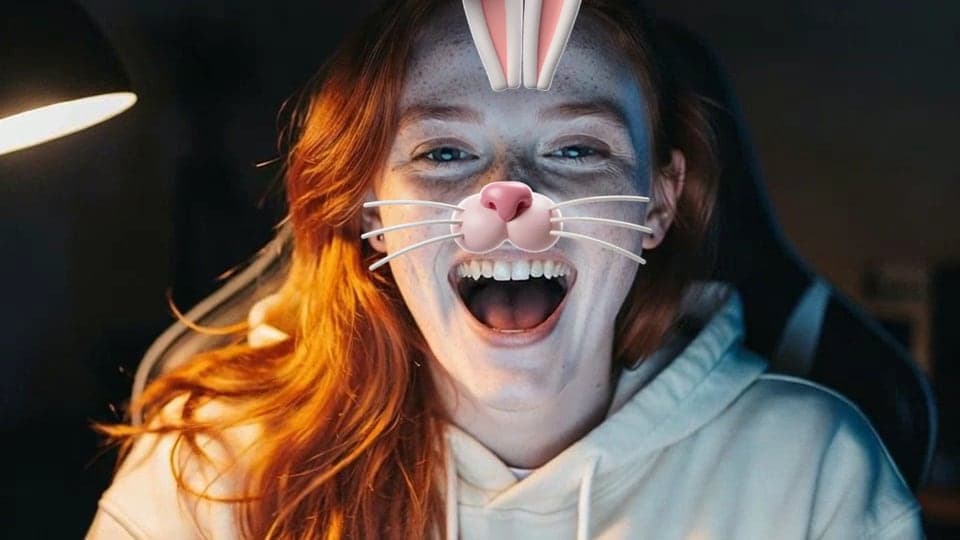
Bunny. Our screenshot of Webcam Effects on a test clip, 2026-10-20.

Why isn't my camera filter showing on Instagram?
| Problem | Fix |
|---|---|
| The call shows my plain webcam | Chrome is still set to your real camera for instagram.com. Change it from the address bar's camera icon and call again. |
| The filter doesn't appear on my face | Face filters need to find your face: face the camera with light in front of you. |

Phone filters vs the computer
| Instagram app | instagram.com with Facecam | |
|---|---|---|
| Filters in calls | Yes | Instagram: not on computers. Facecam: yes |
| Up to 8 people | Yes | Yes |
| Share screen | — | Yes, Instagram's Share screen |
Instagram says its video chat filters and effects aren't available on computers. Facecam's filters are drawn before Instagram receives your video, so the people you call see them on their phones like any other camera picture.

More about Instagram
Filters people ask for
The animal faces (dog, cat, bunny) and heart glasses are the ones friends know from their phones. Seasonal ones change the mood of a group call: the pumpkin head and witch hat around Halloween, Santa and the reindeer antlers in December. Add Strong blur if your room isn't something you want on a friend's screen.
Sources
- Instagram: video chat on a computer (Messages → Video → Start call; up to 8 people) — facebook.com/help/instagram/136585180482293 (checked 2026-10-20)
- Instagram: filters and effects in video chats aren't available on computers — facebook.com/help/instagram/935208910511041 (checked 2026-10-20)

Questions
Can I use Instagram filters in a video call on PC?
Instagram's own filters, no: they're phone-only. Facecam Virtual Camera adds face filters to calls on instagram.com in Chrome.
Can my friends tell?
They see the filter, like on a phone. Nothing else changes.
Other platforms
- Zoom virtual background and filters
- OBS camera filters plus background blur
- Teams filters in the browser
- Discord camera filters
- Webex filters in the web app
- Google Meet filters
- Slack huddle filters
- Whereby filters
- Gather Town filters
- Messenger video call filters on a computer
- GoTo Meeting filters
- RingCentral Video filters
- StreamYard filters
- Riverside background blur
- Restream Studio filters
- YouTube live filters
- Preply background blur
- How to blur your background on Zoom
- How to blur your background in Teams
- How to blur your background in Google Meet
- Zoom Touch up my appearance
- How to look good on a video interview
- Webcam setup for online teaching