Free AI Voice Changer
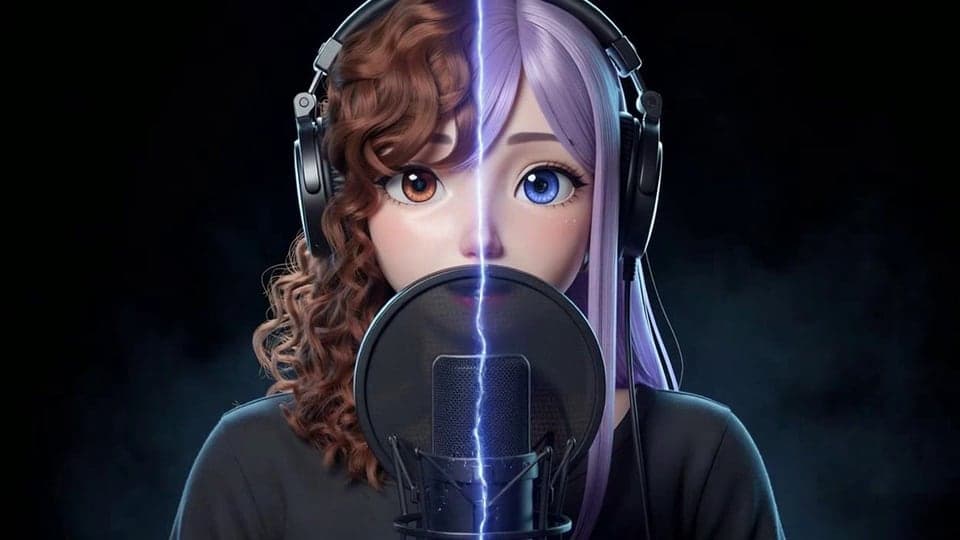
Free AI voice changer for recordings: keep your words and timing, and get a natural new voice from 10 original characters.
Where it works
- Chrome, Edge, Firefox and Safari, on desktop and mobile.
- The result is a file you download.
- Your clone reads typed text in Voice Clone; it can't change a recording.
Updated · Tested by the Facecam team
By the numbers
- longest recording you can change
- 5 min
- original character voices
- 10
- file types in: WAV, MP3, OGG, WebM, M4A
- 5
- back, ready to download
- MP3
From the tool's own limits on facecam.ai, Oct 16, 2026.
How to use AI Voice Changer
Pick a voice
Choose a voice. Sign in for all of them, or try a Characters voice free once a day.
Upload a recording
Add a WAV, MP3, OGG, WebM or M4A file of up to 5 minutes.
Change and download
Click Change voice. In about a minute the result plays; Download MP3 saves it.

What is an AI voice changer?
An AI voice changer is a tool that uses AI to give a recording a natural new voice while keeping your words and timing. Facecam's turns clips of up to 5 minutes into one of 10 original character voices.


What you can do with AI Voice Changer
AI voice changer for voiceovers
Narrate a video in your own voice, then give it a different, natural-sounding voice.
Character voices for games and animation
Act out each line yourself and give every character its own voice, with your timing kept.
Anonymous AI voice for recordings
Share a recording without your real voice in it. The words and emphasis stay yours.
Discord voice changer
Chromebook voice changer
AI Voice Changer features
10 natural AI voices
Original AI character voices that sound like different people, not like an effect.
Your words, your timing
Pacing, pauses and emphasis come from your recording.
Noise removal
Optional clean-up of hum and room noise before the voice changes.
Common files
WAV, MP3, OGG, WebM or M4A, up to 5 minutes. You get an MP3.
Refund if it fails
If the change fails, it doesn't count.
26 free voice presets
Girl, Deep Voice, Robot and more in the Real-Time and Online voice changers, with no account and no time limit.






Pick by what you're doing
| Situation | Tool | Cost |
|---|---|---|
| Talking in a call or stream | Real-Time Voice Changer | Free |
| Editing a clip you already recorded | Online Voice Changer | Free |
| You'd rather type than speak | Character Voice Generator | Paid plans |
| Playing sound clips into a call | Soundboard | Free |
| An AI copy of your own voice | Voice Clone | Paid plans |



Clone your voice, then make it say anything
Record 5 to 30 seconds of your voice once. Then type any line and hear it in your voice, or narrate your videos with it.

More about AI Voice Changer
Try one clip a day free with no account, or use the 26 free voice presets live in calls and on files.
A voice changer is a tool that changes how your voice sounds, live on a microphone or in a recording. Facecam's AI Voice Changer turns the voice in a recording of up to 5 minutes into one of 10 original AI character voices. It keeps your words and timing and gives you an MP3.
AI Voice Changer: what you need and limits
| How it works | Online. Works on any laptop. |
|---|---|
| You get | Audio download |
| You need | Any up-to-date browser |
| Phones and tablets | Supported |
| Files | WAV, MP3, OGG, WebM or M4A |
| Length | Up to 5 minutes and 24 MB |
| Voices | 10 original character voices |
| Result | MP3, kept for 7 days |
| Free | One clip a day of up to 15 seconds in a Characters voice, with no account |
| Price | On every paid plan: ≈ 30 min of audio a month on Premium. Failed changes don't count. |
AI voice or voice effect
Facecam has two kinds of voice changing. The voice presets (girl, deep, robot and the rest) are effects. They change the pitch and tone of your own voice, for free, live or on a file. This tool is different. AI listens to your recording and says the same words, with your timing and emphasis, in a different voice. It sounds like a different person, which an effect can't do.
The catch is that it isn't instant, and past one short free try a day it isn't free. Use the free Online Voice Changer for a robot or a monster, and this tool when the result has to sound like a different, natural person.
Which voice should I pick?
- Wren: a soft, young girl voice. The free girl preset raises your own pitch; Wren sounds like a different person reading your lines.
- Basalt: a naturally deep, slow and calm voice. It stays clear at any depth, where pitching your own voice down turns muddy.
- Hazel: a clear, crisp British woman's voice, with your pacing and emphasis kept.
- Marlow: a smooth British narrator, made for voiceovers.
Live in calls
This tool works on recordings only. To hear six of the voices (Juniper, Basalt, Sprocket, Marlow, Wren, Cinder) live as you talk, try the Real-Time AI Voice Changer. Using AI voices in your calls isn't available yet. To change your voice in calls today, use the free Real-Time Voice Changer, which uses effects instead of AI.
How live voice changing reaches your call
Change the voice in the page
The Real-Time Voice Changer changes your voice as you talk, right on the page. A level meter shows your mic is working, and you can listen to yourself.
Send it to the virtual mic
Install the free Facecam extension and your new voice shows up as “Facecam Virtual Mic” in Chrome.
Pick the mic in your call
Choose it in Google Meet, discord.com or Zoom on the web. In games and other desktop apps, use Facecam for PC and Mac: its Facecam Virtual Microphone works in any app that lets you pick a microphone.
What it won't do
- Famous voices: these are original characters. For celebrity and cartoon voices, use the AI Voice Generator.
- Your own voice: cloning is a separate tool, Voice Clone, and clones are text-to-speech only.
- Video: upload the audio track, then put the MP3 back under your video in an editor.
Privacy
Your recording is sent to our voice partner (fal.ai) to make the new voice. The result is stored for 7 days so you can download it, then deleted.

AI Voice Changer FAQ
Is the AI voice changer free?
Free to try: one clip a day of up to 15 seconds in a Characters voice, with no account. Beyond that, it comes with every paid plan: ≈ 30 min of audio a month on Premium. If it fails, it doesn't count. The 26 voice presets in the Real-Time and Online voice changers are free, with no limit and no account.
Can it make me sound like a celebrity?
Not this tool: its voices are original characters. The AI Voice Generator has famous and cartoon voices: type a line or upload a recording and hear it in one.
Does it keep what I said?
Yes. It changes the voice, not the words, the pacing or the language.
Can I use it live on Discord?
Not with AI voices yet. For a live voice on discord.com in Chrome, or in the Discord app with Facecam for PC and Mac, use the free Real-Time Voice Changer.
What does Remove background noise do?
It cleans up hum and room noise before changing the voice. Leave it off for clean studio recordings.
How long does it take?
About a minute for a short clip. Longer recordings take a little longer.
Can I change the voice in a video?
Upload the video's audio track, then put the MP3 back under the video in your editor.
What's the difference from the free voice presets?
The free presets shift the pitch and tone of your own voice with effects. The AI Voice Changer has AI say your words in a different voice, so it sounds like another person.
Is there an AI girl voice?
Yes: Wren, a soft, young original voice. Upload a recording and she says your words with your timing. For a free live option, the girl voice changer preset raises your own pitch instead.
Can it give me a deep voice?
Yes. Basalt is a naturally deep, calm voice, so the result sounds low without the muddy, slowed sound of pitching your own voice down.
Can it give me a British accent?
Yes. Hazel is a clear British woman's voice and Marlow a smooth British narrator. Your words and pacing stay the same.
Is my voice uploaded?
Not for the real-time and online voice changers or the soundboard: your voice never leaves your computer. The AI Voice Changer and Voice Clone upload the recordings you give them; the Character Voice Generator sends your text, not your voice.
Can I change my voice on my phone?
On a recording, yes: the Online Voice Changer works in phone browsers. Live in calls, no: that needs the Chrome extension on a computer.
Does it work on a Chromebook or a Mac?
Yes. Everything runs in Chrome, so there's nothing to install on the computer itself.
Is there a delay when I talk?
A short one, like any live voice effect. Wear headphones if you turn on Hear myself, so the delay and echo don't throw you off.
Change your voice in desktop apps and games
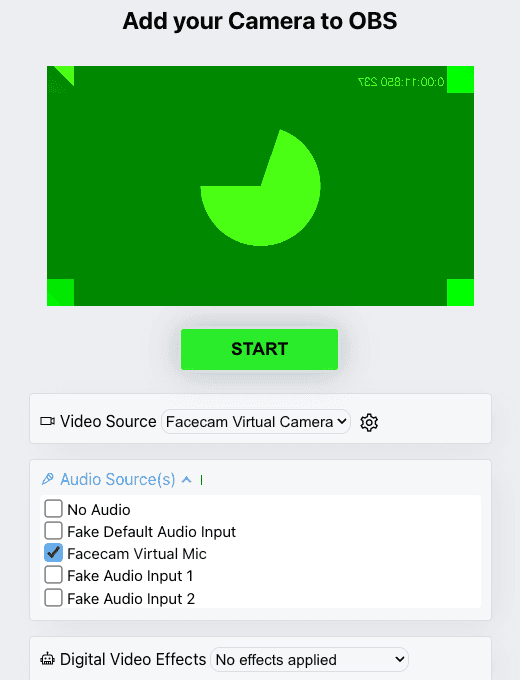
The Facecam desktop app puts the free voice presets in Discord, Zoom, Teams, OBS and in-game voice chat on Windows and macOS, through its own virtual microphone.
Voice changer for PC and Mac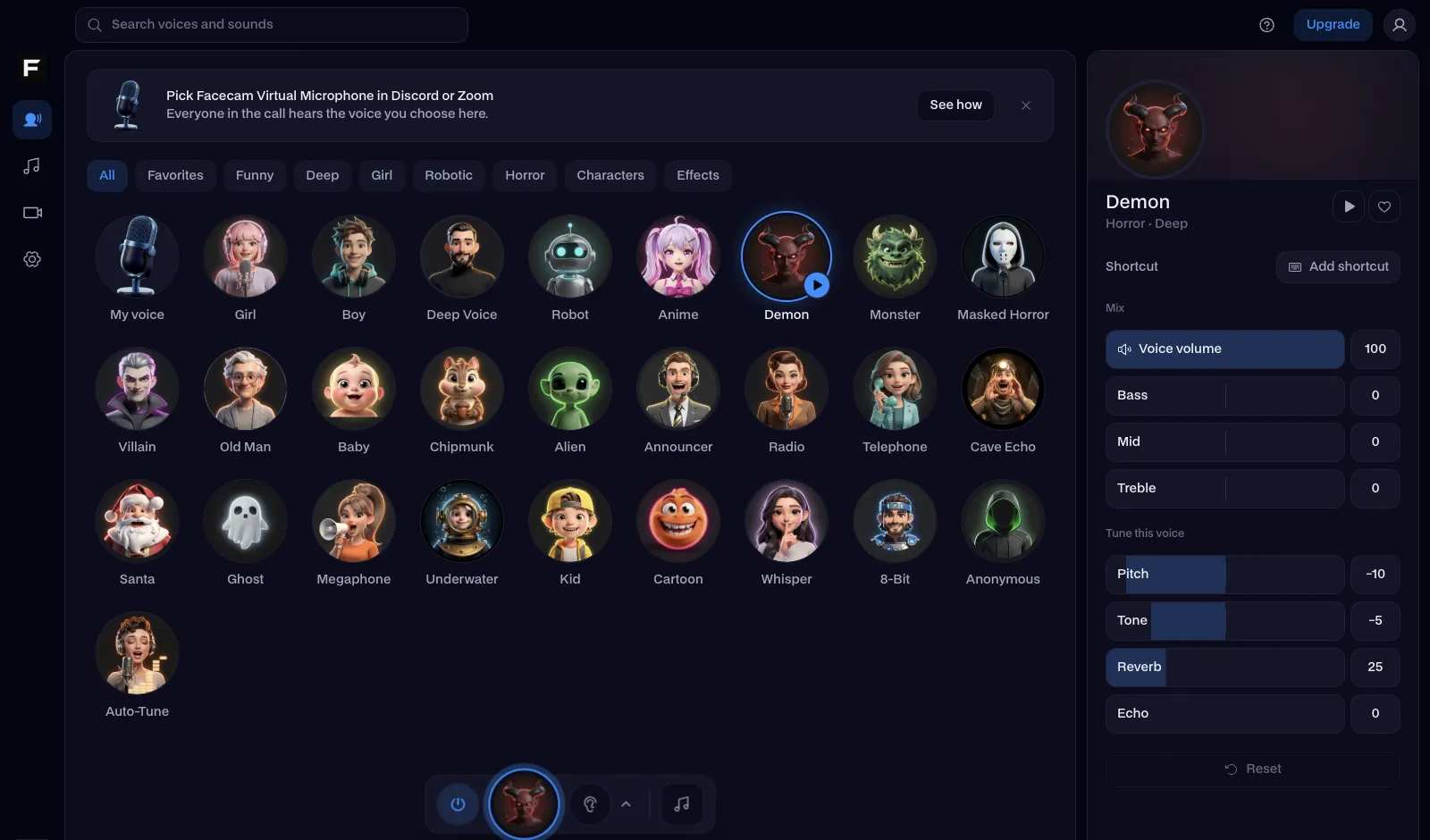

Related
- Live Face Swap for Video Calls
- Plankton AI Voice Generator
- Naruto AI Voice Generator
- Ghostface
- Masked horror
- Meme soundboard
- Vocal Remover
- Auto-Tune
- Voice Isolator
- AI Cover Generator
- Character Voice Generator
- Voice changer for gaming
- Voice changer for streaming
- Voice changer for Twitch
- OBS voice changer
- YouTube voice changer
- Voice changer presets
- AI narrator voice
- Voice changer for Teams
- Webex voice changer
- Voice changer for StreamYard
- Riverside voice changer
- Voice changer for Kick
- Streamlabs voice changer
- How to Change the Voice in a Video
- How Do Voice Changers Work?
- Do AI Voice Changers Sound Real?






Further reading: Voice changer on Wikipedia

Try AI Voice Changer for free
- Cancel any time
- Runs in your browser
- No gaming PC needed