
AI Transition Generator
Two pictures in, one smooth video out: the first turns into the second with no cut.


Where it works
Made with Facecam
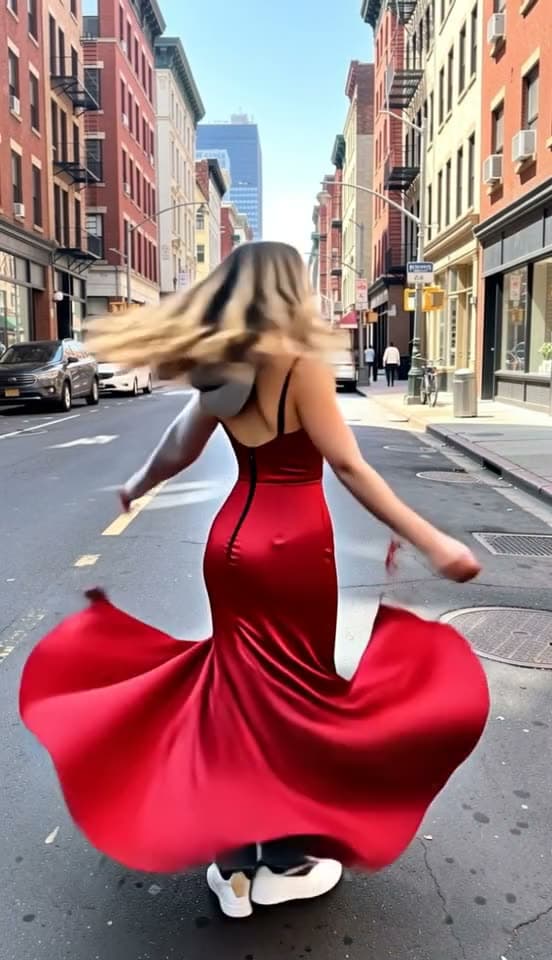
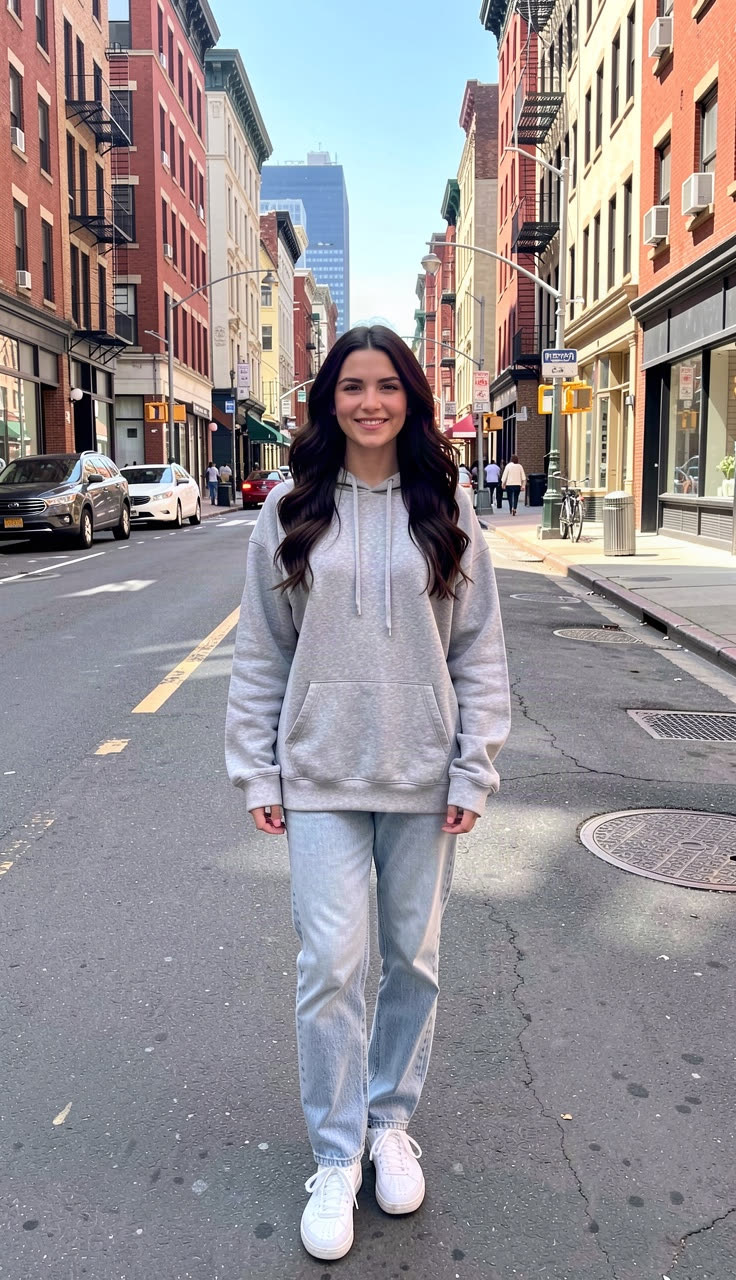
Before 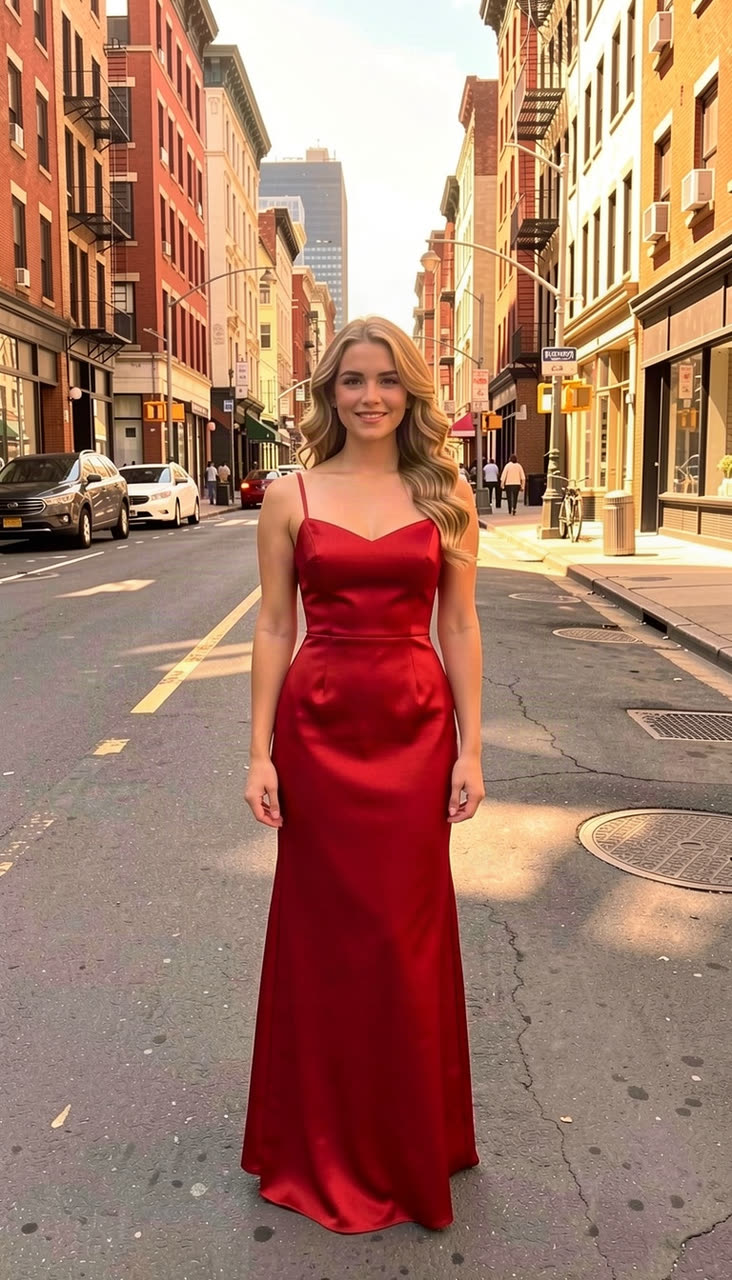
After Hoodie to gown, Kling 3.0
“A seamless glow-up transition: she spins around once on the spot and, mid-spin, her grey hoodie and jeans swirl into a flowing red satin evening gown and her hair turns into soft golden curls, the light warms to golden hour, the camera holds still, smooth and magical”
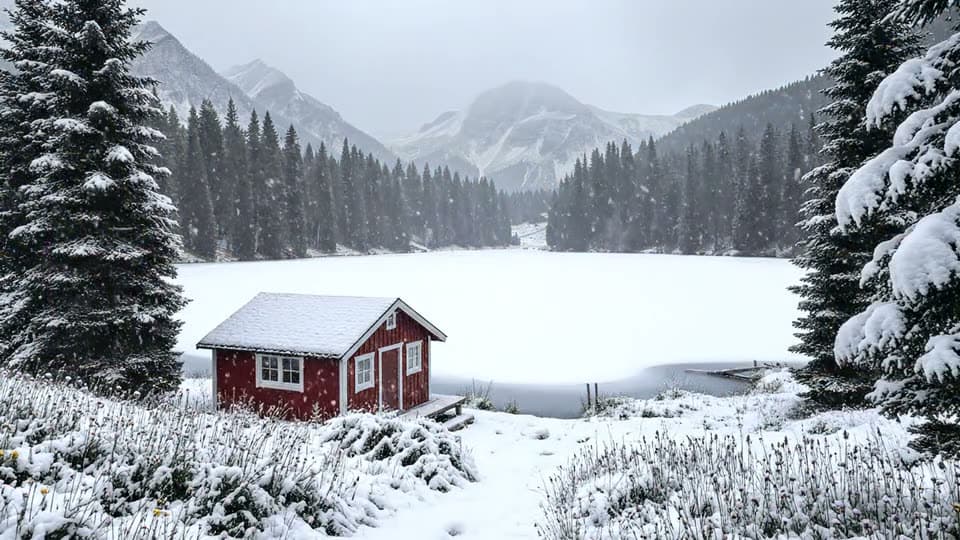
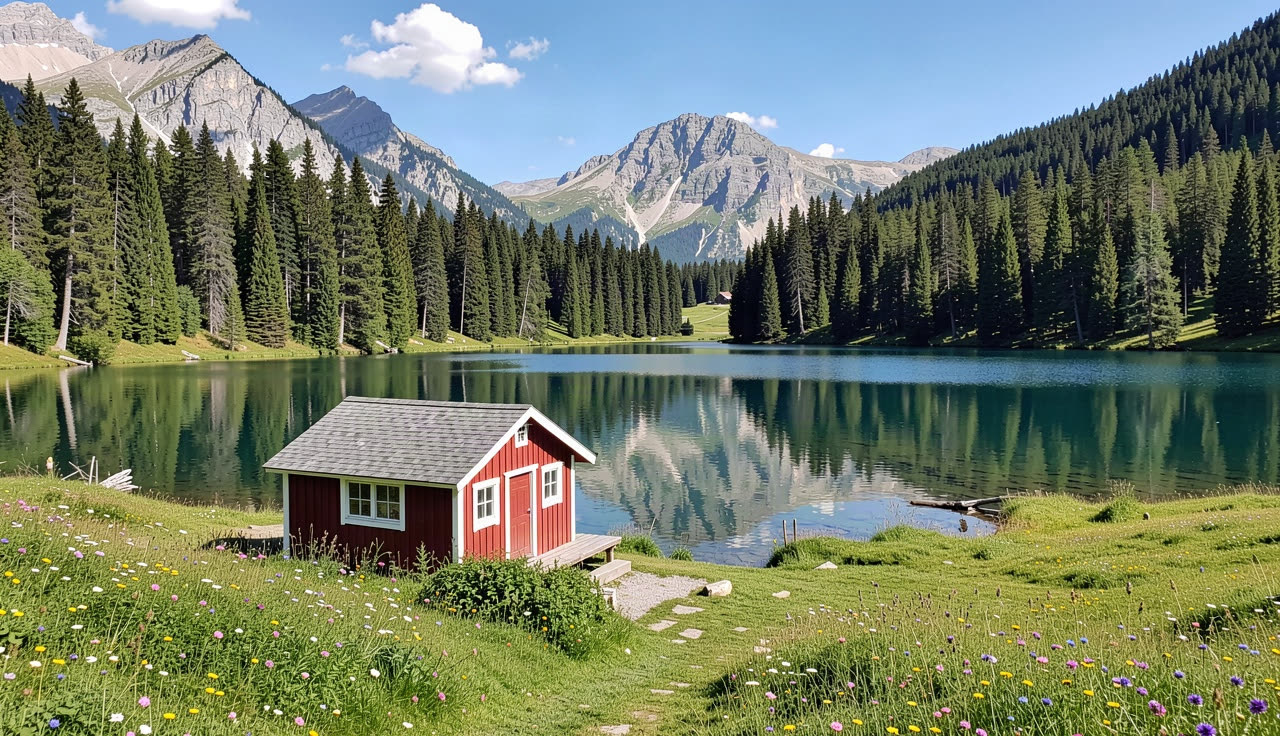
Before 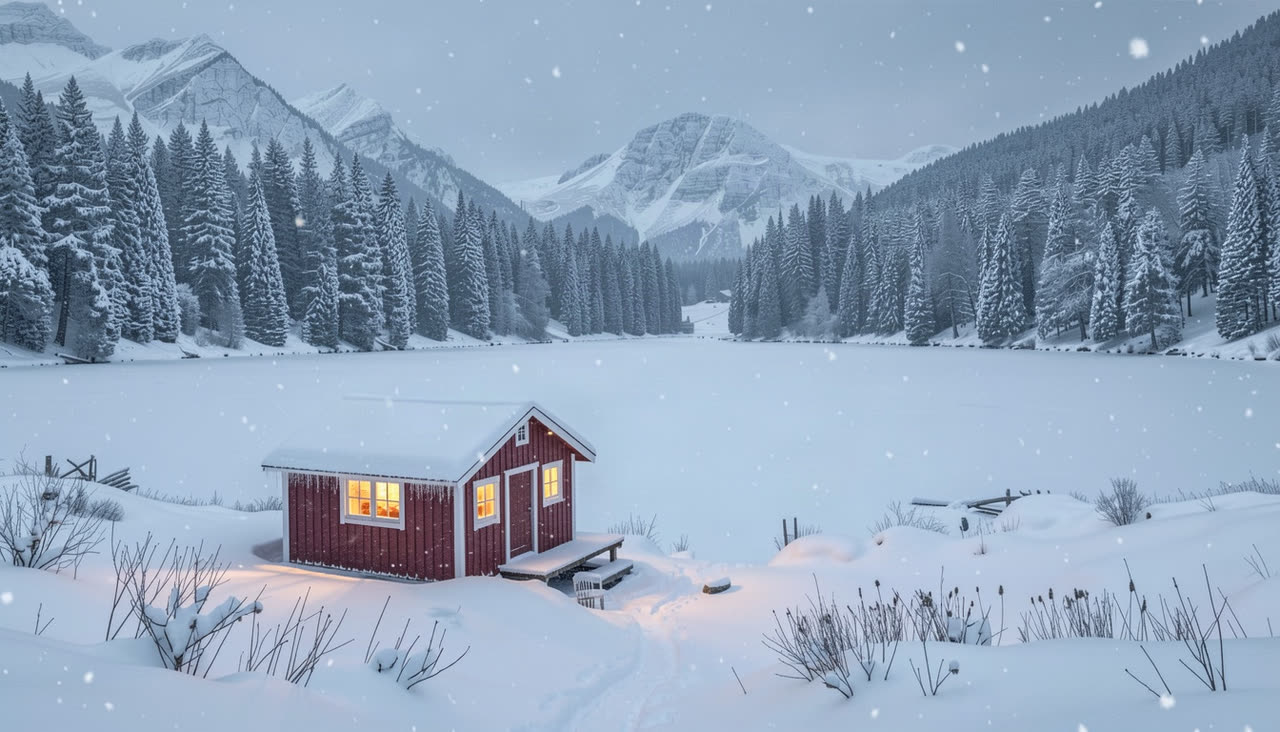
After Summer to winter, Veo 3.1 Fast
“A seamless seasons transition: the camera slowly pushes in as summer turns into winter, the wildflowers fade, snow begins to fall and covers the meadow, the pine trees and the cabin roof, the lake freezes over and a warm light switches on in the cabin window, a smooth timelapse-like morph”

How to use AI Transition Generator
Add the start picture
Click + and add where the video begins. The clip takes the shape of this picture, so use a tall one for Reels and TikTok.
Add the end picture
Fill the end frame slot with where it should land. Same framing and the same subject in both gives the cleanest morph.
Say how it changes
One sentence about the move in between, like “she spins and the outfit swirls into a gown”, then Generate.
What is an AI transition?
An AI transition is a clip where a video model invents the motion between two pictures you give it, so the first frame becomes the last one without a cut: a spin into a new outfit, a season changing, day into night.
What you can do with AI Transition Generator
Outfit change and glow-up trends
Hoodie to gown, gym clothes to suit, the before and after in one spin.
Before and after reveals
A room before and after the makeover, a sketch and the finished painting.
Seasons and time of day
The same view from summer to snow, or sunset into city lights.
AI Transition Generator features
Start and end frames
You choose where it begins and exactly where it lands.
No editing timeline
The model draws every frame in between, no keyframes.
Two models
Kling 3.0 for people and motion, Veo 3.1 Fast for scenery.
Vertical or wide
The clip takes the shape of your start picture.





AI transition prompts
Spin into a new outfit
“A seamless glow-up transition: she spins around once on the spot and, mid-spin, her grey hoodie and jeans swirl into a flowing red satin evening gown and her hair turns into soft golden curls, the light warms to golden hour, the camera holds still, smooth and magical”
Summer into winter
“A seamless seasons transition: the camera slowly pushes in as summer turns into winter, the wildflowers fade, snow begins to fall and covers the meadow, the pine trees and the cabin roof, the lake freezes over and a warm light switches on in the cabin window, a smooth timelapse-like morph”
Day into night
“The sun sets in fast motion behind the skyline, the sky turns orange then deep blue, windows and street lights switch on one by one, the camera holds still, smooth seamless transition”
Sketch into painting
“The pencil sketch fills in with color stroke by stroke, shading and light appear, and it becomes the finished painting, the camera slowly pushes in, smooth morph”

More about AI Transition Generator
AI Transition Generator is an online tool that makes a short video morphing from a start image into an end image, using first-and-last-frame video models like Kling 3.0 and Veo 3.1 Fast.
AI Transition Generator: what you need and limits
| How it works | Online. Works on any laptop. |
|---|---|
| You get | Video download |
| You need | Any up-to-date browser |
| Phones and tablets | Supported |
| Starts on | Kling 3.0, image to video with an end frame; the chip switches model |
| End frames on | Kling 3.0, Veo 3.1, Veo 3.1 Fast, Seedance 2.0 and Gemini Omni Flash |
Getting a clean morph
- Keep the camera the same in both pictures: same spot, same height, same lens. The model has less to invent, so nothing warps.
- Change one thing at a time: the outfit, the season or the light, not all of them and the place too.
- Say how it gets there. “Spins”, “snow begins to fall”, “the sun sets in fast motion” give the model a path; without one it cross-fades.
- For people, Kling 3.0 keeps bodies and faces steadiest. For landscapes and rooms, Veo 3.1 Fast gives the smoothest scenery.
- Make the end picture from the start one with an image editor, so only what you want changes.

AI Transition Generator FAQ
How do I make an AI transition video?
Add a start picture with +, add an end picture in the end frame slot, write one line about the change and click Generate. The MP4 is ready in about a minute.
Which models take an end frame?
Kling 3.0, Veo 3.1, Veo 3.1 Fast, Seedance 2.0 and Gemini Omni Flash. The end frame slot shows up when the picked model has one.
How long is the transition?
5 or 10 seconds on Kling 3.0, up to 8 seconds on Veo 3.1 Fast. Shorter clips morph faster and suit Reels; longer ones feel slower and smoother.
Can I use two different photos?
Yes, but the closer they are, the better the morph. Two unrelated pictures still connect, often with a swirl or a zoom between them.
How do I do the outfit change trend?
Take two photos in the same spot and pose, one per outfit, or make the second with an image editor. Ask for a spin in the prompt.
Can the video loop back to the start?
Yes. Turn on Loop and the clip ends on its start picture, so it plays round without a jump.


Related
 Kling AI Video GeneratorKling 3.0 in your browser: lifelike motion from a prompt or a picture.
 Spotify Canvas MakerTurn a line about your song, or your cover art, into the vertical loop Spotify plays behind it.
 AI Hyperlapse Video MakerA moving camera and racing time: day to night and streaking lights in one clip.

Try AI Transition Generator now
- Cancel any time
- Runs in your browser
- No gaming PC needed