
Kling AI Video Generator
Kling 3.0 in your browser: lifelike motion from a prompt or a picture.


Where it works
Made with Facecam
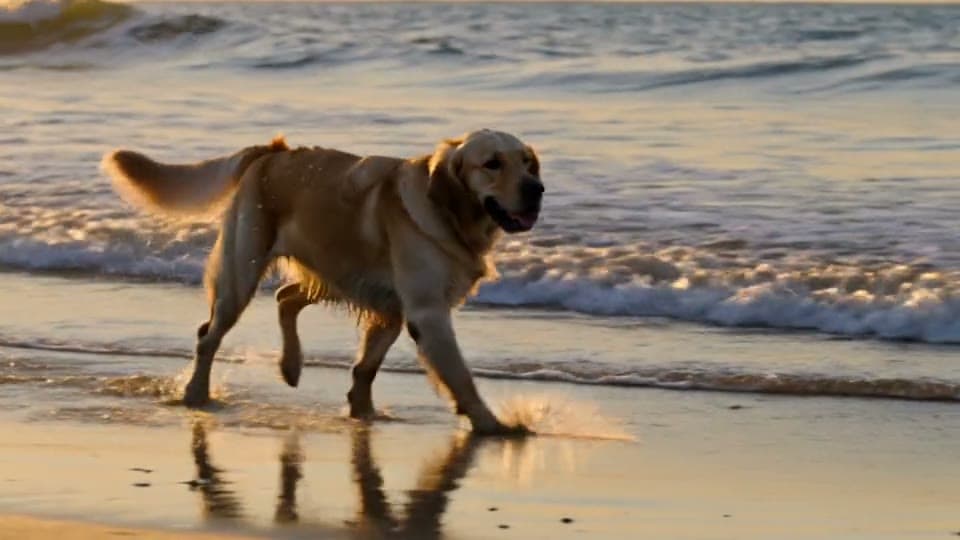
From text
“A golden retriever runs through shallow ocean waves at sunset, water splashing in slow motion, low tracking shot alongside the dog.”
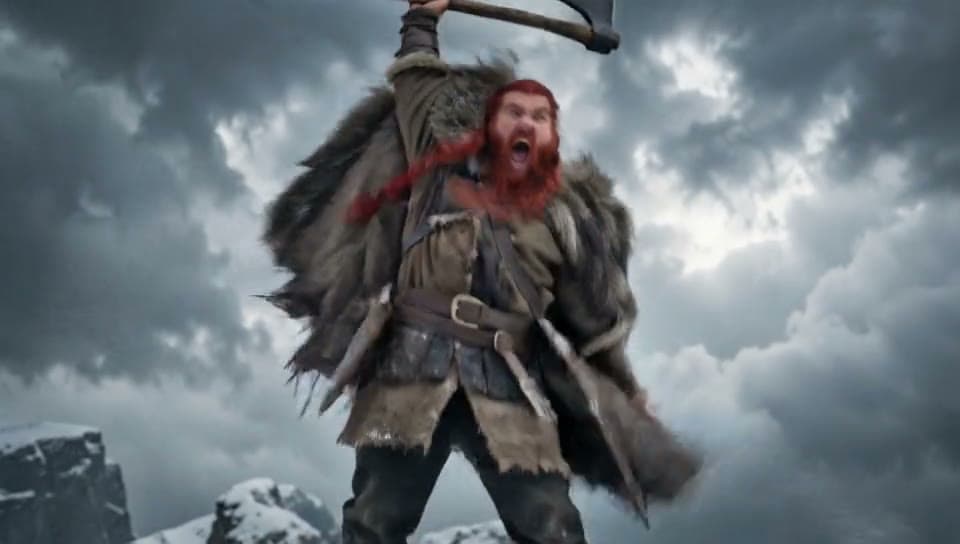
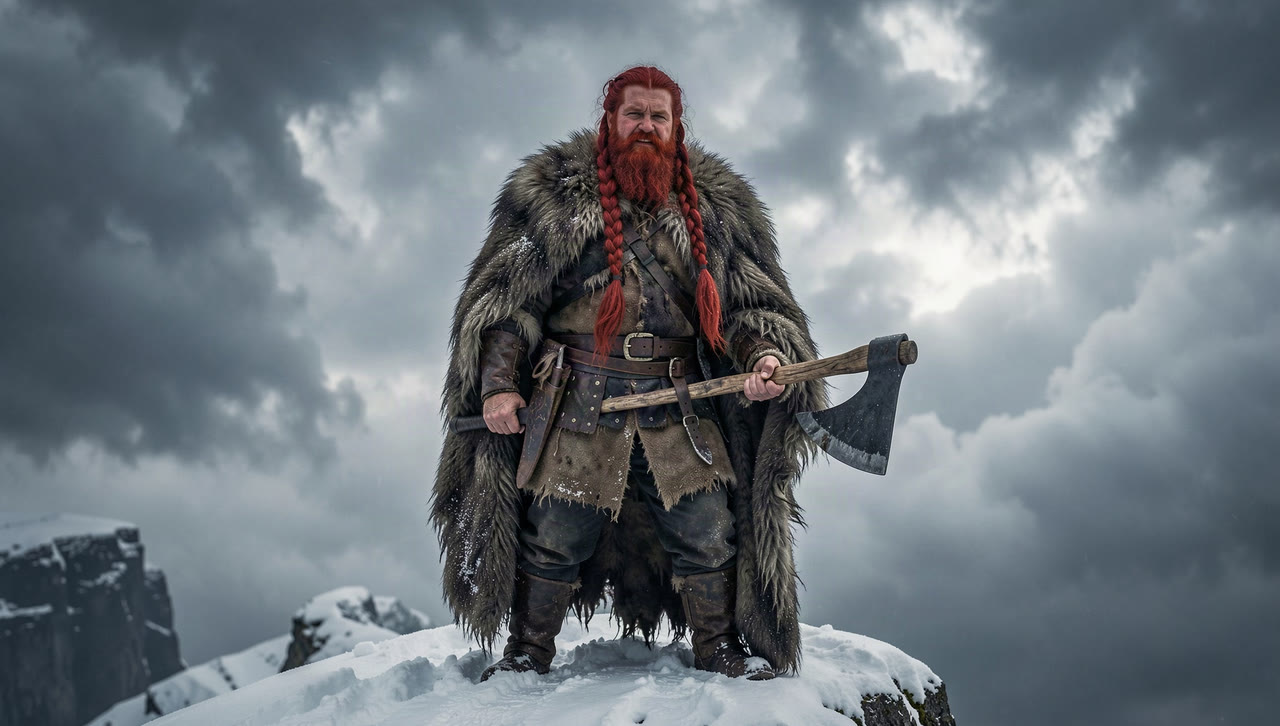
Before From a picture
“He raises his axe and roars into the wind, snow blowing past him, the camera pushes in on his face.”

How to use Kling 3.0
Keep Kling 3.0 picked
Kling 3.0 is already picked on this page; the Model chip switches to any other.
Write the prompt or add an image
Describe the scene, or click + to add a start image and say what happens next.
Make it and download
Pick the length and quality, click Generate, and download the MP4 when it plays.
What is a Kling AI video?
A Kling AI video is a clip made by Kling, Kuaishou's AI video model, from a text prompt or a picture. Kling 3.0 is known for smooth, natural motion, especially of people and animals.
What you can do with Kling 3.0
People in motion
Walking, dancing, turning to camera: Kling keeps bodies believable.
Animals
Fur, paws and splashes that move the way they should.
Bring a portrait to life
Start on a photo and give it a moment of action.
Kling 3.0 features
Natural motion
Weight, timing and follow-through look filmed.
720p or 1080p
Standard at 720p, Kling 3.0 Pro at 1080p.
5 or 10 seconds
A quick beat or a longer moment.
About a minute
Our 5 second test clips took under a minute each.





Kling 3.0 on Facecam
| Kling 3.0 | |
|---|---|
| Made by | Kuaishou |
| From | Text, or a start image |
| Lengths | 5 s, 10 s |
| Quality | 720p, 1080p |
| Shapes from text | 16:9, 9:16, 1:1 |
| Sound | Yes, or off (a silent clip takes less of your plan) |
| Under the hood | Kling 3.0 Standard at 720p, Kling 3.0 Pro at 1080p |
| Our clips took | About 55 seconds (5 s, 720p) |

More about Kling 3.0
Kling AI Video Generator is an online tool that runs Kling 3.0, Kuaishou's video model, to make a 5 or 10 second clip from a text prompt or a start image, at 720p or 1080p.
Kling 3.0: what you need and limits
| How it works | Online. Works on any laptop. |
|---|---|
| You get | Video download |
| You need | Any up-to-date browser |
| Phones and tablets | Supported |
| Make it from | A text prompt (text to video), or a start image plus an optional prompt (image to video). |
| Models | Veo 3.1, Seedance 2.0, Kling 3.0, Gemini Omni Flash, Grok Imagine 1.5, Veo 3.1 Fast, Seedance 2.0 Fast, Wan 3.0, Veo 3.1 Lite and Hailuo 2.3. All but Hailuo make sound; on Kling and Veo 3.1 it's your choice. |
| Length | 4 to 10 seconds, depending on the model. |
| Quality | 720p (Hailuo 768p); 1080p on every model but Seedance 2.0 Fast and Hailuo. |
| Frames | A start image, and on Veo, Kling, Seedance 2.0 and Gemini Omni an end image too. |
| Shape | Wide 16:9, tall 9:16 or square 1:1 from text; a start image keeps its own shape. |
| Time | About 1 to 3 minutes, depending on the model and length. |
| Price | Comes with every paid plan, by the clip; each model, length and quality has its own price, shown before you make it (e.g. 31 Kling 3.0 clips of 5 seconds a month on Premium). A clip that fails doesn't count. |
| Output | An MP4. Free results have a small Facecam mark in the corner; plans remove it. |
| Kept for | 7 days in your Library, then deleted. Start images are deleted within an hour. |
Getting good Kling clips
Kling follows action words closely, so lead with the motion: “runs”, “raises his axe and roars”, “turns and smiles”. Name the camera move too; a low tracking shot or a slow push in gives the clip a filmed look. From a picture, Kling keeps the face and clothes of the person in it and moves the rest of the scene with them. Add an end frame and Kling moves from the first picture to the second. Sound is off unless you switch it on.
Your images and videos
A start image is stored privately while the video is made and deleted when it's done, always within an hour. The video stays in your Library for 7 days, then it's deleted.

Kling 3.0 FAQ
How do I use Kling AI?
Kling 3.0 is already picked on this page: write a prompt or add a picture, choose 5 or 10 seconds and 720p or 1080p, and click Generate.
How much does Kling 3.0 cost?
It comes with every paid plan, by the clip: 31 Kling 3.0 clips of 5 seconds a month on Premium, if you use nothing else. Longer clips and higher quality take more; the tool shows what each one takes before you make it, and a clip that fails doesn't count.
Does Kling make sound?
Yes, when you switch Sound on under the prompt: effects and ambience made with the picture. Left off, the clip is silent and takes less of your plan. For spoken lines, Veo 3.1 is better.
Is this the official Kling app?
No. Facecam runs Kling 3.0 inside its own video tool, next to Veo, Seedance, Grok and other models, so you can compare them with one plan.
What's the difference between 720p and 1080p?
720p runs Kling 3.0 Standard; 1080p runs Kling 3.0 Pro, which is sharper and takes a little more of your plan.
Is this Kling 3.0 or an older Kling?
Kling 3.0, for both text and pictures. Earlier versions like Kling 1.6 and 2.1 aren't in the picker, so every clip on this page runs on 3.0.
How fast is Kling?
It's one of the quickest models in our tests: a 5 second 720p clip took about 55 seconds. A 10 second or 1080p clip takes longer. You can leave the tab open or come back to it in your Library.
Can Kling copy a dance from a video?
Yes, on Motion Control: add a photo of a person and a dance clip, and Kling motion control makes them do the same moves. This page makes clips from a prompt or a picture instead.



Try Kling 3.0 now
- Cancel any time
- Runs in your browser
- No gaming PC needed