
AI Video Upscaler
Upscale video to 4K: upload a blurry or low-res clip and get it back sharp at 1080p, 2K or 4K.

Where it works

How to use AI Video Upscaler
Upload your video
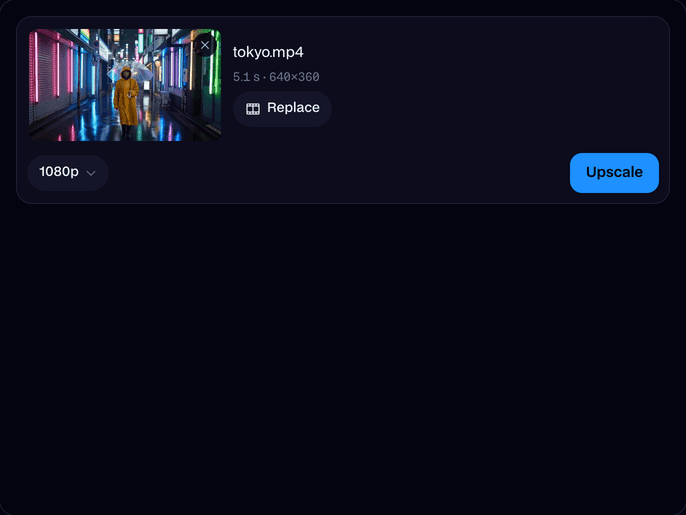
Drop in an MP4 or MOV up to 30 seconds, or try one of our 360p clips.
Pick the size
Choose 1080p, 2K or 4K. The higher the size, the more detail it rebuilds.
Upscale and download
Click Upscale. A few minutes later the sharp video plays on the page; click Download to keep the MP4.
What is an AI video upscaler?
An AI video upscaler is a model that turns a low-resolution video into a higher-resolution one by predicting the detail the small frames lost, so the result looks sharp rather than blurry. Facecam runs SeedVR2, up to 4K.
Made with Facecam
Left: the 360p clip stretched. Right: upscaled. The whole clip, 360p to 1080p. Fur and sand, before and after.
More examples

The 360p clip it started from.
What you can do with AI Video Upscaler
Old and low-res clips
Bring 480p phone videos and old uploads up to today's screens.
Sharper edits
Upscale a cropped or zoomed shot so it matches the rest of your footage.
AI Video Upscaler features
Up to 4K
1080p, 2K or 4K from clips as small as 240p.
Real detail
Faces, hair, text and edges are rebuilt, not just stretched.
Steady frames
Detail stays put from frame to frame, with no flicker.
Same motion
Its length, frame rate and every move stay the same.
In your browser
Nothing to install; it runs on our servers.
In your Library
Leave the page while it works; the video waits there.







Upscale video to 4K in three steps
Upload the clip, pick 4K and click Upscale. The upscaler reads every frame, works out the detail a sharp camera would have caught, and writes a new video at the size you picked. A 360p clip comes back at 3840 × 2160 for a wide video, or 2160 × 3840 for a tall one.

More about AI Video Upscaler
AI Video Upscaler is an online tool that makes a low-resolution video sharp at a higher resolution. It runs SeedVR2, an AI upscaling model that rebuilds fine detail (faces, text, edges, textures) in every frame instead of just stretching the pixels.
AI Video Upscaler: what you need and limits
| How it works | Online. Works on any laptop. |
|---|---|
| You get | Video download |
| You need | Any up-to-date browser |
| Phones and tablets | Supported |
| Input | An MP4 or MOV, up to 1080p and 60 frames a second. |
| Length | Up to 30 seconds at 1080p, 20 at 2K and 10 at 4K. |
| Model | SeedVR2. |
| Output | An MP4 at 1080p, 2K (1440p) or 4K (2160p), in the clip's shape and frame rate. |
| Time | About three minutes for 5 seconds at 1080p; 4K takes longer. |
| Price | Comes with every paid plan, by the second: ≈ 1 min of upscaled video a month on Premium, if you use nothing else. 2K and 4K use more a second. A video that fails doesn't count. |
| Kept for | 7 days in your Library, then deleted. Your upload is deleted within an hour. |
AI video enhancer or just a bigger video?
Resizing a video in an editor only spreads the same pixels over a bigger frame, so it looks soft. An AI upscaler like SeedVR2 fills in what those pixels stood for: the strands of hair, the letters on a sign, the edge of a raindrop. That is why it also works as a video enhancer for blurry clips, as long as the subject is there to rebuild.
Getting the sharpest upscale
- Start from the best copy you have: the original file, not a screen recording or a re-upload.
- Pick the size you'll show it at. 1080p is plenty for phones; 4K is for big screens and editing.
- Trim long videos to the part you need: up to 10 seconds at 4K, 30 at 1080p.
- Export at 60 frames a second or less. Slow-motion files at 120 or 240 fps need converting first.
Your files
Your video is stored privately while it's made and deleted when it's done, always within an hour. The result stays in your Library for 7 days, then it's deleted.

AI Video Upscaler FAQ
How do I upscale a video to 4K?
Upload it, pick 4K and click Upscale. A few minutes later you get the 4K MP4 to download.
What is the best AI video upscaler?
We tested SeedVR2 and Topaz on the same 360p clip, and SeedVR2 brought back clearly more detail in faces and fine lines, so that's what this tool runs.
Can it fix a blurry video?
Often, yes. It sharpens soft and low-resolution footage well. A clip that is badly out of focus or heavily shaken has less to rebuild, so expect a smaller change there.
Which videos can I upscale?
MP4 or MOV files up to 1080p and 60 frames a second, at least 240p, from 1 second up to 30 seconds (10 seconds for 4K).
How much does it cost?
It comes with every paid plan, by the second: ≈ 1 min of upscaled video a month on Premium. 2K and 4K use more a second. A video that fails doesn't count.
Does it keep the sound?
The upscaled MP4 is the picture only. Put it back over your original sound in any video editor; the length and frame rate match exactly.
How long does it take?
About three minutes for 5 seconds at 1080p, longer for 2K and 4K. You can close the page; the video goes to your Library when it's ready.
Can I upscale an AI-generated video?
Yes, and it's one of the best uses: most AI video models make 720p, and an upscale takes them to a sharp 1080p or 4K.



Try AI Video Upscaler now
- Cancel any time
- Runs in your browser
- No gaming PC needed