
AI Thumbnail Maker
Say what your video is about and get a bold YouTube thumbnail, with your own face in it if you like.


Where it works

How to use AI Thumbnail Maker
Say what the video is about
Type your title or a line about the video. Add the exact words you want on the thumbnail, or let it write a short headline.
Add your photo (optional)
A clear photo of your face puts you in the thumbnail. A product photo works too.
Pick a style and generate
Bold, clean, gaming or cinematic. In about 35 seconds you get a 1920 × 1080 thumbnail to download and upload.
What is an AI thumbnail maker?
An AI thumbnail maker is a tool that designs a video thumbnail for you from a description of the video. It picks the scene, the expression and the colors, writes big readable headline text and can put your own face in it.
Before and after


More examples
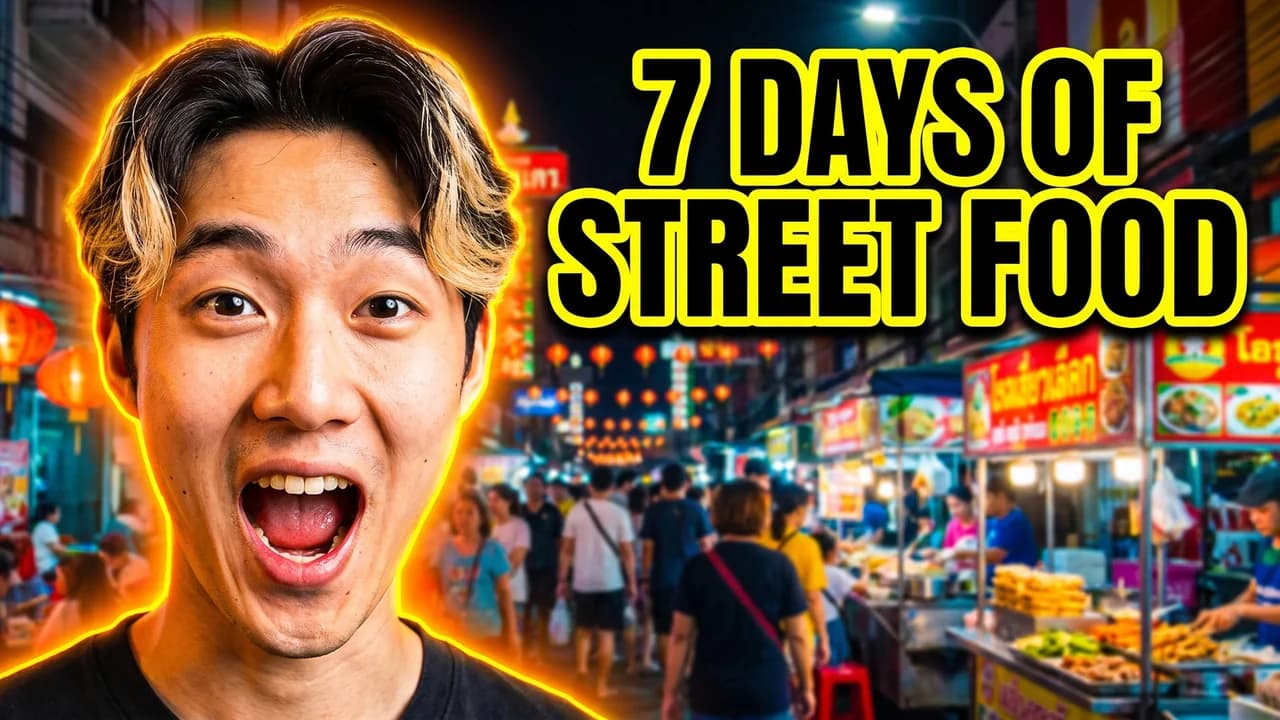
Bold, with a photo: “I ate only street food in Bangkok for 7 days”. 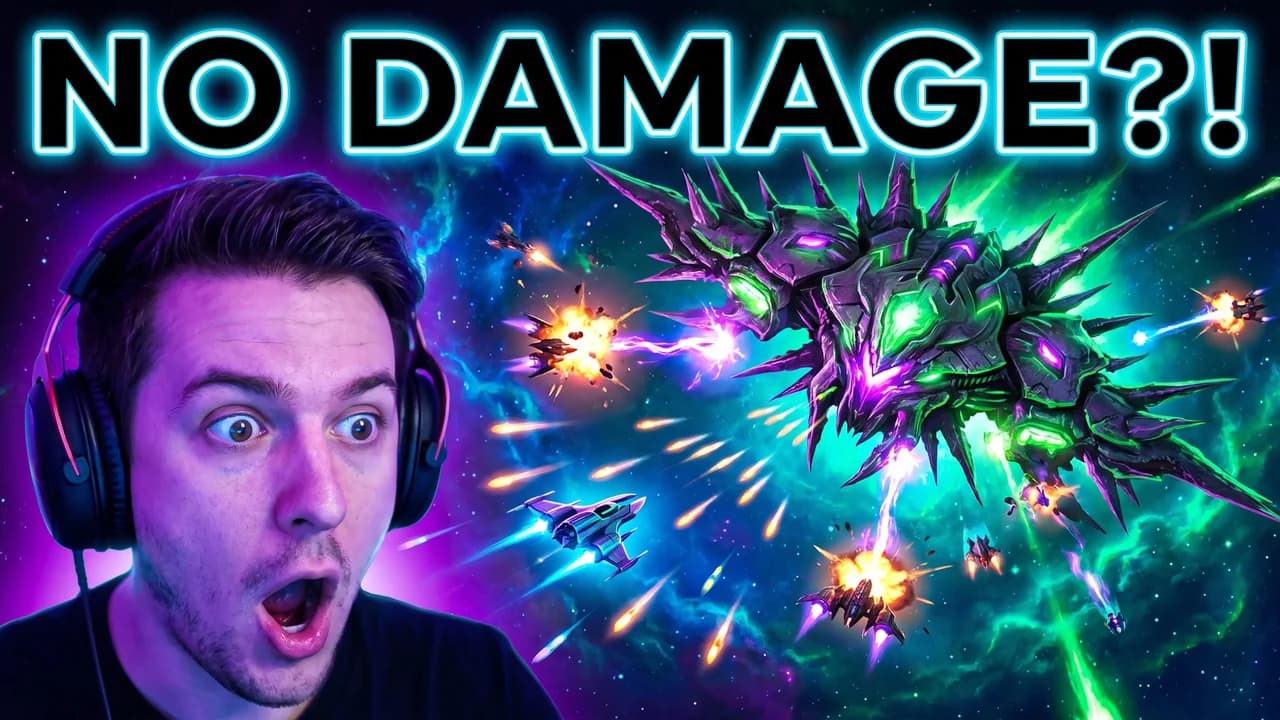
Gaming, no photo: “Beating the hardest boss in a space shooter with no damage”.
What you can do with AI Thumbnail Maker
YouTube videos
A thumbnail for every upload, in your channel's style, with your face in it.
Try a few before you upload
Make two or three versions and test which one gets the click.
Podcasts and streams
A cover for an episode, a stream or a VOD, from its title.
AI Thumbnail Maker features
Readable headline text
Big, bold words spelled the way you typed them, placed clear of faces.
Your face in it
Add a photo and the thumbnail is about you, with a strong expression.
YouTube-ready
1920 × 1080, JPEG, always under the 2 MB upload limit.
Four styles
Bold, clean, gaming and cinematic, each with its own colors and light.
No design skills
No layers or templates: describe the video and download the result.
Saved for you
Leave the page while it runs; it waits in your Library for 7 days.







Try one of these
Challenge video
“I survived 7 days alone in the Arctic with no tent”
Tech review
“Honest review of the new foldable phone after one month”
Gaming
“Beating the hardest boss in a space shooter game with no damage”
Travel vlog
“Hiking to a hidden waterfall in Iceland at midnight”

More about AI Thumbnail Maker
AI Thumbnail Maker is an online tool that makes a YouTube thumbnail from your video's topic, with bold headline text and, if you add one, your own photo in it.
AI Thumbnail Maker: what you need and limits
| How it works | Online. Works on any laptop. |
|---|---|
| You get | Image download |
| You need | Any up-to-date browser |
| Phones and tablets | Supported |
| Input | Your video's topic or title, up to 500 characters; up to 40 characters of thumbnail text; optionally a JPEG, PNG or WebP photo. |
| Styles | Bold, clean, gaming and cinematic. |
| Model | Nano Banana Pro, for readable text and a face that stays yours. |
| Time | About 35 seconds. |
| Price | Comes with every paid plan, by the thumbnail: 85 thumbnails a month on Premium, if you use nothing else. One that fails doesn't count. |
| Output | A 1920 × 1080 JPEG under YouTube's 2 MB limit. Free results have a small Facecam mark in the corner; plans remove it. |
| Kept for | 7 days in your Library, then deleted. |
What makes a thumbnail get clicked
- Three to five words of text, big enough to read on a phone.
- One clear face with a strong expression, looking at the camera or the subject.
- High contrast: a bright subject on a simpler, darker background.
- Text that adds to the title instead of repeating it.
What happens to your photo
Your photo is stored privately while the job runs and deleted when it's done, always within an hour. The result stays in your Library for 7 days, then it's deleted.

AI Thumbnail Maker FAQ
How do I make a YouTube thumbnail with AI?
Type what your video is about, add the words you want on it and your photo if you like, pick a style and click Generate. You get a 1920 × 1080 thumbnail in about 35 seconds.
Can I put my own face in the thumbnail?
Yes. Add a clear photo of your face and the thumbnail is made around you, keeping your face.
What size are the thumbnails?
1920 × 1080 pixels, 16:9, as a JPEG under 2 MB, which is what YouTube asks for.
Does the text come out spelled right?
Nearly always: type the exact words in the text field and they're drawn as written. Keep it short, up to 40 characters.
How much does it cost?
Thumbnails come with every paid plan: 85 thumbnails a month on Premium, if you use nothing else. One that fails doesn't count.
Can I use it for Shorts or TikTok?
It makes 16:9 thumbnails for YouTube videos. For a vertical cover, make a 9:16 shot in the AI Storyboard Generator.



Try AI Thumbnail Maker now
- Cancel any time
- Runs in your browser
- No gaming PC needed