
AI Storyboard Generator
Turn an idea or a script into a storyboard with the same characters in every shot, then make each shot a video.

Where it works

How to use AI Storyboard Generator
Write your idea or script
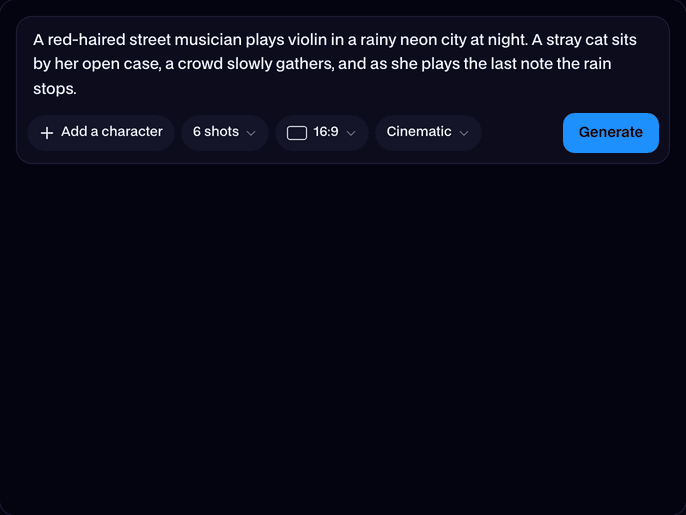
A sentence is enough, or paste a whole scene. Any language works.
Pick shots, shape and style
4 or 6 shots, widescreen or vertical, and a style: cinematic, anime, pencil sketch, 3D, comic or watercolor. Add a picture of your main character if you have one.
Generate, then animate
In about a minute you get every shot with its line. Click Make this a video on any shot to animate it in the AI Video Generator.
What is an AI storyboard generator?
An AI storyboard generator is a tool that turns a written idea or script into a sequence of drawn shots, like a film's storyboard. It plans the shots, keeps the characters looking the same in each one and draws every panel for you.
Made with Facecam
More examples
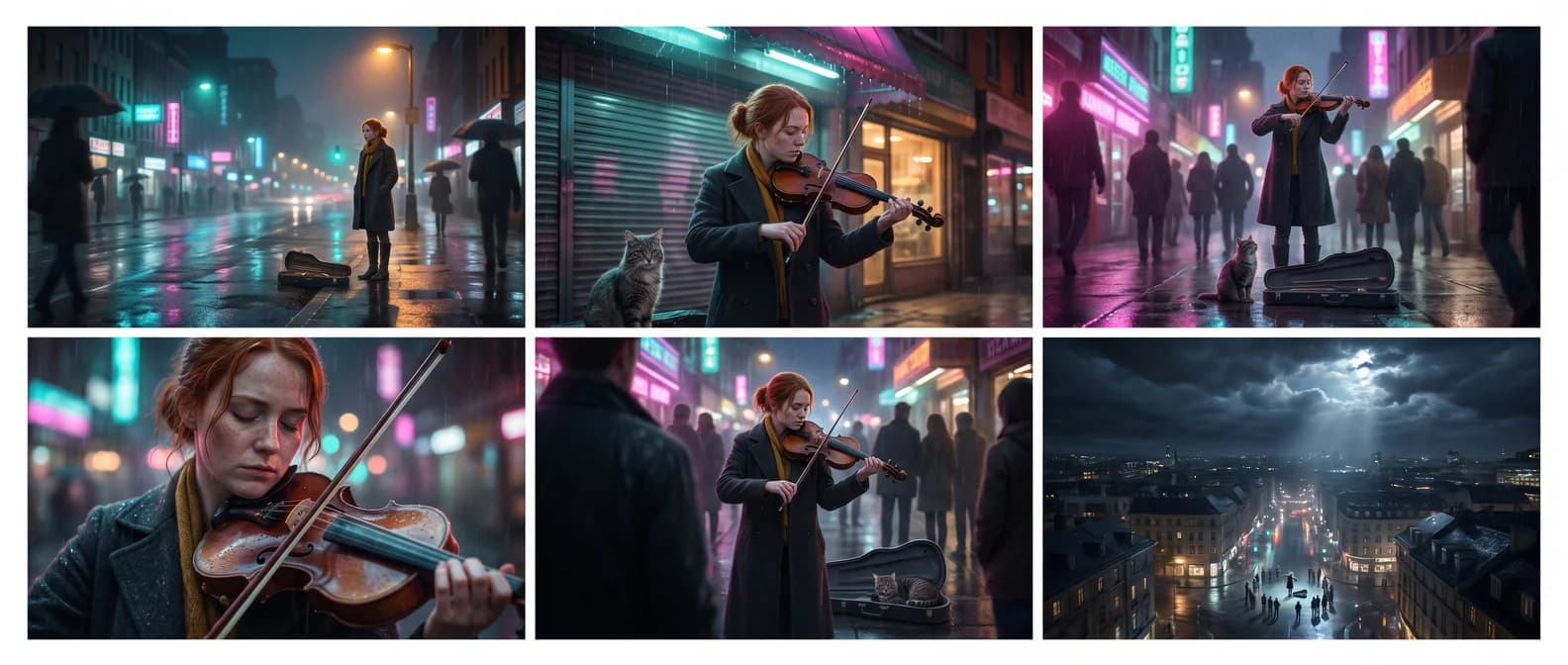
Six shots from one sentence, the same violinist and cat in each. 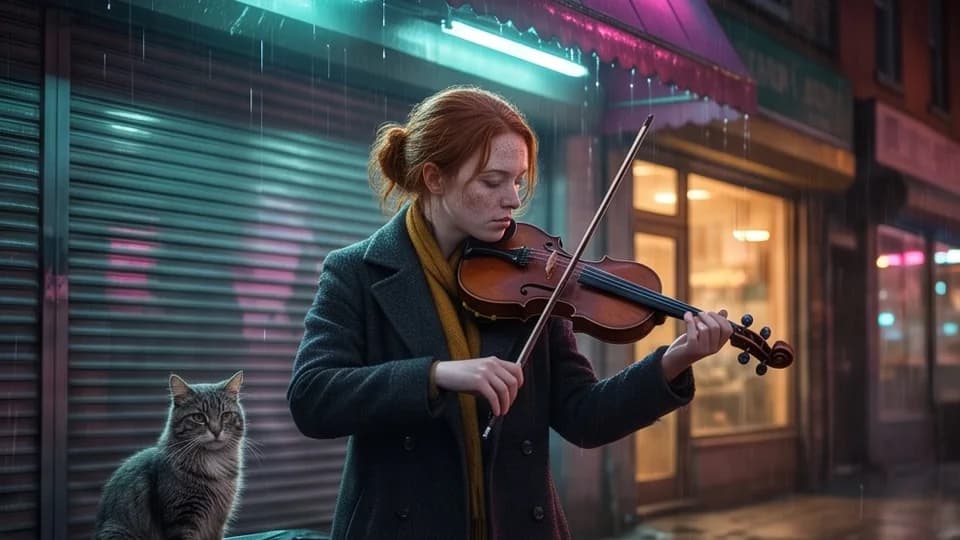
Shot 2: she tunes her violin beside an open case. 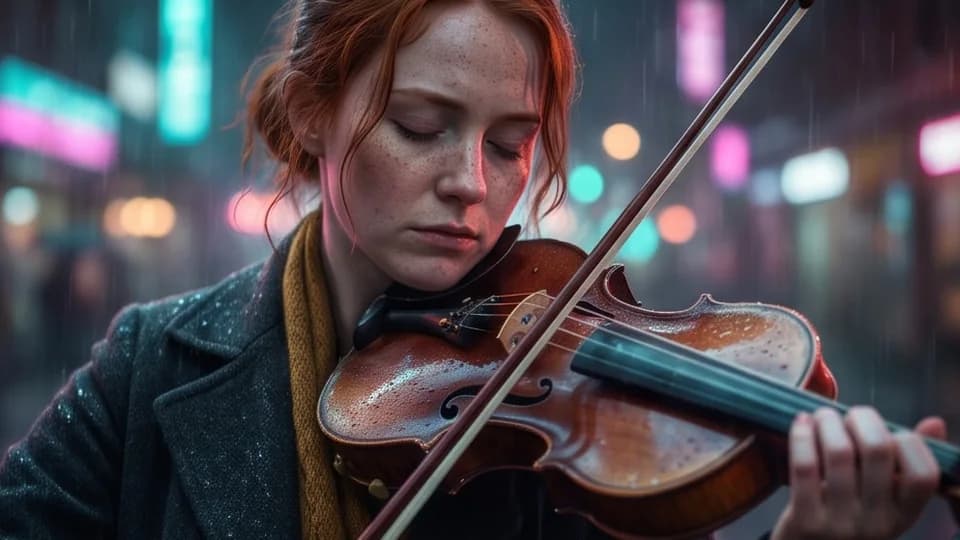
Shot 4: a close-up as the music takes over. 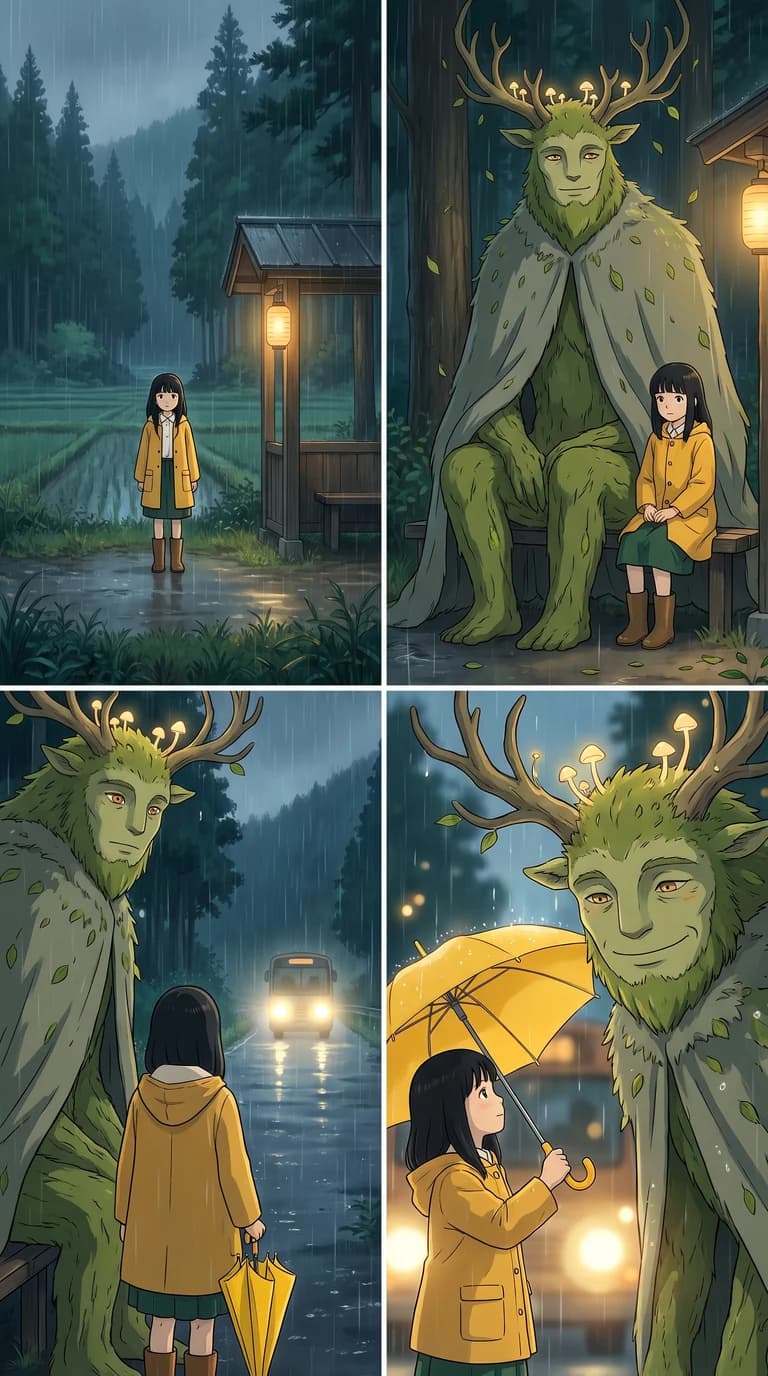
Anime, vertical, 4 shots: the girl and the forest spirit stay the same in every shot.
What you can do with AI Storyboard Generator
Plan a short film or an ad
See every shot before you shoot: framing, cast, light and order, on one sheet.
Script to AI video
TikTok and Reels in vertical
Make the storyboard 9:16 and every shot is ready for a vertical video.
Pitch decks and class projects
Show a story in six pictures in a slide, a pitch or an assignment.
AI Storyboard Generator features
The same cast in every shot
All shots are drawn together, so faces, clothes and colors match from panel to panel.
A real shot list
Wide, medium, close-up, over-the-shoulder: framing changes from shot to shot like a film.
Make this a video
Each shot opens in the AI Video Generator with its panel as the start image and its prompt filled in.
Your own character
Add a photo or a drawing and the storyboard is about them.
Six styles
Cinematic, anime, pencil sketch, 3D, comic or watercolor.
Any language
Write in your language; the lines under each shot come back in it.





Ideas to start from
Lighthouse keeper
“A lonely lighthouse keeper finds a glowing fish in his net during a storm and lets it go back to the sea.”
Sneaker ad
“A 15-second ad for a running shoe: a runner laces up at dawn, sprints through an empty city, splashes through a puddle in slow motion and crosses a finish line as the sun comes up.”
Anime first day
“A new student arrives late on her first day, gets lost in the school, follows a stray cat to the rooftop and meets the friend she'll keep for years.”
Heist plan
“Three thieves plan a museum heist on a whiteboard, sneak in through the skylight, swap the diamond for a fake and walk out as the guards change shifts.”

More about AI Storyboard Generator
AI Storyboard Generator is an online tool that turns an idea or a script into a storyboard of 4 or 6 shots with the same characters in every panel, each ready to become a video.
AI Storyboard Generator: what you need and limits
| How it works | Online. Works on any laptop. |
|---|---|
| You get | Image download |
| You need | Any up-to-date browser |
| Phones and tablets | Supported |
| Input | An idea or a script, up to 3,000 characters, in any language. Optionally a character picture. |
| Shots | 4 or 6, in 16:9 widescreen or 9:16 vertical. |
| Styles | Cinematic, anime, pencil sketch, 3D animation, comic and watercolor. |
| Models | Claude writes the shot list; Nano Banana Pro draws every shot in one go, so the cast stays the same. |
| Time | About a minute. |
| Price | Comes with every paid plan, by the storyboard: 82 storyboards a month on Premium, if you use nothing else. One that fails doesn't count. |
| Output | The whole storyboard sheet and each shot as its own JPEG. Free results have a small Facecam mark in the corner; plans remove it. |
| Kept for | 7 days in your Library, then deleted. |
Writing a prompt that storyboards well
- Say who, where and what happens, beginning to end, in a sentence or two.
- Describe your main character once (age, hair, clothes) and they'll look that way in every shot.
- Paste a script and the shots follow its scenes in order.
- Pick 9:16 for TikTok, Reels or Shorts, 16:9 for YouTube, film and slides.
What happens to your character picture
Your character picture is stored privately while the job runs and deleted when it's done, always within an hour. The result stays in your Library for 7 days, then it's deleted.

AI Storyboard Generator FAQ
How do I make a storyboard with AI?
Write your idea or paste a script, pick 4 or 6 shots, a shape and a style, and click Generate. In about a minute you get every shot with a line about what happens.
Can it make a storyboard from a script?
Yes. Paste up to 3,000 characters of script and the shots follow its scenes in order.
Do the characters stay the same in every shot?
Yes. Every shot is drawn in one go from one description of the cast, so faces, clothes and colors match. Add a picture of your character to make it about them.
Can I turn the storyboard into a video?
Yes. Click Make this a video under any shot: the AI Video Generator opens with that panel as the start image and the shot's prompt filled in.
How much does it cost?
Storyboards come with every paid plan: 82 storyboards a month on Premium, if you use nothing else. One that fails doesn't count.
Can I download each shot?
Yes, each shot downloads on its own, and so does the whole storyboard sheet.



Try AI Storyboard Generator now
- Cancel any time
- Runs in your browser
- No gaming PC needed