
Video Background Remover
Remove the background from any video: get a transparent clip or a clean green screen, no filming setup needed.

Where it works

How to use Video Background Remover
Upload your video
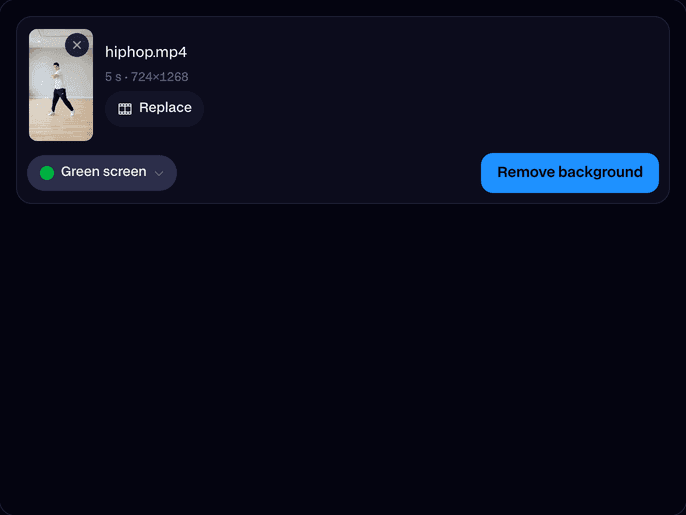
Drop in an MP4, MOV or WebM up to 60 seconds, or try one of ours.
Pick the background
Transparent, green screen, blue screen, white or black.
Remove it and download
Click Remove background. In about half a minute the cut-out plays on the page; click Download.
What is a video background remover?
A video background remover is an AI model that finds the subject of a video in every frame and removes the rest, so you can put the person on any background. Facecam's gives a transparent video or a solid colour.
Made with Facecam
Green screen, ready for any editor. The transparent cut-out on a new background. A kickflip, moved to a night market.
More examples

The clip it started from.
What you can do with Video Background Remover
No green screen? No problem
Film anywhere and drop yourself onto any background later.
Product and dance clips
Cut out a dancer, a pet or a product for ads, reels and thumbnails.
Editors and overlays
A transparent WebM layers straight into Premiere, CapCut, DaVinci Resolve or OBS.
Video Background Remover features
Transparent
A WebM with an alpha channel, for any editor.
Green or blue screen
A clean colour to key in apps without alpha.
Every frame
Hair, hands and moving edges are cut frame by frame.
Sound kept
Your video's sound stays on the result.
Up to a minute
Clips up to 60 seconds and 1080p.
Fast
About half a minute for a short clip.







Remove the background from a video
Upload the video, pick a background and click Remove background. The model finds the people and objects in front in every frame, keeps them and removes the rest. The result keeps your video's size, length and sound.

More about Video Background Remover
Video Background Remover is an online tool that removes everything behind the people and objects in a video. It runs Bria's VRMBG 3.0 model, cuts the subject out of every frame, and gives back a transparent WebM or an MP4 on green, blue, white or black.
Video Background Remover: what you need and limits
| How it works | Online. Works on any laptop. |
|---|---|
| You get | Video download |
| You need | Any up-to-date browser |
| Phones and tablets | Supported |
| Input | An MP4, MOV or WebM, up to 1080p and 60 seconds. |
| Model | Bria VRMBG 3.0. |
| Output | Transparent: a WebM with an alpha channel. A colour: an MP4. Same size, length and sound as your video. |
| Time | About 30 seconds for a 5 second clip. |
| Price | Comes with every paid plan, by the second: ≈ 4 min of video a month on Premium, if you use nothing else. A video that fails doesn't count. |
| Kept for | 7 days in your Library, then deleted. Your upload is deleted within an hour. |
Transparent video or green screen?
Pick Transparent for editors that read alpha video (Premiere Pro, After Effects, DaVinci Resolve, CapCut on desktop, OBS): the WebM drops onto any background with nothing to key. Pick Green screen or Blue screen for apps and phones that can't read alpha; use their chroma key to remove the colour. White and black make clean product and social clips straight away.
Getting a clean cut-out
- One clear subject in front works best: a person, a pet or a product.
- Light the subject well; a dim scene makes edges softer.
- A subject that leaves the frame and comes back is fine; the model follows it.
- Trim to the part you need: up to 60 seconds a clip.
Your files
Your video is stored privately while it's made and deleted when it's done, always within an hour. The result stays in your Library for 7 days, then it's deleted.

Video Background Remover FAQ
How do I remove the background from a video?
Upload it, pick Transparent or a colour, and click Remove background. In about half a minute you can download the result.
Can I get a transparent video?
Yes. Transparent gives a WebM with an alpha channel, which editors like Premiere Pro, DaVinci Resolve and OBS place over anything. Safari doesn't show WebM transparency, so preview it in Chrome or your editor.
Do I need a green screen to film?
No. Film anywhere; the AI removes the background. Pick Green screen as the output if your app keys green.
How much does it cost?
It comes with every paid plan, by the second: ≈ 4 min of video a month on Premium. A video that fails doesn't count.
Which videos does it take?
MP4, MOV or WebM, up to 1080p and 60 seconds.
Does it keep the sound?
Yes. The result has your video's sound.
Does it work on pets and objects?
Yes. It cuts out whatever stands in front, people, animals or products, as long as it's clearly the subject.



Try Video Background Remover now
- Cancel any time
- Runs in your browser
- No gaming PC needed