
AI Image Enhancer
Make a blurry or tiny image sharp and up to 4x bigger, with faces and fine detail redrawn.

Where it works

How to use AI Image Enhancer
Add your image
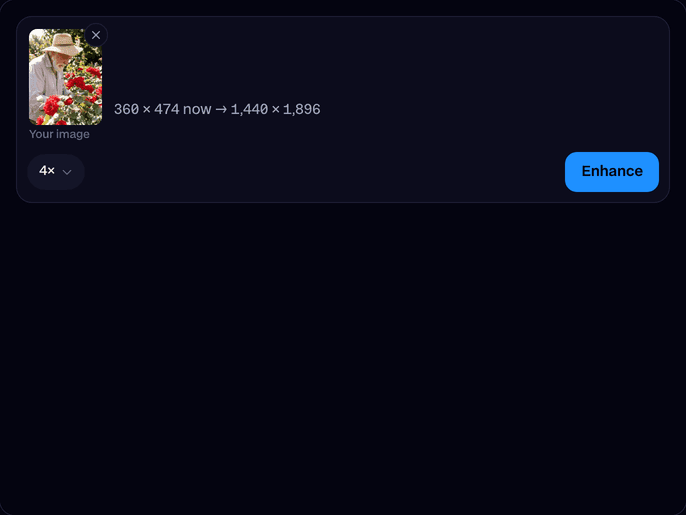
Upload or drop a JPEG, PNG or WebP: an old photo, a screenshot, an AI image or a small picture from the web. Or try one of ours.
Pick 2x or 4x
4x makes a 1,000 px picture 4,000 px wide. The size it will come out at shows before you start.
Enhance and download
Click Enhance. In about 25 seconds, drag the slider to compare before and after, then download the big version.
What is an AI image enhancer?
An AI image enhancer is a tool that makes a small, blurry or compressed picture bigger and sharper. Instead of stretching the pixels, an AI model redraws the missing detail, like skin, hair, fabric and edges, at 2x or 4x the size.
Before and after


More examples
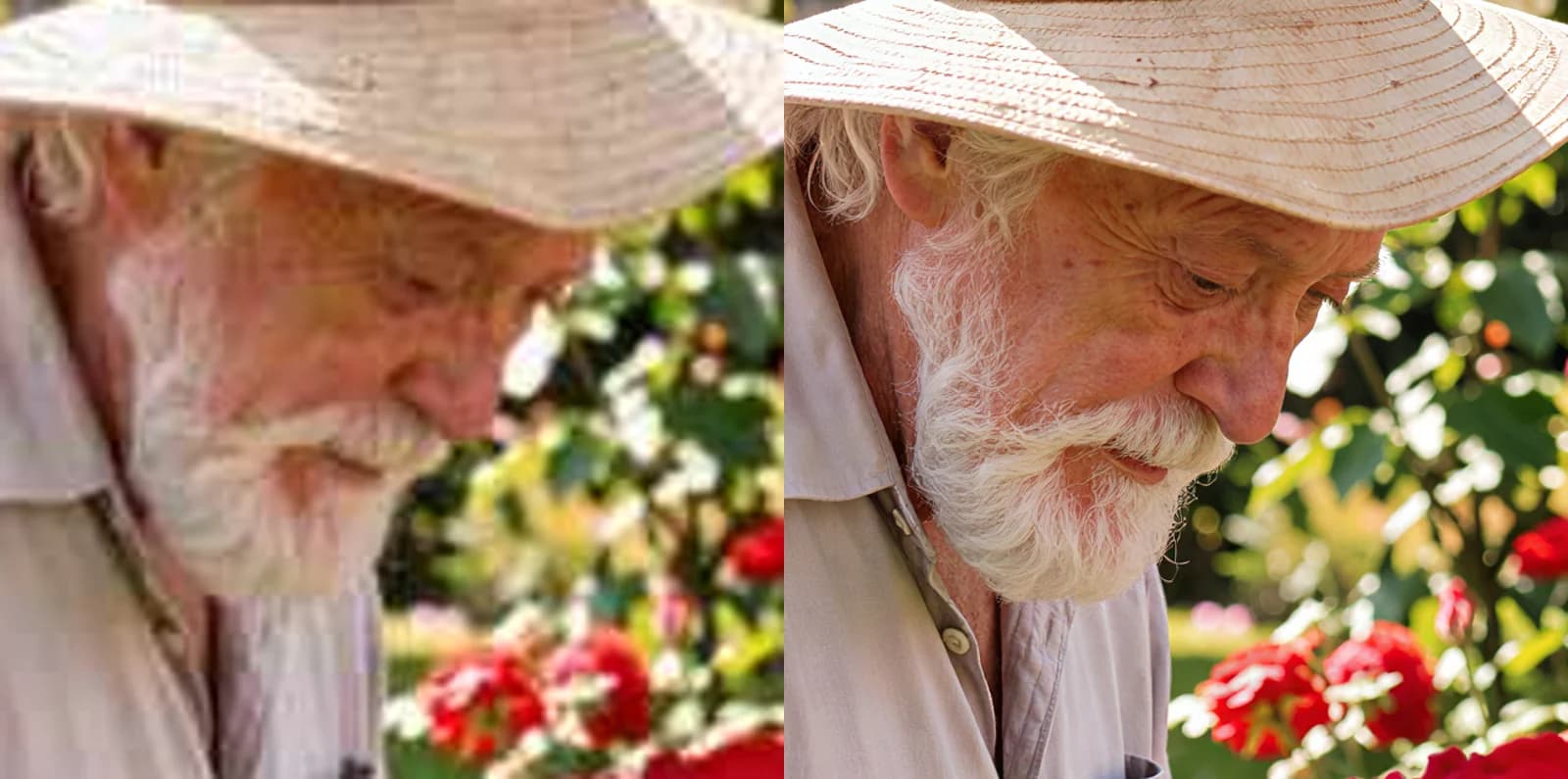
Up close: the same face before and after a 4x enhance. 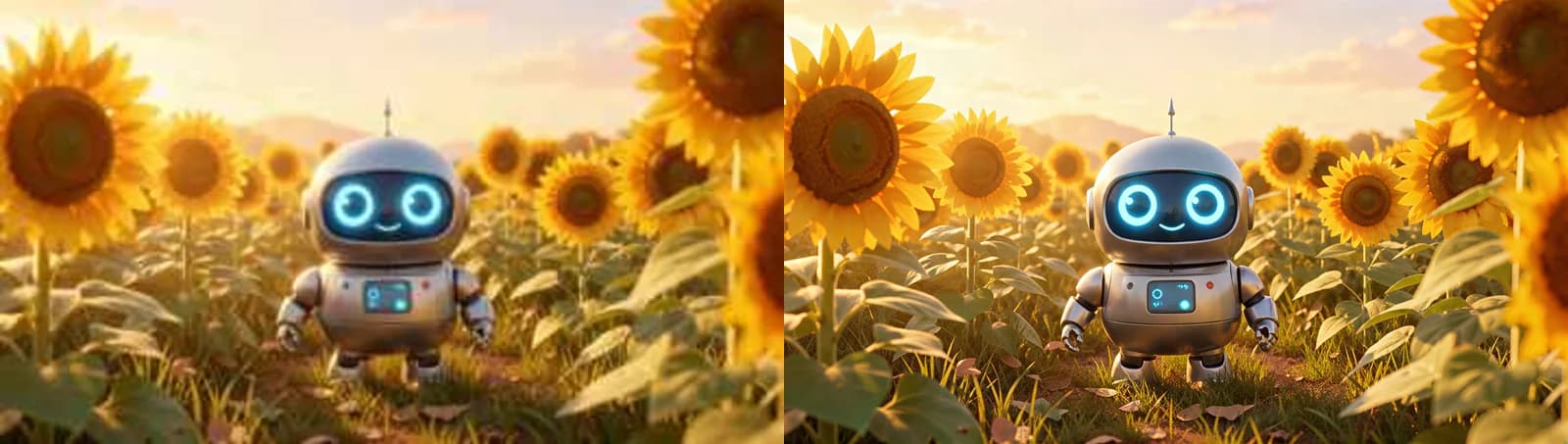
A 360 px picture of a toy robot, enhanced 4x to 1,440 px.
What you can do with AI Image Enhancer
Bring old photos back
Scans and phone photos from years ago come out sharp enough to print or frame.
Upscale AI images
Sharper thumbnails and product shots
AI Image Enhancer features
Detail, not just pixels
Wonder 3.5 redraws hair, skin, fabric and edges instead of stretching the blur.
Faces recovered
Eyes, teeth and skin come back clean on small or blurry faces.
Up to 16 MP
2x or 4x, scaled to fit 16 MP when the picture is already big.
Before and after slider
Drag across the result to see exactly what changed.
Any picture
Photos, AI images, art, scans and screenshots all work.
Saved for you
Leave the page while it runs; the result waits in your Library for 7 days.






Upscale vs enhance
| Plain upscale (resize) | AI Image Enhancer | |
|---|---|---|
| Size | Bigger | 2x or 4x bigger |
| Blur and blocks | Stay, just bigger | Cleaned up |
| Fine detail | Missing | Redrawn: hair, skin, fabric, edges |
| Faces | Soft | Sharp eyes, teeth and skin |

More about AI Image Enhancer
AI Image Enhancer is an online tool that upscales a photo or picture 2x or 4x and redraws its detail, so a small, blurry or compressed image comes out sharp and clear.
AI Image Enhancer: what you need and limits
| How it works | Online. Works on any laptop. |
|---|---|
| You get | Image download |
| You need | Any up-to-date browser |
| Phones and tablets | Supported |
| Images | JPEG, PNG or WebP, from 64 px up to 15 MP. |
| Upscale | 2x or 4x, up to 16 MP out (for example 4,608 × 3,456). A big picture is scaled as far as fits. |
| Model | Topaz Wonder 3.5, with face recovery on. |
| Time | About 25 seconds. |
| Price | Comes with every paid plan, by the image: 160 enhanced images a month on Premium up to 8 MP out, if you use nothing else. An image over 8 MP out counts as two. One that fails doesn't count. |
| Output | A high-quality JPEG. Free results have a small Facecam mark in the corner; plans remove it. |
| Kept for | 7 days in your Library, then deleted. |
Getting the best result
- Start from the best copy you have: the original file, not a screenshot of it.
- 4x suits small pictures (under about 1,000 px). For a photo that's already big, 2x is plenty.
- Crop first if you only need part of the picture: the enhancer spends its pixels on what's there.
- Not sharp enough? Enhance the result again at 2x.
What happens to your image
Your image is stored privately while the job runs and deleted when it's done, always within an hour. The result stays in your Library for 7 days, then it's deleted.

AI Image Enhancer FAQ
How do I enhance an image with AI?
Upload the image, pick 2x or 4x and click Enhance. About 25 seconds later you can compare before and after and download the sharp, bigger version.
Can it upscale an image to 4K?
Yes. 4x turns a 1,000 px wide picture into a 4,000 px one, and anything up to 16 MP out, more than a 4K screen's 8.3 MP.
How much does it cost?
Enhancing comes with every paid plan, by the image: 160 enhanced images a month on Premium up to 8 MP out, if you use nothing else. Bigger results count as two. One that fails doesn't count.
Does it work on old or blurry photos?
Yes. It cleans up blur, noise and JPEG blocks and redraws faces, so old scans and phone photos come out sharp.
Will it change the person's face?
It keeps the face and adds the detail a small photo lost. On a very tiny face it has to guess more, so start from the biggest copy you have.
Can I enhance a video?
This tool is for pictures. For a video, make it in the AI Video Generator at 1080p.



Try AI Image Enhancer now
- Cancel any time
- Runs in your browser
- No gaming PC needed