
AI Fashion Video Generator
A model shot becomes a walk, a turn and fabric in motion.


Where it works
Made with Facecam
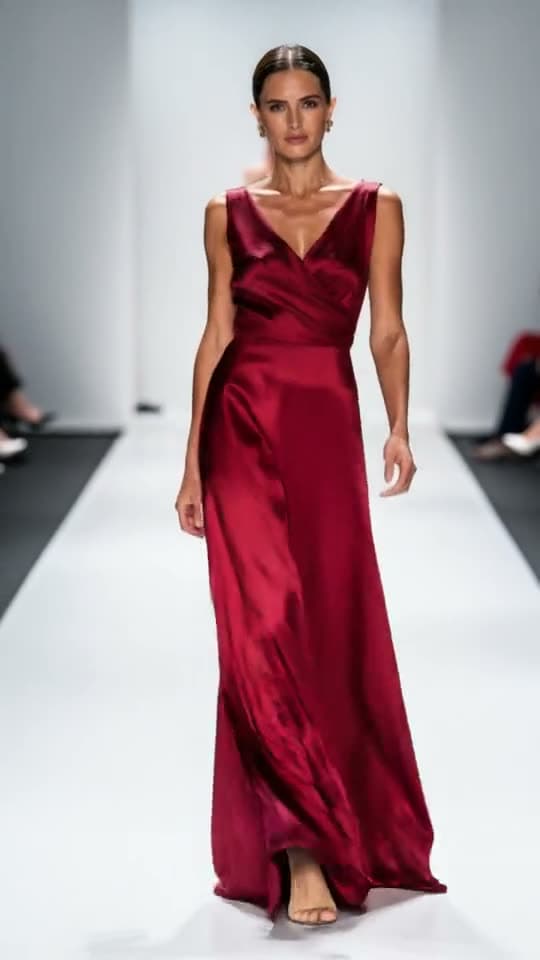
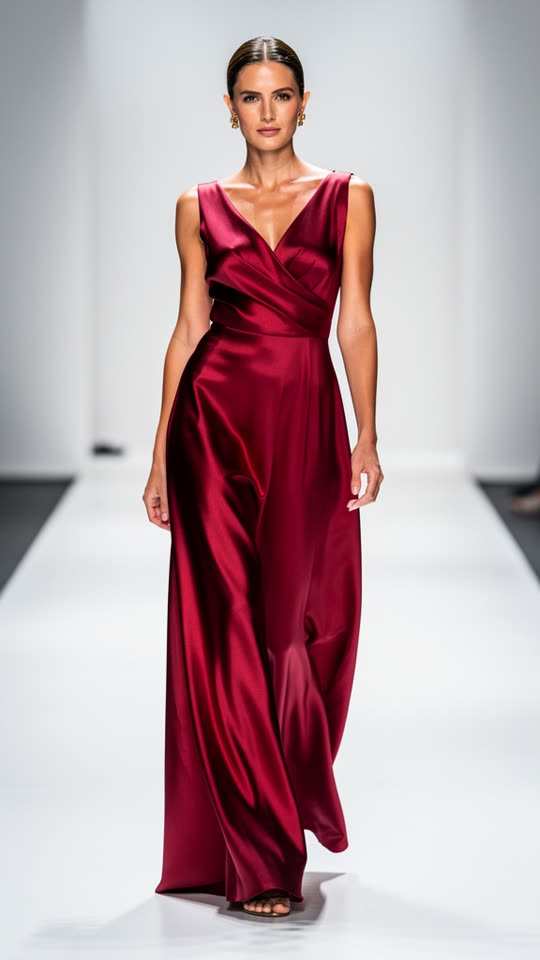
Before A runway walk, from a photo
“She walks confidently toward the camera down the runway, the silk dress flows and ripples with each step, soft studio light, fashion film, the camera slowly pulls back”

How to use AI Fashion Video Generator
Add a full-length photo
A model shot, head to toe, on a plain backdrop. A tall photo makes a tall clip for Reels.
Describe the movement
A walk toward the camera, a slow turn, a twirl, and what the fabric does: flows, ripples, flares.
Generate and download
5 seconds for a product page, 10 for a slower editorial moment.
What is an AI fashion video?
An AI fashion video is a short clip made by an AI video model from a fashion photo: the model walks, turns or poses and the fabric moves, so one product shot becomes lookbook or campaign footage.
What you can do with AI Fashion Video Generator
AI Fashion Video Generator features
The clothes stay yours
The garment from your photo, in motion.
Natural fabric motion
Silk flows, denim moves like denim.
Runway or street
Studio walks, twirls or street style.
Tall by default
A tall photo makes a 9:16 clip.





Fashion video prompts
Runway walk
“She walks confidently toward the camera down the runway, the silk dress flows and ripples with each step, soft studio light, fashion film, the camera slowly pulls back”
Studio twirl
“She turns slowly in a full circle in the studio, the skirt flares out and settles, she ends facing the camera with a soft smile, clean white backdrop, fashion film”
Street style
“He walks down a sunny city sidewalk toward the camera, the jacket moves with each step, he glances to the side, handheld street style fashion video, shallow depth of field”
Fabric close-up
“The camera moves in slowly from full length to a close-up of the fabric and the details of the outfit, the material ripples in a light breeze, soft studio light”

More about AI Fashion Video Generator
AI Fashion Video Generator is an online tool that turns a fashion or outfit photo into a short video, with the model walking, turning or posing and the clothes moving naturally, on Kling 3.0.
AI Fashion Video Generator: what you need and limits
| How it works | Online. Works on any laptop. |
|---|---|
| You get | Video download |
| You need | Any up-to-date browser |
| Phones and tablets | Supported |
| Starts on | Kling 3.0, image to video; the clip keeps your photo's shape |
Photos that animate well
Full-length, front-facing photos on a plain backdrop give the model room to walk. Flowing fabrics like silk, chiffon and wide trousers show movement best; say how they should move. A flat-lay photo makes the garment ripple but not walk, so for an on-model look start from a model shot. Keep one move per clip: a walk, or a turn, not both.

AI Fashion Video Generator FAQ
How do I make a fashion video with AI?
Add a full-length photo of the outfit on a model, describe a walk or a turn and how the fabric moves, and click Generate.
Can I make a video from a photo of clothes on their own?
Yes. A flat-lay or hanger shot makes the fabric ripple and the camera move. For walking and posing, start from a photo of someone wearing it.
Will the clothes stay the same?
The clip starts on your photo, so the garment, color and print are yours in the first frame and move naturally from there.
What shape works for Reels and TikTok?
Start from a tall photo and the clip comes out tall, ready for Reels, TikTok and Stories.
Can I use it for an online store?
Yes. It's an MP4 for product pages, ads and social posts.



Try AI Fashion Video Generator now
- Cancel any time
- Runs in your browser
- No gaming PC needed