Free Slack Soundboard for Huddles
Play a drum roll, applause or your team's in-joke into a Slack huddle you join from Chrome. Free, no sign-up.

Your browser will ask for microphone access when you click.
Set it up in Slack
Send your sounds to the extension
Open the Facecam soundboard, keep the starter sounds or add your own clips (up to 30 seconds each), and click Use these sounds in calls.
Open Slack in Chrome
Go to app.slack.com in Chrome rather than the Slack app, and start or join a huddle in a channel or DM. Allow the microphone when Chrome asks.
Switch the huddle mic
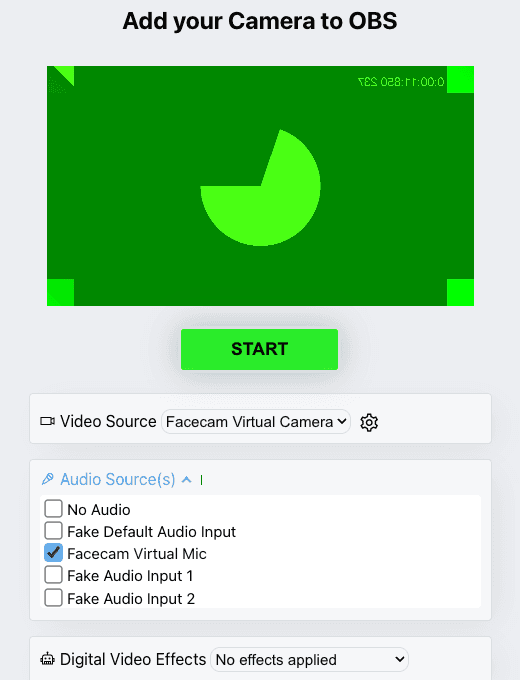
In the huddle, click the three dots or gear icon and open Manage video and microphone settings. Choose “Facecam Virtual Mic” as the microphone.
Play a sound
Open the Facecam popup → More → Soundboard and press a pad, or use the shortcut keys you set at chrome://extensions/shortcuts.

If it doesn't work
| Problem | Fix |
|---|---|
| The microphone list has no Facecam mic | You're in the Slack desktop app, or the tab loaded before the extension. Open app.slack.com in Chrome and reload. |
| Nobody hears the clips | The huddle is still on your real microphone. Change it in Manage video and microphone settings. |
| Clips sound clipped or quiet | Calls favour speech and can treat long music as noise. Use short, punchy clips and test with a teammate first. |
Slack in Chrome vs the Slack app, for sounds
| Slack in Chrome | Slack desktop app | |
|---|---|---|
| Huddles | Yes (Slack lists Chrome on Mac, Windows and Linux) | Yes |
| Facecam soundboard | Yes, through Facecam Virtual Mic | No |
| Video in huddles | Camera icon at the bottom of the huddle | Same |

More about Slack
Sounds that fit a team huddle
- Applause for a shipped release or a closed deal.
- A drum roll before the sprint demo, stopped with the same pad.
- A short sting for stand-up's last speaker.
- Your team's in-joke, recorded and uploaded as a clip.
Sources
- Slack: use huddles (browsers, camera, Manage video and microphone settings, participant limits) — slack.com/help/articles/4402059015315 (checked 2026-10-04)

Questions
Does Slack have a soundboard for huddles?
Slack's huddle help doesn't describe one. Playing clips through your microphone is what Facecam adds in Chrome.
Is it free?
Yes, with no account. The soundboard runs on your computer.
Do my teammates need Facecam?
No. They hear the clips in whatever Slack app they use, because the clips arrive as your microphone.
Can I change my voice in the huddle too?
Yes. The voice changer uses the same Facecam Virtual Mic, so you can do both at once.
Other platforms
- Discord Soundboard
- Soundboard for streaming
- Soundboard for Zoom
- Soundboard for Teams
- Webex soundboard
- StreamYard soundboard
- Riverside soundboard
- Soundboard for YouTube
- Soundboard for Kick
- Soundboard for Twitch
- Soundboard for OBS
- Soundboard for Mac
- Streamlabs soundboard
- Meme soundboard
- Goofy ahh soundboard
- Brainrot soundboard
- FNAF soundboard
- Fart soundboard
- Halloween sound effects
Related
- Soundboard for TeamsPlay applause, a drum roll or your own clips into a Teams meeting you joined in Chrome. Free, no sign-up.
- Soundboard for ZoomFacecam's soundboard plays clips into meetings you join in Chrome: the Zoom Web App, Google Meet and Teams on the web.
- Discord SoundboardA free Discord soundboard, no sign-up: play any clip you add into discord.com voice chat through your mic, in Chrome.
- Live Face SwapLive face swap for Meet, Zoom and Discord: become anyone you want, in real time, while you talk. Upload any photo or pick a built-in face.
- Mic TestA free online mic test with no sign-up: check your volume, background noise and distortion, then play back 10 seconds of yourself.