
YouTube Intro Maker
Your logo, revealed with light, motion and a sound sting, ready to open every video.


Where it works
Made with Facecam
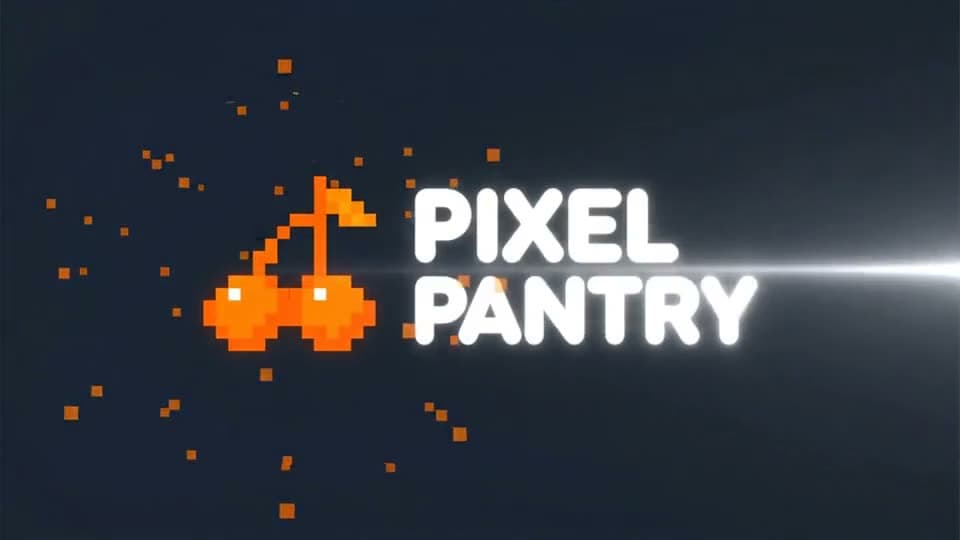

Before A logo reveal, with a sound sting
“The logo glows to life: a bright light sweeps across the letters, orange pixel sparks burst out from the cherry and settle, the background pulses softly. A punchy whoosh and a bright synth sting.”

How to use YouTube Intro Maker
Add your logo
Your logo or channel art on a plain background, wide 16:9 for videos or tall 9:16 for Shorts. The intro starts on it.
Pick an intro template
Use a template below or describe your own reveal: light sweep, glitch, particles, neon.
Put it at the start of your videos
Download the MP4 and drop it at the top of your edit. 4 to 6 seconds keeps viewers from skipping.
What is a YouTube intro?
A YouTube intro is the short branded clip, usually 3 to 8 seconds, that opens each video with the channel's logo or name and a sound. Here AI animates your logo into one, with sound effects to match.
What you can do with YouTube Intro Maker
YouTube Intro Maker features
A logo reveal in a minute
No After Effects, no template packs.
Sound included
Whooshes, stings and hits made with the picture.
Edit the template
Every template is a prompt you can rewrite.
Wide or tall
16:9 for videos, 9:16 for Shorts.





YouTube intro templates
Light sweep and sparks
“The logo glows to life: a bright light sweeps across the letters, orange pixel sparks burst out from the cherry and settle, the background pulses softly. A punchy whoosh and a bright synth sting.”
Glitch reveal
“The logo flickers with a digital glitch effect, RGB lines split and snap back together, scanlines roll across the screen, then it holds sharp. A glitchy electronic stutter and a bass drop.”
Neon sign
“The logo buzzes on like a neon sign on a dark brick wall, the tubes flicker twice and then glow steadily, light rain falls in front of it. An electric hum and a neon buzz.”
Particle burst
“The logo breaks into glowing particles that swirl around the screen and then rush back together into the logo, a soft light flare at the end. A rising whoosh and a soft chime.”

More about YouTube Intro Maker
YouTube Intro Maker is an online tool that turns your channel logo into a short animated intro with sound, a logo reveal made by AI video models like Veo 3.1 from intro templates you can edit.
YouTube Intro Maker: what you need and limits
| How it works | Online. Works on any laptop. |
|---|---|
| You get | Video download |
| You need | Any up-to-date browser |
| Phones and tablets | Supported |
| Starts on | Veo 3.1, image to video, with sound; the intro keeps your logo image's shape |
A logo reveal that fits your channel
Every template here is a logo reveal: the intro opens on your logo and animates around it, so the letters stay readable. Keep the logo big and centered with empty space around it, which gives the light and particles room. Name the sound you want (a whoosh, a sting, a bass drop) and Veo makes it in time. Short is better: viewers skip long intros, so 4 or 6 seconds is plenty. For a Shorts opener, start from a tall 9:16 version of the logo.

YouTube Intro Maker FAQ
How do I make a YouTube intro?
Add your logo, pick an intro template (or describe your own reveal) and click Generate. In about a minute you have an MP4 to put at the start of your videos.
How long should a YouTube intro be?
3 to 6 seconds. Pick 4 or 6 seconds here; anything longer gives viewers a reason to skip.
Can I make a logo reveal without After Effects?
Yes. The templates above are logo reveals made by AI from your logo image, with no keyframes or plugins.
Does the intro have sound?
Yes. Veo 3.1 makes the whoosh, sting or music you ask for in the prompt, in sync with the motion.
Can I make an intro without a logo?
Yes. Leave out the image and write the channel name in quotes, like “the words 'Pixel Pantry' appear in bold letters”. Short names come out cleanest.



Try YouTube Intro Maker now
- Cancel any time
- Runs in your browser
- No gaming PC needed